
Follow up question. Are you getting full 1080P on the Elgato device? My testing with USB to HDMI on the ENC1v3 never allowed me to get 1080p60 due to the device being USB 2.0. Maybe there has a been a hardware revision? Thanks.
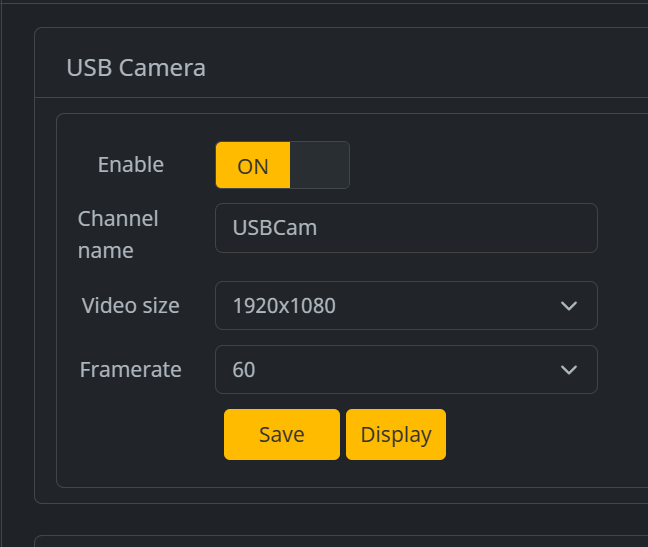
I'm puzzled how this works as the LinkPi documents the USB ports as USB 2.0 and the ElGato clearly states it requires USB 3.0 but great that it seems to be working for you.
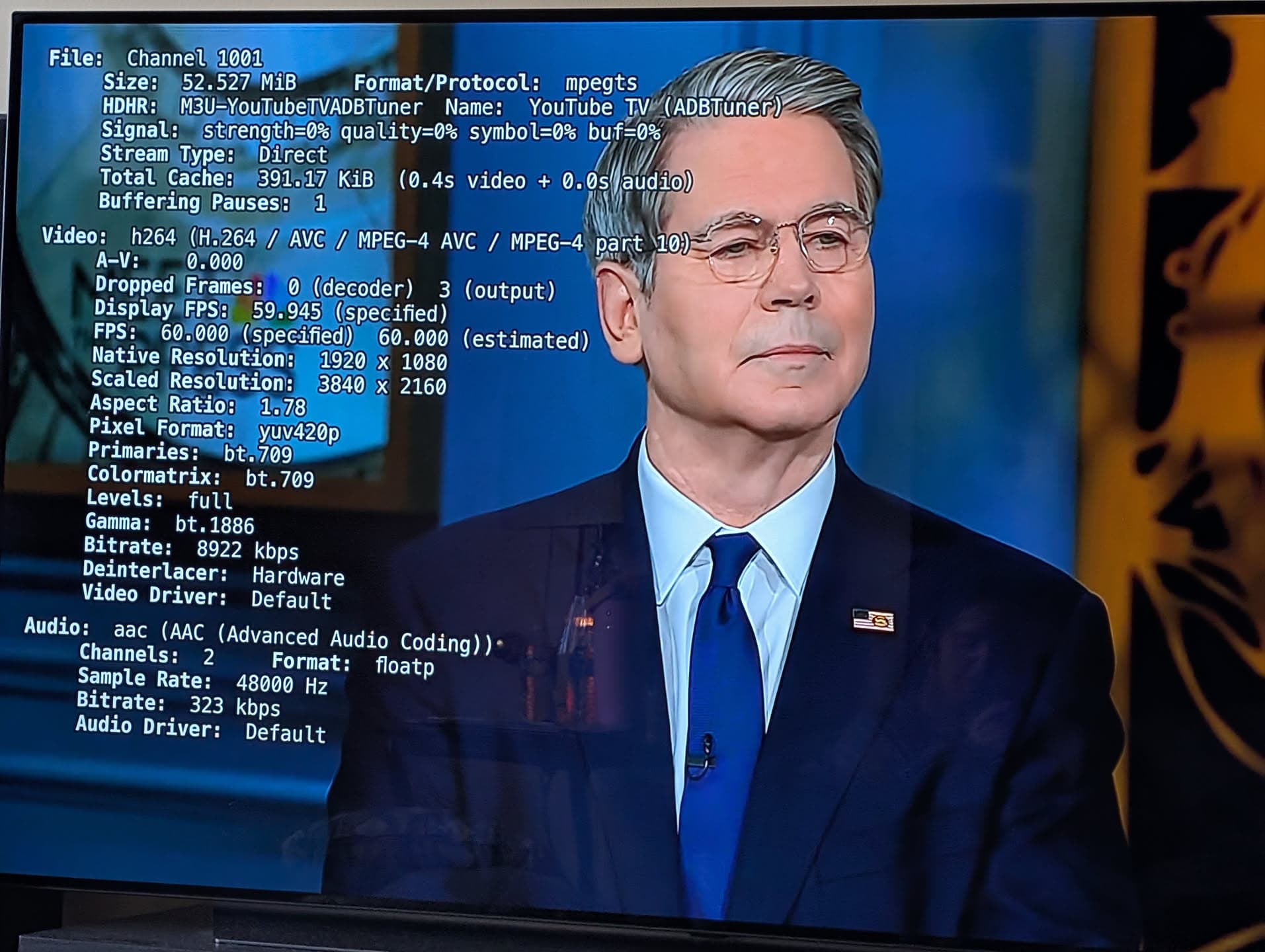
Automation comes to configuring ADBTuner for ESPN!
New bnhf/olivetin:latest (aka bnhf/olivetin:2025.11.23) pushed with support for both the ESPN4cc4c project (ESPN guide data including ESPN+) and a Project One-Click Action to automatically create however many unique virtual channels you'd like for those events (40, 100, 250 or whatever).
The One-Click will also add the ADBTuner Custom Configuration that goes with this (if its UUID is not already present), and will add the CDVR Custom Channels Source. If you don't already have ESPN4cc4c running, spin that up first, and then execute the ESPN4cc4c ADBTuner Action (no new container is created, but ESPN4cc4c and ADBTuner must be running):

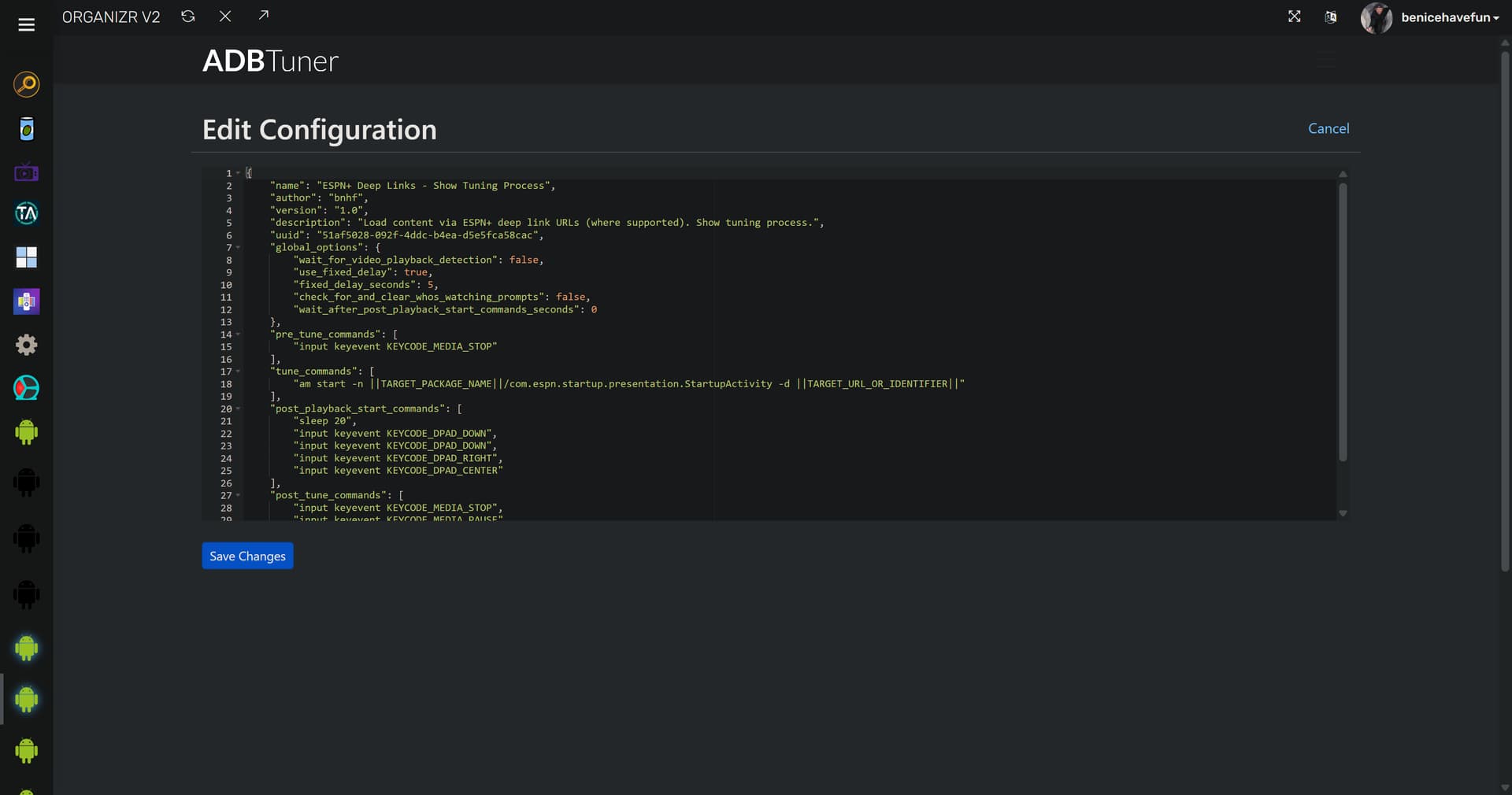
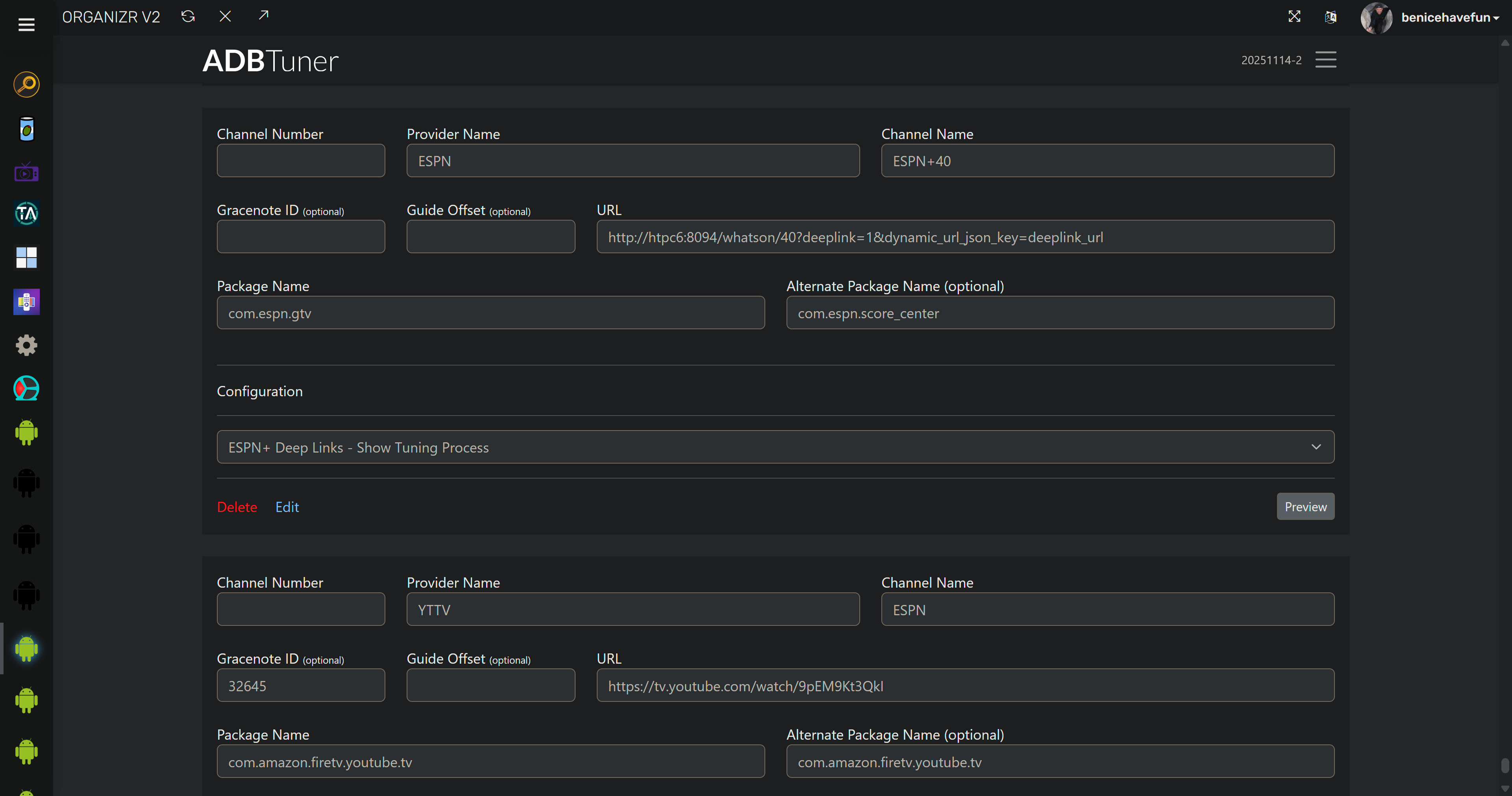
ADBTuner Custom Configuration added automatically, if not already present:
ADBTuner virtual channels created (including deleting any previously created Provider=ESPN channels if desired). Each channels has a unique name and URL. Package names for both FireSticks and generic Android specified, along with the custom config:
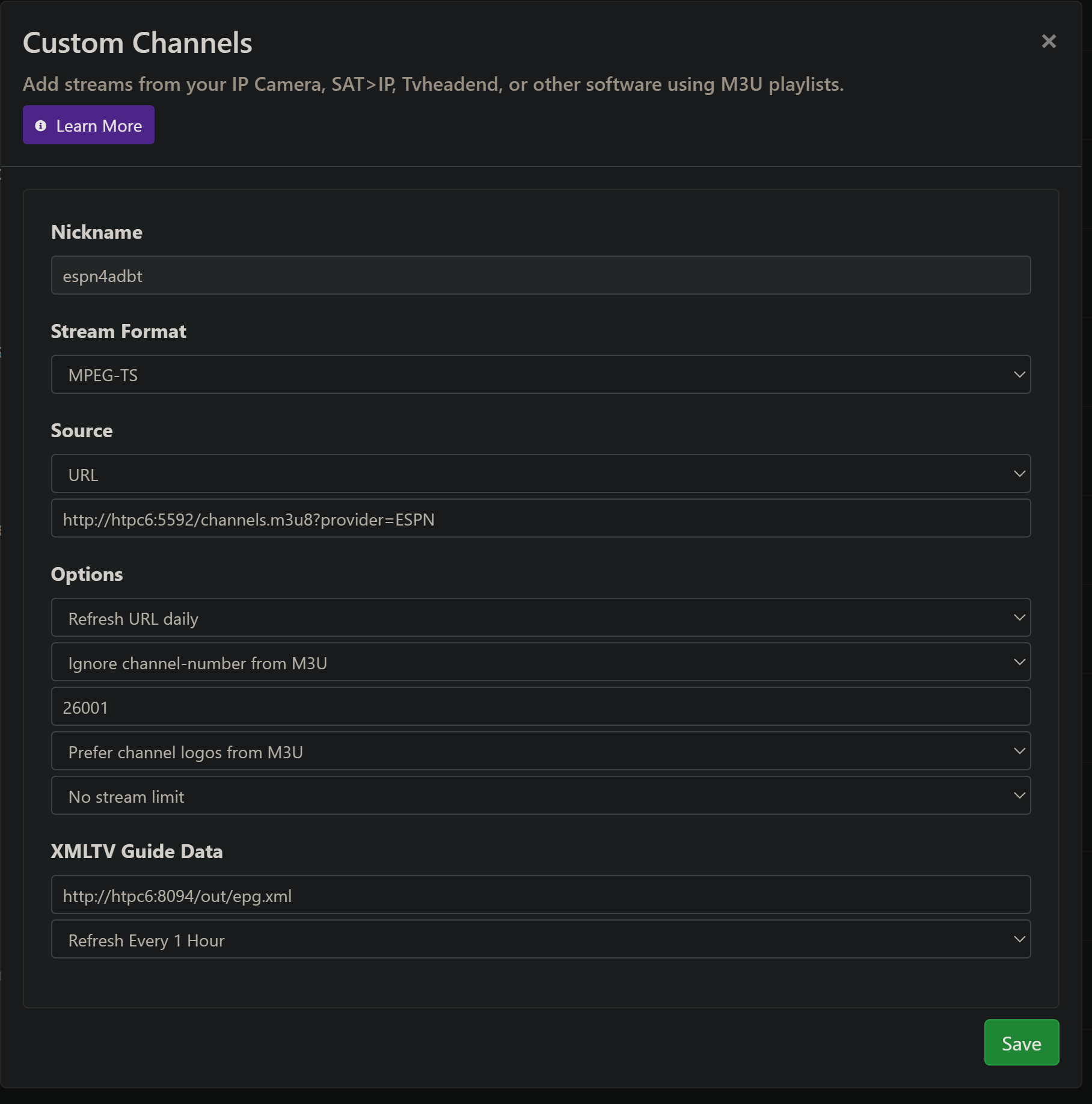
CDVR Custom Channels Source automatically created using ADBTuner M3U and ESPN4cc4c XML (guide data). Whatever channel start number you specify will be used -- and it's recommended to use one:
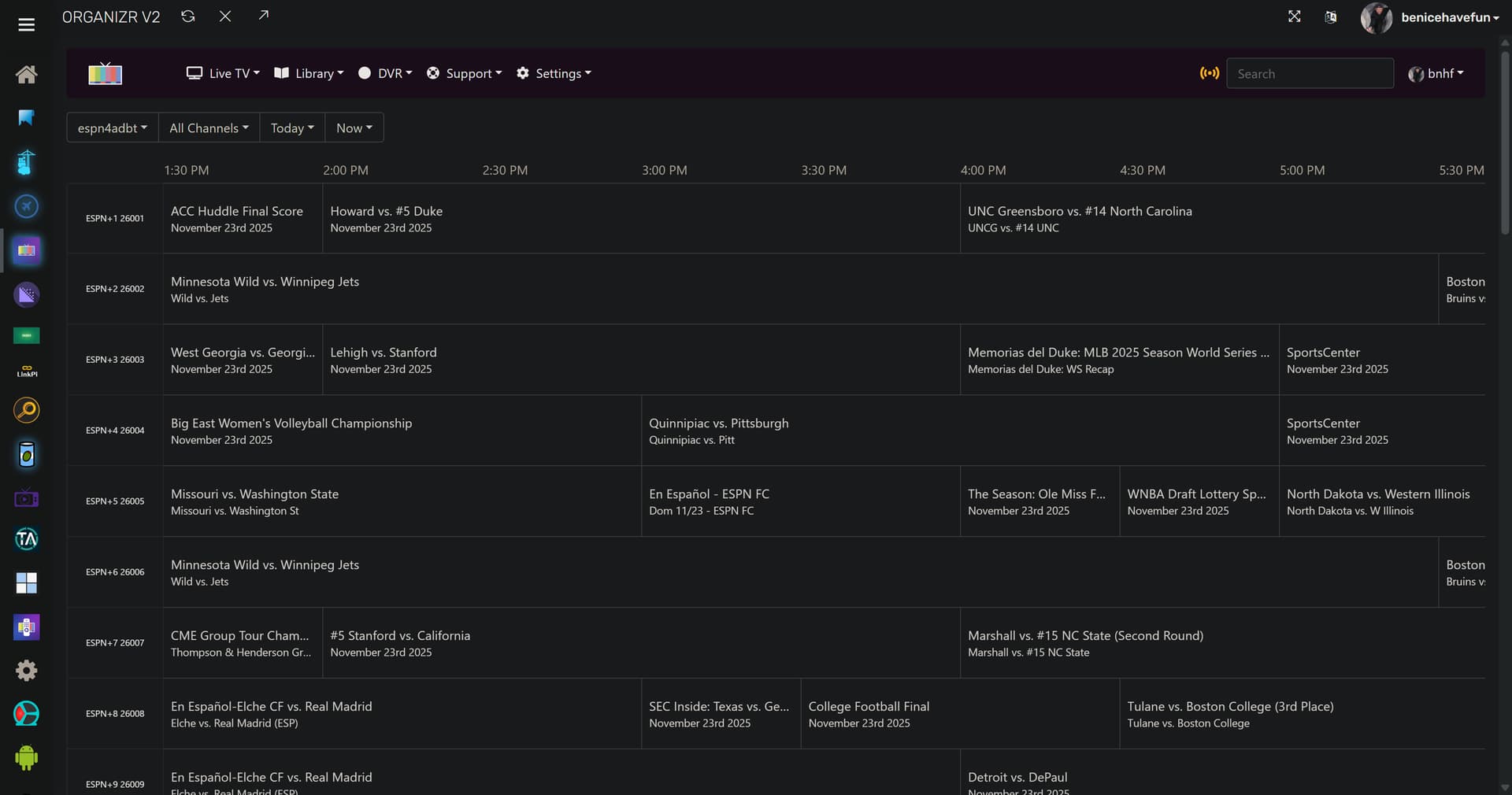
The result of your not-so-hard-work  :
:
3 Likes
For those just getting started, upcoming Black Friday Deal (early access for Walmart+)
onn Full HD Streaming Stick - $9.00.
Sure, not gonna be fast, but not exactly like you will be using the UI during automation. Holiday returns until end of January. Hey, the remote alone is worth $9.
Happy Streaming!
Anyone have success getting these to work with a wired connection via a otg cable with developer options enabled?
That may be a downside of these streaming sticks. As I recall, OTG may not work if you want Ethernet.
1 Like
I have developer mode working using some older FireTV 4K Max sticks and OTG - it didn't work for me with Onn TV devices
1 Like
For those watching news, MSNBC rebranded to MS NOW. In doing so, there is a dedicated app. This makes tuning simple as there is only one stream in the app, not three like the NBC News App.
If you would like to give it a try, grab the MS Now app, and using following Config:
Channel Number: You Pick!
Provider Name: MS NOW
Channel Name: MS NOW
Gracenote ID: 16300
URL: msnbc://brand/msnbc
Package Name: com.nbcnews.msnbc.mobile
Using the standard Deep Links (default, recommended) configuration works just fine as the app opens directy to MS NOW stream. This config is likely the most reliable, but leaves the initial launch overlay on screen.
I've created a custom config that starts a fresh copy of the App every time, and clears the initial launch overlay. The timing is based on my Onn 4K Plus devices, so the sleep setting and "wait" flag at the end may need adjustment during your testing.
{
    "name": "MS NOW - Onn 4K Plus",
    "author": "spammedeeper",
    "version": "0",
    "description": "Custom config for MS NOW (previously MSNBC) app, fresh start, clear banner.",
    "uuid": "a6f35b77-4fb2-45cb-8ad4-741c0e98776f",
    "global_options": {
        "wait_for_video_playback_detection": true,
        "use_fixed_delay": false,
        "fixed_delay_seconds": 0,
        "check_for_and_clear_whos_watching_prompts": false
    },
    "pre_tune_commands": [
        "input keyevent 224"
    ],
    "tune_commands": [
        "am start -W -a android.intent.action.VIEW -S -d '||TARGET_URL_OR_IDENTIFIER||' '||TARGET_PACKAGE_NAME||'"
    ],
    "post_playback_start_commands": [
        "sleep 3",
        "input keyevent 23"
    ],
    "post_tune_commands": [
        "input keyevent 3",
        "input keyevent 26"
    ],
    "wait_after_post_playback_start_commands_seconds": 4
}
Happy Streaming!
3 Likes
ok! now that I got ospreys all set up for this..  (also the Daily Show and TVE backup)
actually this re-triggered my interest in a script mod that would allow for 1 tuner/encoder for back-to-back show recordings, similar to tuner sharing on hdhomerun
sounds like this app would help facilitate that.
solved; I did not have any padding in my advanced pass, the padding tells the script to not change channel or sleep the stream.
By back-to-back, do you mean sequential shows on the same channel?
yea, I keep 5 news shows to allow commercial skip if I want to watch news. I have also thought about just manually blocking 2-4hr chunks to cut down on all the tuning delays, but upgraded to the enc1v3 w/usb instead..
You should be able to do that with one tuner natively in the Channels scheduling, via shared tuner. If looking at same channel for recording blocks of news, say 7PM, 8PM and 9PM, you can just have the three shows overlap start/stop times.
6:59PM to 7:01PM
7:59PM to 8:01PM
7:59PM to 9:01PM
Channels should share the same tuner, keeping it active and not releasing it between recordings, yet the recordings should be individual.
I realize i'm in adbtuner and I'm using ah4c, but samesies (kinda) so i've got an advanced pass set to start/stop on time, and occasionally shows will start late and I can see my osprey "changing" the channel. I think originally I left my defaults of 10sec early and 30sec late, but then all recordings started late. is this a difference between adbtuner and ah4c? or something in the config to change?
This is a setting from what I remember. I do record news blocks, but as individual recordings, and don't remember more than one tuner activating. I would need to test to make sure.
I went ahead and changed the pass to have 10sec padding both start/stop, we'll see
Thanks so much for sharing your channel list. How would I go about determining or finding the URLs for the local channels in Houston? I've searched around and can't find them posted anywhere.
That works, thanks again!