ADBTuner: A "channel tuning" application for networked Google TV / Android TV devices

I went and did another test. I can confirm that my little bash script does keep that four-hour prompt from coming up with DirecTV. So what we would need is a solution to be able to periodically send a play button key event every hour or so. That keyevent is completely invisible to DirecTV. You don't see anything come up on the screen, but it does keep it alive!!

I decided I still am going to get the Osprey boxes because they look like a whole lot of fun. But I hope that this solution helps some others!

Walmart has them for $41. Free returns until Jan 31.

I got them on eBay for $39 with tax and shipping. It was a reputable seller, so I saved a little bit compared to Walmart!!

That's great! :slightly_smiling_face:

1 Like

Yeah, it was the sort of thing where if you buy more than three, you get like 10% off or something like that. There are a bunch of eBay sellers that have that sort of deal where if you buy them in bulk they give you a discount.

I'm just happy I have a durable solution for Android TV. Just in case these boxes aren't supported one day, we do have something that will work on an Android TV box. So, there's some future proofing there.

1 Like

I've added a new OliveTin/Project One-Click Action to automate everything needed to use DTV with ADBTuner.

This includes:

  • Capturing the deeplinks for your set of specific DTV packages, including locals.
  • Converting those deeplinks into a JSON for use with ADBTuner.
  • Adding Gracenote Station IDs to each of the channels in your custom list.
  • Adding those virtual channels to your ADBTuner installation.
  • Adding whatever ADBTuner Custom Config you'd like to use to ADBTuner.
  • Importing those channels complete with DTV channel numbers and GracenoteIDs into ADBTuner.
  • Creating a CDVR Custom Channels Source with that set of ADBTuner channels call ADBTuner - DirecTV

More details here:

This Action should go live tomorrow (08 Dec 25)...

3 Likes

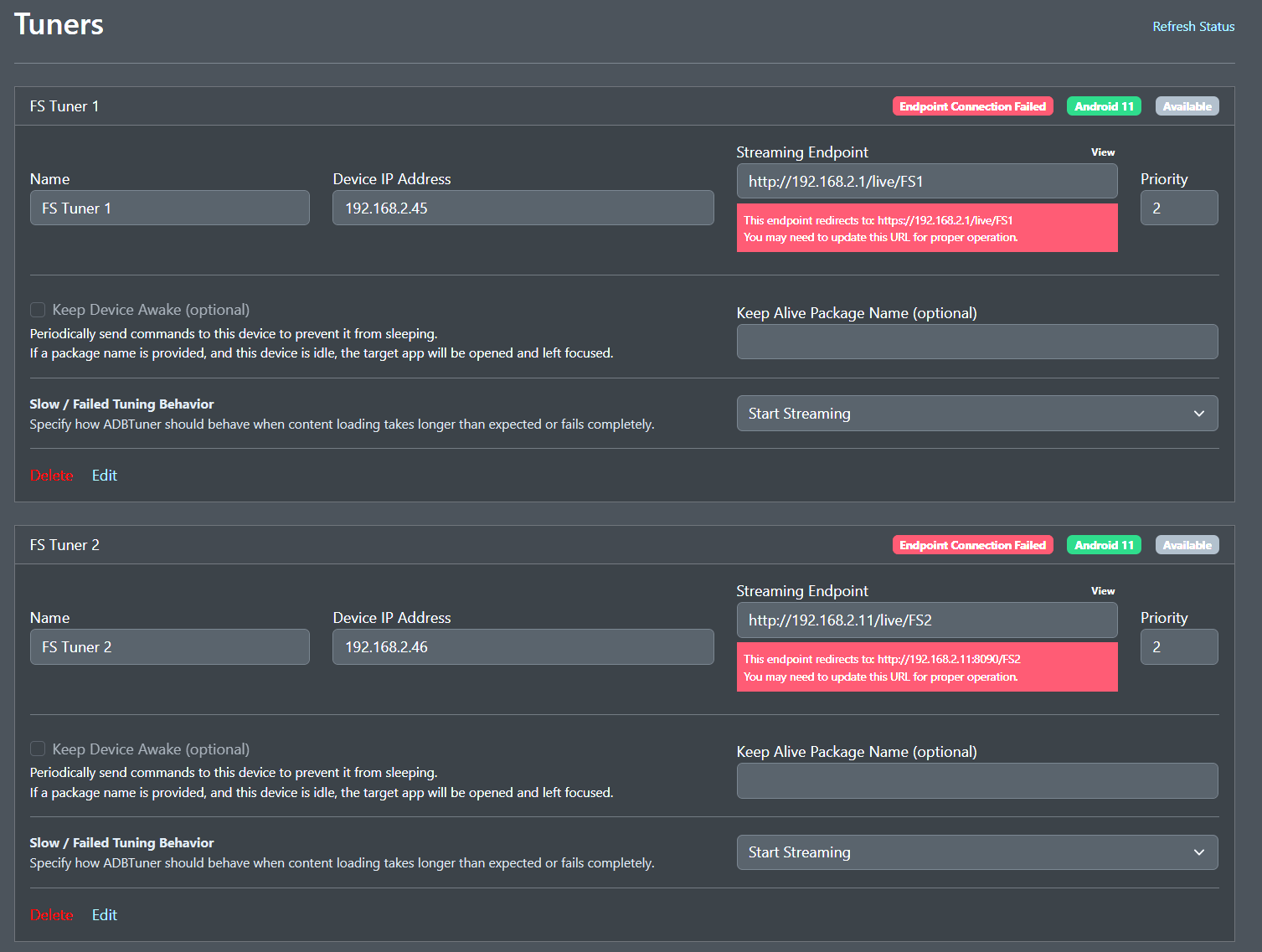
I recently upgraded to the latest stable release, and it seems like my endpoints are broken. I have encountered this issue with previous updates, but it's been a while, and rolling back usually resolved the problem. Unfortunately, this time rolling back doesn’t seem to help. Is anyone else experiencing this issue?

The URLs you have configured in the Streaming Endpoint field actually redirect to another URL. You should be able to just update the Streaming Endpoint field with the URL suggested in the error message. In your case it seems it's redirecting the https?

Hi guys!
There are sooo many posts and replies about fixes, adjustments and new developments here that I bet this post gets lost in the shuffle.

I’m not one who can participate in such discussions, but I am a user of ADB Tuner for about a year or so. I only have a single encoder, fed by a single Fire TV.

I just want to say thank you. That’s all.

5 Likes

I attempted the suggested fix, and the URL changed to HTTPS as a result. The second tuner reflects the original message I received before trying the fix. I also double-checked my endpoint URLs on the encoder, and there have been no changes.

@turtletank I see "timed_keep_active_commands": [] in the latest development build you just pushed!

Do these just run in sequence? ie.

"input keyevent 126",
"sleep 3600"

If so I'll update my config.

LOL I literally just pushed that. It's just a quick implementation, and I will document this more, but your DTV config converted for this is as follows.

I don't have DTV, and haven't really tested other than verifying that the commands are executed.

{
    "name": "DirecTV",
    "author": "David B.",
    "version": "X.X.X",
    "description": "Fast tuning for DirecTV. Prevent are you still there prompt from showing.",
    "uuid": "3c7d5a19-6f2e-4b8a-9d3f-8e1c4b7a5f92",
    "global_options": {
        "wait_for_video_playback_detection": true,
        "use_fixed_delay": false,
        "fixed_delay_seconds": 0,
        "check_for_and_clear_whos_watching_prompts": false,
        "wait_after_post_playback_start_commands_seconds": 0
    },
    "pre_tune_commands": [
    ],
    "tune_commands": [
        "am start -W -n '||TARGET_PACKAGE_NAME||'/$(cmd package resolve-activity -a android.intent.action.MAIN '||TARGET_PACKAGE_NAME||' | awk -F= '/name=/{print $2; exit}') -a android.intent.action.VIEW -d '||TARGET_URL_OR_IDENTIFIER||'"
    ],
    "post_playback_start_commands": [
    ],
    "post_tune_commands": [
        "input keyevent KEYCODE_MEDIA_STOP",
        "input keyevent KEYCODE_HOME"
    ],
    "timed_keep_active_commands": [
        {
            "run_every_minutes": 60,
            "commands": [
                "input keyevent KEYCODE_MEDIA_PLAY"
            ]
        }
    ]
}
1 Like

Thank you so much. I'll see in my adb logcat right away if it worked and again in an hour if it hit the play button again. But I already know for sure that this does work for DirecTV.

More information on this, I tried all iterations that error tells me to try and once I switch the URL I get a complete connection failure which would make sense. The endpoints the program is telling me to use are not real endpoints. Thanks

Just set the run_every_minutes to 2 to test and it does indeed work!!

What encoding device(s) are you using?

Edit: if it's a single LinkPi device, can you try:

http://192.168.2.11:8090/FS1 and http://192.168.2.11:8090/FS2

I have 4 LinkPi Devices. They are all doing the same thing after this last update.... weird thing I spun up a new container since the suggested fix was not working I thought maybe I broke something. Intially this new container was doing the same thing. But I tried to add the fix that you stated along with the ADB tuner program suggesting and now its working all of a sudden. Not sure why thing change was needed all of a sudden and why in my orginal container the fix would not take. But it seems to be all good now I will try it on the rest of my tuners and let you know if I have any more trouble

Thanks for an awesome program!

1 Like

There are some firmware updates that reset config. Possible your play URLs for the LinkPi streams changes. One of the firmware updates changed all my bitrate and encoding settings too. Something to check. Glad it is working.

Woo hoo made it! Thank you for implementing this @turtletank!


You rock!!!

Edit: Still going!

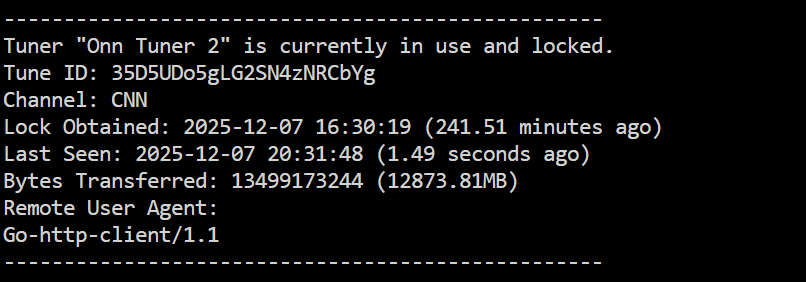
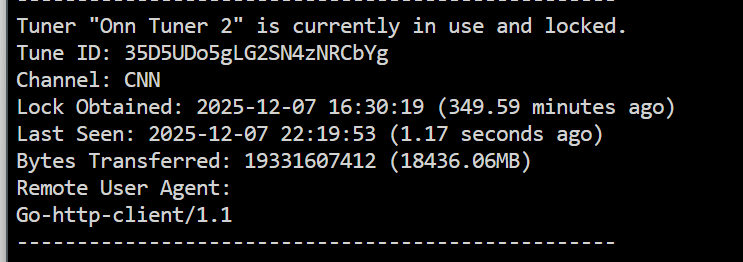
Finally ended it after 7 hours, this is awesome!

@turtletank I will start by start by saying the challenge I'm having is so unique, it may only apply to me. I don't want to request development for such a small audience. But with the newly created ADBT Thread dedicated to DirecTV, figured I would open discussion.

I've been testing my Osprey Boxes with ADBT for a few months. It works rather well, but I have to use a work around. It seems ADBT needs to verify the declared Package Name is installed before continuing with the rest of the tuning process. The Osprey does not have an installed app. Instead it uses the System App com.att.tv.openvideo baked into the Osprey Firmware.

I bypass this challenge by selecting a random installed app during my Channel setup, then use a custom config to manually target the "openvideo" system app. Is there any way to use a System App as Package Name? Possible to skip this verification of installed, and just trust the declared (manual input) package name is good?

Again, this is not a show stopper for me. The bypass I'm using now works. Appreciate all you do.

1 Like