
Gemini == Osprey it's the same device rebranded. Can you share the posts. I'm on Reddit and I see nothing. I have a stack of 10 lol so I need to know if I have to work on a solution to get these working.
1 Like
I thought I was looking at posts about the Gemini Air, and this one primarily, but cross-checking the model number, I see this post is about the Gemini set top box -- so despite a reasonably convincing looking post (particularly "phase 4"), we know this can't be correct:
Sorry to raise your alarm bells. This seemed to match up with what @Jubeejb posted in the ADBTuner thread about losing ADB access to his Gemini, but perhaps that's incorrect info as well.
EDIT: It's possible what this Reddit user was reporting only applies to those who no longer have DTV subscriptions.
This is a bit old. Gemini Air runs ATV14 and the older Gemini C71KW-400 runs ATV 11 but I have not seen anything like that. Also per my conversations with DTV the Air is done and they are just giving out "Ospreys" I recently got one under a promotion (so 11) it's in my living room.
Maybe he an Air if thats the case there have been bugs lately with DTV boxes as a whole. I don't know what @Jubeejb is running. It'd be helpful to know what DTV box they have. There is also a Gemini V2 in beta right now and some have been offered to test those. Perhaps they are lucky enough to have one of those boxes. If that is the case I would say take a look at my FastChannels PR and hope @KineticMan can merge it because FastChannels will blow an Osprey out of the water if that PR is merged!!! My test image was so fast to tune last night and the channel numbers were perfect.
I know pretty sweet right? The FastChannels ah4c bridge for DTV (and a number of other decent providers) is the new rock star for encoder or Capture Card connected streaming sticks!
It's absolutely incredible. I just hope we can get that channel numbers thing sorted out, but I seem to have. I just hope it's mergeable. I don't know if you want to take a look at my PR and see if you have any ideas because I know you've worked with fastchannels before. I also scraped the Gracenote data from them as well so every channel will get a proper ID.
1 Like
What you did would be ideal, to get the DTV channel numbers "correct" right in FastChannels. So, I'll take a look, but most importantly @KineticMan is going to need a bit of time to make sure it doesn't conflict with other work he's done on channel numbers.
2 Likes
Of course. Hopefully it doesn't!
Hello the device I’m using is C71KW-400 I bought it on the Walmart site for $58.00. .
I don’t have the source side but the plugin is well documented on how to use and what it can do. Searching Home Assistant AndroidTV remote would most likely get you the documentation.
When I first enabled ADB on the device it worked fine. Than after rebooting the device a few times the device would no longer stream content. To start streaming content I had to disable ADB.
Like I said, I have 11 of these and have not run into that. And they're fully up to date, so it must be something else.
Also, a lot of us have this exact model of device. Some of us also have 8 to 10 and use them with channels, and I don't think any of us would run into anything like that.
Could you maybe share what your about page looks like? I want to see the firmware version, build number, Direct TV app build number, etc. you're on just to see if maybe there's a newer release that you got and I don't have. How long has it been like this?
1 Like
As I said in another post, I found the source code.
I don’t have an about page but I’ll provide whatever info I can get. I’m not at the house right now but I do know that based on the label the device was manufactured in 2019.
The About page is how you tap the build number to enable developer options in the first place.
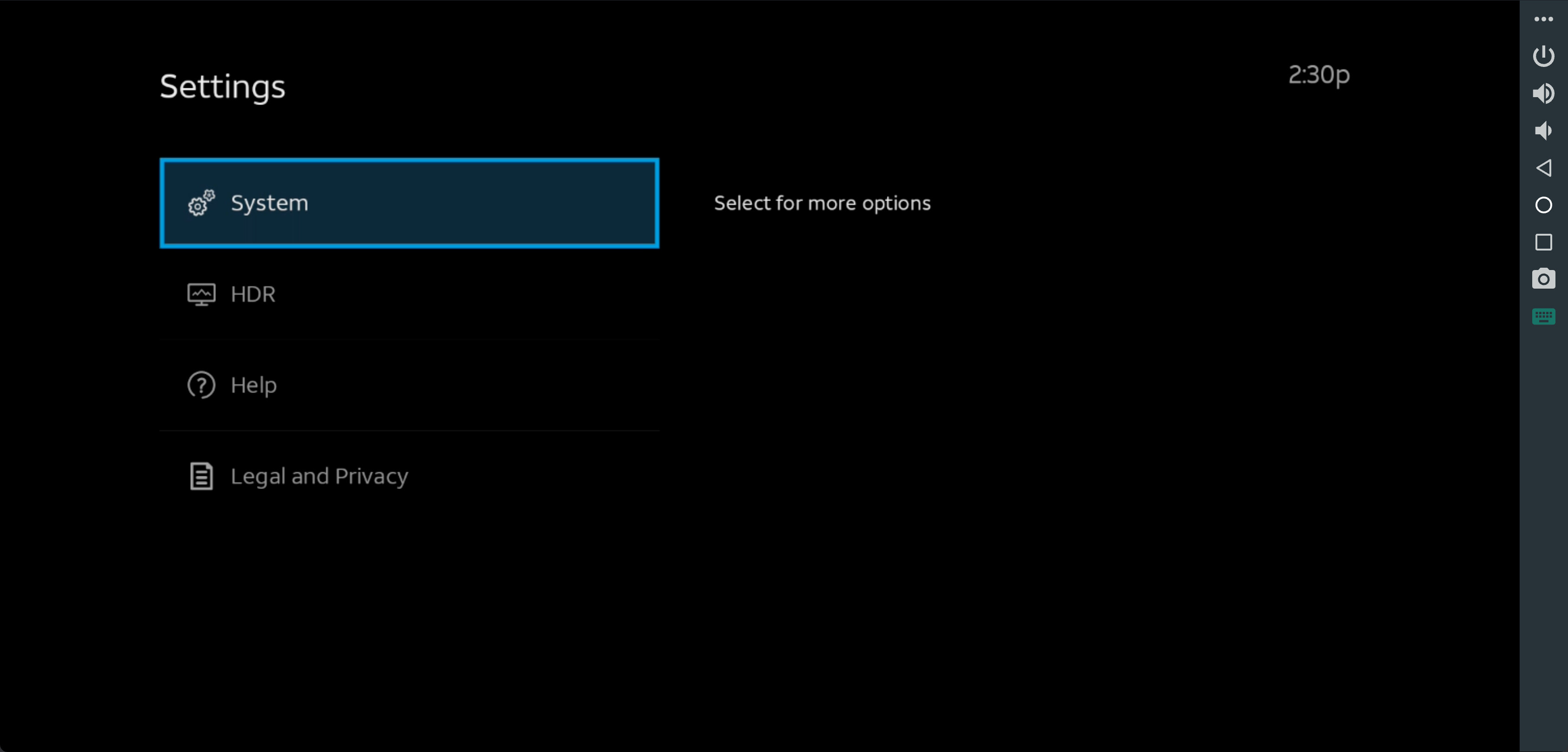
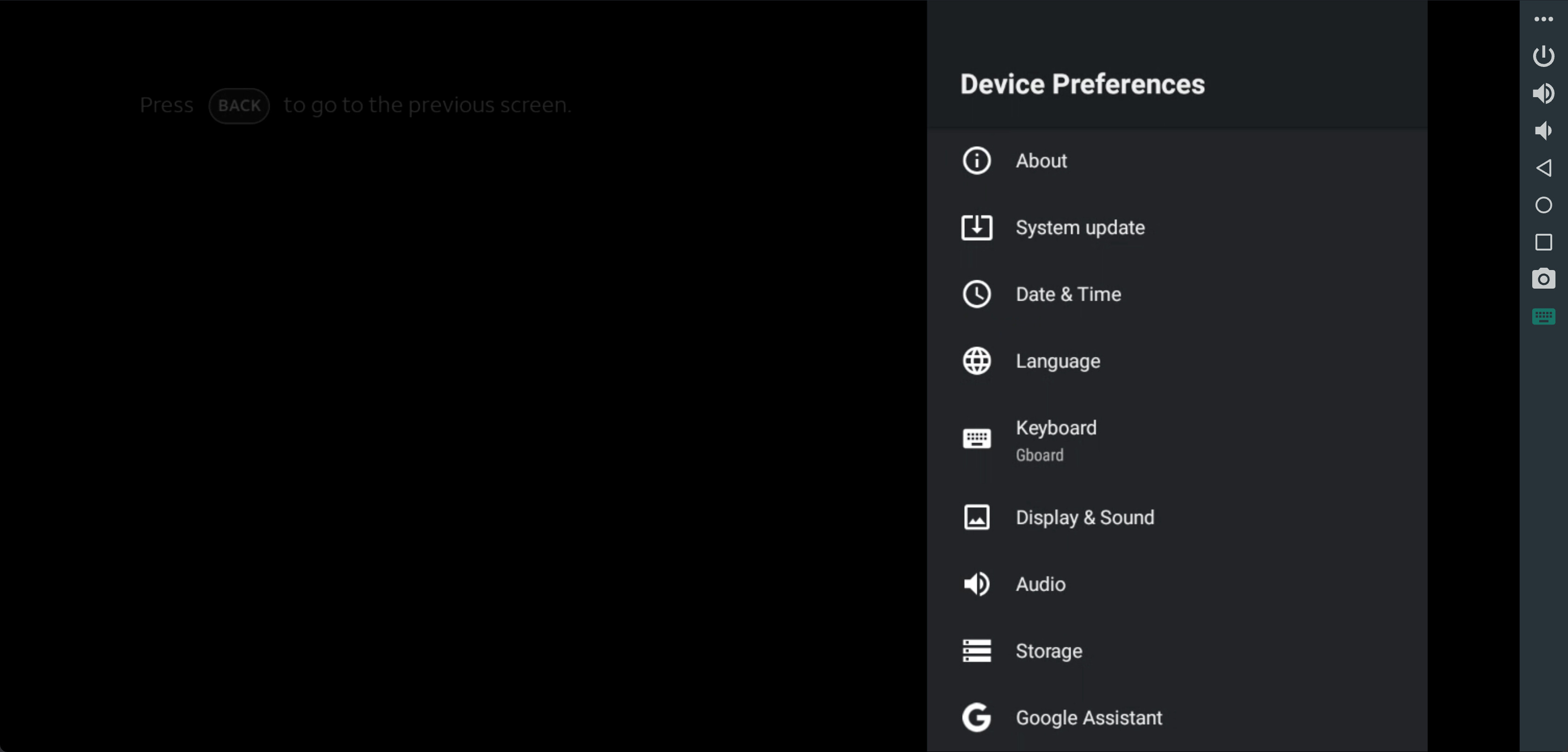
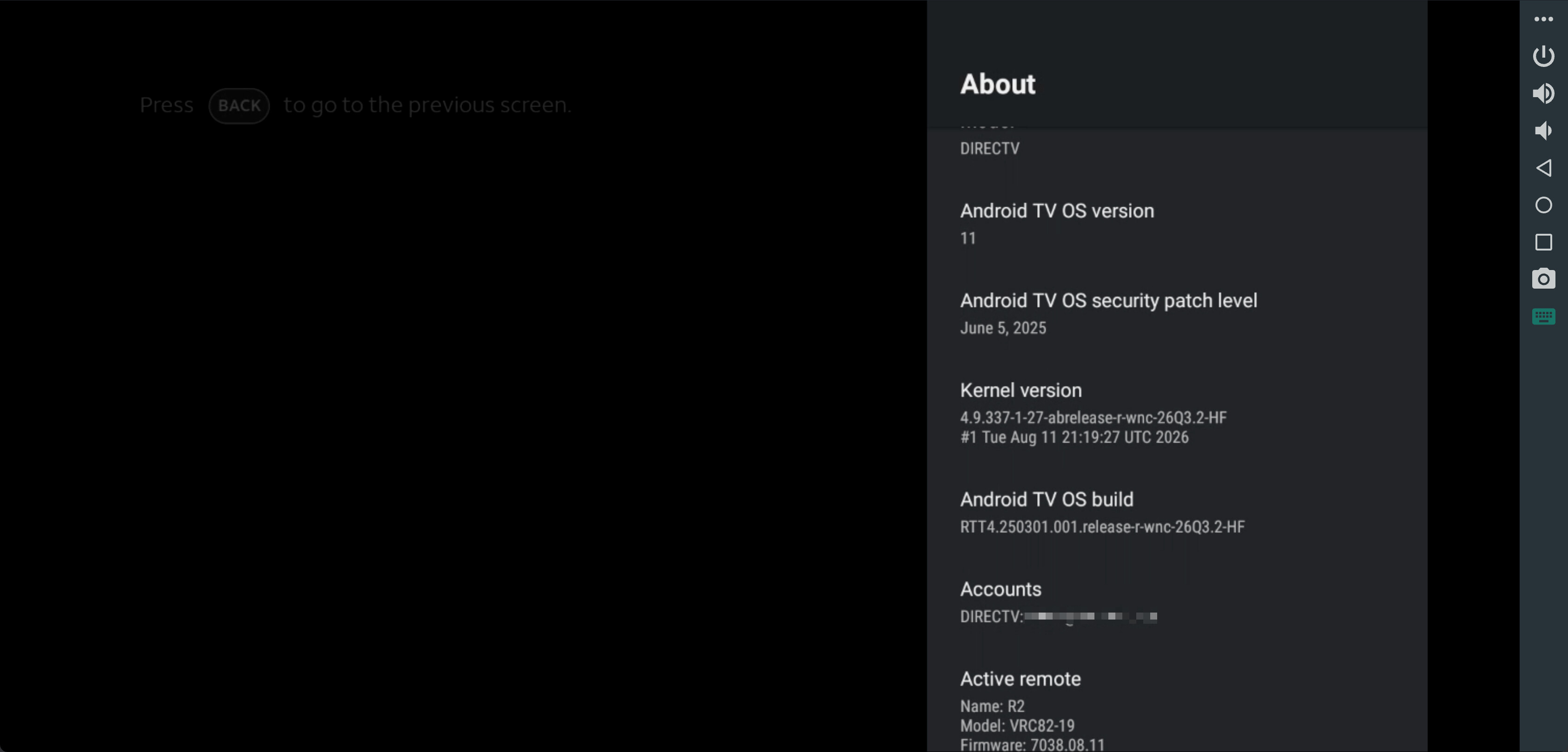
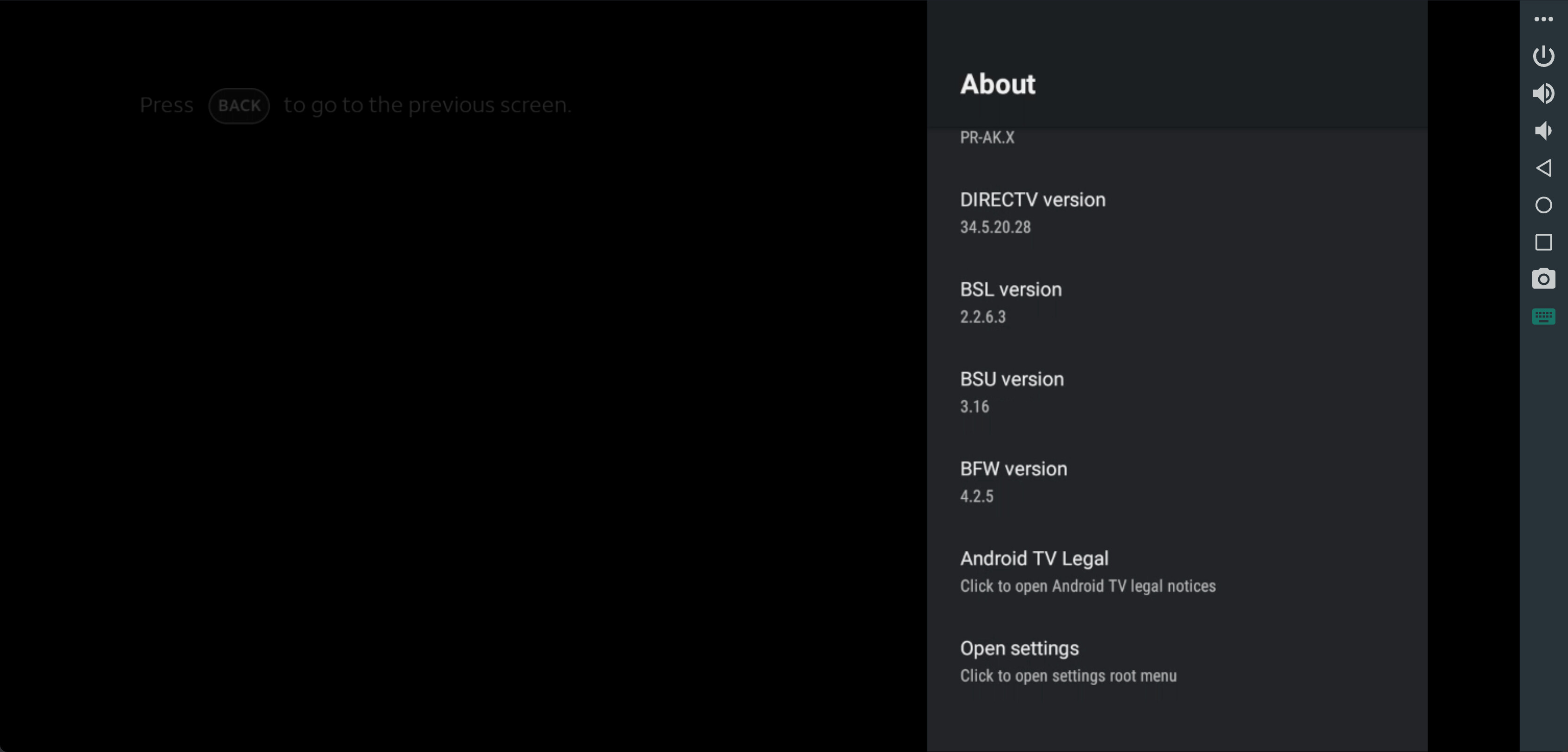
Bear with me. I’m old enough to have one foot in the grave and one foot on a banana peel  The last real programming I did was in the 80s and that was primarily Assembler and COBOL.
1 Like
No worries, hence why I provided screenshots.
Thanks for this project! I'm waiting on my LinkPi to arrive, hopefully in the next week. While waiting, I decided to set up the Fire TV Sticks and install ah4c to work the kinks out before the final hardware piece arrives. I'm using Xfinity Stream and have read a good bit of this thread, but especially everything with Xfinity in it. My current hangup is finding the proper m3u setup for my channel listing. AI walked me through capturing the channel list from the console, but that is turning out to be showing guide data, not the actual channel numbers.
For example, for channel 1036, it had:
#EXTINF:-1 channel-id="1036" channel-number="1036" tvc-guide-stationid="8167265010082066117" tvg-name="WATLD" tvg-chno="1036",WATLD
http://{{ .IPADDRESS }}/play/tuner/1036
when what I really needed was something like:
#EXTINF:-1 channel-id="1036" channel-number="1036" tvc-guide-stationid="5162125970112283117" tvg-name="WATL-HD" tvg-chno="1036",WATLD
http://{{ .IPADDRESS }}/play/tuner/WATLD-7275065179929881105
I don't think that's entirely correct because the github xfinity.m3u has much shorter tvc station ids like 59368.
I'm so close on this but can't crack the code on how to get the other hundreds of channels other than clicking each channel and copying the URL to get the correct code for the m3u.
Is there a better way to capture the required channel data for an Xfinity lineup?
Also, is there a way to tune through ah4c while the LinkPi isn't attached? Using a dummy entry for the encoder address in ah4c appears to give a successful tune, ie no obvious error in the log, but by the time I walk to my network room the stream has already terminated and put the device back to sleep. This was using curl "http://192.168.99.63:7654/play/tuner/KMSPD-8615637520029897105" -o /dev/null.
I can successfully tune through adb with:
adb -s 192.168.99.35:5555 shell input keyevent KEYCODE_WAKEUP && adb -s 192.168.99.35:5555 shell am force-stop com.xfinity.cloudtvr.tenfoot && adb -s 192.168.99.35:5555 shell am start -a android.intent.action.VIEW -d "https://www.xfinity.com/stream/live/watch/7275065179929881105/WATLD" com.xfinity.cloudtvr.tenfoot
I feel like I'm right on the verge of getting this correct. I will keep trying to automatically generate the m3u until the LinkPi arrives. Then I'll probably punt and manually access each channel one by one. I already have most of the m3u data correct; I just need the correct tvc-guide-stationid and /play/tuner action.
It's been a while since I put my remote xfinity setup together, but this is the M3U I use (which is the same as posted on the repo:
#EXTM3U

#EXTINF:-1 channel-id="1002" channel-number="1002" tvc-guide-stationid="21634" tvg-group="" tvg-logo="",KTCA-DT
http://{{ .IPADDRESS }}/play/tuner/tpt2H-8037961156532819105

#EXTINF:-1 channel-id="1004" channel-number="1004" tvc-guide-stationid="21234" tvg-group="" tvg-logo="",WCCO-DT
http://{{ .IPADDRESS }}/play/tuner/WCCOD-5669032547815822105

#EXTINF:-1 channel-id="1005" channel-number="1005" tvc-guide-stationid="21236" tvg-group="" tvg-logo="",KSTP-DT
http://{{ .IPADDRESS }}/play/tuner/KSTPD-8713109229817176105

#EXTINF:-1 channel-id="1009" channel-number="1009" tvc-guide-stationid="24504" tvg-group="" tvg-logo="",KMSP-DT
http://{{ .IPADDRESS }}/play/tuner/KMSPD-8615637520029897105

#EXTINF:-1 channel-id="1011" channel-number="1011" tvc-guide-stationid="20505" tvg-group="" tvg-logo="",KARE-DT
http://{{ .IPADDRESS }}/play/tuner/KARED-7728061817102576105

#EXTINF:-1 channel-id="1017" channel-number="1017" tvc-guide-stationid="21865" tvg-group="" tvg-logo="",KTCI-DT3
http://{{ .IPADDRESS }}/play/tuner/TPTL-8037961156532819105

#EXTINF:-1 channel-id="1023" channel-number="1023" tvc-guide-stationid="34425" tvg-group="" tvg-logo="",WUCW-DT
http://{{ .IPADDRESS }}/play/tuner/TPTL-8037961156532819105

#EXTINF:-1 channel-id="1041" channel-number="1041" tvc-guide-stationid="36071" tvg-group="" tvg-logo="",KPXM-DT
http://{{ .IPADDRESS }}/play/tuner/IONHD-8070479734704376105

#EXTINF:-1 channel-id="1111" channel-number="1111" tvc-guide-stationid="58646" tvg-group="" tvg-logo="",CNN HD
http://{{ .IPADDRESS }}/play/tuner/CNNHD-7551018075264600105

#EXTINF:-1 channel-id="1167" channel-number="1167" tvc-guide-stationid="73502" tvg-group="" tvg-logo="",KSTC-DT2
http://{{ .IPADDRESS }}/play/tuner/MeTV-4757730922757252105

#EXTINF:-1 channel-id="1168" channel-number="1168" tvc-guide-stationid="75977" tvg-group="" tvg-logo="",KSTC-DT4
http://{{ .IPADDRESS }}/play/tuner/KSTC2-8760927753427221105

#EXTINF:-1 channel-id="1174" channel-number="1174" tvc-guide-stationid="92038" tvg-group="" tvg-logo="",WCCO-DT2
http://{{ .IPADDRESS }}/play/tuner/START-8313187410358697105

#EXTINF:-1 channel-id="1182" channel-number="1182" tvc-guide-stationid="52331" tvg-group="" tvg-logo="",WUCW-DT2
http://{{ .IPADDRESS }}/play/tuner/COMET-6532506444970079105

#EXTINF:-1 channel-id="1183" channel-number="1183" tvc-guide-stationid="69640" tvg-group="" tvg-logo="",WUCW-DT3
http://{{ .IPADDRESS }}/play/tuner/CHARG-6872374361091213105

#EXTINF:-1 channel-id="1205" channel-number="1205" tvc-guide-stationid="32645" tvg-group="" tvg-logo="",ESPN HD
http://{{ .IPADDRESS }}/play/tuner/ESPND-7642769970651506105

#EXTINF:-1 channel-id="1206" channel-number="1206" tvc-guide-stationid="45507" tvg-group="" tvg-logo="",ESPN2 HD
http://{{ .IPADDRESS }}/play/tuner/ES2HD-7642769970651506105

#EXTINF:-1 channel-id="1208" channel-number="1208" tvc-guide-stationid="82547" tvg-group="" tvg-logo="",FS1 HD
http://{{ .IPADDRESS }}/play/tuner/FS1HD-5628918118244997105

#EXTINF:-1 channel-id="1209" channel-number="1209" tvc-guide-stationid="59305" tvg-group="" tvg-logo="",FS2 HD
http://{{ .IPADDRESS }}/play/tuner/FS2-8827972050046699105

#EXTINF:-1 channel-id="1223" channel-number="1223" tvc-guide-stationid="61854" tvg-group="" tvg-logo="",Golf Channel HD
http://{{ .IPADDRESS }}/play/tuner/GOLFD-7547469904399748105

#EXTINF:-1 channel-id="1224" channel-number="1224" tvc-guide-stationid="60316" tvg-group="" tvg-logo="",Tennis Channel HD
http://{{ .IPADDRESS }}/play/tuner/TNND-5272992504836762105

#EXTINF:-1 channel-id="1250" channel-number="1250" tvc-guide-stationid="74436" tvg-group="" tvg-logo="",Bally Sports North HD
http://{{ .IPADDRESS }}/play/tuner/BSNRD-5676071061539263105

#EXTINF:-1 channel-id="1313" channel-number="1313" tvc-guide-stationid="58774" tvg-group="" tvg-logo="",Big Ten Network Minnesota HD
http://{{ .IPADDRESS }}/play/tuner/B10HD-7916016111854078105

#EXTINF:-1 channel-id="1403" channel-number="1403" tvc-guide-stationid="58452" tvg-group="" tvg-logo="",USA Network HD
http://{{ .IPADDRESS }}/play/tuner/USAHD-6198908101479551105

#EXTINF:-1 channel-id="1404" channel-number="1404" tvc-guide-stationid="42642" tvg-group="" tvg-logo="",TNT HD
http://{{ .IPADDRESS }}/play/tuner/TNTHD-5966517083150279105

#EXTINF:-1 channel-id="1405" channel-number="1405" tvc-guide-stationid="59337" tvg-group="" tvg-logo="",AMC HD
http://{{ .IPADDRESS }}/play/tuner/AMCHD-8004546766543596105

#EXTINF:-1 channel-id="1418" channel-number="1418" tvc-guide-stationid="64492" tvg-group="" tvg-logo="",BBC America HD
http://{{ .IPADDRESS }}/play/tuner/BBCAM-7159950156799115105

#EXTINF:-1 channel-id="1430" channel-number="1430" tvc-guide-stationid="64490" tvg-group="" tvg-logo="",truTV HD
http://{{ .IPADDRESS }}/play/tuner/TRTVD-5197383487287436105

#EXTINF:-1 channel-id="1434" channel-number="1434" tvc-guide-stationid="58515" tvg-group="" tvg-logo="",TBS HD
http://{{ .IPADDRESS }}/play/tuner/TBSHD-6937726884423880105

#EXTINF:-1 channel-id="1458" channel-number="1458" tvc-guide-stationid="66268" tvg-group="" tvg-logo="",Hallmark Channel HD
http://{{ .IPADDRESS }}/play/tuner/HCHD-7889068523651137105

#EXTINF:-1 channel-id="1459" channel-number="1459" tvc-guide-stationid="46710" tvg-group="" tvg-logo="",Hallmark Mystery HD
http://{{ .IPADDRESS }}/play/tuner/HMYS-7889068523651137105

#EXTINF:-1 channel-id="1802" channel-number="1802" tvc-guide-stationid="19548" tvg-group="" tvg-logo="",HBO HD
http://{{ .IPADDRESS }}/play/tuner/HBOHD-5232923399725817105

#EXTINF:-1 channel-id="1803" channel-number="1803" tvc-guide-stationid="10244" tvg-group="" tvg-logo="",HBO (PACIFIC)
http://{{ .IPADDRESS }}/play/tuner/HBO-W-5232923399725817105

#EXTINF:-1 channel-id="1804" channel-number="1804" tvc-guide-stationid="59368" tvg-group="" tvg-logo="",HBO2 HD
http://{{ .IPADDRESS }}/play/tuner/HBO2H-5232923399725817105

#EXTINF:-1 channel-id="1806" channel-number="1806" tvc-guide-stationid="10243" tvg-group="" tvg-logo="",HBO Signature
http://{{ .IPADDRESS }}/play/tuner/HBOSG-5232923399725817105

#EXTINF:-1 channel-id="1808" channel-number="1808" tvc-guide-stationid="16585" tvg-group="" tvg-logo="",HBO Family
http://{{ .IPADDRESS }}/play/tuner/HBOFE-5232923399725817105

#EXTINF:-1 channel-id="1810" channel-number="1810" tvc-guide-stationid="18429" tvg-group="" tvg-logo="",HBO Comedy
http://{{ .IPADDRESS }}/play/tuner/HBOCM-5232923399725817105

#EXTINF:-1 channel-id="1812" channel-number="1812" tvc-guide-stationid="18431" tvg-group="" tvg-logo="",HBO Zone
http://{{ .IPADDRESS }}/play/tuner/HBOZN-5232923399725817105

#EXTINF:-1 channel-id="1840" channel-number="1840" tvc-guide-stationid="21868" tvg-group="" tvg-logo="",Paramount+ with Showtime HD
http://{{ .IPADDRESS }}/play/tuner/SHOHD-6578292319676893105

#EXTINF:-1 channel-id="1841" channel-number="1841" tvc-guide-stationid="22532" tvg-group="HD" tvg-logo="",SHOWHDP
http://{{ .IPADDRESS }}/play/tuner/SHOHW-6578292319676893105

#EXTINF:-1 channel-id="1842" channel-number="1842" tvc-guide-stationid="11116" tvg-group="" tvg-logo="",SHO2e
http://{{ .IPADDRESS }}/play/tuner/SHO2e-6578292319676893105

#EXTINF:-1 channel-id="1846" channel-number="1846" tvc-guide-stationid="16153" tvg-group="" tvg-logo="",Showtime Showcase
http://{{ .IPADDRESS }}/play/tuner/SHOCe-6578292319676893105

#EXTINF:-1 channel-id="1848" channel-number="1848" tvc-guide-stationid="18086" tvg-group="" tvg-logo="",Showtime Extreme
http://{{ .IPADDRESS }}/play/tuner/SHOXe-6578292319676893105

#EXTINF:-1 channel-id="1852" channel-number="1852" tvc-guide-stationid="25274" tvg-group="" tvg-logo="",Showtime Familyzone
http://{{ .IPADDRESS }}/play/tuner/SHOFe-6578292319676893105

#EXTINF:-1 channel-id="1860" channel-number="1860" tvc-guide-stationid="35329" tvg-group="" tvg-logo="",The Movie Channel HD
http://{{ .IPADDRESS }}/play/tuner/TMCHD-9102031849685959105

#EXTINF:-1 channel-id="1862" channel-number="1862" tvc-guide-stationid="60951" tvg-group="" tvg-logo="",The Movie Channel Extra HD
http://{{ .IPADDRESS }}/play/tuner/TMCXe-9102031849685959105

#EXTINF:-1 channel-id="1871" channel-number="1871" tvc-guide-stationid="65687" tvg-group="" tvg-logo="",MGM+ HD
http://{{ .IPADDRESS }}/play/tuner/MGM+-7697030199876428105

#EXTINF:-1 channel-id="1873" channel-number="1873" tvc-guide-stationid="67929" tvg-group="" tvg-logo="",MGM+ Hits HD
http://{{ .IPADDRESS }}/play/tuner/MGMHT-7697030199876428105

#EXTINF:-1 channel-id="1874" channel-number="1874" tvc-guide-stationid="74073" tvg-group="" tvg-logo="",MGM+ Marquee HD
http://{{ .IPADDRESS }}/play/tuner/MGMMR-7697030199876428105

#EXTINF:-1 channel-id="1875" channel-number="1875" tvc-guide-stationid="103828" tvg-group="" tvg-logo="",MGM+ Drive-In HD
http://{{ .IPADDRESS }}/play/tuner/MGMDR-7697030199876428105
The channel-id and channel-number I used are the standard Xfinity channel numbers. The tvc-guide-stationid values are the Gracenote Station IDs so you get the correct guide data.
The play/tuner/ URL is <callsign>-<deeplink>, which I got by tuning each channel I wanted through Xfinity Stream in browser, and grabbing the deeplink from the redirect when the channel was playing. I believe the callsigns I used were from Zap2it, but I'm not 100% on that.
I've moved to using tildes rather than dashes between tuning values like that in recent years, but the Xfinity scripts probably still use dashes -- so stick with that to start, but maybe we'll update to tildes as we're getting you up-and-running.
EDIT: Actually, if you're in MN, the repo M3U (posted here too) should be a good (and accurate) starting point. I don't know of way to automate the process of getting all the deeplink values you need, but if figure one out, I'll add it to Project One-Click.
1 Like
Thanks, that's all I needed to stop messing with trying to capture it from the browser console. There surely is a way, but I haven't been able to find it in several hours of testing. Knowing one correct tuning ID, I have not been able to capture it in the browser Networking > XHR tab while starting the known channel. I'll go through them one by one using your .m3u as a starting point. My guide has roughly 1400 channels in it, but many of them are SD versions with HD duplicates, TV-GO channels (which may or may not tune), foreign language channels I don't need, etc. Once I get a working m3u, I'm happy to share with the community. My lineup is for GA, but I would imagine many of the national channels would match other users' setups.