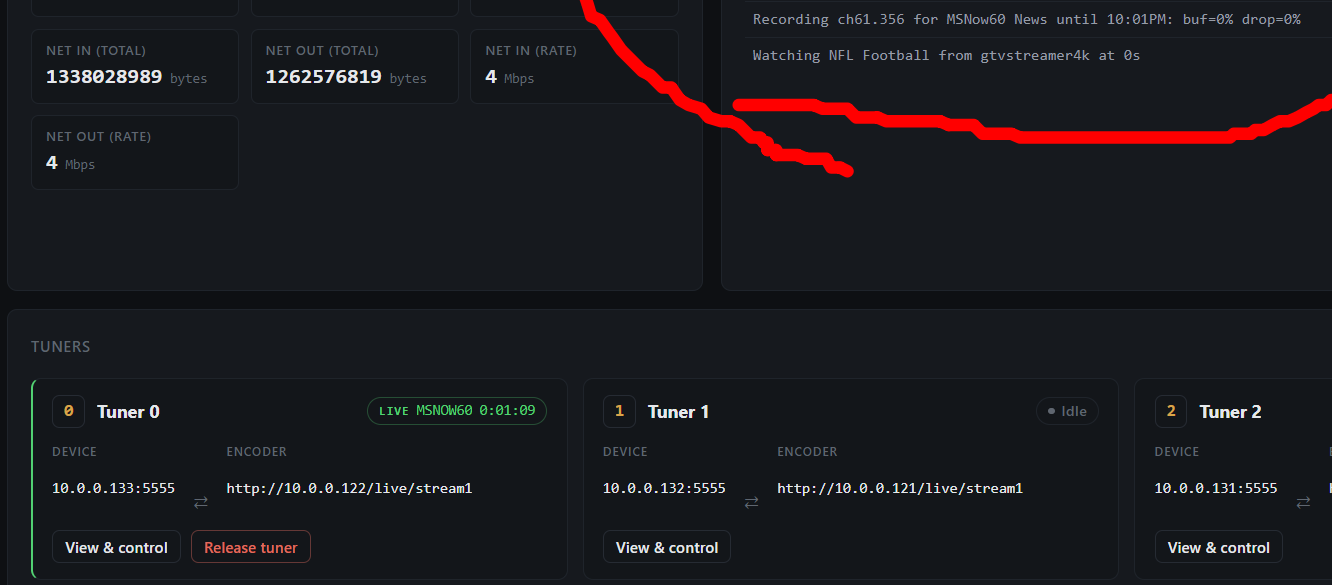
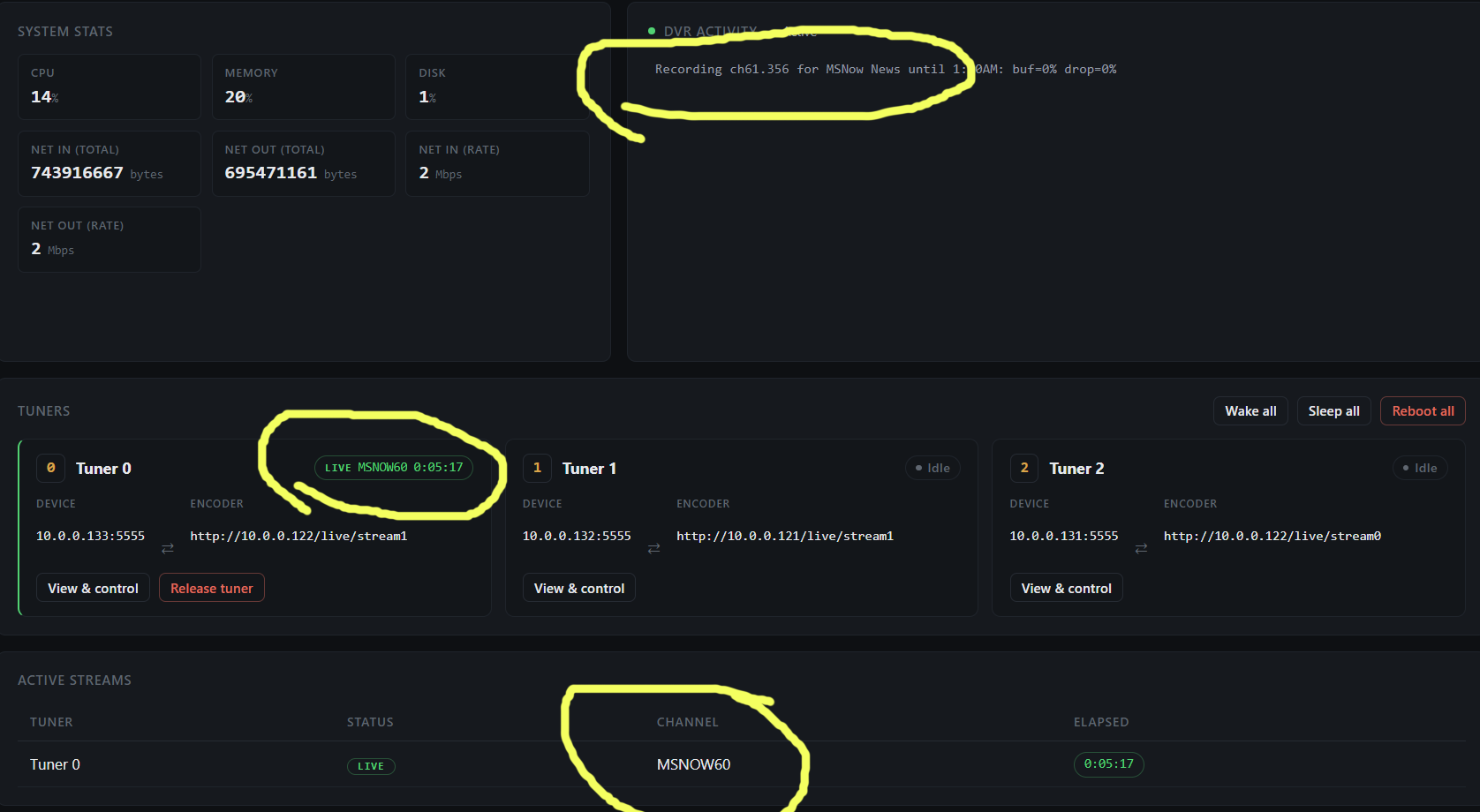
Looking to see if I can do this.
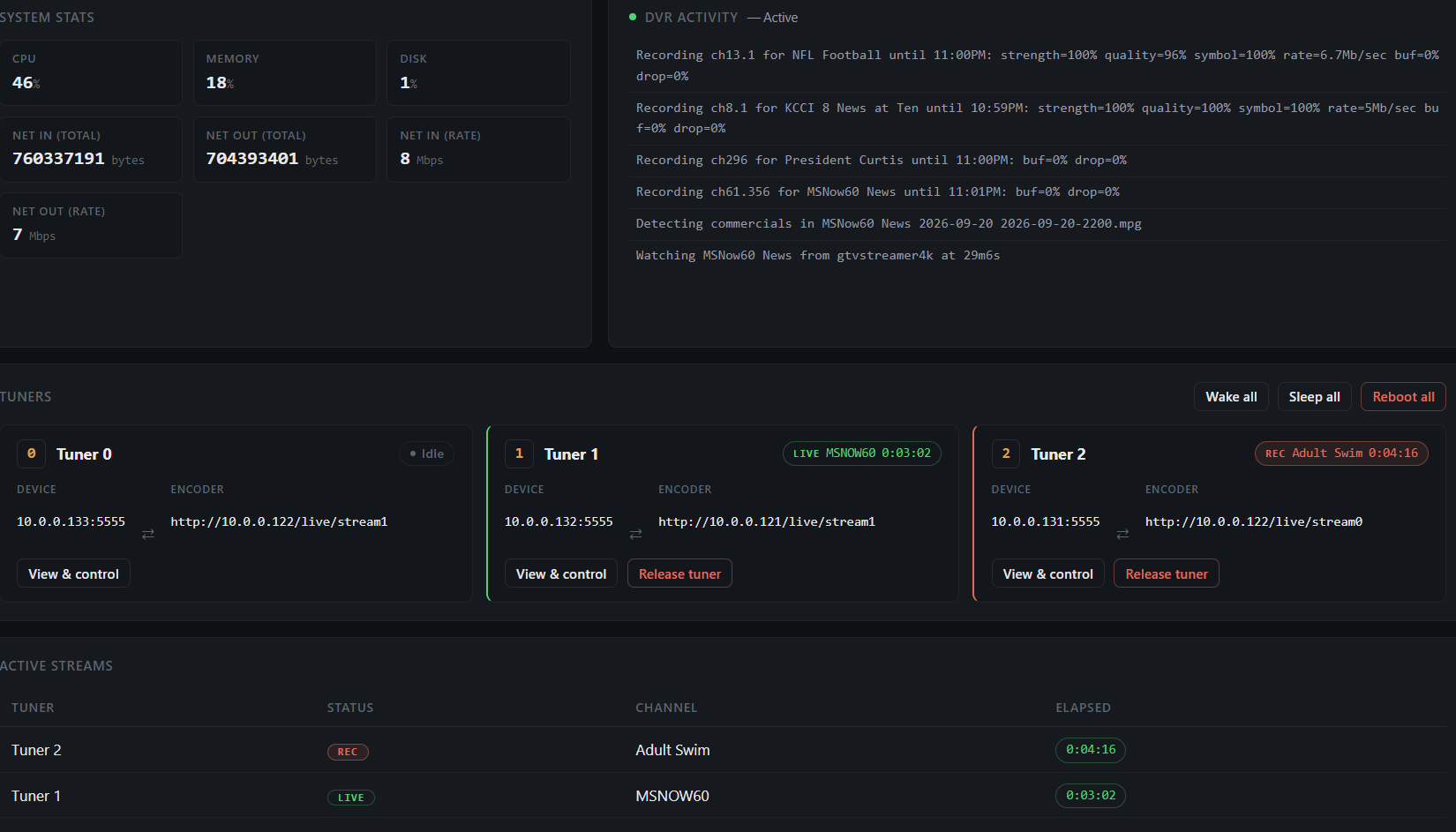
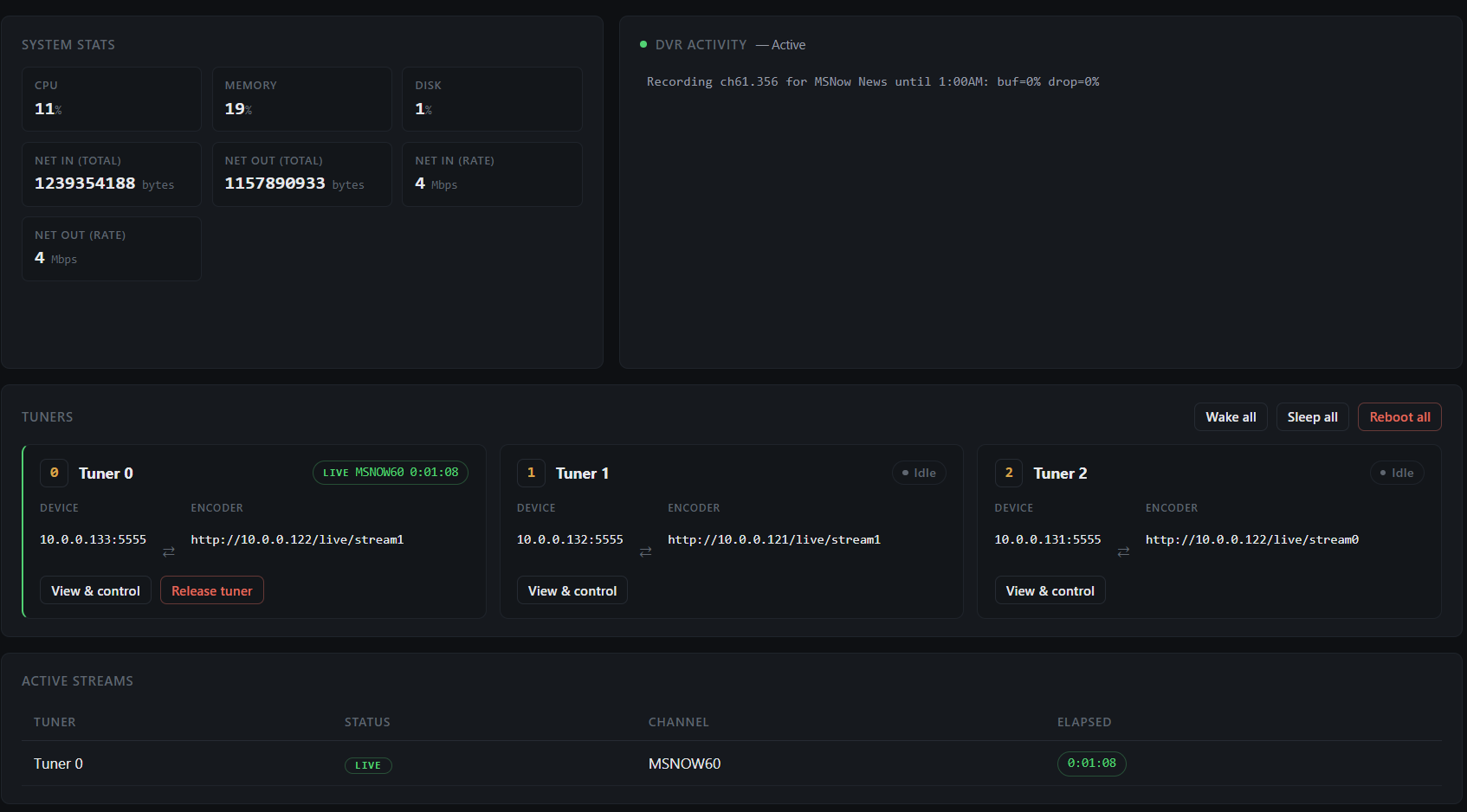
@Shaggylive if you want to re-pull my test container, you should see I implemented your suggestion! It should say REC or LIVE now.

Looking to see if I can do this.
@Shaggylive if you want to re-pull my test container, you should see I implemented your suggestion! It should say REC or LIVE now.
I just got home a few minutes ago and before your edit I realized this area in screenshot could have had a column for that but the words Rec and Live catch the eye much better that a dot 
seriously it's fine don't mind all my 2nd guessing suggestions.. lol..
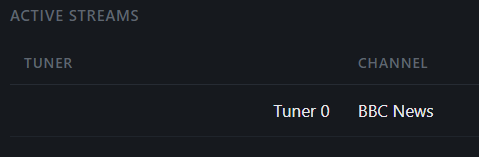
since my mother was a business education teacher, including typing classes. I helped grade many papers looking for typo's and format ect. I couldn't help but notice the tuners are alligned right in the aligned left TUNER column.
That's a CSS bug, thanks for catching it. I'm working on it right now.
Alright, that should hopefully be fixed now if you want to pull again. Also attempted to add a live and recording indicator to that section as well.
Edit: image is updated.
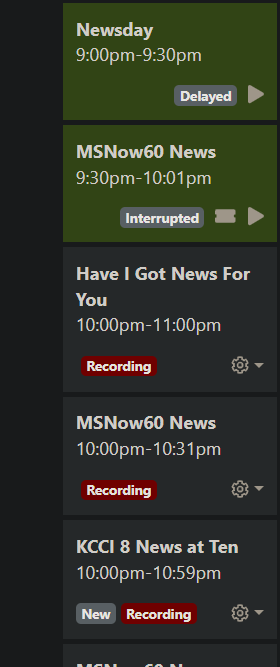
I just checked active tuners before re-pulling and noticed a scheduled recording is showing as live.
when I first released the tuner it just bounced to another one but was still showing "Live"
at 10pm more recordings started and all are now showing "Rec"
not sure the hiccup there, but i'll try to keep an eye on it to see if i can nail it down.
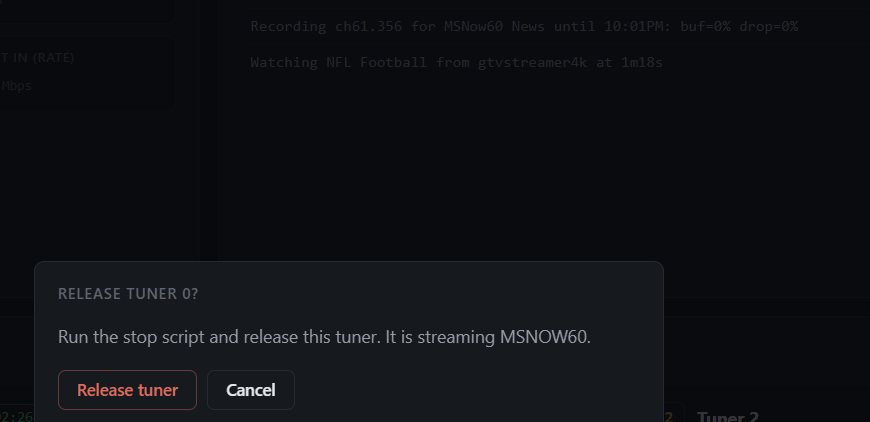
I also noticed the popup for the live feeds 
would it be hard to say where its streaming to like cdvr status?
btw, I can't repull until one of these recordings gets past where I interrupted a previous airing ealier
Yeah, let me know. There could be some fall over logic. All it's doing is running, stopbmitune.sh. With a recording is actively hitting the Channels server and stopping the recording as well.
So far, I've released a couple of recordings and they stopped. I've really made user interface changes, nothing really back-end.
I'd be curious for other people to try this just to get some more feedback on how it's working and see how I can improve it. Just more examples of how it's failing, just so I can nail it down.
yeah, but when it was showing live it showed the other popup and did not tell cdvr to quit recording since it thought it was live.
You certain you were definitely recording it?
Did the channel say that it was being recorded? Because it's querying the API. It's going off what channels it's giving it.
it's ok, you can say it, sometimes my problems are caused by me 
Just double check to make sure the channel says it's recording for sure. I don't want to blame you, I'd rather get down to the bottom of it.
check the screen shot with the cdvr status and yes it was a scheduled recording (not one I care about, but a recording none the less)
Yeah, you know, I caught this on something too. I'm working on trying to patch it.
no prob, it's happening to me again right now (till 11pm) if you want me to look at or do anything for ya
I'm writing a patch right now. If you want to test it, you're more than welcome. I should have it out soon.
I just published a test image if you want to try it. I can't test it just yet, so you are testing it first if you happen to try it.
i'll repull in a few minutes when President Curtis is done
Heh I have check that show out. I actually just recorded and stopped three shows and three different channels, and they all worked. It said live for like a split second and then went right to stopped.
I think that's normal though, because it's stopping the recording and then probably briefly live for a second. My friendly agent also said it's perfectly normal. It's like a split second where it says it's live and then it goes back to idle.
I haven't watched it yet, but I love Rick and Morty so..
the screenshots I gave where it showed live on a recording was for the duration of the recording that it showed live. it's like every other hour or only the 2nd half of hour 
I did notice that for a brief fraction of a second on a refresh it flashes green before red (when it's showing correctly)
so i might just be difficult (been called that) but i have narrowed the issue..
I can't remember yet where in channels logs or api my custom channels show up as a string /placeholder/channel name or something like that.. I'll keep looking for where i saw it but while it my be relevant to you I don't think it's the primary cause.
here's all the background info
my custom placeholder channels in my m3u
#EXTINF:-1 channel-id="60.356" channel-number="60.356" tvg-name="MSNow60" tvc-guide-description="MSNow60 News" tvc-guide-placeholders="3600" tvc-guide-placeholders-grouping="title" tvc-guide-title="MSNow News" tvc-guide-tags="Live",MSNOW60
http://{{ .IPADDRESS }}/play/tuner/356

#EXTINF:-1 channel-id="61.356" channel-number="61.356" tvg-name="MSNow61" tvc-guide-description="MSNow61 News" tvc-guide-placeholders="3600" tvc-guide-placeholders-grouping="title" tvc-guide-title="MSNow News" tvc-guide-tags="Live",MSNOW61
http://{{ .IPADDRESS }}/play/tuner/356
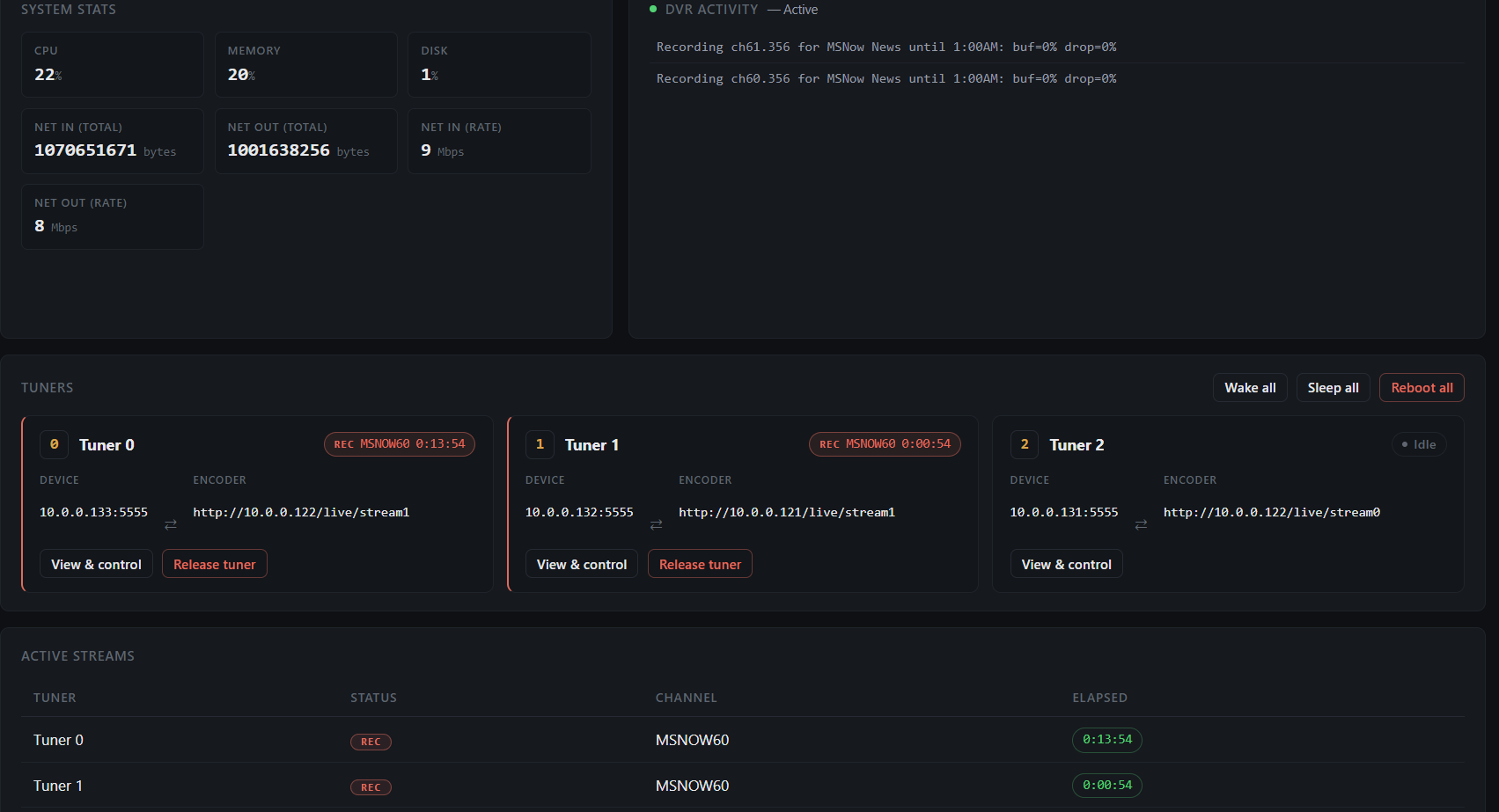
so when I record cdvr ch# 61.356 (msnow61) i get this
if I also record 60.356 (msnow60) they both show Rec
then if I release tuner 0
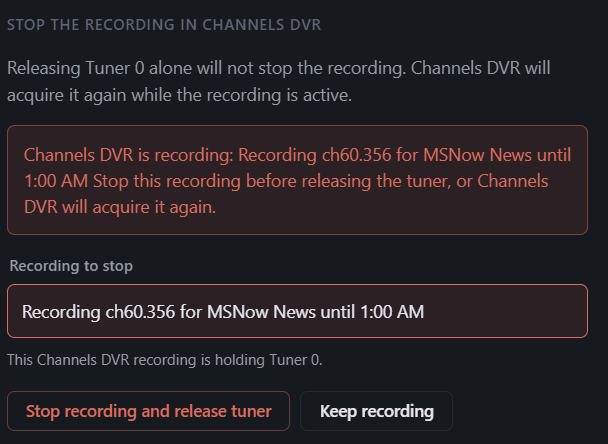
it actually releases tuner 1
so from my hacky grasp on all this it seems to be indexing tvc-guide-title="MSNow News"
instead of one of these values
channel-id="61.356" channel-number="61.356" tvg-name="MSNow61" ,MSNOW61
if it were indexing off the back end http://{{ .IPADDRESS }}/play/tuner/356 then I think I'd be forced to run multiple stacks.
but... I wonder if having 1 channel use ch# and a 2nd using deeplinks would possible now with all.m3u and if that would actually solve anything.
all this being said it does seem like a rather minor problem to be having, but I could see all the fast channel stuff being an issue too somehow.... (I'm not brave enough to jump into that mess yet)
I can explain why I need all this if you want, but my trail of breadcrumbs is all over the forum lol
and I can always run 2 containers if need be.
hope it makes sense, i'm going to bed.