AndroidHDMI for Channels (ah4c): A virtual channel tuner using HDMI Encoder(s) + streaming stick(s)

Lesson #1:
After uploading m3u, ensure to toggle the Update Sample m3u's to No. But the good news was that it's real easy to re-upload m3u's. Perhaps a future update will pop up a warning after the m3u is updated or changes the value to No.

Guide Issues:
This is probably due to me also having an Osprey ah4c source in Channels.
The guide populates fine on the webui. On clients, the choice is to stack duplicates by either Channel number or guide data. If you select Channel number all show up and channels guide shows all options and you get additional (repetitive) channels showing in the guide. If you stack by guide data, none of the channels in the new source show up because they are duplicates of existing channels of a higher priority.

My quick idea was to just create a new collection to test. After adding the new encoder channels to the collection, they show as correct then switch to the higher priority source channels.

This is not really a concern since I'll add another stick and move to test the FC ah4c bridge. @bnhf Should I expect a similar experience with FC.

@mackid1993 Your redesign and simplicity is superb. This will make life easy for those who don't understand how to use environmental variables but like webui's.

1 Like

@bnhf i'm super proud of this, but I managed to get capture cards working with the preview like you asked. I also added some functionality to make it super easy to add them to channels without really much know how, as long as you have the necessary drivers installed in your system and necessary pass throughs to a potential Docker container if that's the setup used.

Unfortunately for Unraid, there's a video driver but no really good audio driver, so I wasn't able to test the audio. I also have a link pile, so I'm not really looking to use this myself, but if it helps others, I'm glad to implement it.

You can pull my :latest or :beta tag to see.

@mnwxman132 I added that pair button that you suggested. That will show a preview and make it easier to pair on screen. Let me know how it works. It's really only in the wizard. If you want it in the main settings pane, let me know. I can always add it. Edit: I lied, Big Daddy Claude was one step ahead of me and added it to the settings page as well.

I also, just squashed the bug where it would ask you to pair twice on Android, so that should be fixed as well.

is this a production issue or testing issue? is there a reason when watching tv to pick the source of the channel?
if your just trying to view a channel from a specific source for testing purposes you'll have to disable the sources you don't want for that client (via client or webui)
not sure if your workstation is a mac or pc, but there are a few client apps for windows made by the community and DVRDesk will let you pick the source although I think it will fall back to other sources if the one you pick fails.

:point_up: ditto also for those who do, but still like webui's :slight_smile:

1 Like

Perfect! been on my todo list, but now it's next if I don't have to reread those threads first! but it's late, so not now..

I thought that was a IDtenT error. :rofl:

No, that was a bug, and I appreciate anyone who points them out so I can get them squashed before this gets all released.

1 Like

It's a little of both. I'm trying to test and keep the wife happy. Adjusting the source priority at the client appears to fix the issue. Disabling the Osprey at this time is a no-go as the new source is tuner limited (1).

I tried out the pair button with preview. Bravo. I couldnt test the wizard, because I already had the tuners paired. But I was able to create a new tuner and pair with my front of house Apple TV. Very slick interface, I love it.

Hate to open a can of worms for ya. but when I enabled closed captioning, Im observing long delays again ( 10 seconds vs 4 on my production tuner) using the same parakeet model and default settings. Ive confirmed this by going back to my production container and tuning to the same channel. Not sure what's going on there. The only difference, is my production container has all the models downloaded when I played around with all of them. On this new release I only downloaded the CPU and the parakeet default models.

I also tried having ah4c add the custom source directly into channels, that worked nicely and is a great feature.

Are you not passing a GPU thru?

bnhf/ah4c:beta5 pushed this morning including all current PRs from @mackid1993 as of this posting, plus update atv/spectrum scripts from @mnwxman132

1 Like

If this question addressed to me, Ive always used CPU only. Im on apple silicon Mac.

OH! Do you have more than ah4c container running? Have you checked activity monitor. Perhaps the CPU is pegged?

@mackid1993 @bnhf

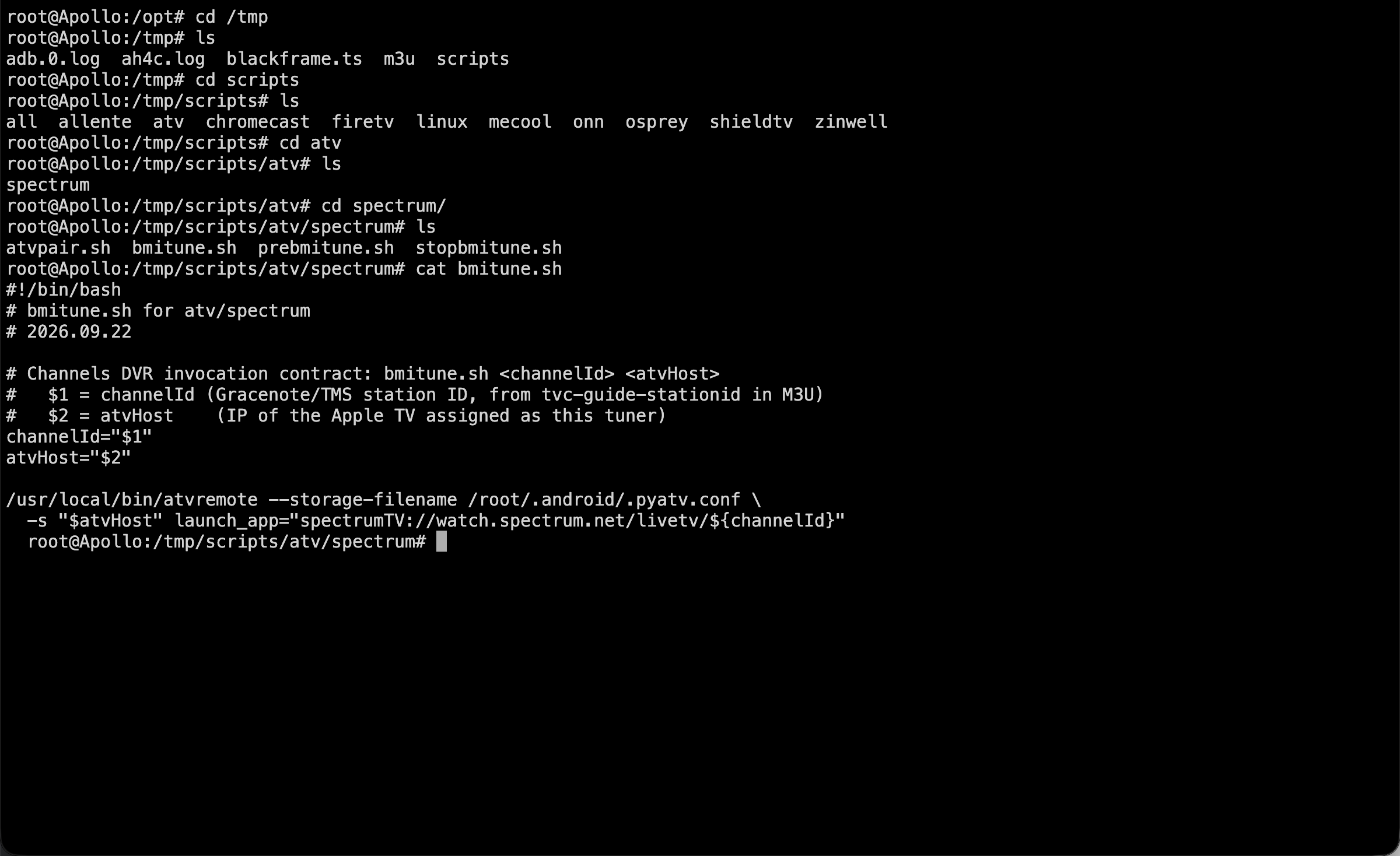
I just noticed on beta5 that the mnwxman scripts were not downloaded. I changed the radio button to Yes, saved the settings, and restated the container from within the dashboard. But Im looking at the local scripts now and they are still the original spectrum from august. I was able to side load mine using the advanced path feature.

I have a suggestion on this. Could we have two sets of ATV spectrum scripts? One from august, and one renamed to spectrumao (for ao for always on)?

Some people may want to put their Apple TVs to sleep, I want more speed and keep them always on.

I did test with the august scripts this morning. They do work, but are clunky and slow. It's the prebmitune adding up to 10 seconds tuning time.

so two issues here.

1: The beta5 didnt seem to have the new scripts
2: we might consider have two sets of spectrum atv scripts, one for people who want sleep, and others who want the fastest tuning times. Otherwise. I can look at coding a master script with some kind of switch in the scripts based on the M3U. But that is really kludgy.

Otherwise I can override using the advanced path switch.

BTW with no selected in the radio for update scripts, earlier this morning prior to the beta5 using mackid1993:ah4c:beta it blew away my scripts from my HOSTdir and I have to recopy them over. That's when I discovered the advanced path feature and put them in a safer place - but it seems that that override to not download the new scripts has a bug??

@mnwxman132 This is because bnhf put your scripts on the beta branch it looks like. I'm pulling from main in my code.

BTW with no selected in the radio for update scripts, earlier this morning prior to the beta5 using mackid1993:ah4c:beta it blew away my scripts from my HOSTdir and I have to recopy them over. That's when I discovered the advanced path feature and put them in a safer place - but it seems that that override to not download the new scripts has a bug??

This is nasty and I'll get that fixed.

@mackid1993 Is the original logic still present where sample scripts and the scripts specified by STREAMER_APP are still moved from /tmp to the scripts directory -- or was all that scrapped in favor of only getting them from the repo? And, if it's only from the repo, how do we handle a beta like this?

Working on this right now. Might have been in error.

Correct, and they won't be available in main until I merge the beta. But, wouldn't they be put in place based on STREAMER_APP like they've always been as well?

1 Like

Im gonna take back my statement on the spectrum scripts from august and prior. I would never use them. Im not sure if anyone has tested them with a multi Apple TV tuner setup, but Im seeing race conditions between channels dvr and the container when using these older scripts. I dont have the time to debug them right now because its a systems race condition , but it actually ends up leaving the spectrum app always on and playing the stream indefinitely when channels thinks it has stopped the stream.

If you close the channel in CDVR and open a new one quickly like Im used to with my tuner, it can introduce the race condition..

But if some people are happy with the old scripts im not opposed to having them as a template. I would never use them though.

/tmp looks good.

I just have to get the GUI to check local scripts.

Edit: I'm on this right now.

I will have a test container with (hopeful) capture card fixes and this fix as well as wiping out folders in a few mins.

Obviously, you can go in whatever direction you want with your scripts. My hope though, is especially for device/provider combinations that neither @mackid1993 or I can test, is to get some minimal level of agreement on a set of scripts a new user might have success with.

In this case, since we're not hearing from anyone else on this combination of device/provider, your scripts are now the new standard -- and have been added to the beta repo. With older scripts I wouldn't hesitate to update them, it was just that these had been submitted so recently, that it gave me pause.