
There is no dolby flag available in any of the audio apis that tvOS offers. All that stuff happens under the hood. We will have to try to replicate in lab, then attach debuggers to see if we can figure out what's going on. I'm not sure what kind of change Amazon made to work around the problem.
1 Like
Thanks for the reply. I also tried the tvos17.1 beta but issue is still there. Since I am new to Channels and only used it on tvos17 I wasn't aware of how it was before, but before tvos17 it sounds like the Channels audio was fine for you and this only started after tvos17?
Thanks for the info. It's probably difficult to discern on a soundbar, so if you had a 5.1 system with discrete separated speakers it would be easiest to repro I think.
Worked perfectly on all versions until we got to 17. 
1 Like
I am amazed Amazon acted so fast, they have been notoriously slow about fixing other bugs in the past. Would not be surprised if it was just dumb luck it got fixed when they modified some other outstanding bug.
I’m running on tvOS 17 on multiple TVs and have no issue switching between 5.1 to 2.0 stereo automatically.
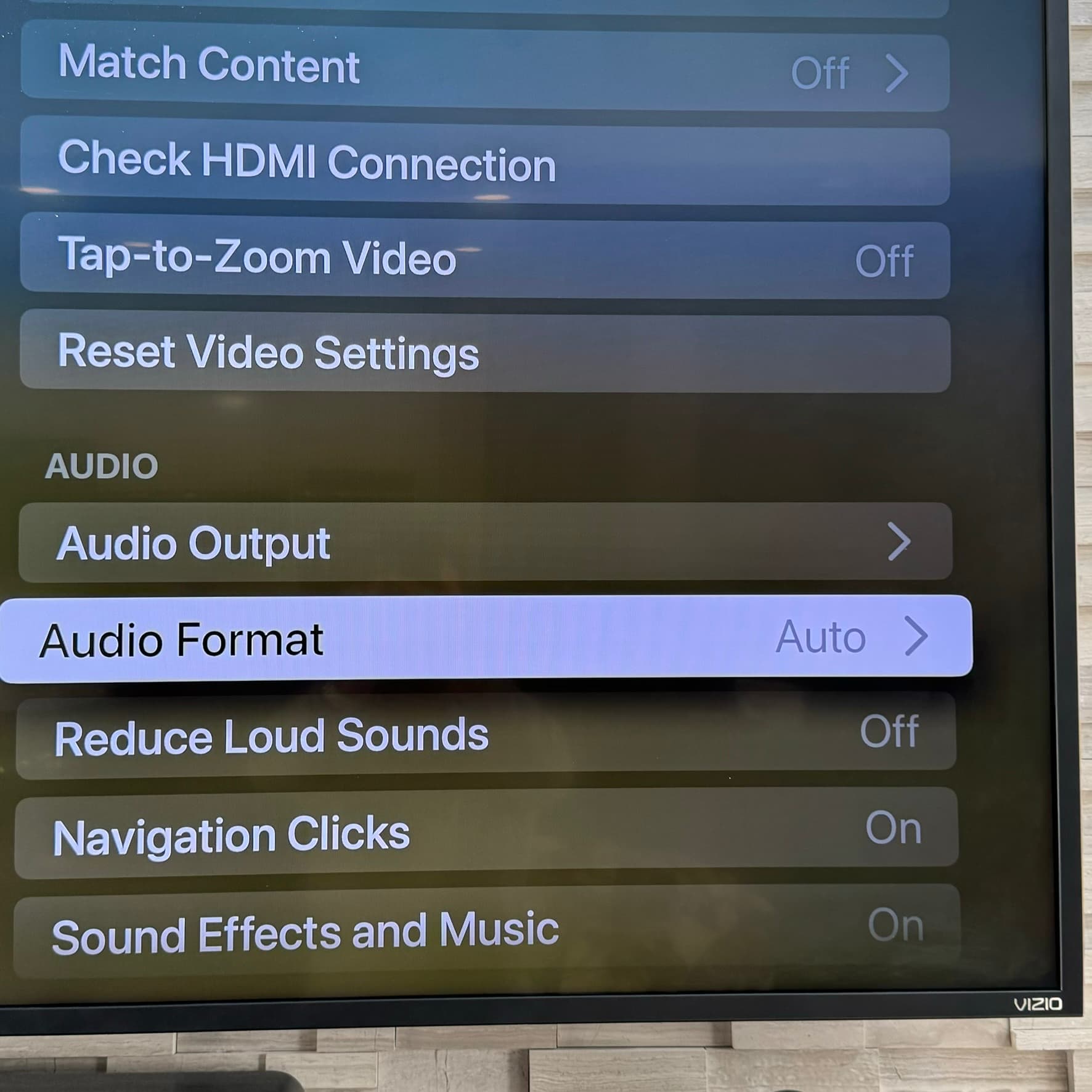
1 - Check Apple TV Audio Format is set to Auto
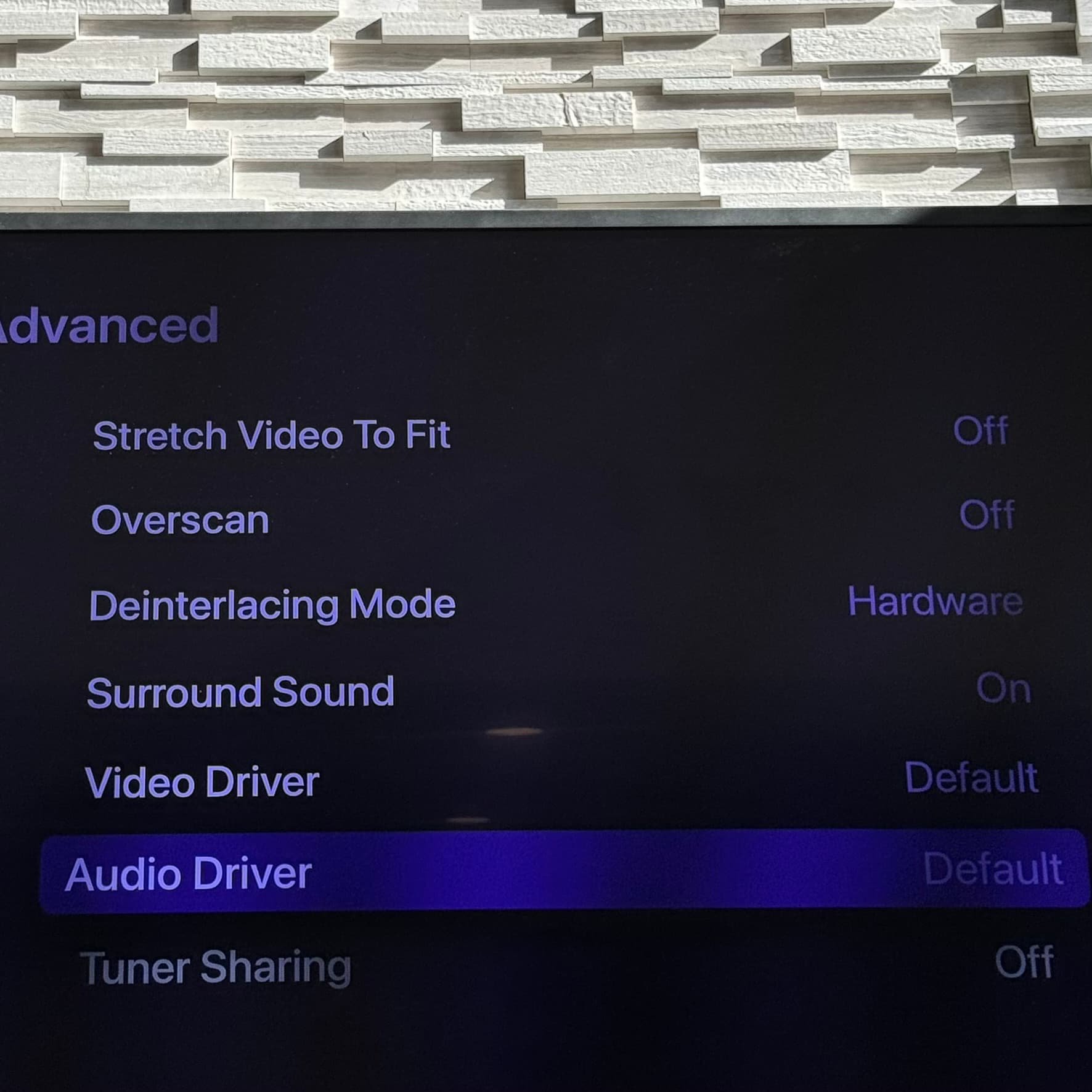
2 - Check Channels DVR Surround Sound is set to On and Audio Driver to Default
3 - I set my Onkyo Audio Receiver to output Pure Audio or Direct
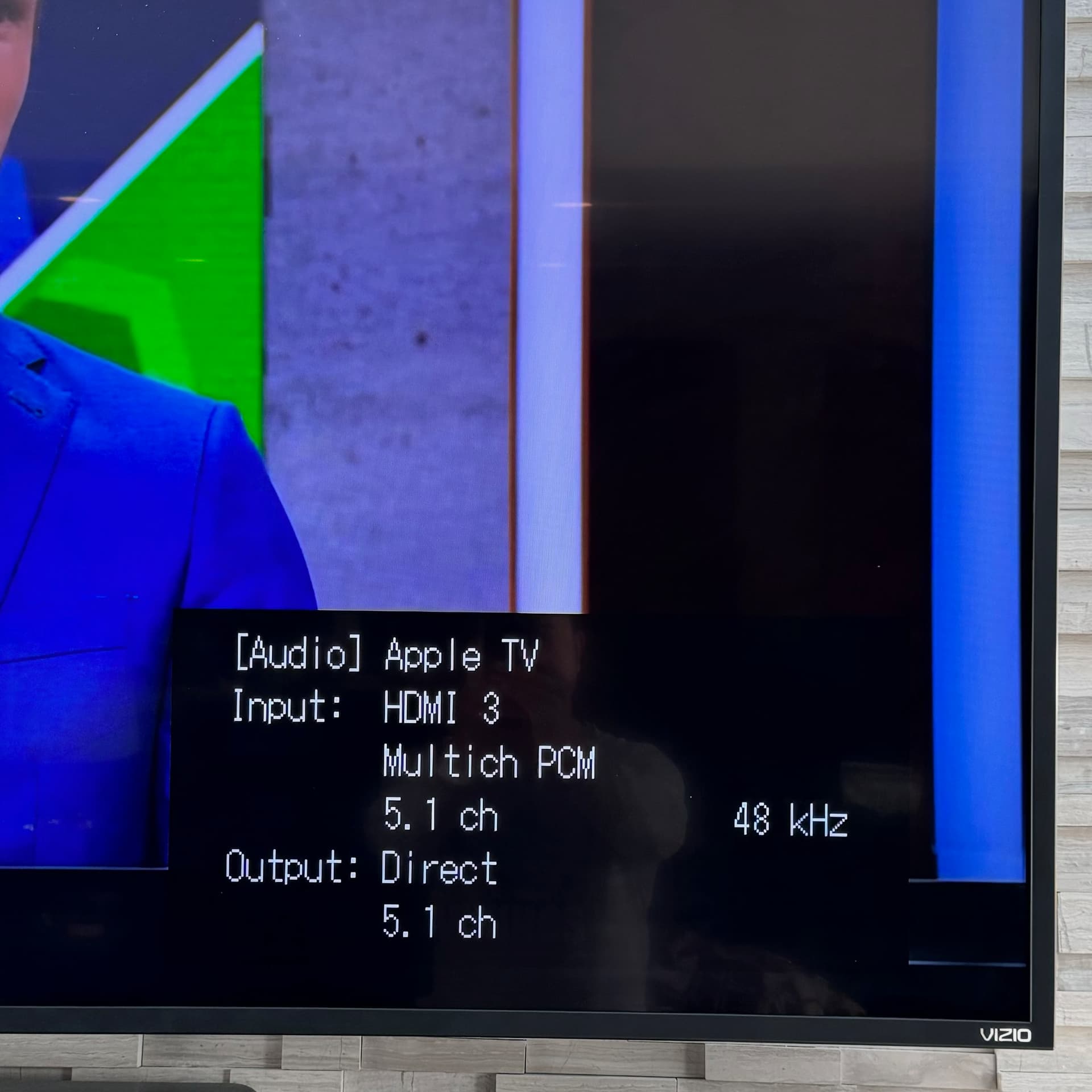
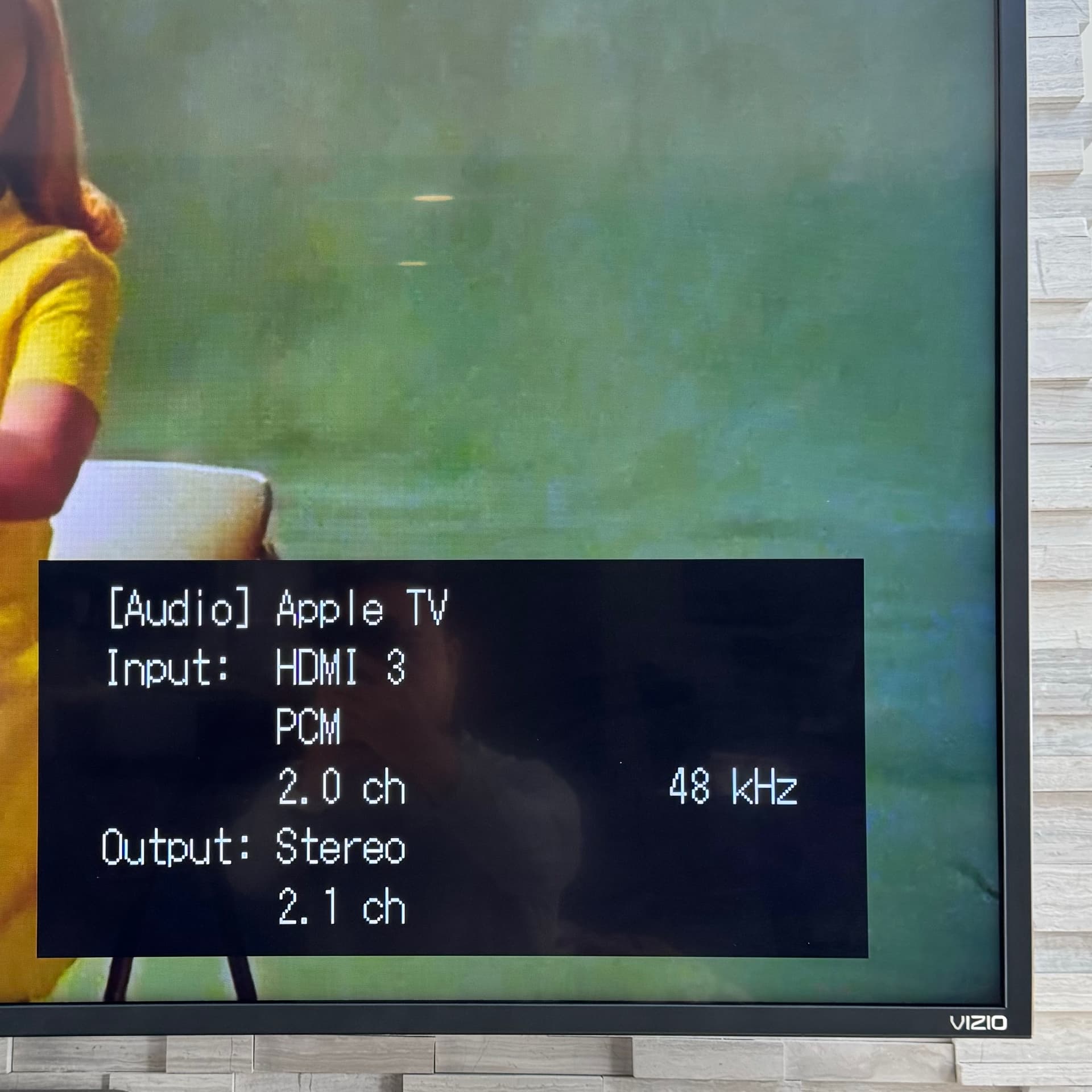
I think its because you are switching between multi pcm and stereo pcm, not Dolby.
This is a great data point, thanks! So I have an older receiver that only supports Dolby Digital, but in your case, you aren't using DD but rather Multichannel PCM 5.1 and 2.0. Out of curiosity, if you change your Apple TV audio format to Dolby Digital 5.1, are you able to reproduce what @mtnbkr60 and I are seeing/hearing? If you post the same photos as above showing what your receiver is seeing that would be great!
Just for info, Apple TV only outputs multichannel PCM, unless the Force Dolby 5.1 setting is set in the system settings.
Using the experimental Audio driver in Channels, you can get forced atmos raw working for e-ac3 atmos tracks.
"Using the experimental Audi driver "
I prefer Honda 
Right, but when I set audio output as "Auto" in my case because my receiver only supports Dolby Digital the Apple TV sends out Dolby Digital, so there is no difference for me between 'Auto' or 'Dolby Digital 5.1'. The Apple TV will always send Dolby Digital out, but if the source is DD 5.1, it will send 5.1, and if the source is 2 channel stereo (for all apps I have tested so far, YouTube, Prime, Directv Stream, etc, etc), Apple TV sends 2 channels Dolby Digital (DD 2.0) which my receiver recognizes correctly as 2 channel DD and can then simulate surround with Pro Logic 2. I guess a new receiver that supports multi channel PCM would solve this for me  , but seems like there would be others out there who only have DD5.1 equipment that would be impacted here...
OK, when I forced the Apple TV Audio Format to Dolby Digital 5.1, Channels DVR stays at 5.1 even though the source is 2.0 and other programs switches to 2.0 correctly. Below is MTV Live with ac3 2.0 source and it's outputting Dolby Digital 5.1.
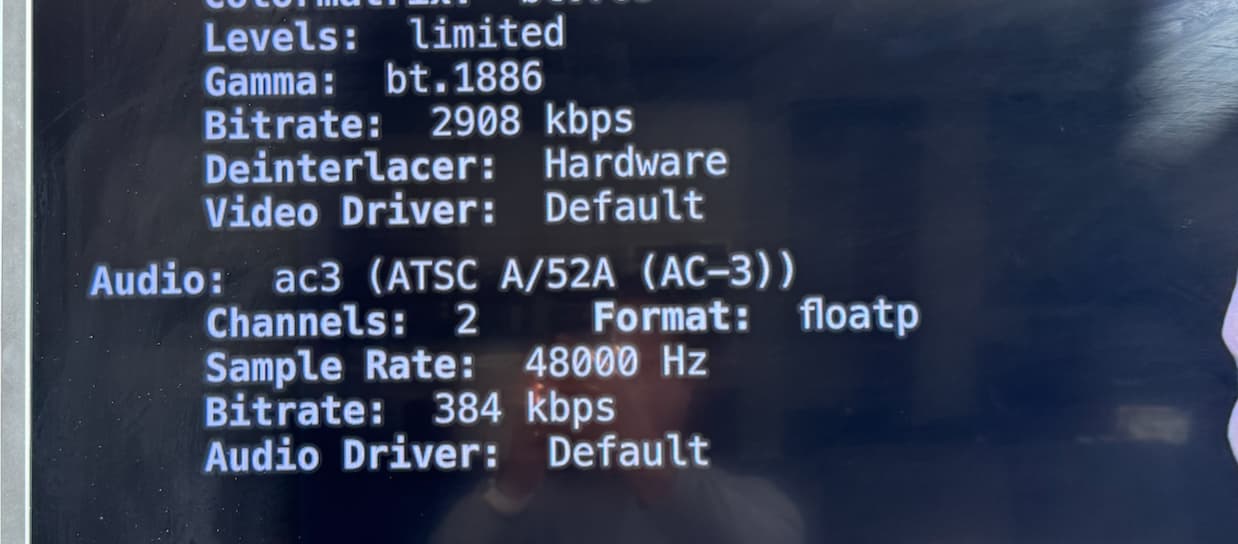
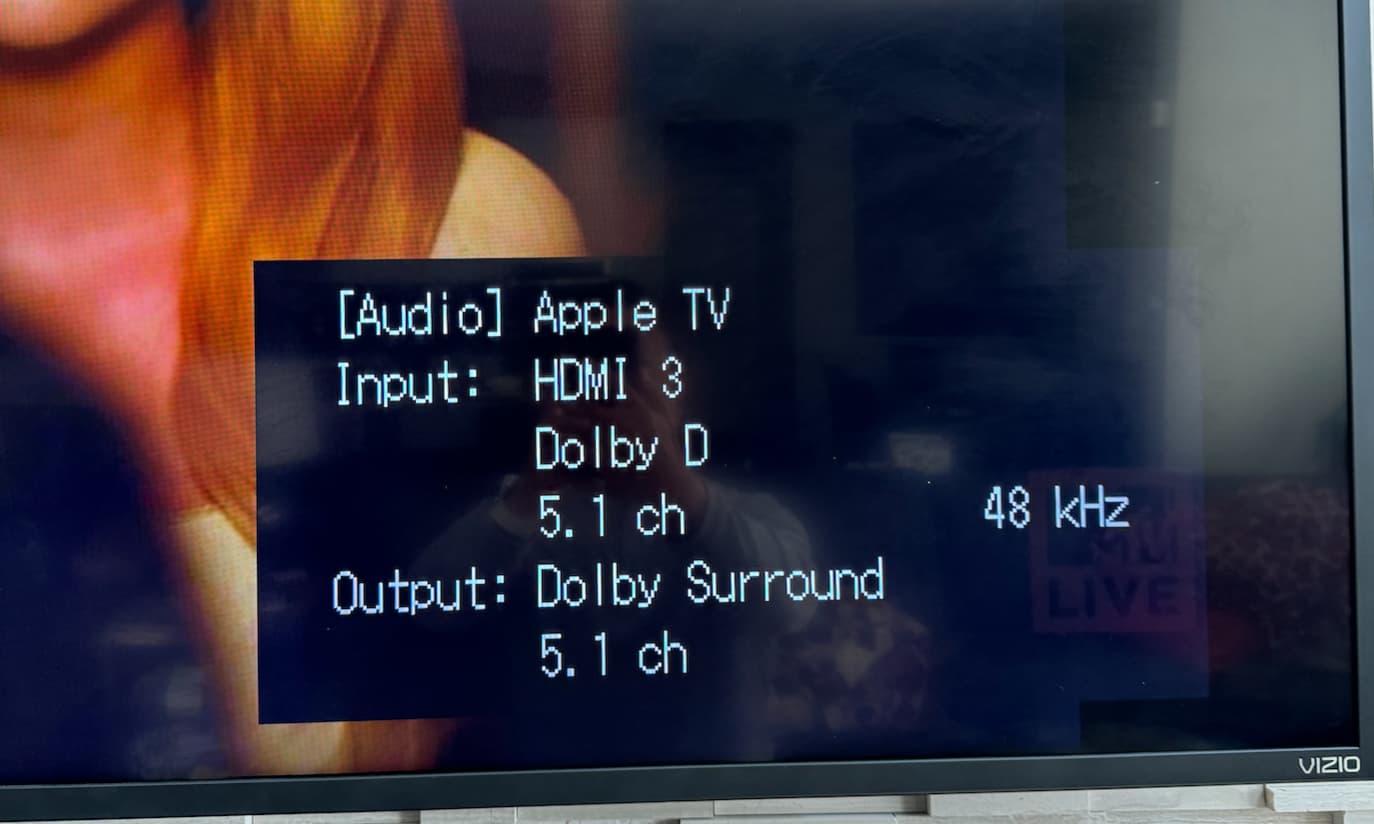
In my Apple TV audio settings I’m just passing the ac3 source if it 5.1 or 2.0 to my receiver and let my Onkyo audio receiver do the switching and decoding and this is how I like it.
1 Like
Well thanks @sok for this data point. This confirms what I was suspecting. Agree with you about letting the receiver handle the decoding, this is how other AppleTV apps behave with DD5.1. Something about this TVOS17 update is now encoding 2 channel AC3 as 5.1 channels. Just wonder how other apps aren't having the same issue. Thanks again for confirming on your end when using DD 5.1...
Could you submit diagnostics from the Apple TV app where you performed this test?
Not sure if you were wanting logs from my case or from @sok, but sent mine just in case, watching a 2 channel audio OTA signal. Let me know if there are any cases that would be helpful.
Before I go back on the beta, curious to know if the fix worked?
It looks like the latest beta didn't fixed it.
Diagnostics submitted
1 Like
Confirmed still happening on the beta. Submitted diagnostics as well. Thanks.
This update broke AirPods Pro playback using experimental driver. Either downgrading or switching to default driver fixes it. Playback basically stops after a second with experimental, unchecking the single audio track let playback resume, which is what clued me in on the cause. Diagnostics submitted from AppleTV.