Away from home not working

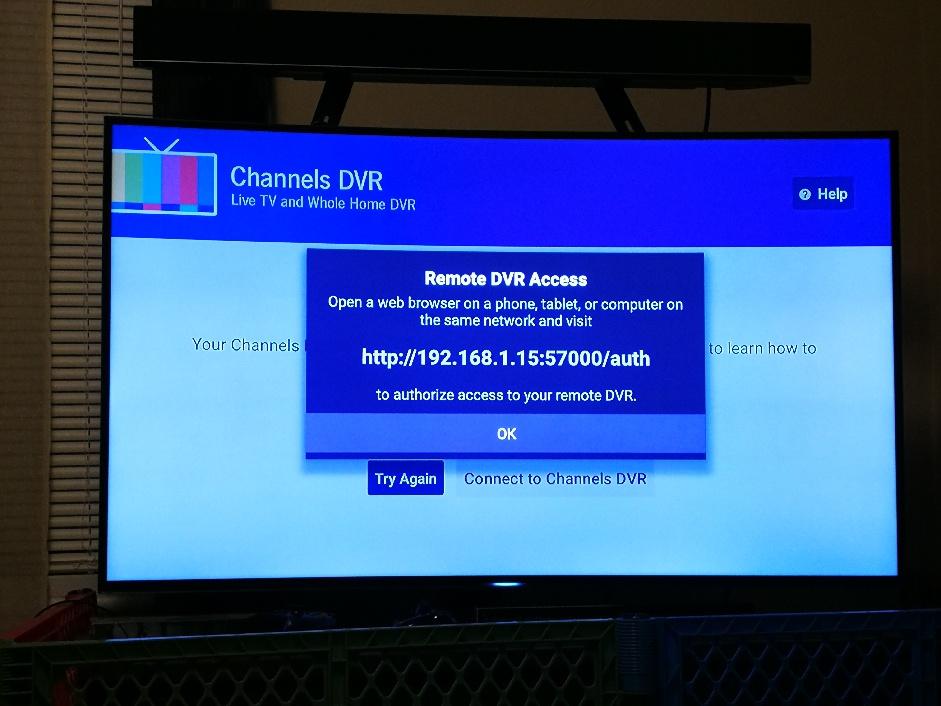
So I lent my daughter a fire stick tv with channels pre-setup. On her network, trying to connect remotely is presented with the http://ip:57000/auth.

Enters the info, authorizes.. doesn't work.

I am not there to obtain more info, but any troubleshooting steps you can share would be appreciated.

Thanks,
Frazz
1 Like

What exactly happens and what is shown on the screen?

My understanding is that she can't get past these.

After visiting the url shown and logging in what happens?

Click Help at the top right of the screen and submit diagnostics selecting Other

I’m having the same issue. When I connect away from home is says:

Your Channels DVR Server at home can not be reached.

Remote Access is enabled, but we can not reach your server. Please ensure that port 8089 has been properly forwarded from your router to the IP address of the computer you installed Channels DVR Server on.

Everything is setup correctly. This is a new issue

I submitted diag. Data- other as well

Trusz, fell free to use this thread. Tmm1, thanks as always for the quick replies. My problem seems to be a case of pebkac and is now resolved.

Thanks

That's a different issue. Use portchecker.co to verify 8089 is open.

Is remote access on your dvr set to Manual or Auto? Does the Log tab show any messages starting with [NAT]

Yes. Different issue. Sent email.

I have always been able to connect when away from home but now I am unable to connect. Port 8089 is open. Not sure what I need to adjust to make this work again. My router has DD-WRT so pretty customizable. Anyone able to assist?

Can you provide more details? It would be helpful to have the exact text of any error message you are getting or a picture of the same.

Sure. I get this page when trying to connect.

I checked the port, and 8089 is open

1 Like

You checked it from the remote location? Can you open the web ui from a browser?

I see you’re on WiFi. Do you get the same error using your phone’s cellular connection?

Yes same message when on cellular

When I try to connect via browser it times out.

ok, if the client can't connect and a browser pointed at your dvr:8089 can't connect, either the port forwarding has stopped working correctly, or there is something in-between that is blocking it.

First, try rebooting your router and re-doing the port forward.

I’m trying to read up on all these help pages for people who had similar issues.

I have port forwarding set up on my router.

I verified port 8089 is open

I have the Channels set up to connect manually for when Away.

I have away connect enabled.

so I looked in the troubleshooting and see this message:
Remote Access

Could not connect to a2ea8d64f394.channelsdvr.net. Check if the port is mapped.

Does portchecker.co say 8089 is open?

Ping that domain and compare the IP to ipchicken.com

You can also click Help > Submit Diagnostics and email us