
No. It just opens into my NAS.
Any chance we could have more options like this to refresh the m3u data also. The only options now are never or every day.
Did you run this after getting pluto-for-channels installed:
run -d --restart unless-stopped --name pluto-for-channels -p 8080:80 jonmaddox/pluto-for-channels
?
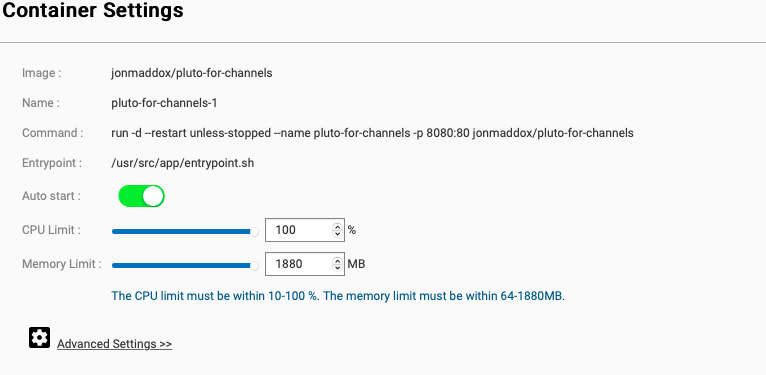
I think since it looks like your NAS is running on the port (8080) you will need to change the command line. That is a guess. Maybe @maddox or @tmm1 can clarify.
Anyone investigated why the Showtime-Select channel isn't being shown in pluto-for-channels anymore?
Thanks, that's very helpful. Can you submit diagnostics too.
1 Like
You don't need to enter any command in the Container Station UI. That command is for raw docker setup via the terminal.
Instead click under Advanced and put the ports in the Networking section
Anyone investigated why the Showtime-Select channel isn't being shown in pluto-for-channels anymore?
@john9527 found that it's not in the guide json that is being pulled from Pluto anymore.
So that means the issue would be on Pluto's end, not on Pluto-for-Channels' end.
Your NAS sides 8080 already so you have to pick something different. In your first screenshot it shows:
URL: http://10.0.1.4:32768 -> 80
So currently it's setup to use port 32768 and that's what you have to use for the m3u and xml urls.
But that was picked randomly so you're better off changing the settings to pick one explicitly that won't change like 9090
Thank you so much! I have it running now.
However, I'm getting "Tuner not available" for every Pluto station on Channels.
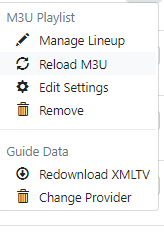
Reload the M3U?
No. Reloading it did not work.
Done, sorry if you get them twice, browser crashed while it was "gathering information". I don't have access to email right now, so if you need anything else I'll have to send it through here.
Chief
Thanks a lot for your work on Pluto for Channels.
Is there a way to get the Pluto Closed Captions to work?
I tried reloading the M3U as a remedy, but that did not work. Do @maddox or @tmm1 have any suggestions?
Anyone found working Pluto TV m3u? I would put this on site.
Pluto seems to be better choice as they learned where to put commercials. I was watching "Hunter" on Stirr and they put ad inside interrogation scene in the middle of dialogue 
1 Like
So sorry to be dumb here, but I have tried to figure out the Pluto guide and docker and only have part of it working. I just moved my server from Windows to Mac because my Windows machine was too old to run Docker. I have Docker up and running on the Mac and I have Pluto Channels. However I am having the worst time trying to get the guide to work properly. I have the channels and they work but I can not see what is supposed to be on. I have been to the status page for the epg. Am I to copy and past all of that somewhere or am I to point the server to localhost:8080/epg.xml? Sorry to to ask what may be a simple problem but I have never used docker before and am having a hard time trying to tell the sever where to look for the epg.
You have to click Set Provider next to Pluto and then change USA to XMLTV and enter the url to the xmltv file
Yeah I did all that. I played around with it some more and got it working finally. Thanks.