
Interesting that it seems to be these local news shows that are having the biggest issues. They're of course the hardest for me to test because I can't record them myself, but I'll keep these in mind.
1 Like
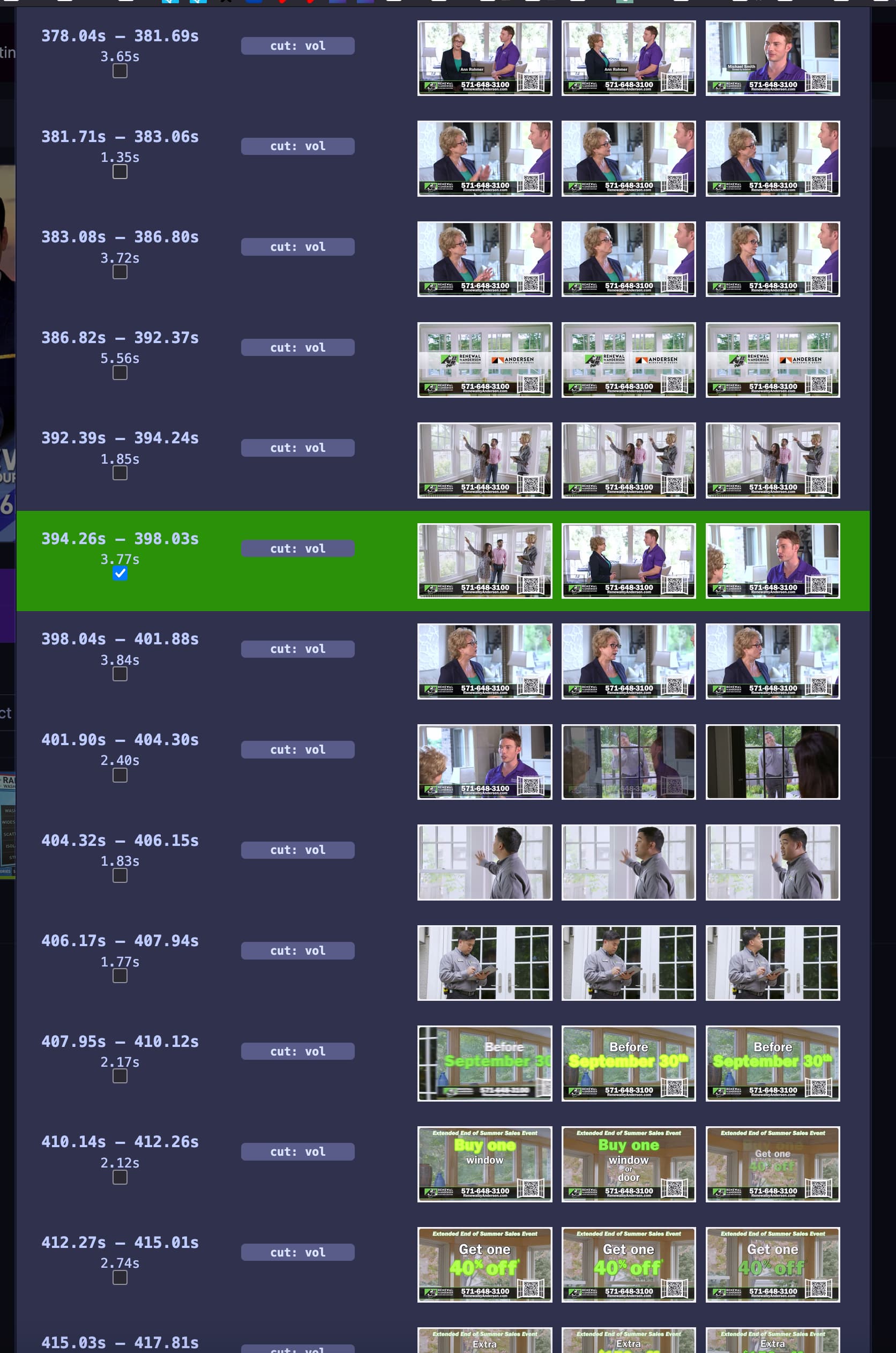
The differences in commercial processing is wild.
In @Shaggylive's example above, their recording was only cut into two blocks.
Meanwhile, in my it case, it decides to cut up one commercial into over a dozen segments and thinks only one of them is an ad.
@eric If having original recordings would help, please DM me a link where I can upload large files and I'm happy to share some examples from the Washington DC metro area.
I'm not sure what it is you guys are doing since most of this thread is Greek to me, but I can tell you that comskip on World News Tonight has become almost flawless lately. So, thank you!
2 Likes
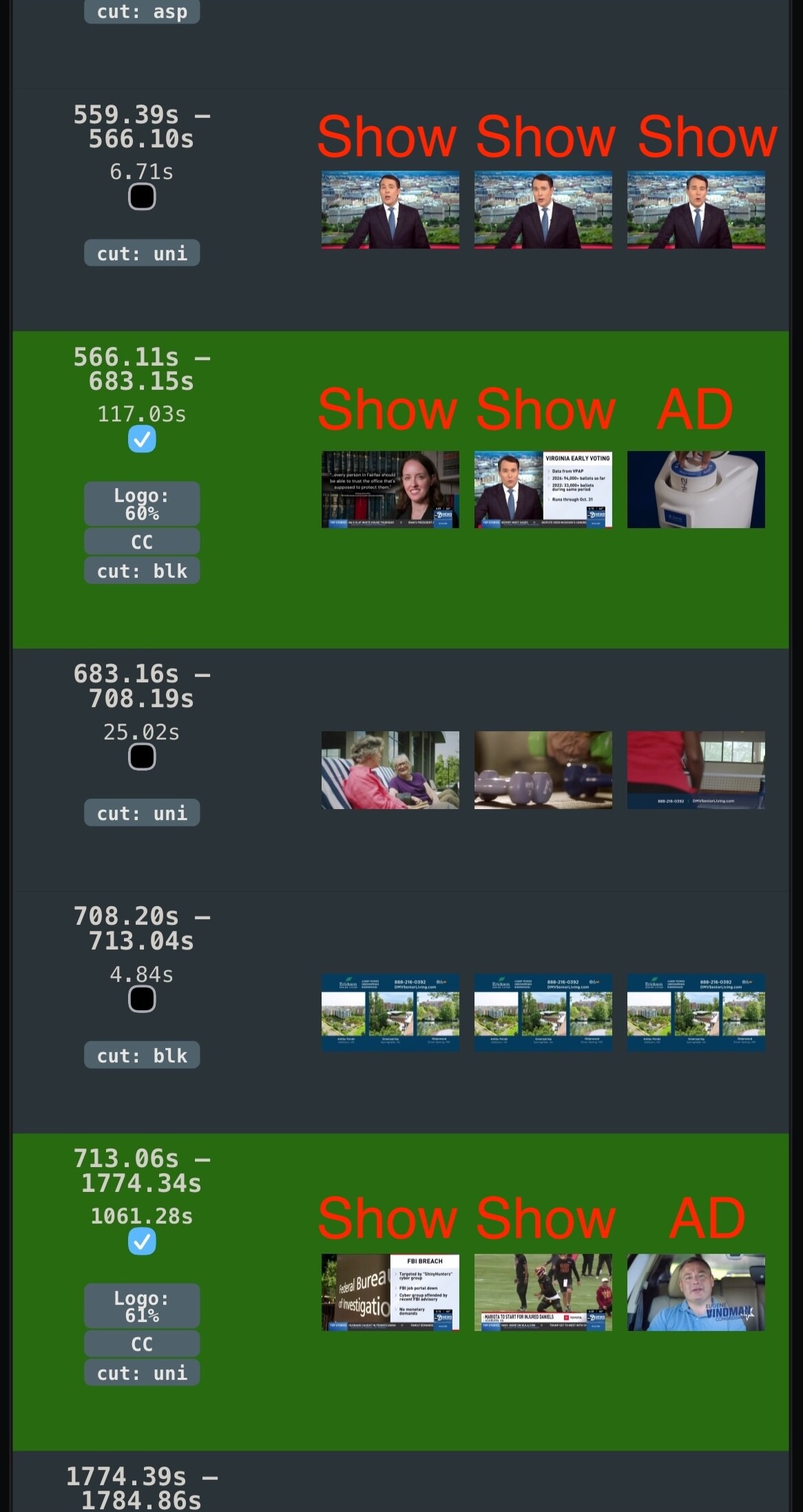
Yeah I'm seeing multiple of these shows now where ads are being intermixed with valid content, so you can't mark them correctly.
The latest DVR pre-release has a big change that lays the groundwork for improving the issues people have seen with ad and show content being mixed into the same block.
Because these changes require videos to be re-processed, we are looking for volunteers to try this out first to report back if they run into any issues that we have not found during our development and internal testing. To try this out, go to Settings -> Live TV & DVR -> Commercial Detection and change Enhanced Detection from On to Enhanced+. This new setting is temporary and after a short period of feedback, will be rolled out to anyone who has selected On. You will need Deep Video Processing enabled to enable Enhanced+.
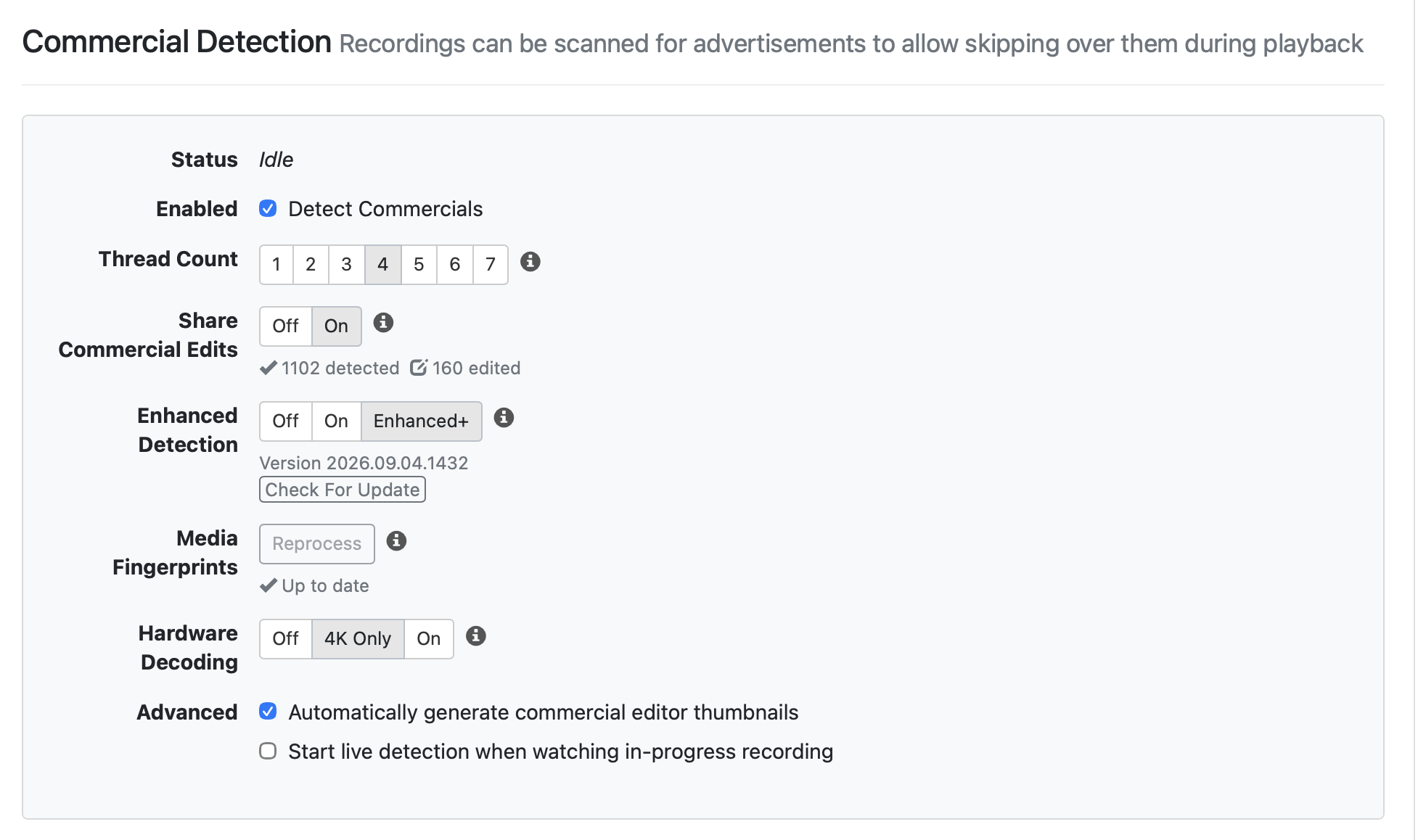
The big change here is that we have enhanced the Deep Video Processing to do all of the video processing needed for Enhanced Commercial detection. This means that comskip will be no longer run as part of the Enhanced Commercial Detection process, which will lower the over-all resource usage to process a recording (previously the entire recording would be read once by comskip and again by Deep Video Processing).
When Enhanced+ is enabled, all Edited recordings will be automatically reprocessed and all new recordings will be processed in the new way. To have past recordings reprocessed, tap the Reprocess button for Media Fingerprints which will give you the latest video processing for existing recordings for the commercial editor. Reprocessing now will mean that you'll be ready as we roll out improvements to the mixed blocks in the coming weeks.
Ok, I just downloaded and installed the beta, and turned it all on as you asked above. It's now got 221 in the queue to run.
1 Like
Good stuff. I will try it too.
I've turned it on as well. What is the Hardware Decoding setting for? Is it related to commercial detection or something else?
It uses the Hardware Decoder for processing the video frames for the video processing. It will cause the processing to use less CPU. Using the Hardware Decoder may be slower than CPU with a high thread count if you have a good CPU, so it depends on the priorities you have on your particular DVR.
Thank you Eric,
With Hardware Decoding enabled on my N100 Windows 11 system, the fingerprint took 10 minutes for an hour recording. That's acceptable and may be faster than using using comskip. I'm seeing about 90% CPU and 3% GPU Decode. I have 3 threads enabled. The system is responding fine as I'm remoted into it. I'm going to take a peek at one of the videos that were processed. I will not be able to watch it till some time tomorow.
1 Like
A quick update. I checked the commercial detection for the one video that was processed, Nova, and everything looked normal. I'll know more late tomorrow.
I "switched it all on" as per your instructions and it had 4 files to re-process, but unless I'm missing something (as usual) it still seems to be using all CPU and no GPU on my trusty old Mac Studio M2 Max server, when I look in Activity Monitor ... I've got it set at 6 cores (out of my 11)

@stephenh Using the GPU decoder depends on the video codec of the recording, so it could be the recordings you're processing aren't able to be accelerated.
@eric I only use Channels-DVR for free-to-air recordings so here in Australia I think that means MPEG-4 for the HD recordings I'm talking about ... so yes, that could well be the reason?
Edit: That being the case I guess I turn off Hardware Decoding as it's ignoring it anyway?
Edit 2: According to a quick Google, "The M2 Max chip features two hardware video encode and decode engines for H.264 and HEVC, which significantly enhances video processing efficiency compared to software-based methods."
(Scratches head)

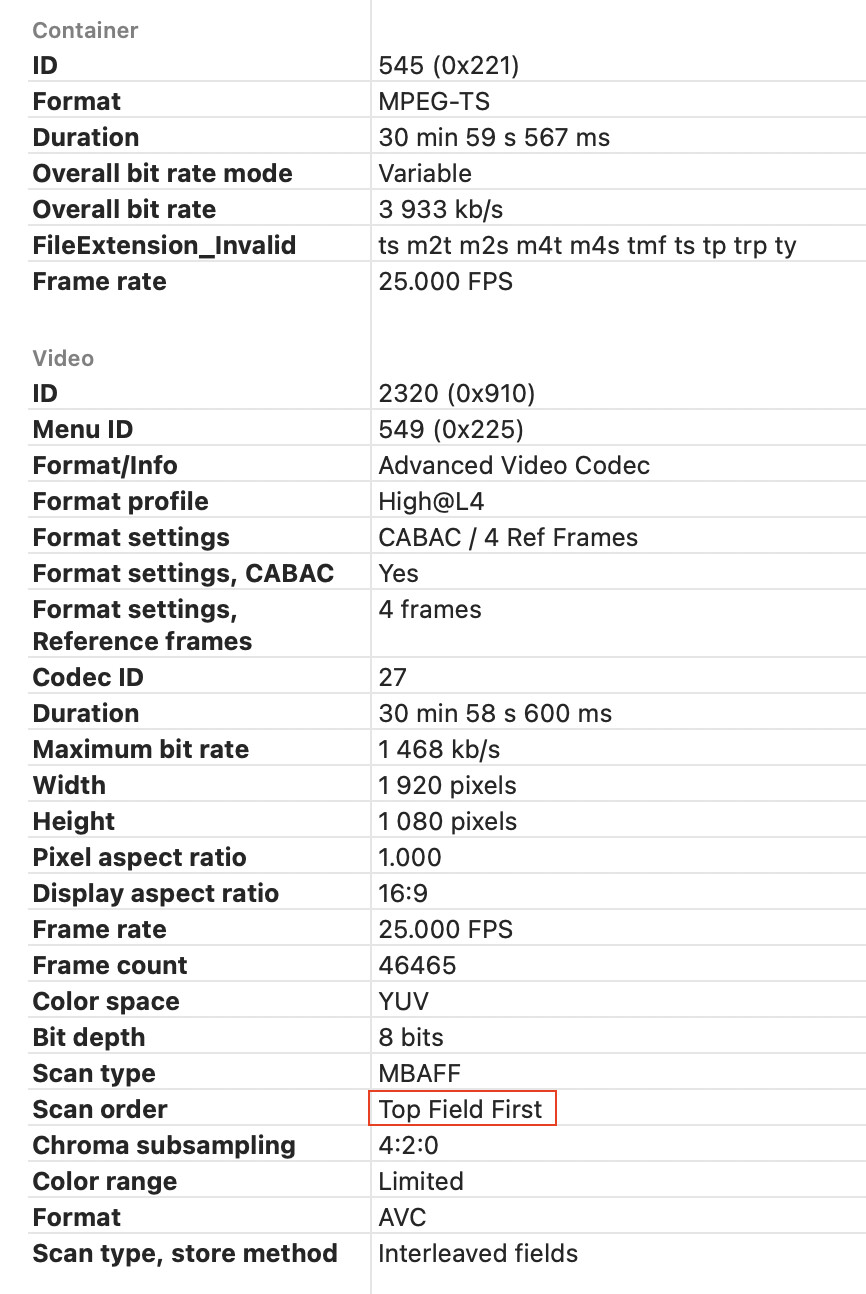
If the video is interlaced the macOS hardware decoder won’t be able to handle it.

The system is still chugging it's way through over 200 videos. I see ffmpeg running and consuming 50 to 60% of the CPU. Is it still used or is this my Plex server? I have a lot of things running on this little box. It's amazing how well it runs. Will freeing up some memory help? I can take some from a VM that seems to have more than enough.
Yeah, it's pretty slow. Mine is still running since last night, and isn't anywhere near done.