
A new Boundary model 2026.10.21.2239 has been released. Go to Settings -> Recordings -> Enhanced Detection and tap Check for Updates to get improved Split suggestions and an updated Enhanced Commercial Detection Segmenter.
2 Likes
Thanks for letting me know about the .edl files.
I expect it should be practical to use those.
As for issue 2, how do you want me to send diagnostics?
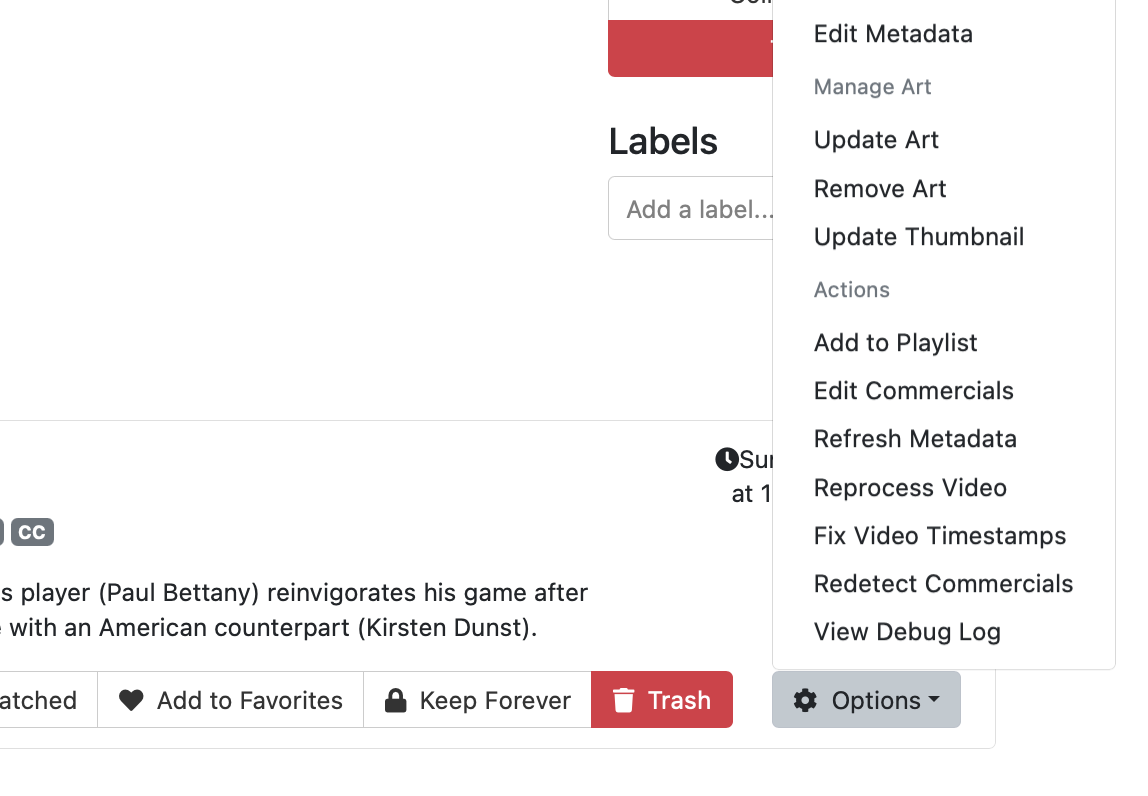
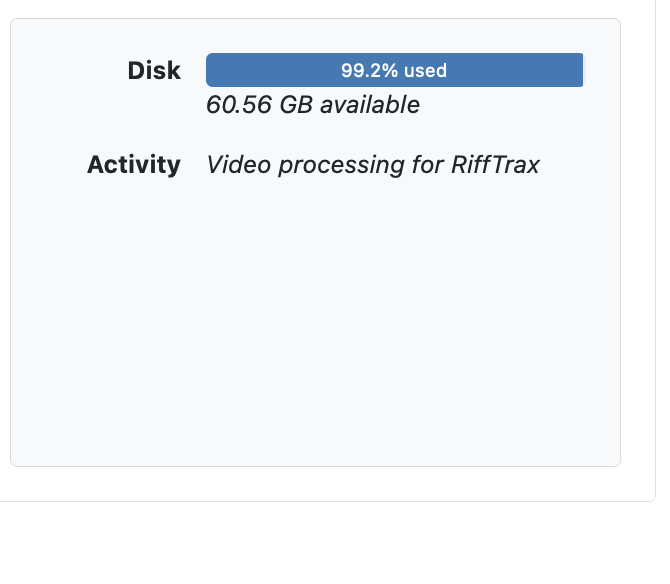
To show you my point, I've included two screenshots
First we have the popup menu, showing that I would hit "Redetect Commercials" for this movie, as usual.
Second we have a panel from the Server Status page, show that the "Redetect Commercials" did nothing, the only activity remains the enqueued Video Processing. (Since my initial post, I have updated twice. The updates seem to no longer be killing the enqueued Video Processing like before, but they are still not actually performing the auxiliary background tasks, like Redetect Commercials, that I request.)
Please go to Support -> Troubleshooting -> Submit Diagnostic Logs from the web interface of the DVR and let us know when it's been submitted so we can have a better idea of what was going on.
I'm new to Channels. I'm interested in the enhanced commercial skip but don't want to take on other beta testing. Is the pre-release version stable, with the exception of the commercial skip development? If so, where can I get it, if the beta is public?
(In my best Die Hard voice) "Welcome to the party Pal" 
You should have Enhanced in the latest Stable version and you can update the detection by it's self or if you want the latest of everything you can pull the pre-release (been awhile but I don't think it requires signing up for beta on the server) client beta does require sign up. Hope this is helpful.
Besides what Terry stated, the pre-releases are usually fine yet I agree with you take it slow so you understand how things work. we are always here to help
2 Likes
I'm on 2026.10.24.0621. Does that use enhanced detection by default? I didn't see any indication in commercial edit that there was an option for enhanced vs standard.
If not, I see that I can check for a pre-release version the same way.
Edit: if it matters, the server's running on a Synology DS224+
It depends on which server interface you are using, v1 enhanced is found under status live TV, v2 it's under settings recording.
I don't know what server interface I'm using, or how to tell.
Edit: The Synology package says 1.1.0.
If it pretty much all text it's v1, if it's a lot of graphics and gauges v2.
This thread is closed and moved to a different one but it should help a bit.
Also an easier way is to look at your sever URL after the port number 8089/v2/status this indicates v2 any thing that does not show v2 is the old interface shows this 8089/admin/settings/status.
Enhanced Detection can only be enabled in pre-release builds at this time.
1 Like
Here:
1 Like
I upgraded to pre-release but don't see enhanced, if it's an option. Just "edit commercials". Or has it been integrated into the UI as regular editing, in the pre-release?
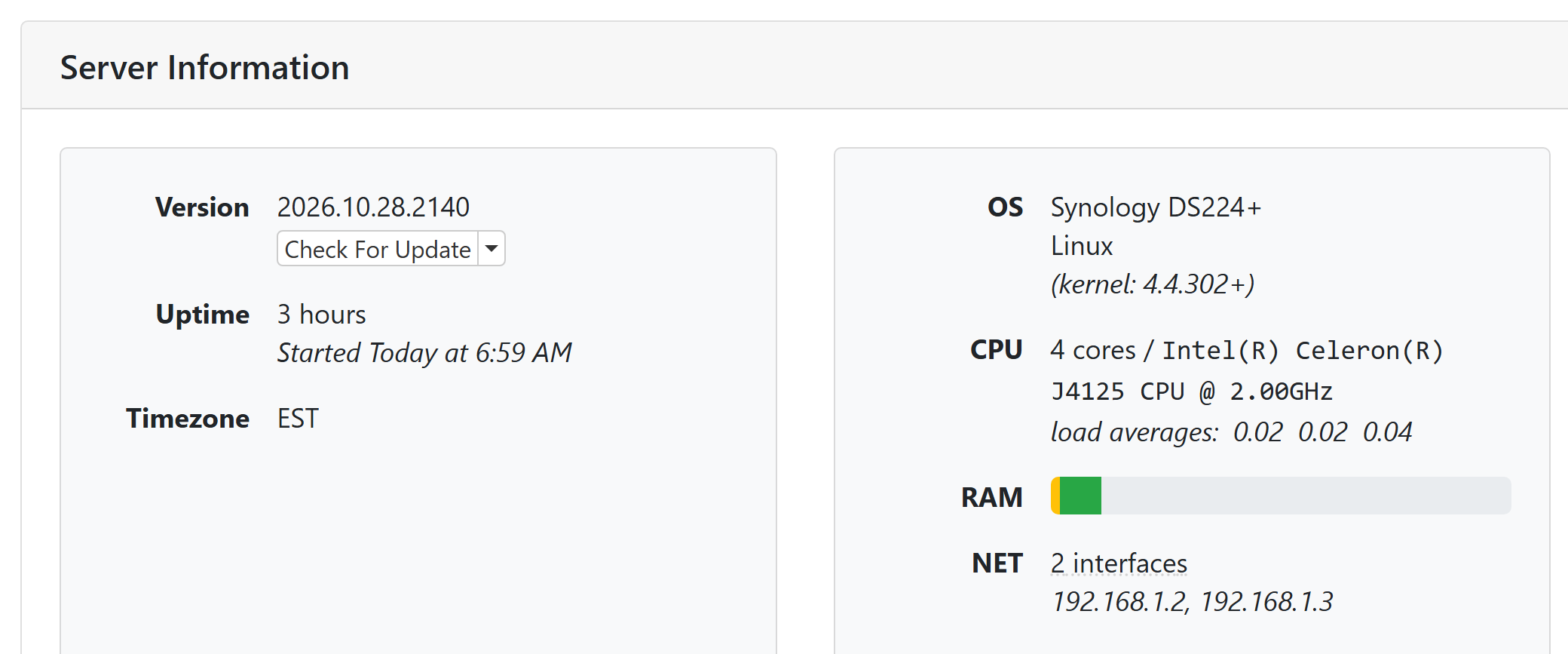
If you are on a pre-release, I recommend that you switch to the V2 UI. It's better than the original UI in almost every way.
Then go to Settings -> Recording and you will find the option you are looking for.
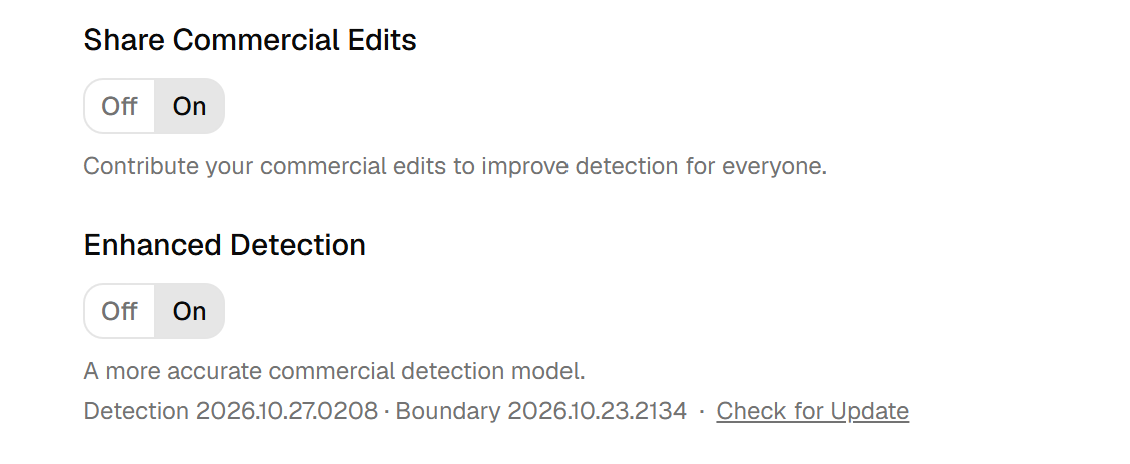
Edit: In the V2 UI, you get to Settings by clicking on your username at the bottom of the navigation bar.
It's enabled, now. I'll play around with it. Much of the benefit to me is to understand what to expect when viewing recordings on a client, if I do nothing. My previous experience is with the TiVo Bolt this replaces. The processes will be different, at least somewhat.
I just did a commercial edit on SNL from last night. There was one block marked as a commercial that had the show rating and content warning in the upper-left corner. I think if those items are present, you can be fairly sure it is not a commercial block.
The new Enhanced Segmenting has been enabled for Enhanced Commercial Detection. It should result in less unnecessary small blocks and should improve situations in shows where splits were not made that should have been.
I like the new split button. It seems to work well when the segment you want to split off is at the end. But, if the split should be at the beginning of a long segment, it seems impractical to separate it from the main body of the segment that follows it.
Perhaps I'm not grasping how it should work, or maybe something in the logic makes that an unlikely scenario?
If my perception is correct, how about two split buttons? "Split beginning" and "Split end", or something like that?
The split button asks the model “if there was a place to split here, where would be the most likely spot?” so the location of where in a big block the split happens isn’t predetermined.
Perhaps someone missed my question about this, but what has happened to the files that used to be in the comskip directory, in particular the .ffsplit file? I cannot find these (or equivalents) anywhere. Eric, 10 days ago, suggests I use the .edl file instead but these have also disappeared!
Exploring the v2 interface, I also find nothing helpful.
(As a general point, might I also suggest that the new server is far too timid about using threads and enqueueing work. I have lots of cores, but the new ChannelsDVR is terrified to ever use more than two. It's incredibly frustrating. Just throw a thousand background QoS tasks, or at least 20 at Grand Central Dispatch and let it figure the scheduling!)