
Forgot to post this yesterday but doesn’t seem to work for iPad Air (5th gen) with iPadOS 26 developer beta.
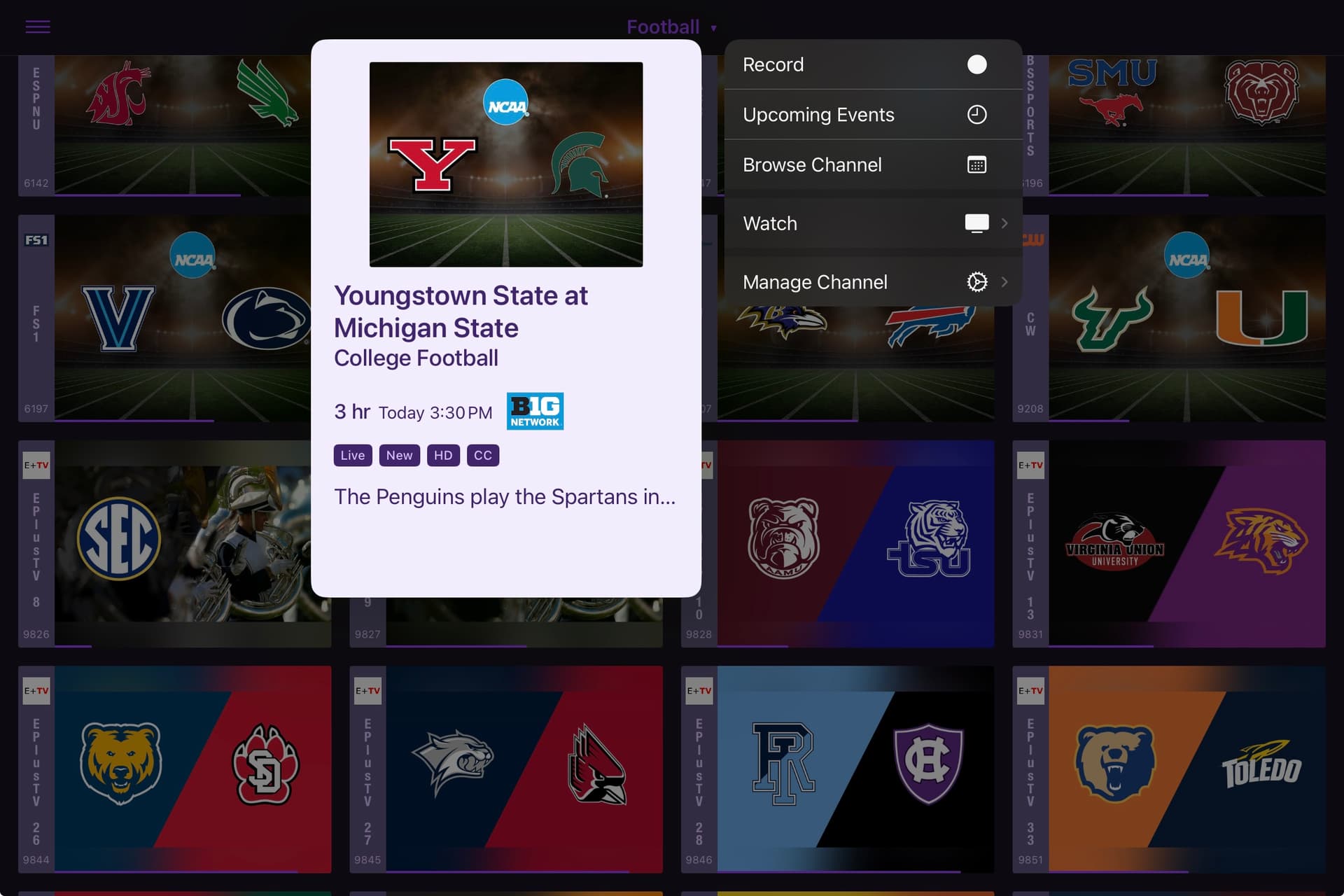
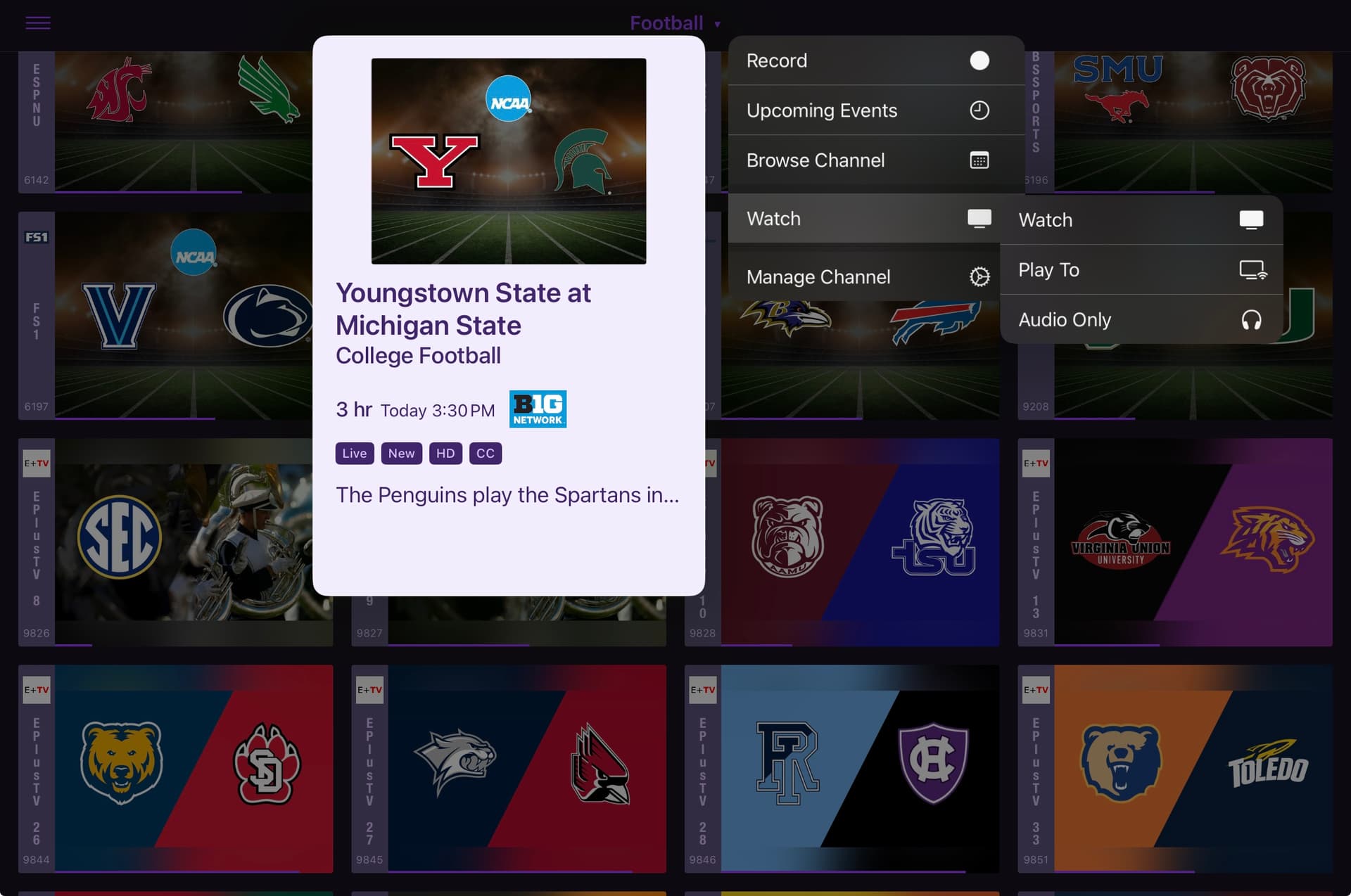
Nothing is limiting it like this, if you don't see the menu you are either not on the latest version, or you have disabled Multiview in settings.
1 Like
Here is a fun one. If you have a channel in PIP and you decide to start that same channel in Multiview. They both stay active and keep playing. If you close the PIP to just view Multiview. The Multiview stops playing and freezes.
Update it doesn't have to be the same channel. If you close the PIP the Multiview stops playing and freezes even if you have 4 Multiviews open and you close PIP.
1 Like
Everything is up to date on the ipadOS and channels app, is the setting for multiview in the channels app or server? I don't seem to be able to locate it. Or is it the multitasking settings for ipad?
Are you using the TestFlight Beta?
No I wasn't sorry didn't know I needed to use testflight, It now works, thanks.
As of the latest TestFlight beta, PIP is immediatly closed when Multiview is started.
1 Like
This was added in the latest TestFlight beta:
2 Likes
Thank you works good. So much for 5 screens 
Amazing job! Works very well out of the box. I love the multiple size options. Absolutely shocked on how well the audio switches. Only quality of life idea I could suggest is handling devices that have less than 4 tuners. I only have 2 tuners (HDHR Extend) and if I select a 3rd channel from it loads with just a < ! > rather than prompting to replace a channel.
Yes sir! Three NFL games on Multiview today. Two using a remote instance of ah4c, and the other ADBTuner locally. So sweet. 
Heh. Tried to warn you.
I would still prefer toggle-able, assuming this downgrading to stereo works well (and I am).
Yea Maddox i thought id never need the HDHR Quattro with 4 streams and instead saved $40 to get the two tuner. So now I’m regretting that choice. Go ahead and credit me $40 
Well done guys - slick setup.
Thank you for Multiview, this is my killer feature!
Here are my wish list:
1 - On Apple TV when I select OK to go full screen, if I select OK again it should exit out of full screen. It should work like on the iPad.
2 - Can we get the Play To Your TV feature to work on an active MultiView channel.
3 - Need Multiview collection which you can manage your Multiview channels from server settings and are able to launch Multiview collection on startup.
4 - Support up to 9+ channels in Multiview, mainly for viewing IP cameras.
5 - I’m assuming the iOS version is coming?
This! The left/right quick flip between channels is exactly what I was getting at. I just tried and it’s great!
The only thing I noticed today is the main full screen video, the one that was main before going full screen, retains the white (focus?) border.
Edit: Forgot to mention, Thanks!
1 Like
Trying to nail this down, but I could reliably introduce video stuttering by using 3 different types of feeds.
BBCA TVE
A 1080i ATSC network
A 1080p ATSC3 channel
If I close the 3rd feed where stuttering started, the 2nd one (which also stuttered) recovered fine.
Just as an experiment, I set up Multiview on my iPad, and then used Screen Mirroring to mirror the 2x2 grid to my AppleTV, and all grids continued to play fine on the big screen. The presentation didn't go completely full-screen though, it showed the iPad UI frame and menubar elements. But this could still come in handy in situations where there's a bigscreen AirPlay target that doesn't have an AppleTV 4K attached or doesn't have the Channels app installed.
That said, I agree, a "Play to your TV" function would be sweet to see.
This was resolved in the latest TestFlight beta:
Sounds like what was just happening for me on Apple TV. 3x HDHR and 1x ESPN+ via EPlusTV. Video framerate would drop to like 4 fps on all feeds for 20 seconds every 20 minutes or so. Submitted diagnostics.
1 Like