
HAHA yes. Sorry I didn't put this all together until your 5 questions where I was doing additional testing and realized it was OTA issue only.
I like the updated 2 up mode better and you can click on one of them to make one larger and other smaller. Very nice!
2 Likes
As of the latest TestFlight beta, Two Up mode is now a 50/50 split, and two players can now go into Big Video mode.
This should allow for the layout most people want while still offering an option to have one of them big. This also simplifies everything.
1 Like
Wow! This update’s made my day. What a fantastic feature! This will get a lot of use over here. I’ve run through some of the basics and it’s working really nicely. Looking forward to using it more and providing feedback. But I can already say it’s off to a spectacular start. Thank you!
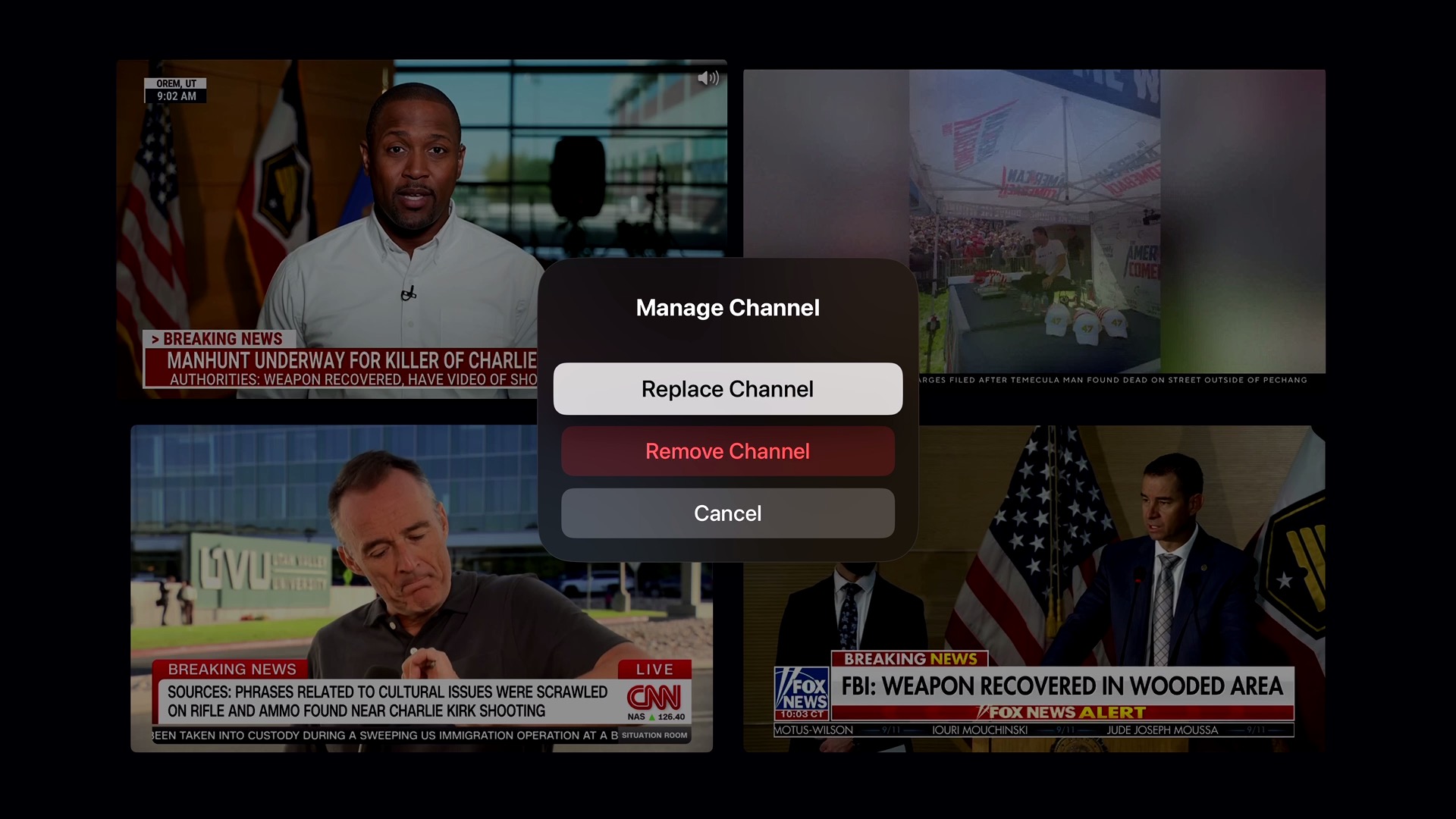
One thing we’ve realized is that many channels we choose don’t have a persistent logo or bug in the bottom right corner of their broadcast to easily identify what’s being watched. Which makes it a little less intuitive for viewers who didn’t set up the initial multiview and/or when surfing for different content during commercials.
Could the channel name and/or number be included at the top of this “manage channel” dialog?
4 Likes
Yes!
I’d already thought of that but didn’t land it before pushing it out.
Additionally, when focusing the channel picker, the active player’s channel is focused. So there’s some hinting too.
1 Like
This post basically got zero traction at the time, but for those with an encoder, this essentially turns virtual channels into live channels, which should work with this fantastic new feature  :
:
1 Like
YAY Multiview! Perfect timing for the baseball stretch run.
Is this using the Apple Multiview api? If so this probably isn't possible, but could an error besides just the ! be shown? It took me a while to get past it (watch the channel normally first, then set it up in multiview).
Love this feature!
1 Like
Apple provides no APIs for multiview. This is from scratch.
We'll look into it, but there's not a lot of opportunity to communicate errors with this view. If you get an error like that it essentially means your stream couldn't be played back.
Channels is a very open system, and allows you to throw a million different streams at it. It can only manage that stuff so much. If you have a lot of custom channels from a lot of different sources, eventually it's going to be on you to manage them.
This is included in the latest TestFlight beta:
2 Likes
All seems stable. Would request being able to move between channel collections. For example, would like to build a multi view using my default collection and E-Plus TV collection. While I can do this with all channels, I have to scroll thru hundreds of channels.
Thanks for a great enhancement.
Just a thought.....
I was wondering if anyone would think if it would be beneficial to show a channel number on the active channel for 3 seconds and it would fade away.. Active meaning when changing channel that the sound comes from. Since the channels could get re-arranged due to how many is viewed and which one is being viewed.
I just did a pass with showing the channel icon in a corner (like a bug) for inactive channels, and it wasn't that great.
The issue is that every corner conflicts with visible content in some way, and the bottom will too with sports bugs.
I'll keep thinking about it, but the idea of making it just flash for a second isn't a bad idea either, as you can just sort of focus a channel and let it flash a hint.
Over the course of the past 5+ years I've tinkered pretty extensively with ALL of the previous multiview approaches discussed here. Some are 3rd party apps and some are homebrew programs that integrate with CDVR. Each has their own pros and cons. Native integration inside Channels feels the best so far to us though!
I also agree a quick "channel name fade" could be a nice option, I tinkered with the same with this project and it's been helpful UI:
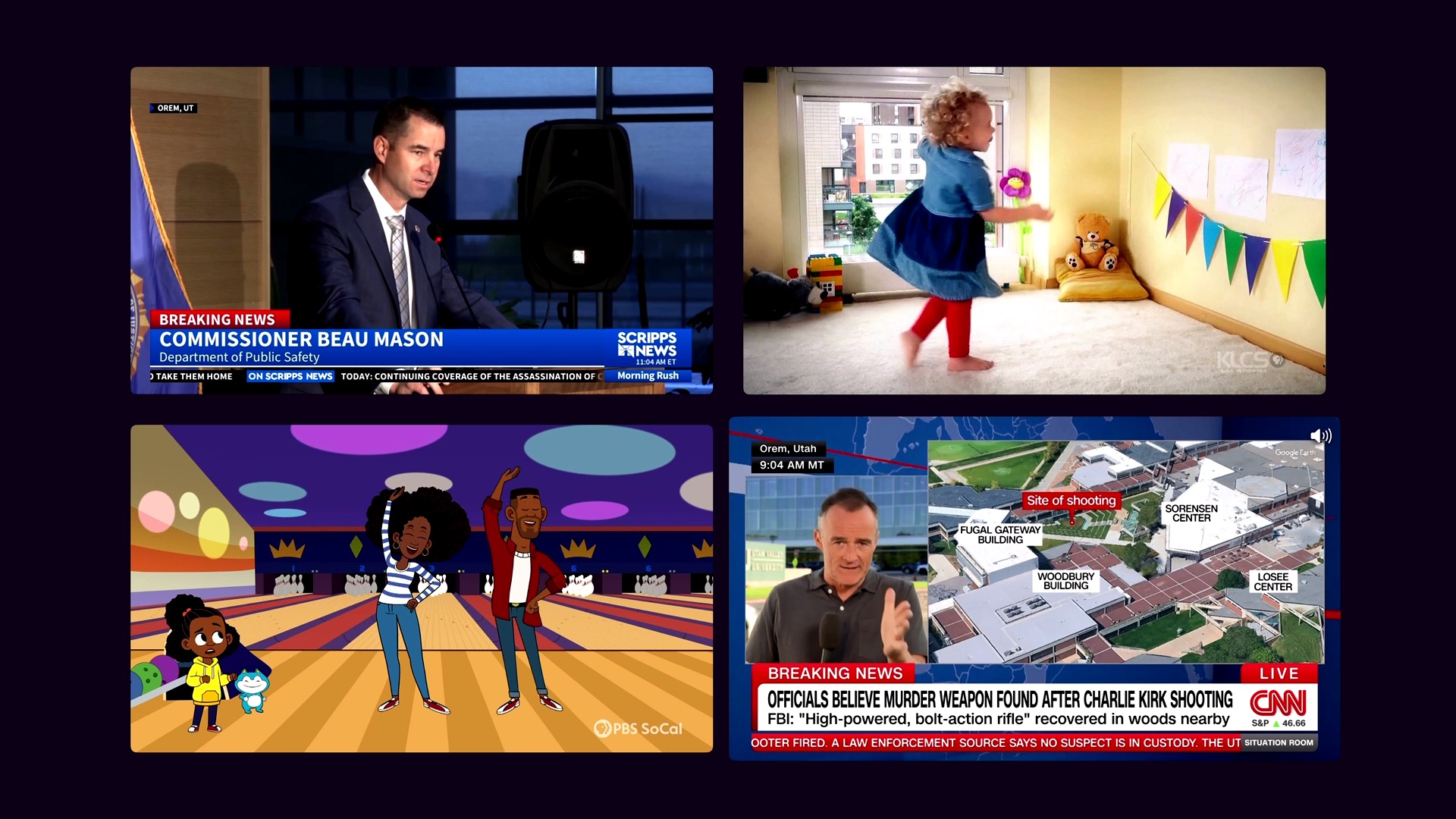
We use 2x2 grid most frequently these days. So the first question asked was, can the grid be enlarged to take up the full screen? The large black border feels like a lot of wasted space.
This is the Channels' multiview beta:
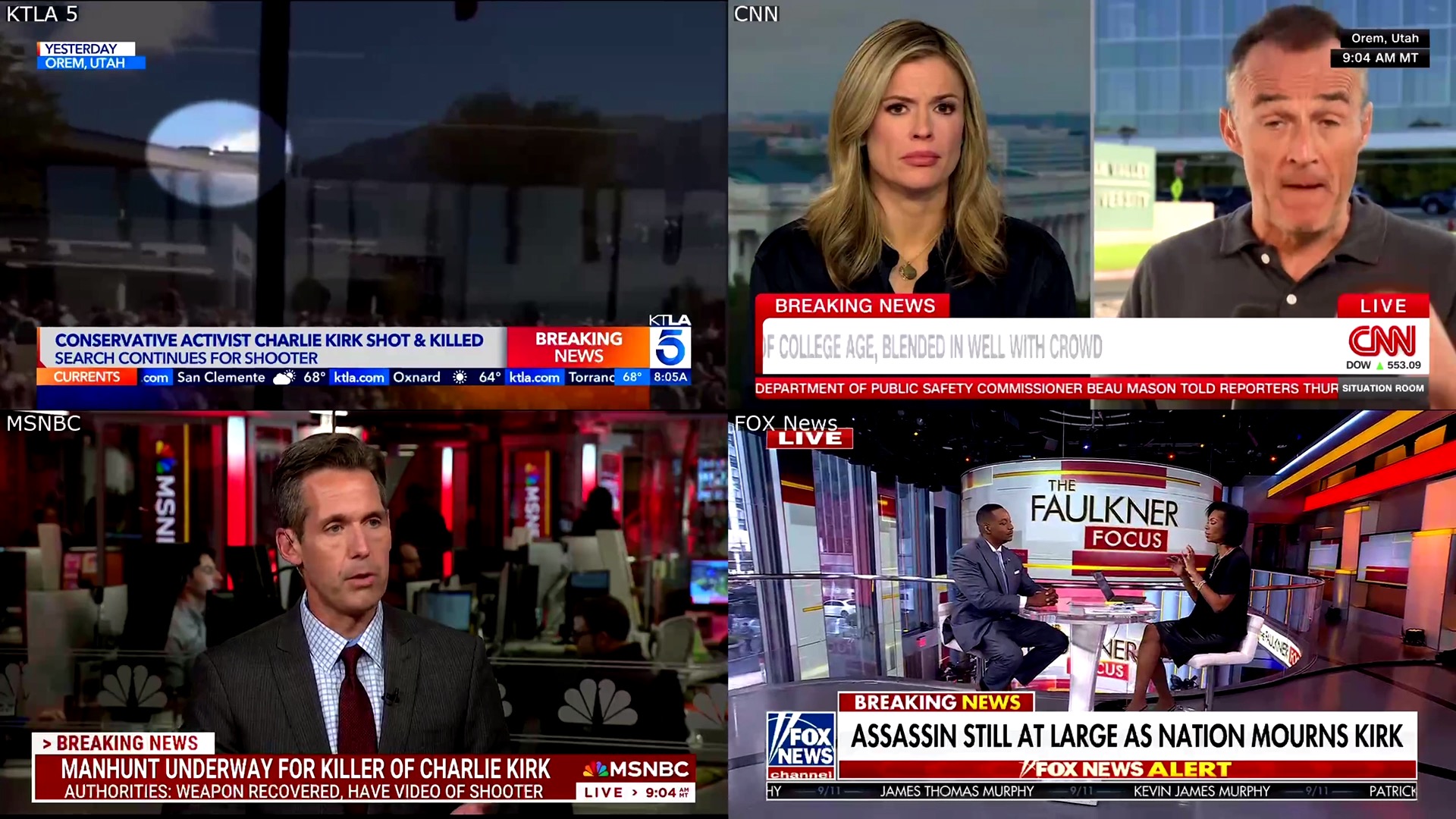
And here's a news grid via Multichannel View... before the aforementioned channel names fade:
And here's how 2x2 multiview looks in the Fubo app:

I also quite like the white line border around the actively-unmuted stream. This is in addition to a little speaker icon in the bottom left, but ideally both would be optional.
3 Likes
Oh wow, such wonderful work as always!
Totally fair on the error! I managed to get sorted anyway.
The latest TestFlight beta adds network logo flashing when focusing a player. It will show it for a short moment to hint at the channel and fade it away.
3 Likes
Amazing work here! Hoping to not have to use all the multi viewers programs I have collected! This is already working better than them!
1 Like
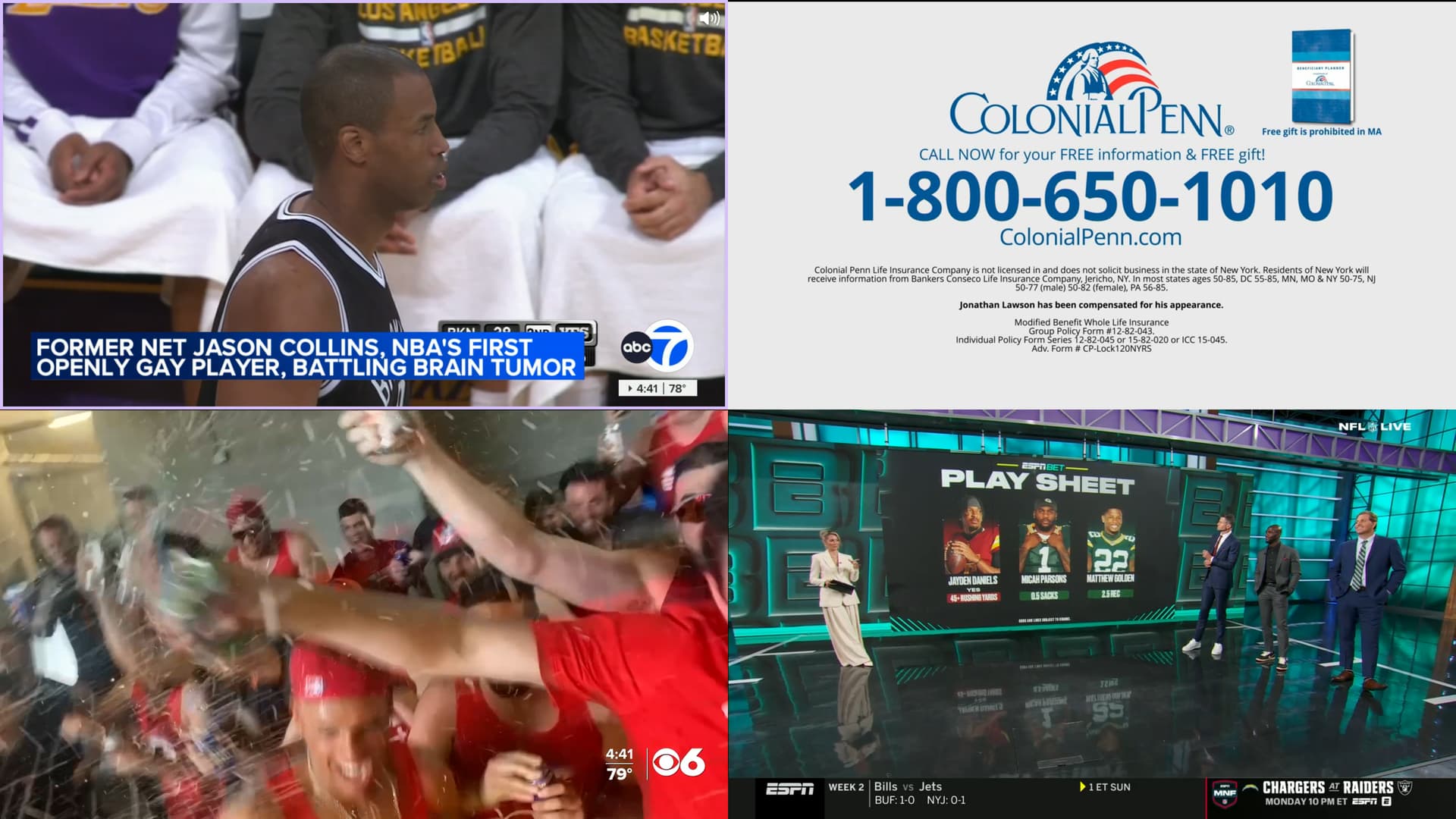
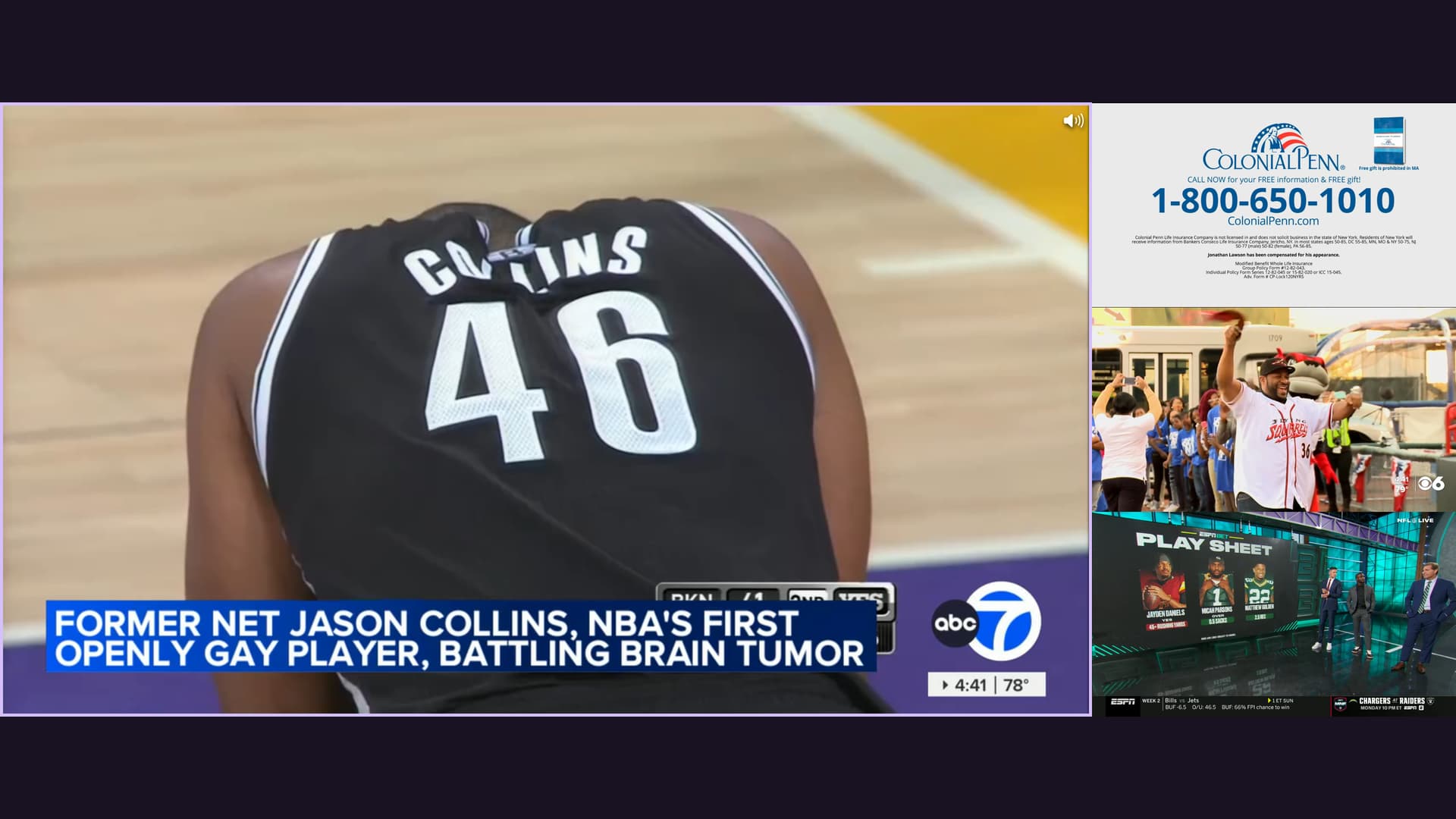
As of the latest TestFlight beta, we now have our first setting. Roomy Spacing!
You can now optionally turn off the default spacing to utilize the full view for your players.
- There is no more spacing between players
- Border color is used to denote focus, instead of resizing animations
It's defaulted to On.
Example Shots
10 Likes
It’s absolutely beautiful.  Fantastic work is brewing here.
Agreed! Very Nice!
Sent in another crash report. This time when closing down the number of streams from 3 to 2.