
I noticed you didn't include software solutions, like PrismCast.
When my Xfinity cablecard or HDHR Prime no longer works, that's what I plan on using (assuming the dev still supports it). No additional hardware required (other than my existing M4 Mac Mini to run it).
Because the topic was specifically about hdmi encoders.
1 Like
There is actually quite an interesting development going on with ah4c currently and Fast Channels. I thought I just mention that here. I haven't personally tested it myself, but there's a bridge that gets installed on the Android box that's being used and it connects to Fast Channels. It seems that it can therefore integrate Fast Channels with HDMI encoders and also tune a few apps a little bit more reliably, such as Philo for example.
Also, just in terms of recent developments, I was able to integrate AI-generated closed captions with ah4c. If that helps anyone migrating over from CableCard, who's used to closed captioning, they're not perfect because they are generated by a Parakeet model. I actually added a few models as options in ah4c to choose from depending on your specific hardware constraints. Regardless, they're slipstreamed in as regular closed captions and appear in channels as regular closed captions, which is kind of nice.
2 Likes
I don't post much, so apologies for the length. It will be clear if you read this but my focus is live sports.
What streaming device are you using?
- 4 x Fire TV Stick 4K Max (all Ethernet connected). I also have 4 x Onn sticks, but the ADB connections weren't stable for me after a reboot - or at least that's what I think was happening. I gave up on them early and moved to the Fire Sticks which work well for me.
- Orivision EH1304 (4-port HDMI encoder)
I'll be adding more tuners and another encoder soon (WayPonDEV Link Pi ENC5-V2) to build out a second, more "generic streaming" solution with and maybe more YouTube TV tuners. Ideally I can use deep links to add custom sources with updated Channels guide data for the stragglers I want in Channels (Prime, Peacock). I'd like to add the ESPN app too, since it carries some feeds that aren't in YouTube TV and I have learned that the ESPN app doesn't play political commercials like YouTube TV does (constantly) which is a win in my household. I'm playing around with FruitDeepLinks and will maybe look at PrismCast but I have no firm ideas of what phase 2 will look like.
Why?
TVE worked well for me. It was a hassle when things stopped working or needed to be re-authenticated or re-scanned, but it was nice to be able to tune any number of sources and have someone else maintain it. Its mostly-dead state pushed me to the apps for a while, and that's when the problems became obvious.
All the usual streaming-app annoyances were there, but the breaking point was hitting skip-back after missing a play in a live game and getting a "disabled" message. I've seen pause not work in regional sports network apps, no way to record anything at all, and so on. If I tried to time-shift, I would still be forced to watch the commercials with some apps. That's the kind of control I'd rather not live with, so I set out to fix it.
What did you try before?
Mostly Chrome capture work. I also spent some time with EPlusTV and never got what I wanted. The software-only solutions weren't a fit for me, mostly due to fragility or missing functionality. I bounced around never finding much that would work for me and I avoided the encoder setup just given the investment and my lack of knowledge.
What makes it better?
It's consistent and stable. I can use tooling to pull the m3u streams, and in a worst case I can pick up a Fire Stick remote, open YouTube TV manually, and send that stream down to an encoder source. That works great.
What sucks about it?
- The infrastructure required to support it. I run a fairly extensive lab and network built around Proxmox, macOS, and Linux with a UniFi backbone. I enjoy that and I like the flexibility, and I also use it for learning since I work in the industry; the intersection of networking and video is genuinely interesting to me. But it's a lot to stand up.
- The fragility of the foundation. If ADB goes away on Android, or the YouTube TV deep links change, this fairly pricey investment becomes a lot less useful. That would be frustrating.
What middleware are you using?
2 instances of ADBTuner and a custom front-end to the tuners. I needed a second instance of ADBTuner to support my horrifically terrible regional sports network (RSN) provider's app which is not available in YouTube TV. I use a custom config for the RSN app and it works well actually. The custom font-end allows me to switch tuners 1-4 how I like and if I want the RSN app, I can reserve tuner 1 for it or all 4 can be used for YouTube TV on heavy football days.
The other stuff is just Channels API work - TeamID lookup, an easier college football recording interface that works great for my needs, and a basic Fire Stick remote web interface to control the Fire Sticks in case I am not home and something breaks. I can use my VPN to get in and fix things if necessary.
- TV plan price: Not an issue for me. I'll always have a TV plan, though I don't watch news or the usual cable channels - it's really just the sports package I'm after.
- How much maintenance is there? Is it set and forget? It's work to build, but it's been very stable since I finished. Not quite set-and-forget, but close. That said, I'd generally prefer to pay someone for what I want rather than build and maintain it myself.
- How do you power all these at scale? With a $600+/mo electricity bill. (That's the whole lab, not just the tuners - but the lab is why the tuners are possible.)
- How do you organize all of the physical objects? In a fugly rack.
- How much do the devices cost? My rough investment for the Orivision encoder plus 4 Fire Sticks with Ethernet was $615. Add on the Kasa power strip, more switch ports, the Onn sticks I don't use, and I'm likely pushing $900 or so.
- How fast is it from a channel change to a tuned channel? Not fast - but I don't care. I use Channels to set up a recording for any sporting event I want, so by the time I tune in, it's already recording and I can jump straight to live. Multi-view is nice too though I will say the switch from an encoder source to an OTA source comes with significant volume challenges.
Maintenance is a biggie, especially since this setup scales. If a device is finicky and you have to fix logins a lot, and you have FIVE of them, that's gonna be awful.
Answer: it's not great. I'd prefer not to do any of this, and if I'm being honest, I'll probably succumb to the streaming apps eventually. The first time I have that one bad day where everything breaks and all I want is to watch the game will be the day I very likely just give in. If you guys went full ElfHosted and hosted this as a service, I'd happily pay a monthly premium to get out of the business 
2 Likes
Great summary, aligns with what I said before. These custom setups are not for the faint of heart and often break, especially if you use remote control of native apps or even just deeplinks. And most of this crowd work(ed) in the industry, wrote software and did sysadmin or networks.
I don't know if there is a turnkey way to handle this, there's so many variables across all of the services.
1 Like
I'm going to insert a bit of a PSA here, as there's been something of a game-changer I've been using for the last week. The foundation is the same as what we've been illuminating in this thread, but at the same time, it feels different.
If you're a current (or willing future) user of DTV Stream, Sling or Philo, FastChannels now has both HDMI Capture and ah4c (multi-tuner support) that acts like tve (with similar or faster tuning speeds), but is not limited to some subset of the channels you subscribe to.
Yes, we're talking about an encoder-based solution, though in this case you have the choice of hardware or virtual encoder approaches. You can start simple, with a capture card and streaming stick, and expand that with more of the same -- or make the jump to a network-based hardware encoder.
Here's an example, where I have the US Open on the "big" TV, the kitchen, and the primary bedroom. In addition, I have four other channels running in CDVR Multiview on an iPad. Each tuned in ~4 seconds, and what you're seeing is mix of sources using a couple of different encoders, and a couple of Capture Cards that are doing their thing in a Proxmox LXC running Channels DVR:
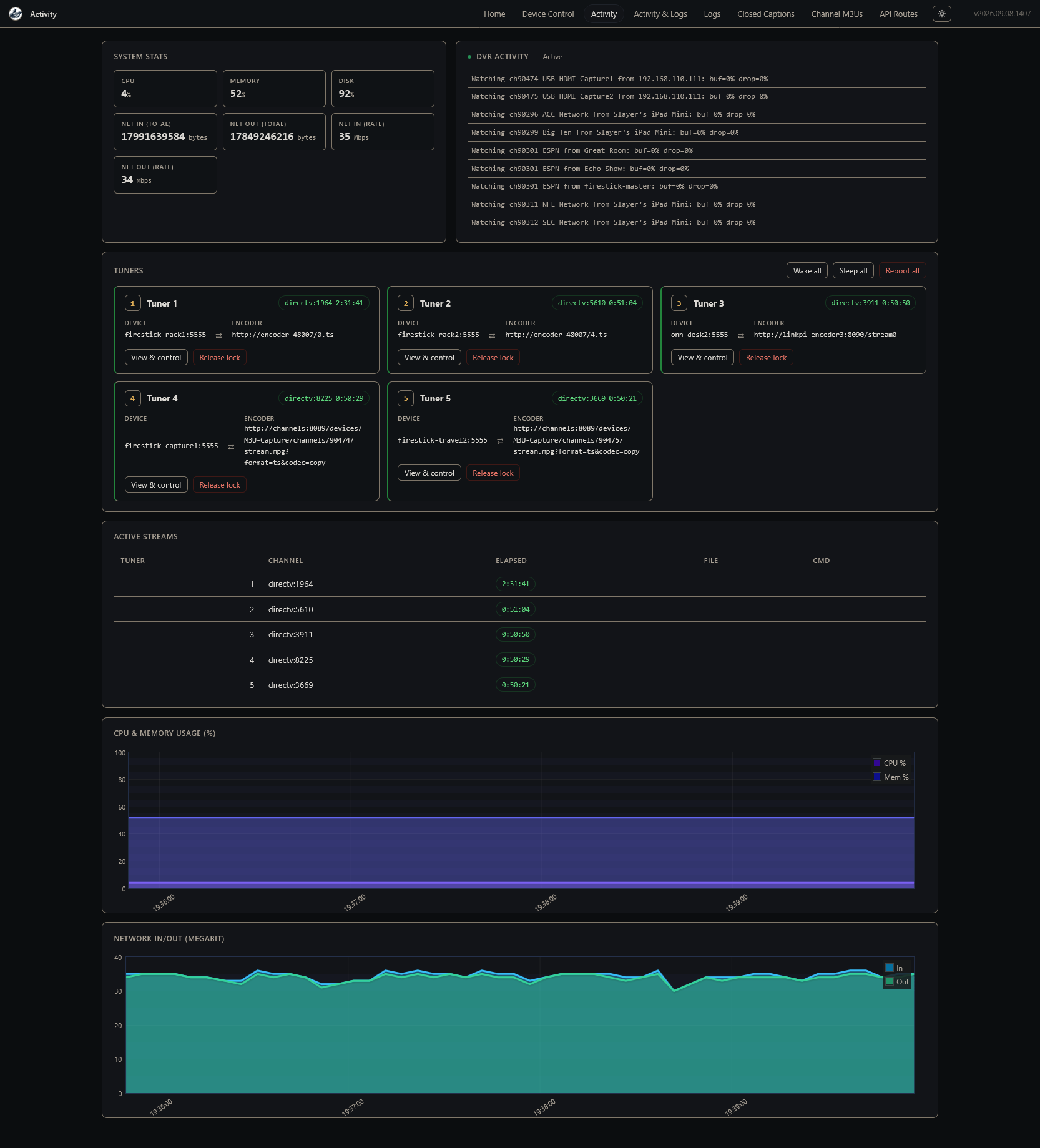
Candidly, if you have reasonable technology skills, and they're combined with a splash of enthusiasm for having all of your content in a single app -- this is all very achievable. I'll add, that if you choose your components with some care, and spend the time to understand the concepts -- a setup like this can be put together with very little maintenance required.
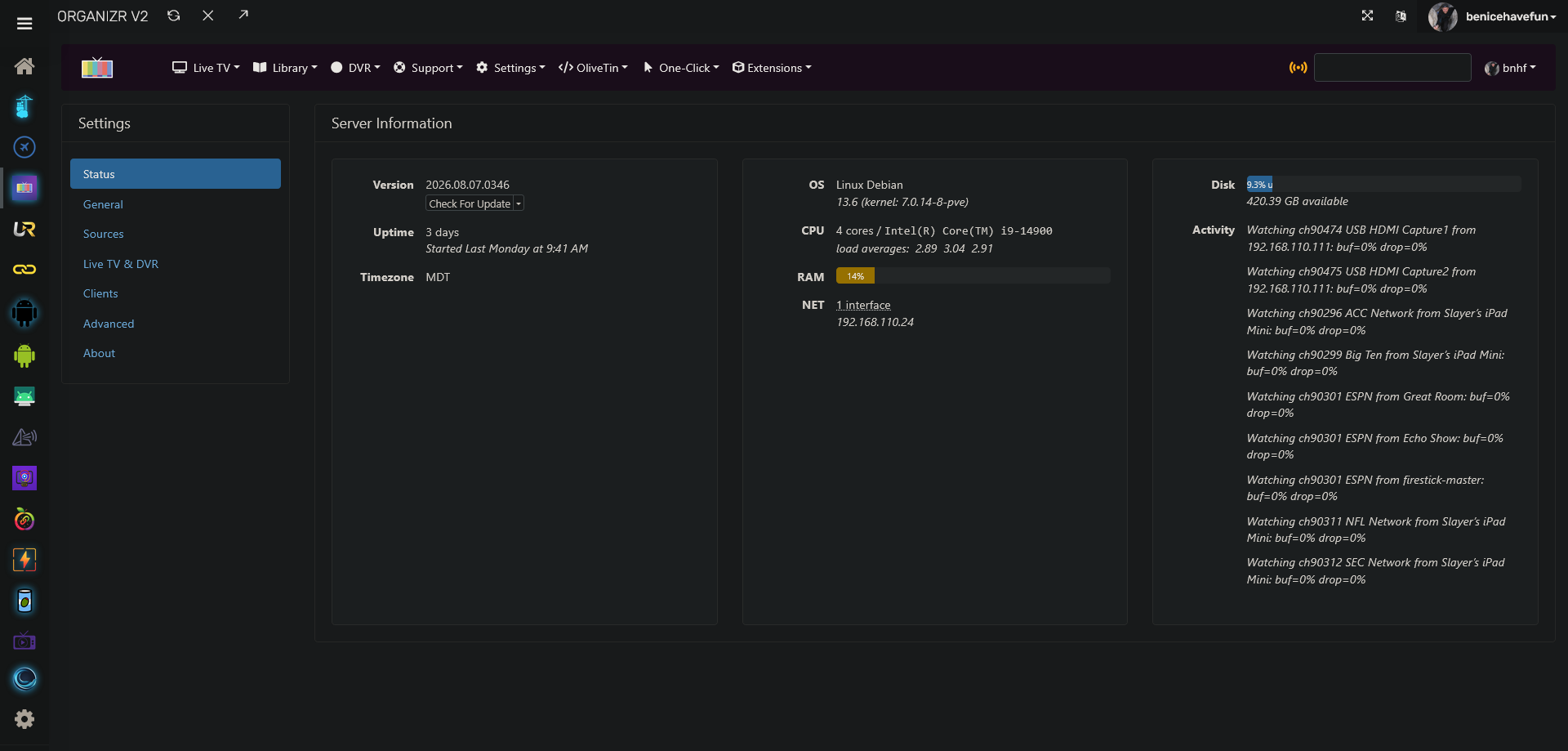
CDVR server reusing streams, so 5 tuners can feed multiple TVs and Multiview:
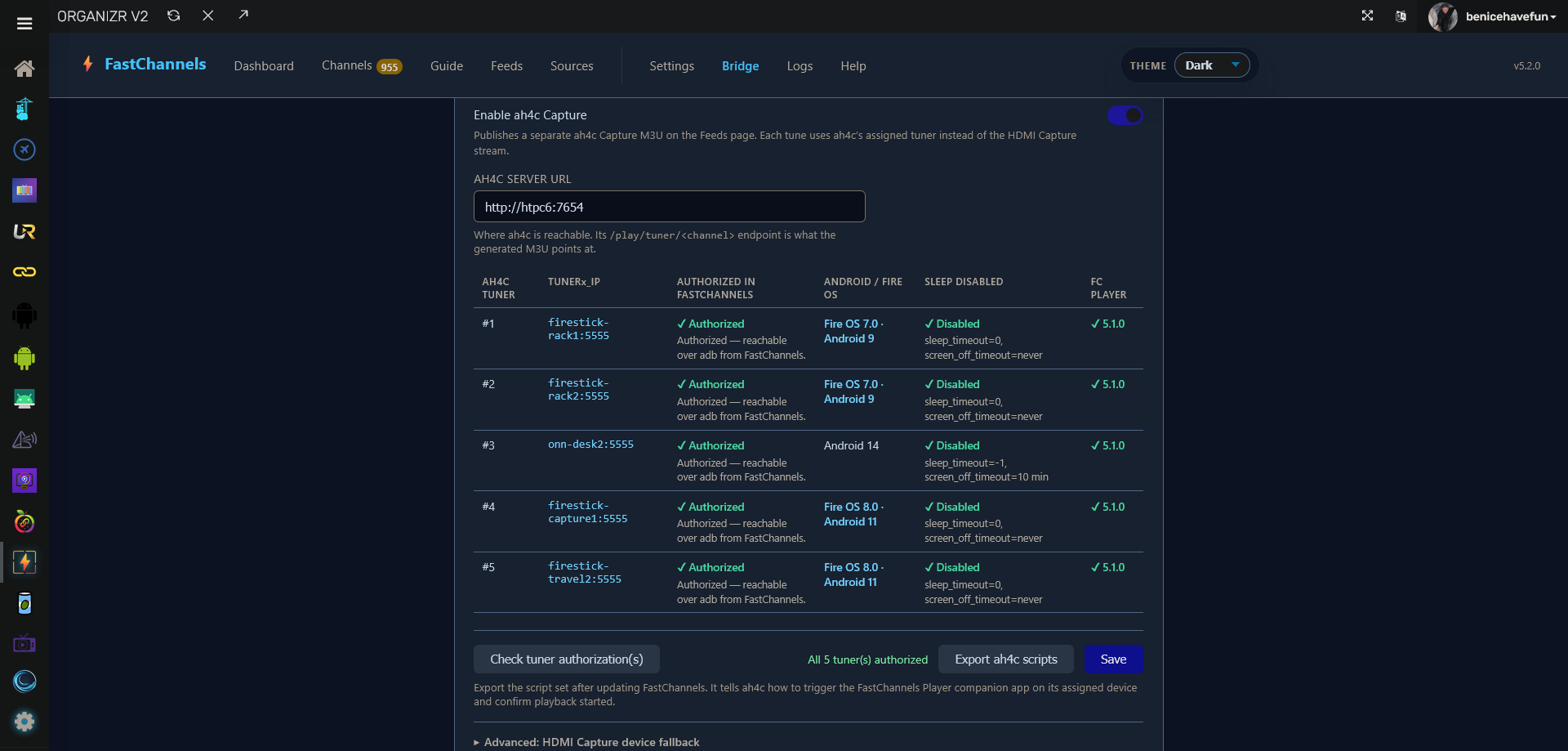
Tight integration between FastChannels and ah4c:
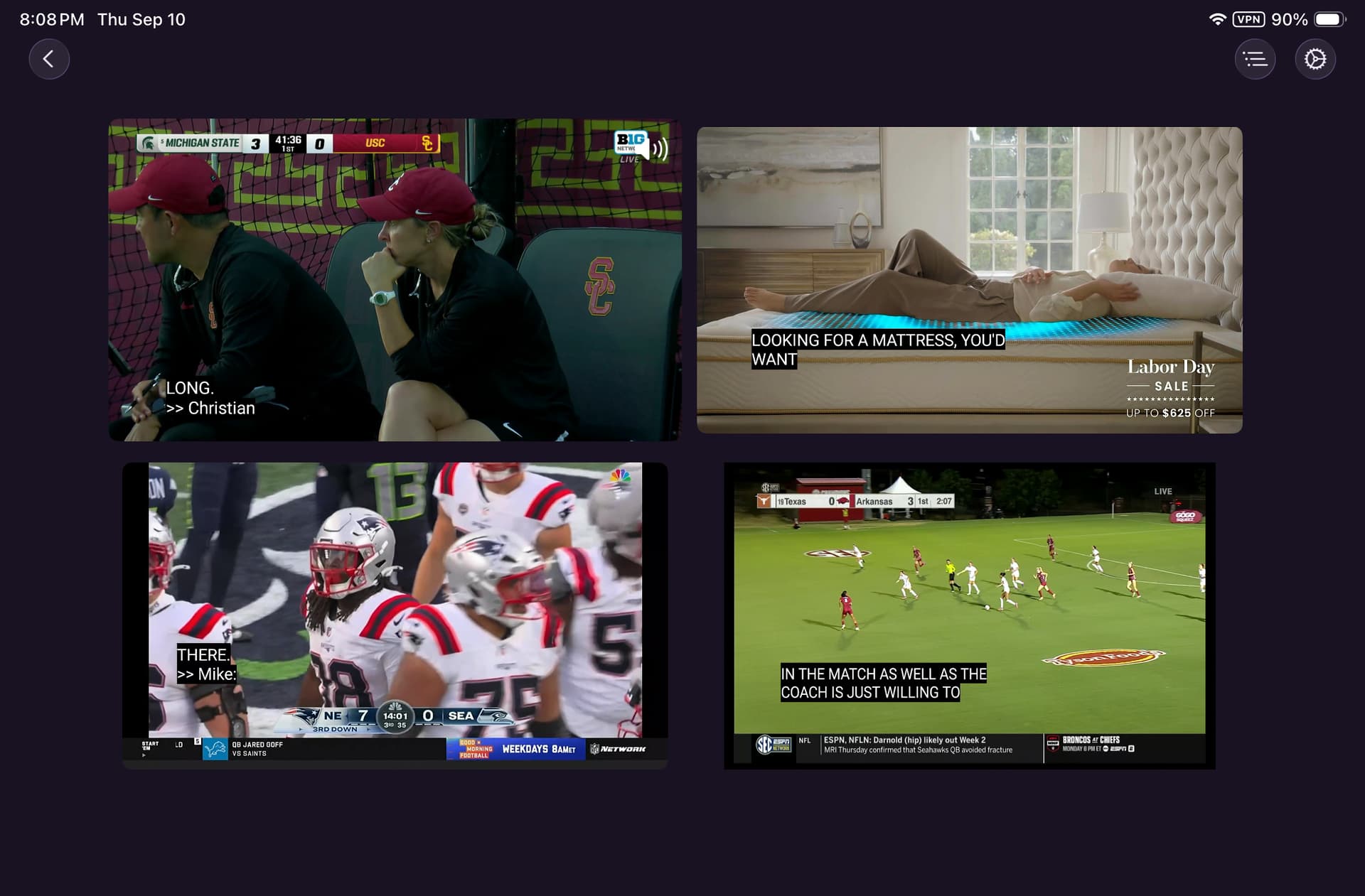
iPad Multiview with Closed Captions in each view:
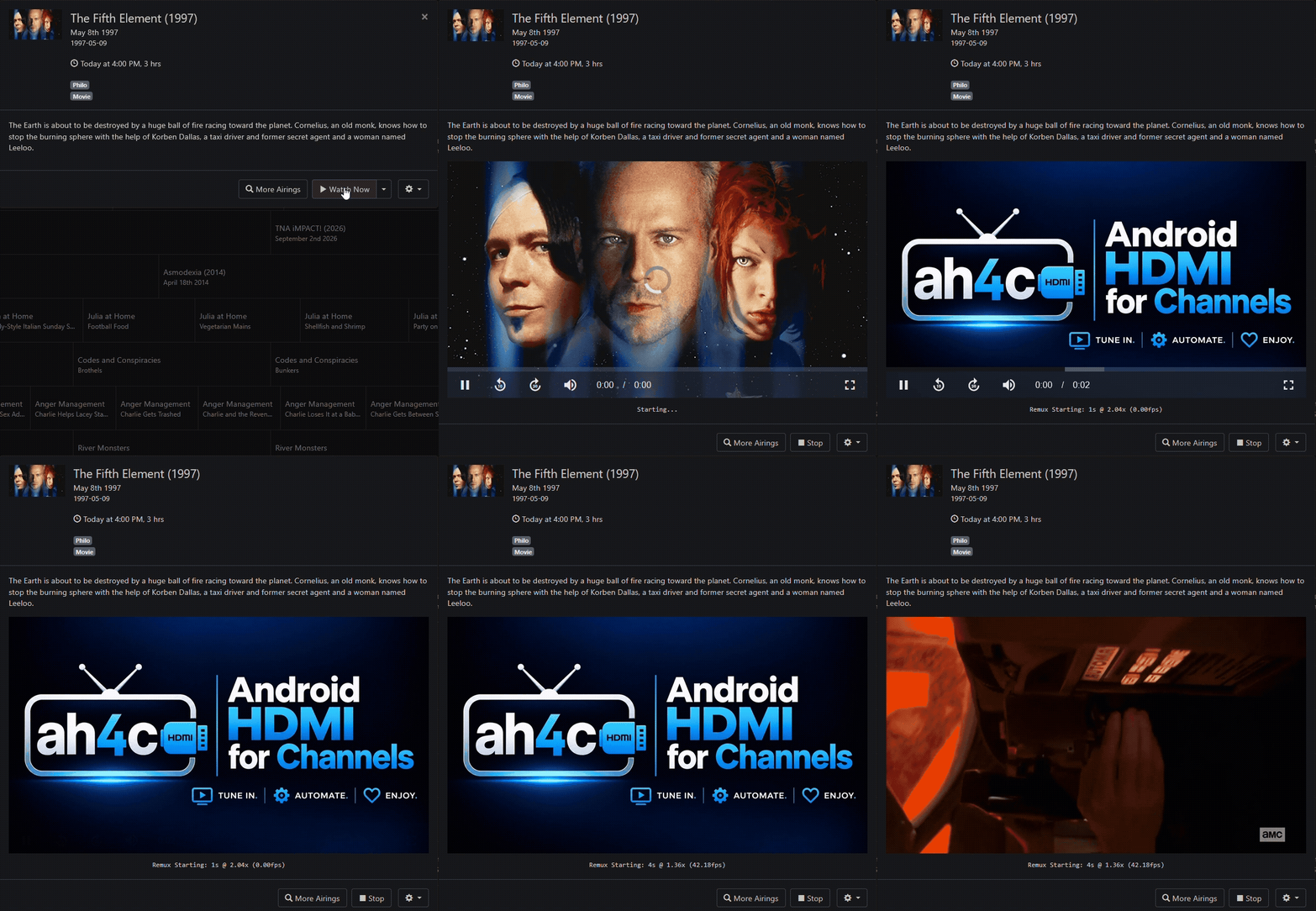
Here's a GIF showing a channel tune, from when I clicked Watch Now, until the first frames of the movie started playing. This example is with FastChannels configured to use ah4c, and ah4c is using a hardware encoder. Tune times are more or less identical using ah4c with a virtual encoder and Capture Card. The use of the pre-roll image (ah4c splash page in this case), is both optional and configurable:
8 Likes
So this tunes faster for hardware encoders than just ah4c itself?
I've added a GIF to my post above, showing what a tune looks like using FastChannels with ah4c.
I'd argue its about the same speed. Obviously, ah4c gives you more than 1 tuner to use with this so thats what I use
1 Like
Bummer that it's limited to a few TV providers otherwise it would be a promising replacement for TVE. I'm on Hotwire which uses the Adobe backend authentication for credentials, maybe someday many of the Adobe-based providers can be added just like we have with Channels today. We pay for this through our HOA so not really willing to switch and pay more for the same thing.
So I'll continue to use the mishmash of TVE, native apps via encoders, and web video via Prismcast. It's a major hack that requires regular oversight.
I'll second FastChannels. I switched from Philo to Frndly, so it streams natively without the need for ah4c or capture devices. Also using it for Plex, Pluto and LG FAST sources. It pushes the Channels configuration to your server and has a really nice guide that I can use to verify Channels is working correctly. Very little learning curve and I'm appreciating having a vastly simplified configuration over the FireSticks and Link Pi ENC5-V2 I was using although I'm very much aware that I will more than likely have to go back down that route eventually.
Here's a follow-on to my post above, with details on creating a compact hardware encoder solution with multiple streaming sticks:
For testing, I've replaced several of the FireSticks with ONN 4K Streaming Sticks (2026), and they work just as well as the FireStick 4K Max (Gen 2) devices from a form-factor perspective. However, they are a tick slower (~1 second) to tune with the FastChannels ah4c bridge, and they only have half the storage for apps at 8GB vs 16GB.
The lack of WiFi 6 likely accounts for some of that speed difference, with the CPU accounting for the rest. Still, it's a nice device, and the stick format really keeps the footprint reasonable.
Here's what that same compact setup looks like with an ONN 4K Stick on either end:
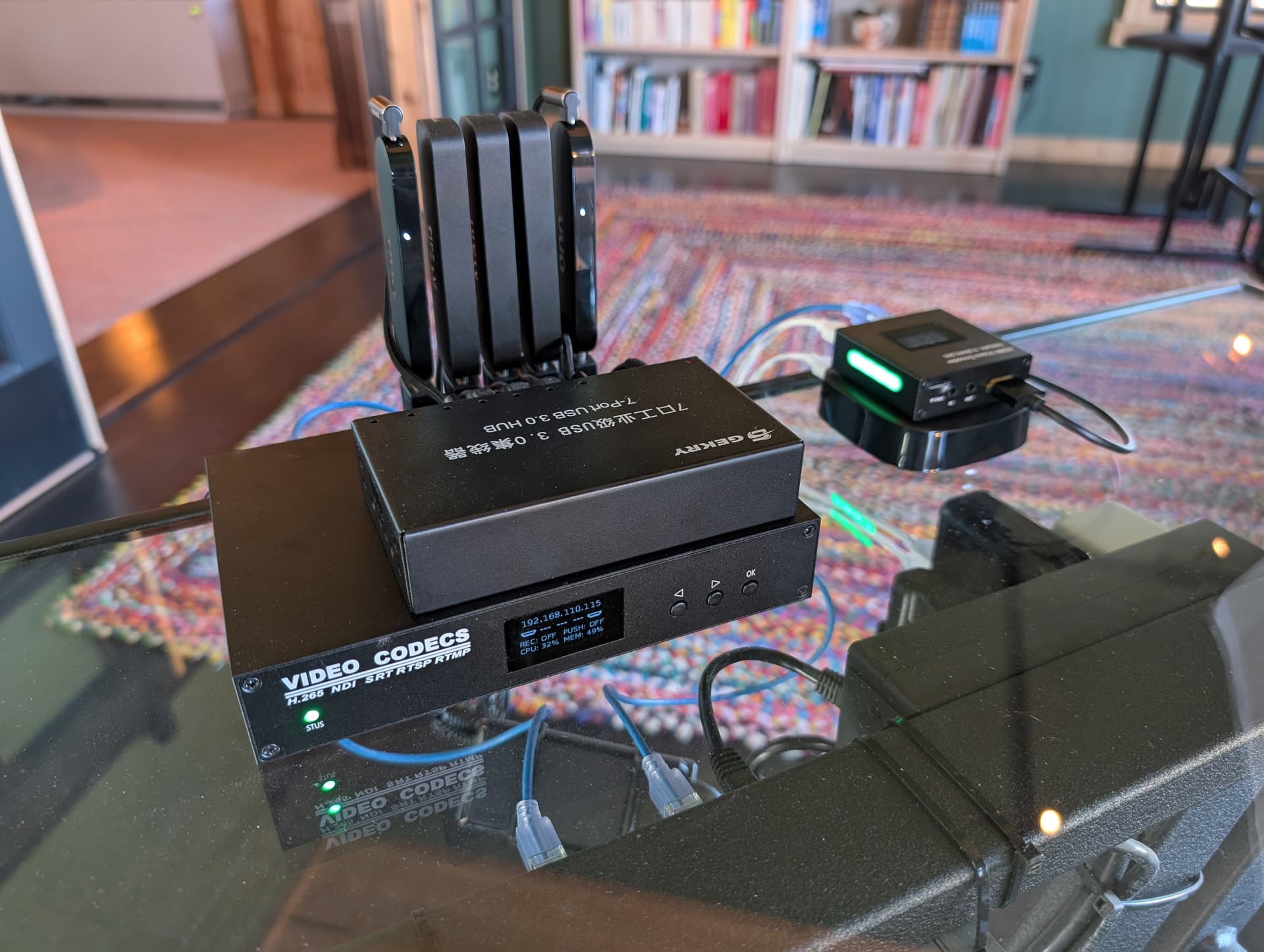
On the right, you'll also see the very smallest LinkPi hardware encoder, an absolute single port unit connected to an ONN 4K Plus. Very, very compact , and not much more expensive than a nicer Capture Card. Generally I'd say buy an encoder with at least 4-5 ports from the start, but if you need/want to keep it cheap, there's nothing wrong with the LinkPi Mini.
Pair any of these encoder solutions (hardware or virtual), with a supported provider on the FastChannels ah4c bridge, and you'll have a solution that covers the bases. I've used, and contributed to many of the projects in the CDVR orbit, and I have to say this combination has risen to the top surprising quickly.
1 Like
@bnhf
I recently got a 2nd LinkPi as I wanted to separate ah4c & ADBTuner to individual encoders but then came Fast Channels so it'll get repurposed. I'll only run 2 sticks to get up and running then add as I trade in. Might be able to drop an Osprey offline. I appreciate the link for the 90 deg connectors. I don’t need them but I like the look.
1 Like
Me, too. I sure wish that I could find a pack of them in which all the adapters turn the same direction. They all include half which go one way,  and half the other.
Mildly off topic, but out of curiosity, what's the best way to get Ethernet with these?
Just a USB-C pass-through to Ethernet adapter?
I got my poe system on hand so I use this
and this
1 Like
I'm a FIOS TV cable card user. Is it all over for me?
With my basic FIOS TV, HDHomrun Prime setup I get:
- Lowest latency other than OTA
- 5.1 Surround Sound
- 4k sports programming
- Multiview
- All recordable and replayable
All of this seamlessly through the ChannelsDVR interface.
I've browsed the crafty alternatives in the thread but I don't know where to go from here.
Maybe I'll go back to a STB but it would be sad to go from the perfect setup to no ChannelsDVR at all.
It seems like Comcast is the only one trying with their FOX RealTime 4K channel.
I recently discovered that my Xfinity cablecard is no longer receiving video. It looks like they did something to deauthorize the card, and support doesn't know how to re-validate the card since it's past end of life. I read elsewhere someone is using Firestick + Xfinity streaming app + ADB tuner + HDMI encoder. Will this let me see all the same channels as an STB? I'm open to other options, but I'd prefer to keep Xfinity so that my mom can keep her STB she knows how to use. (She lives with us)
I'd like to explore the Firestick option but don't really know where to start other than asking AI. I've been a computer DVR guy since the early days of MythTV, but 7 years of my HDHR Prime working unattended has made me lose touch with the technology. Can anyone point me in the right direction to build a system that uses my current Xfinity subscription for now? It doesn't need to be near a TV, just have the ability to send data to Channels DVR over the network.
Thanks!
I can't give you first hand confirmation of an adapter that works with the ONN 4K Stick (2026), but this is the first one I would try:
https://www.amazon.com/right-angle-usb-c-ethernet-adapter-fire-tv-stick-hd/dp/B0F14YX5TG
I know it seems weird that it's for a FireStick, but at least one review reports that it works with other streaming sticks that use USB-C. The right-angle adapter is a nice touch.
3 Likes
It's actually quite nice, thanks! If they stop supporting Ospreys, I'll probably go more in that direction!
1 Like