Can it be saved? (windows PC stuck on boot screen)

Folks hope this is the right forum for this ask.
so I remote into a minipc that has one job, to run channelsdvr.
it went off line and today I was able to see it on the desk. it is a mini pc that is stuck on boot screen.
yep power off/on, disconnect all peripherals, pull power hold power button drain down. so far nothing.
I recorded to external HD. which I shall check next. what I'm really after are the sources I had used. (I can rebuild most of them but two I'm not sure I can) are the sources (either text or url) possibly stored in some way on external? or am I possibly out of luck is on the HD of the mini pc (which may be dead Jim)..

in the interim I used my back up pc elsewhere rebuilt all but those two... of course I can take external with me and all recordings should still be good.

Help!
thanks in advance
I assume the hdd is nvme. hopefully that's not the problem.
can you access bios?
does the tiny cpu fan work? (some bios will halt on fan failure)

sources should be in the database backup on the external drive. Just connect it to the new system and restore

of course makes sense... follow up question for geeks.. my original was a mini PC its only job was channelsdvr to external. I hooked up external to Mac mini (older) there is the external HD however its formatted in windows NTFS can I restore from that to a Mac mini iOS????

if not can I find the exact file with the sources (I'm only looking for 2 specific ones I haven't been able to recreate on back up computer).

thanks in advance

yes tiny fan running..
I'm resetting by disconnecting bios battery ... or cmos battery.. for 30 secs.. just did that no joy...

after that the question becomes... another minipc (and this little bugger ran maybe 5 years straight .. ) or a newer Mac mini (but then dual duty.. normal computer use plus running dvr in background)...
opinions?

tenor-2634837685

ok got it back thanks lads for help today!
still need to figure out how to change permissions (write) on the external windows HD.. as its read only. but was able to copy database back up (thanks for that tip where to spot) and restored from there on iMac....now about all the movies and shows I have on ext HD ....

1 Like

Spoke too soon…
Ok to get my YouTubetv back tve. Yes I installed chrome on iMac…

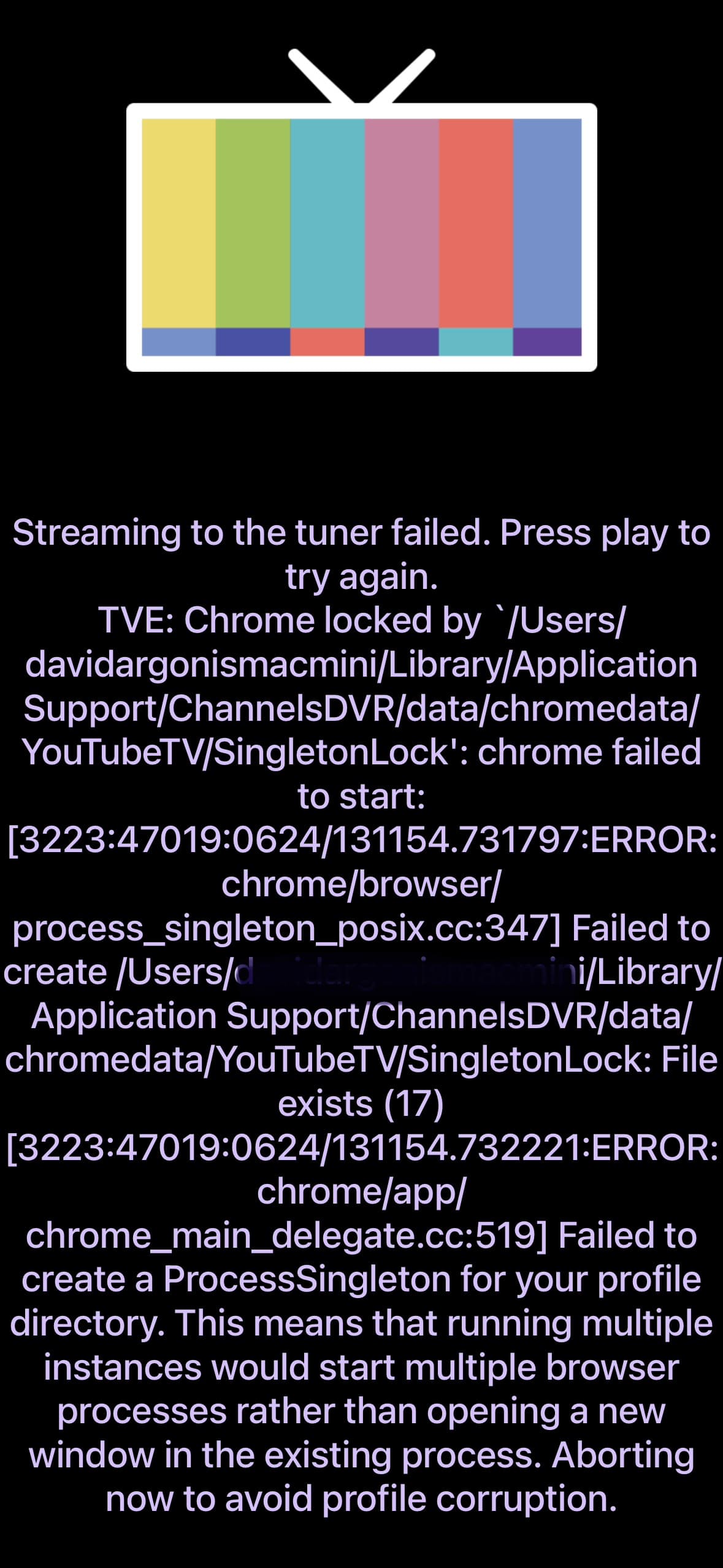
This is error message now

any ideas?

since youtubetv worked before it should work again just had to switch computers now i have to set up same …apparently it needed chrome (got it opened it up)..

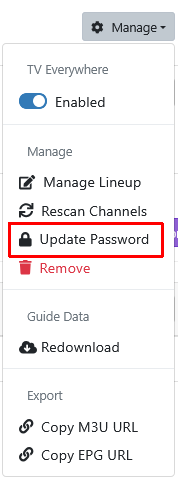
  1. Use Update Password on your YTTV Source and just key in your existing Password (to clear the chromedata/YouTubeTV folder)

Screenshot 2026-06-24 at 11-35-51 Channels Settings

  1. Update to the latest DVR pre-release version

Thanks for that and the pic ! I would have been going nuts

1 Like

I would try reinstalling windows or Linux on it. There may not be anything wrong with the hardware, it’s possible the software got corrupted. Now days installing a new OS is pretty easy.

Thanks I would if I could get past boot logo..appreciate all the assistance lads

Ok password entered no joy.

How would it know my username for YTTV?
Or did I miss a step

Did you get the YouTube TVE source added yet?
When you add the source you entered your username and password in Channels DVR for YouTube.

If you haven't added the source yet, just delete the YouTubeTV chromedata directory
~/Library/Application Support/ChannelsDVR/data/chromedata/YouTubeTV

Make sure to update to the latest DVR pre-release.

I had it for a year, then minipc took a powder, I tired a few times, so I deleted the source figuring I could add it back now I get this error…I’m about to do your suggestion in library now

And I can’t click fill in that form at all…even in chrome..

How did you do this

if you haven't added the YouTube TVE source yet?

I think he restored from backup that was on the external drive that was previously on the mini pc. He is now using the Mac mini. The YouTube tv TVE source came from his backup. I’m guessing the chrome install didn’t like the os switch. It looks like since YouTube tv wasn’t working he deleted the source and is trying to add it back. When he asked how does channels know his user name earlier, he didn’t know it’s part of the backup. At least that’s how I’m reading this thread.

That’s seems very accurate thanks I did not realize username rebuilt from restore. I restored the had to add chrome. Then string of issues. I will delete channels then re restore and chrome is already installed see how that goes today.
Thanks for pointing that out.

ok so I'm further along with restarting process

  • uninstalled channels
  • cleared chrome out
  • reinstalled channels
  • restored database
  • updated channels latest
    so far so good guide looks accurate and so on
  • OTA channels and other streams work
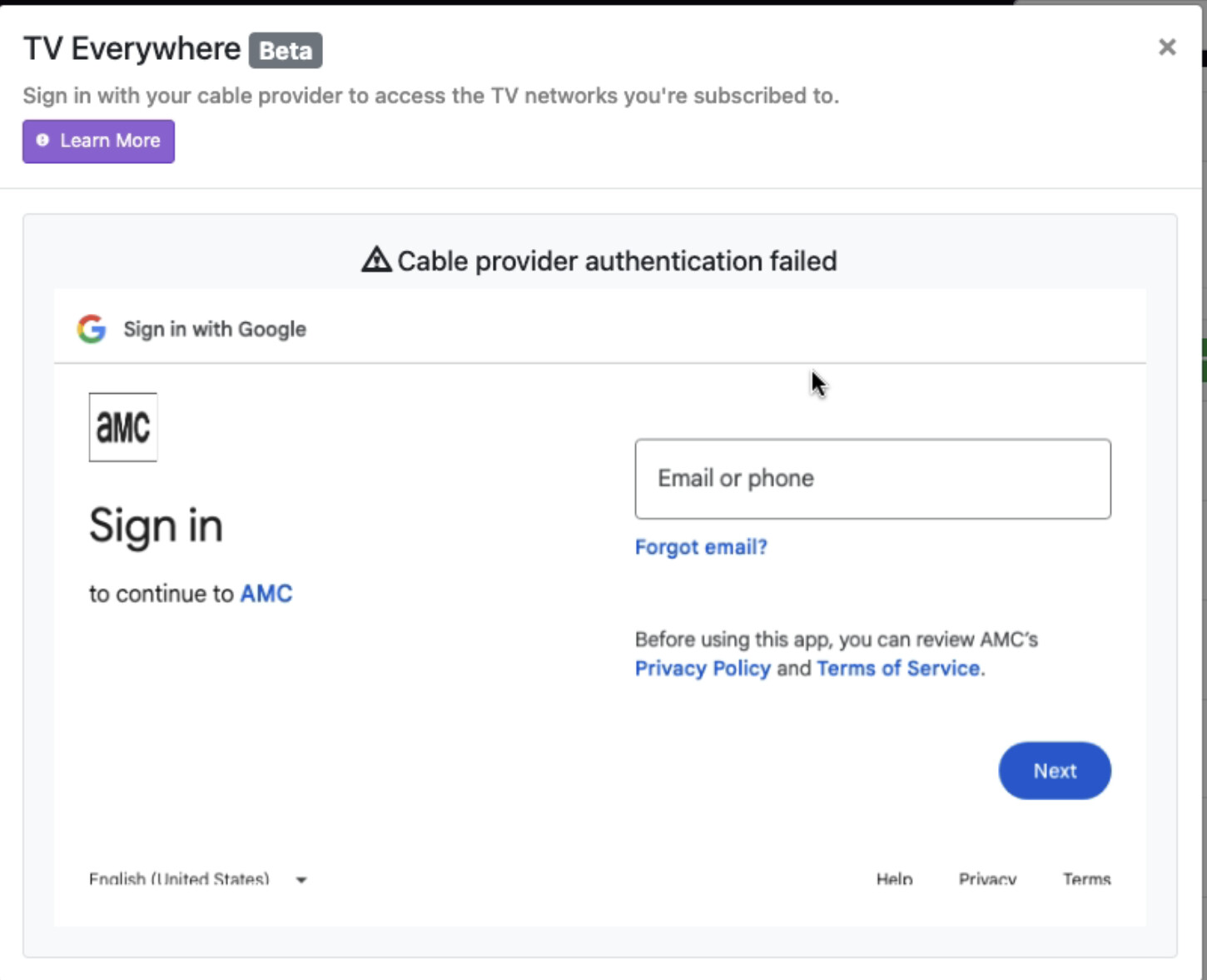
  • updated YTTV password nothing popped up no error box like before
  • except none of the YTTV channels will play .. it spins (apparently times out on app, on iPad, appletv, iPhone and web(browser versions).
    -after a short period 30 secs? the message is
  • yes made sure 8089 port pointed to iMac address

Any ideas next steps?

Check the DVR log when you try to play a YTTV TVE channel in the web UI player.

Run diagnostics (Support > Diagnostics) and ensure all green checkmarks.

See TVE Troubleshooting tips