Can't get remote access work - new install

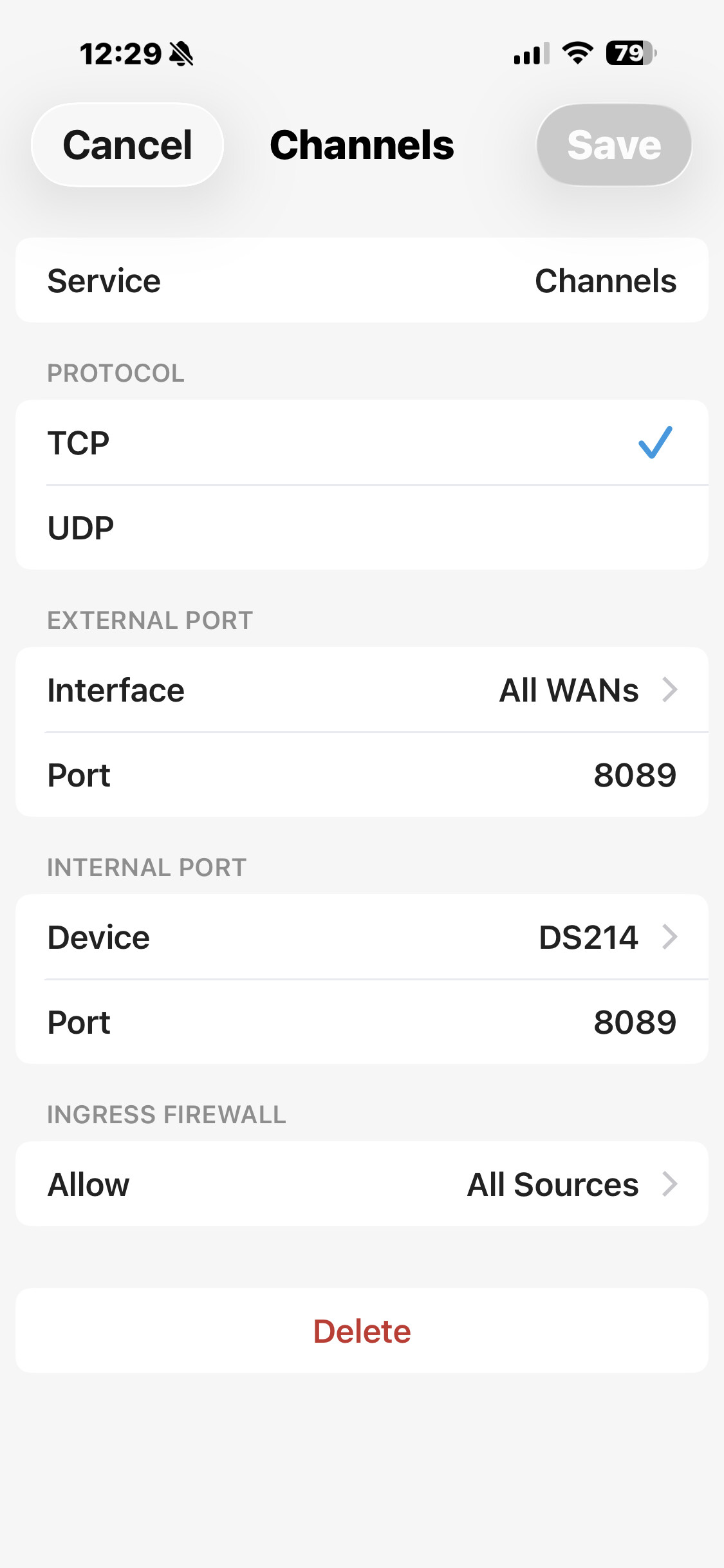
I just did a new install after subscribing to Channels DVR. I am using a FrieWalla Gold firewall, and the install automatically created the port forward correctly as far as I could tell but it would not connect.

I deleted that port forward and created one manually with the same result. I removed all filters, etc from my Synology NAS (temporarily) and still no connection. I have remove access using the snology app, and other functions like an FTP but no luck.

Anything else I can do to get this working?
Welcome to the community! :smiley:

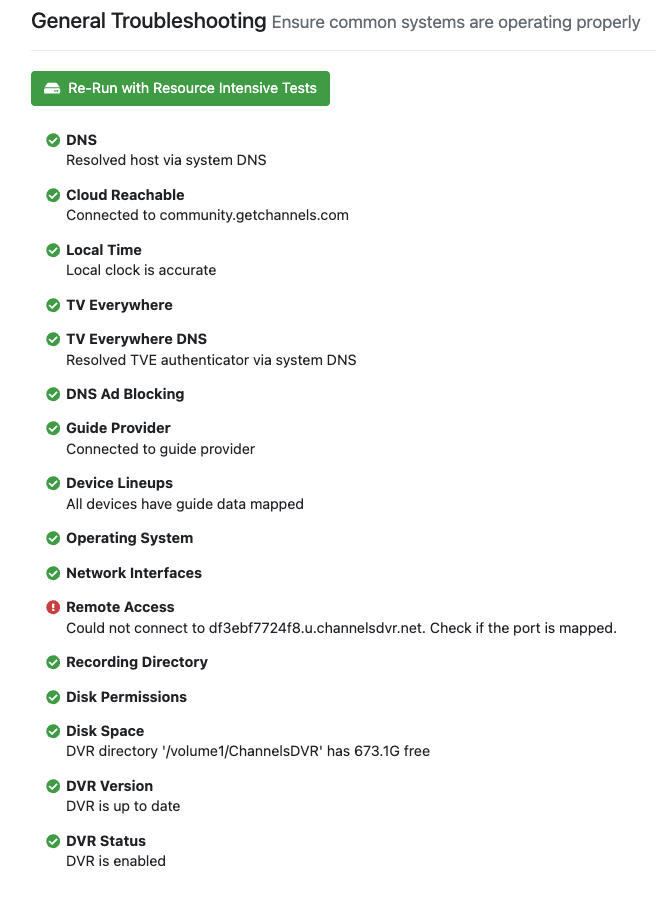
On your server, run Support > Troubleshooting.
Everything should be green. Report if that's not the case.

Thanks everything is green but remote access.

Can you show your port forwarding settings?

Have you confirmed the port is actually open?:

https://portchecker.io/

port checker says - false

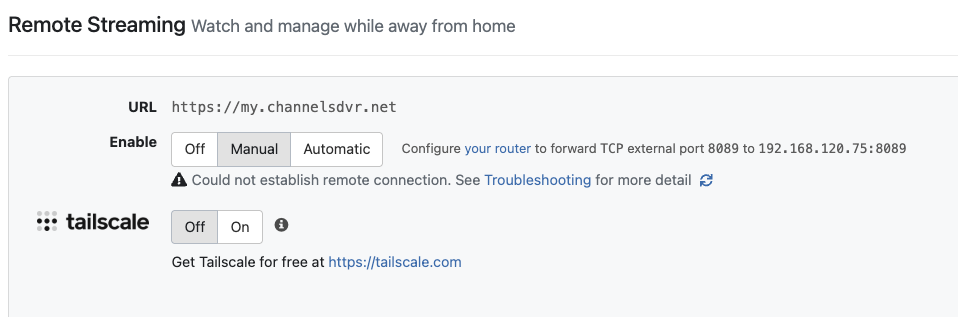
This is typically caused by your ISP. You could be behind CGNAT (your ISP does not give you an IP that's actually on the Internet). Who's your Internet provider, and are you successfully using port forwarding for anything else?

EDIT: If you are behind CGNAT, Tailscale is a great solution. This is what I do, as my primary Internet is Fiber (with a static WAN IP), but my backup is Starlink (which uses CGNAT). Tailscale works with both.

1 Like

Mediacom is my provider. Plex, Scryted, ftp, and bluebubbles are all port forwarded and working.

Does portchecker.io confirm the ports for those services are open?

No. I am now reaching out to Firewalla community. The port should be open as soon as the port forward in made...

If I'm understanding your picture above, it appears you have the source port as 8089/tcp. The source port would be an ephemeral port, not 8089/tcp. What happens if you leave the source port blank?

What is DS214? Your CDVR?

That is my Synology NAS that runs the Channels app

You need to open TCP port 8089 to the internet for your Channels DVR IP. The Firewalla is a rather odd firewall yet it should be able to do that.

Also, note that opening the port may expose unknown vulnerabilities as the code is not penetration tested or at least the last I asked there was no answer. This is why the Channels developers recommend using the Tailscail method and it's built into Channels DVR. You could use a different VPN if you are using a different one.

@Scott_Zerby I just tested this using the method I shared above and it's working without any issues.

I had TailScail installed at first without any luck. I will try again. Does Tailscail require any port forwarding?

Firewalla says TCP Port Scanner, Online Port Scan, Port Scanning | IPVoid shows that port 8089 TCP is filtered state unknown. This is common so that port scanners don't have as easy a time knowing if they should keep trying.

1 Like

No.

Until you correct your firewall configuations, it will not work. I've sucessfully tested this with a Palo Alto firewall.