Channel Collections Not Working for Me

I am trying out Channel Collections and after digging around and also checking out this : Channel Collections problems

and this:

I am unable to find my Channel Collections. Can someone help and point me in the right direction? Those two articles are contradictory so I am at a loss. Thanks!
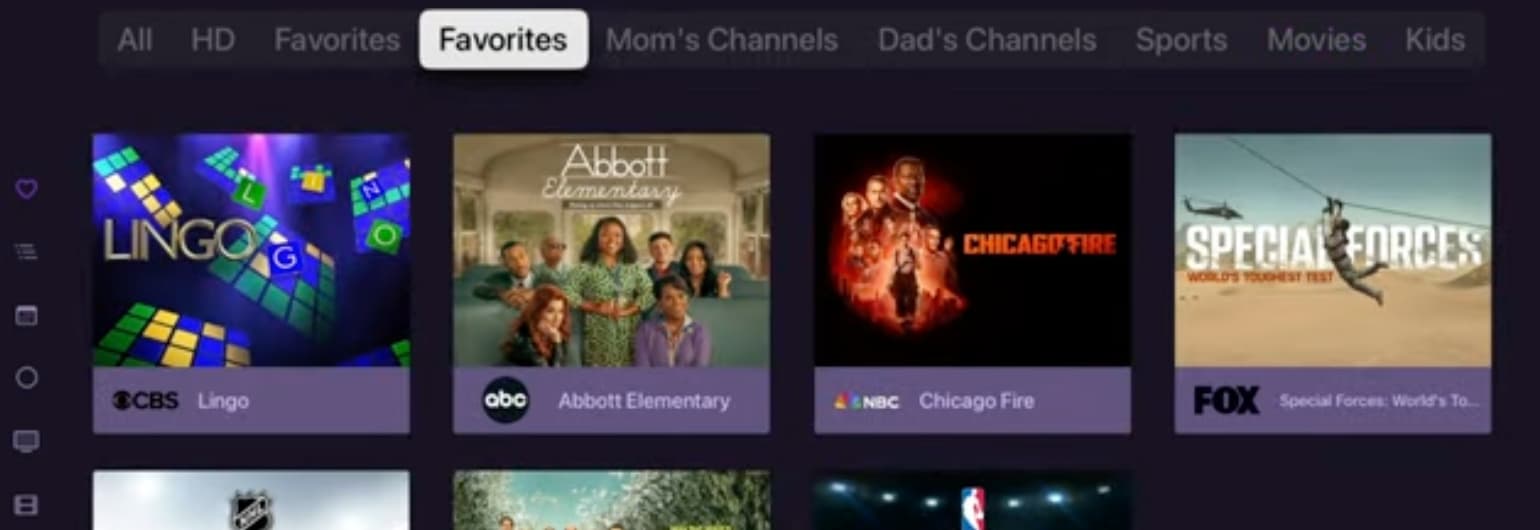
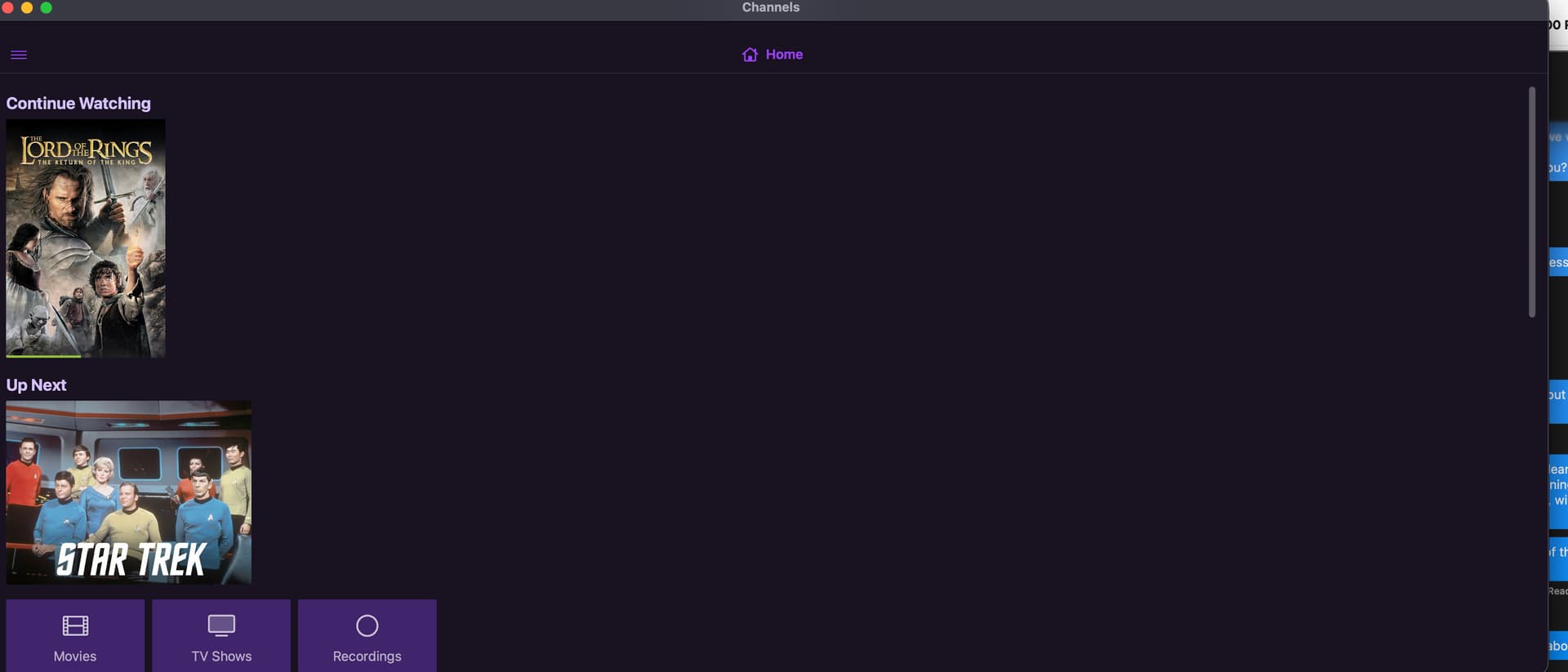
As a follow up I also don't see the newer interface I have seen in videos like this one from Maddox about Collections: https://youtu.be/aF6DL1lLWk8?si=y8aGR5m7waxTyvay&t=212

Is that a setting?

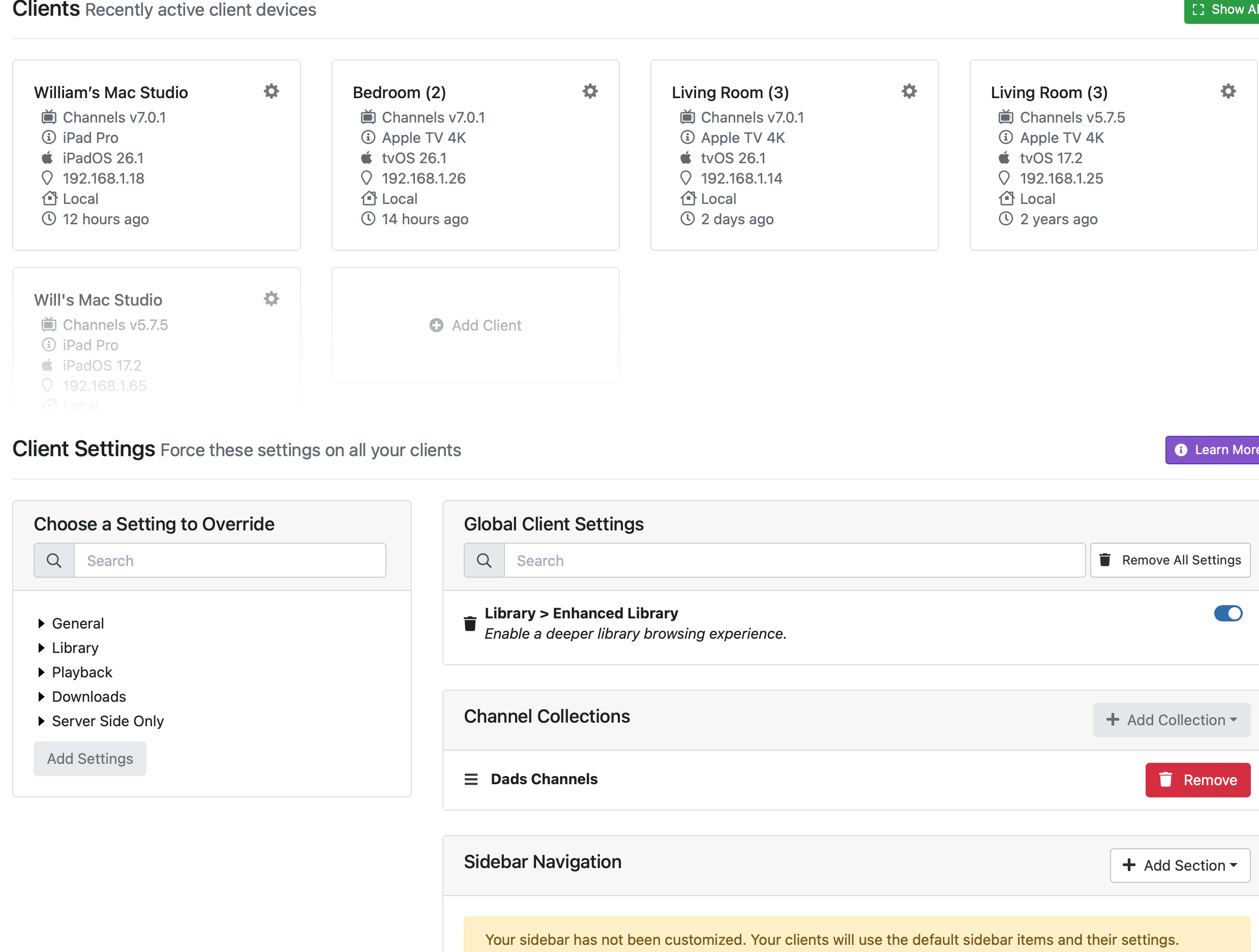
Maybe you have the On Now Collections and Guide Collections hidden in the Clients Settings on the server admin web pages.

Are you using an Android device? Collections are only available on iOS.

I will look when I get home.

iOS but thanks.

I have used Collections on my FireTV and Android devices for at least a year now.

Doesn't look like it unless I am not in the right place:

You may have disabled them in the Client app. Although you can add them in the Global settings, add General/LiveTV On now Collections and Guide Collections and enable these settings.

Thanks, that looks like it got it! Is there a way to add those to the default Home Screen?

Also is it possible to get the navigation to look like this or was this an older version of the Client? Specifically the navigation at the top.

I don't know much about Channels on the Apple TV app. On my FireTV my Collections show up at the top of the On Now screen, not in the Home. I noticed you are not using the global Sidebar navigation, maybe that is causing some confusion, but I really don't know Apple TV at all.

I tried On Now and it was the same. My navigation is behind the hamburger menu. This is the default and my clients are out of the box, no setting changes.

That is the iPad version running on a mac. The navigation on the apple TV for On Now is at the top.