Channel Collections problems

I had to try several times to add a 2nd Channel Collection or to copy the first one I made. I think it's just slow and there isn't any 'wait' symbol to tell you it's working on it.

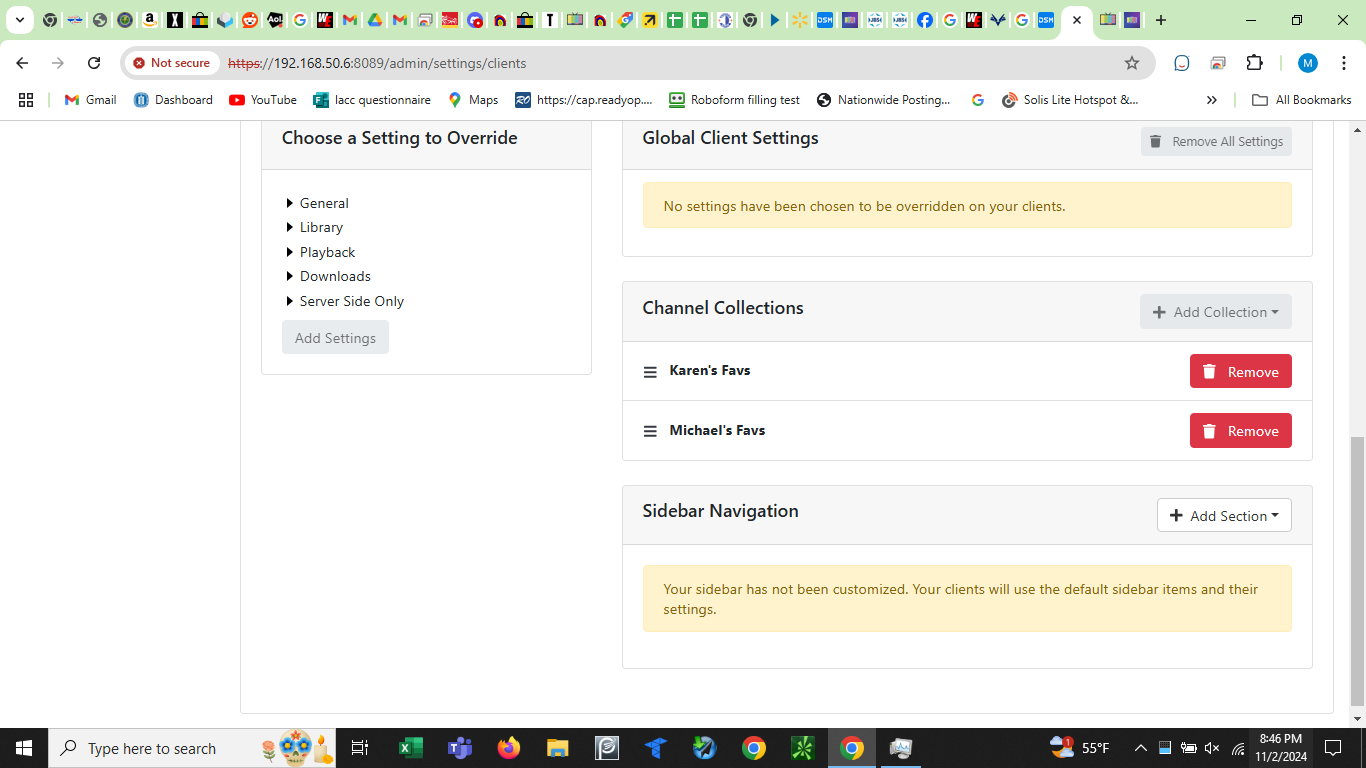
When I add my Channel Collections to the Server/Clients page they disappear each time I leave and come back. How do I make those settings 'stick'? Don't see a 'channel collections' box under Server Side Only
.
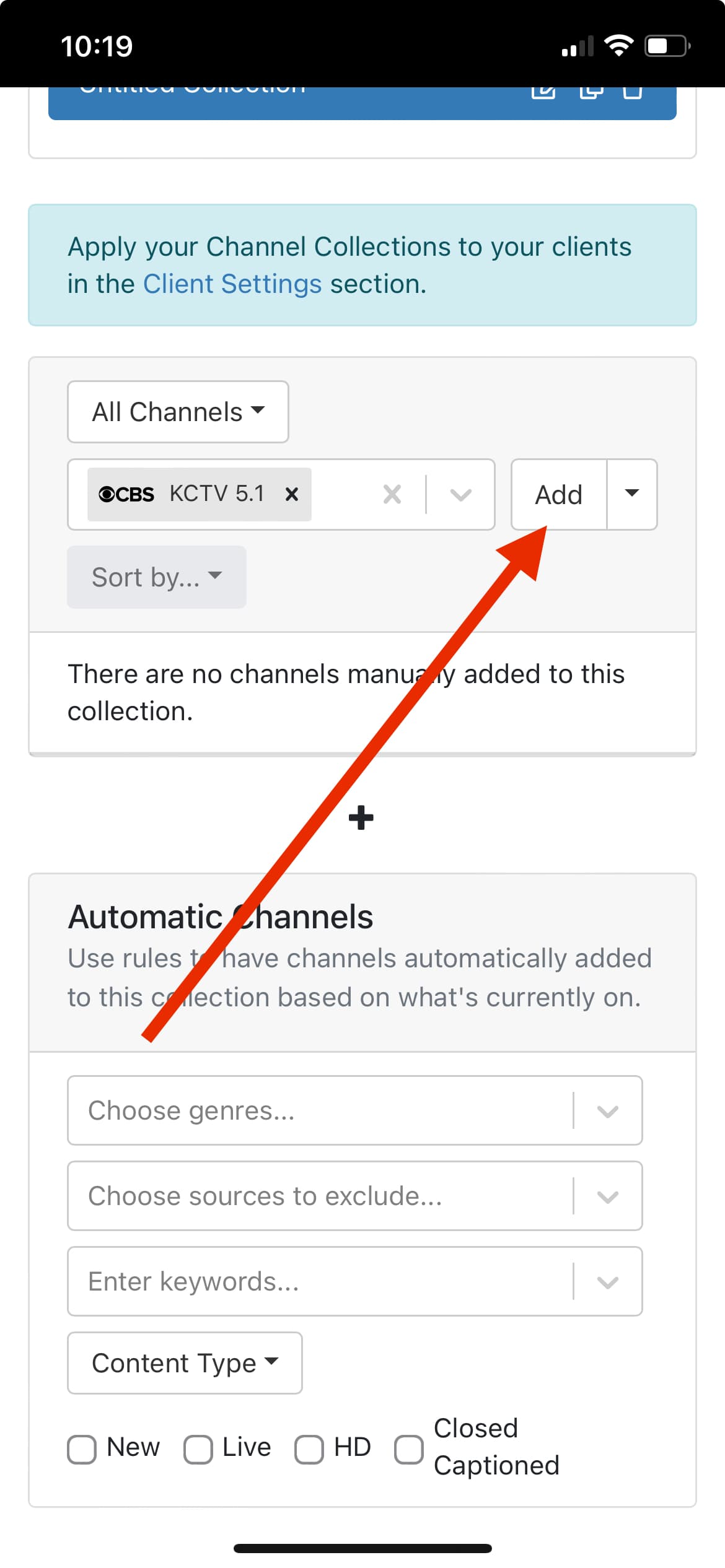
After you add channels to the collection you have to hit the “add” button to lock them in.


After you hit add there will be a sample of that collection on the bottom.

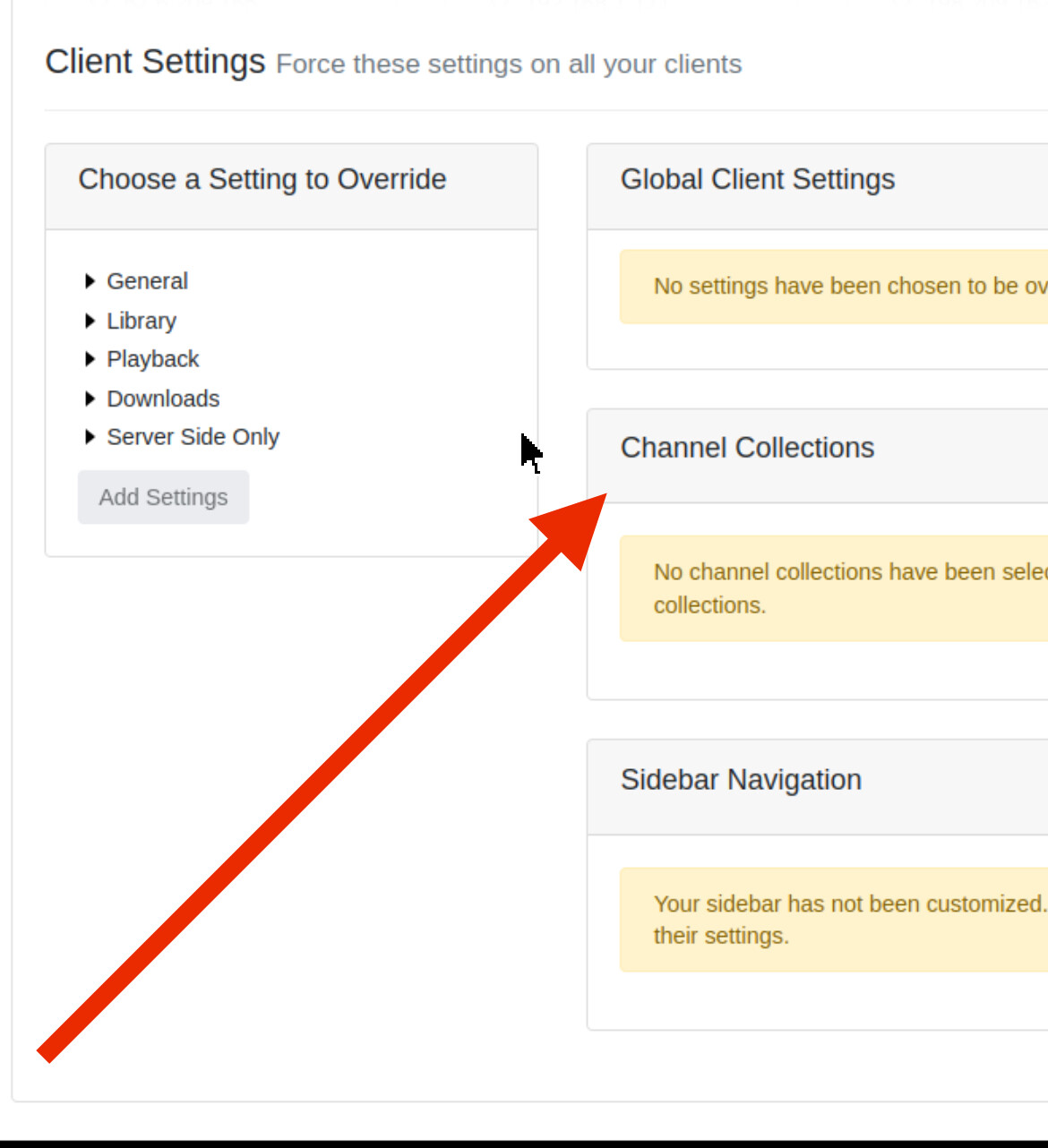
They are not located under server side only.
If you want to assign a collection globally(to every client) you do that under clients tab and it will be on that page.

If you want to apply a collection to just a certain client you go to client tab, hit the gear on that specific client and it’s on that next main page.

when add a channel collection for all clients it doesn't stick

1 Like

Can you post a screenshot of adding it to all clients.

then when I leave the page the settings disappear. same thing happens if i change them for one client

That looks right, something weird is going on. Try updating the server to latest prerelease under status tab and drop down.

Creating a collection is instant so if it’s hanging up something is wrong. Try updating and restarting your machine.

Try removing the apostrophe from the collection titles. There could be a bug with them in the title.

You may want to just use names anyways, to keep the collection titles short.

same problem when the names were just letters

This topic was automatically closed 30 days after the last reply. New replies are no longer allowed.