
I reformatted my Apple TV and trying to get the server connected, and I have tried every possibility... the server is on my iMac...so, shouldn't it be these http://xxx.x.x.x:8089/admin/settings, without the admin/settings?????
YES....
1 Like
Any idea what I'm doing wrong?
2 Likes
You need to use the ip address of your computer running Channels DVR Server.
If the app isn’t auto discovering the server by itself, you may have other networking issues.
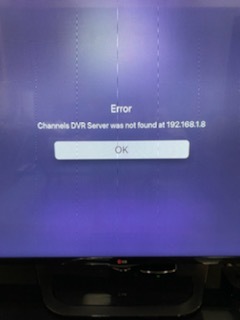
I'm typing it in and get ERROR code
You just need to enter your IP address. No http or port or path.
I can see an address in the url is that the one to use? or use the IP that HD is using? I wish this was more clear as I've spent hours trying to get this to reconnect...
Like This? xxx.x.x.x:8089
is the IP address the address in the URL when I'm in Chsannels DVR SETTINGS? Or the one shown that connects the HD Homerun?
1 Like
192.168.1.10
But use YOUR ip address.
1 Like
You should read through this too since it’s not discovering your Channels DVR Server automatically.
thanks, but all I did was update the TVos and everything else works perfectly....
You may want to check the wifi that your Apple TV is on. It may be on a guest network or some other one.
Check out that article.
I checked article, I'm all good as all IP's are 198.168.1.X... I rebooted the entire system and each device.
I have an IP on ATV, on the iMac (server) and HD Homerun, all different by the last number.
and still nothing. And everything else is perfect.... should I try reinstalling Channels?
I've got hours into this....
Please click Support > Submit Diagnostics on the dvr web UI on your Mac on this link http://localhost:8089/
done, and I sent email too...thanks
The name of your Mac is spw-iMac.local
Are you able to load this link from another device like your phone? http://spw-iMac.local:8089
The IP of your Mac is 192.168.1.14
That is the IP you need to type into the app
If you can't load the link or it says no dvr on that IP, it means some firewall is enabled on your Mac and preventing access