ChannelWatch: Real-Time Alerts for Your Channels DVR

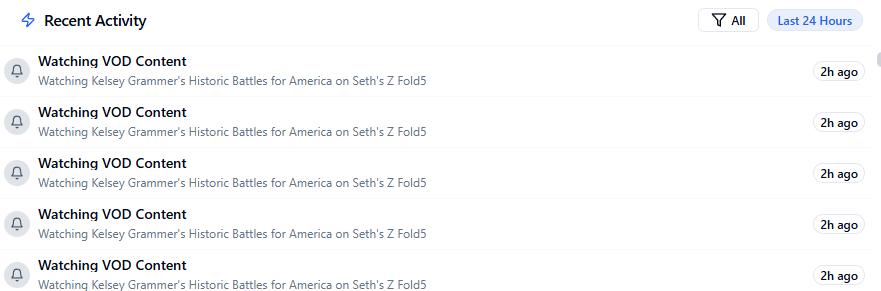
This looks great and I tried to set this up but am having some issues. I dont want to get any alerts, I just want to be able to have the dashboard. Is this possible? It doesnt seem so at first glance as it says my container is in standby mode. I tried putting a dummy email address/server config in there and it seemed to work a little bit but I had issues where it would act funny by repeating my vod watch history every few minutes and it wouldnt show live tv watching etc. Not sure if those issues were bugs or just a result of me trying to pacify channelwatch.

I would just configure an alert provider but was not successful when I tried. I tried MQTT and gmail with an app password and it just wouldnt work. I dont want alerts anyway so I didnt try any in depth troubleshooting.

Any help would be appreciated.

Setting timezone to: America/New_York
[2025-04-30 15:06:29] [CORE] Starting ChannelWatch v0.6
[2025-04-30 15:06:29] [CORE] Logging: Level 2 (Verbose) | File: /config/channelwatch.log | Retention: 7 days | Config: /config/settings.json
[2025-04-30 15:06:29] [CORE] ERROR: No notification providers configured
[2025-04-30 15:06:29] [CORE] ERROR: Failed to initialize notification system
[2025-04-30 15:06:29] [CORE] At least one notification provider must be configured.
[2025-04-30 15:06:29] [CORE] Please configure a notification provider in the WebUI settings.
[2025-04-30 15:06:29] [CORE] Container is now in standby mode until configuration is complete.
[2025-04-30 15:06:29] [CORE] Steps to resolve:
[2025-04-30 15:06:29] [CORE] 1. Configure at least one notification provider in WebUI settings
[2025-04-30 15:06:29] [CORE] 2. Restart ChannelWatch

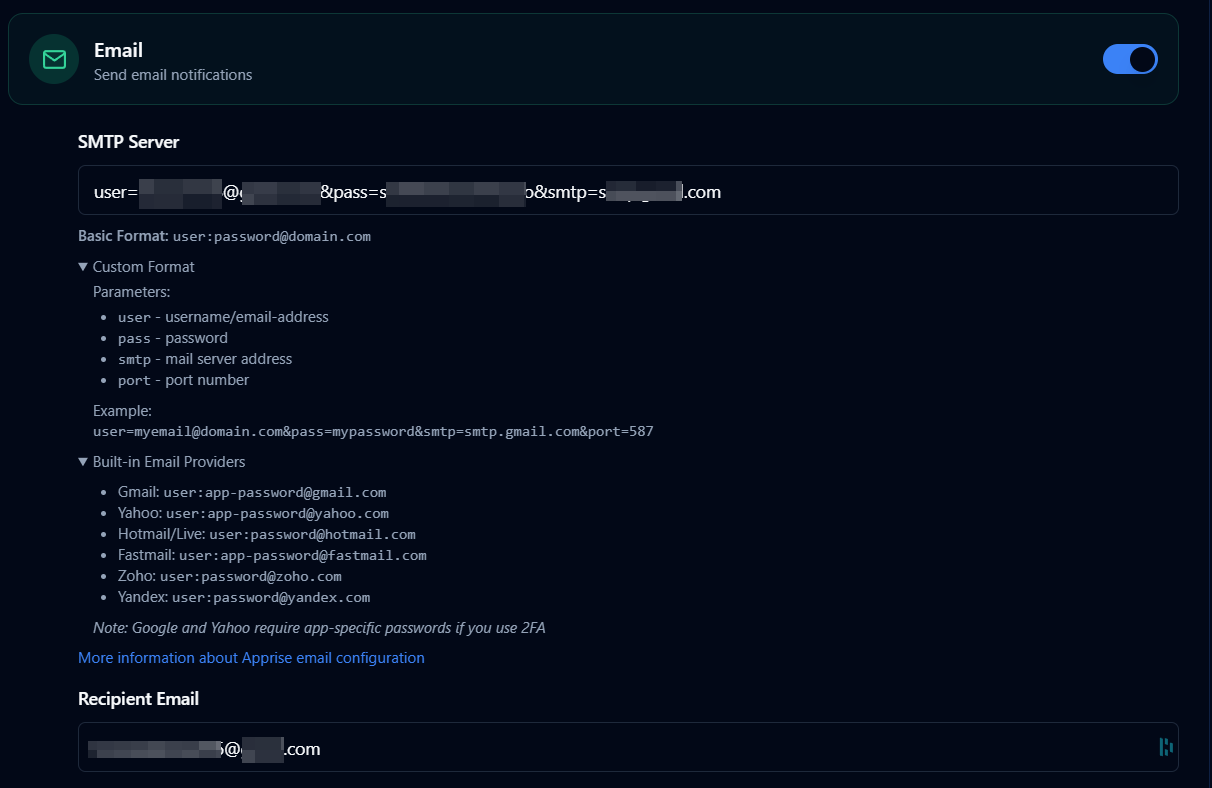
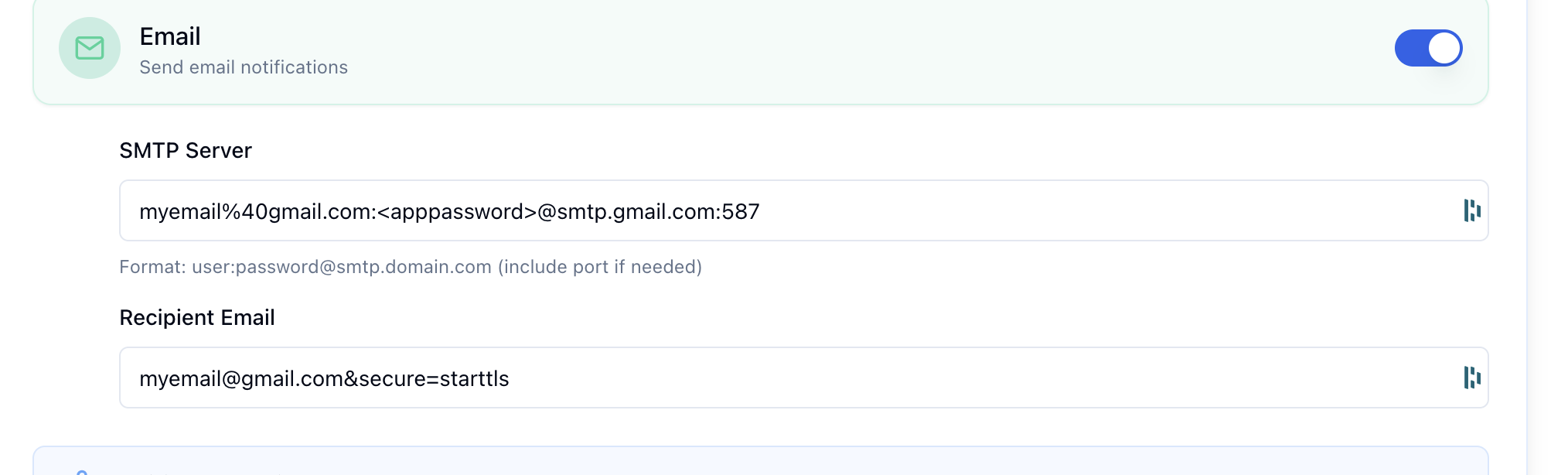
OK I got email alerts setup but I had to do some hacks to get it to not error out.
I had to encode the "@" character and and also declare starttls as the protocol.

I tried to setup mqtt but was unsuccessful. Looking into it a bit more it seems that Apprise doesnt support mqtt. i get this error in the logs
[CORE] Failed to add Apprise URL: mqtt://ha_user:*********@192.168.12.38

Thats just the alert config issue. The other issue is that Channelwatch isnt showing me anything but scheduled recordings. It looks like it is pulling info from channels, it displays this below when watching a live tv channel. My recent activity is not showing anything.

[2025-04-30 17:32:44] [CORE] Event: {"Type":"activities.set","Name":"3-processor","Value":"Processing newly recorded files."}
[2025-04-30 17:32:45] [CORE] Event: {"Type":"activities.set","Name":"3-processor","Value":"Refreshing smart rules for virtual channels"}
[2025-04-30 17:32:45] [CORE] Event: {"Type":"activities.set","Name":"3-processor","Value":"Refreshing smart rules for library collections"}
[2025-04-30 17:32:45] [CORE] Event: {"Type":"activities.set","Name":"3-processor"}
[2025-04-30 17:32:48] [CORE] Event: {"Type":"activities.set","Name":"7-ch15.1-dANY-ip192.168.254.237","Value":"Watching ch15.1 from 192.168.254.237 (Transcoder Running at 10mbps: 6m34s @ 1.00x (29.89fps)): strength=100% quality=100% symbol=100% rate=9.4Mb/sec buf=0% drop=0%"}
[2025-04-30 17:32:51] [CORE] Event: {"Type":"files.updated","Name":"22895","UpdatedAt":1746048771134}
[2025-04-30 17:32:53] [CORE] Event: {"Type":"activities.set","Name":"7-ch15.1-dANY-ip192.168.254.237","Value":"Watching ch15.1 from 192.168.254.237 (Transcoder Running at 10mbps: 6m39s @ 1.00x (29.92fps)): strength=100% quality=100% symbol=100% rate=8.3Mb/sec buf=0% drop=0%"}
[2025-04-30 17:32:58] [CORE] Event: {"Type":"activities.set","Name":"7-ch15.1-dANY-ip192.168.254.237","Value":"Watching ch15.1 from 192.168.254.237 (Transcoder Running at 10mbps: 6m44s @ 1.00x (29.89fps)): strength=100% quality=100% symbol=100% rate=8.8Mb/sec buf=0% drop=0%"}
[2025-04-30 17:33:01] [CORE] Event: {"Type":"files.updated","Name":"22895","UpdatedAt":1746048781132}
[2025-04-30 17:33:03] [CORE] Event: {"Type":"activities.set","Name":"7-ch15.1-dANY-ip192.168.254.237","Value":"Watching ch15.1 from 192.168.254.237 (Transcoder Running at 10mbps: 6m49s @ 1.00x (29.89fps)): strength=100% quality=100% symbol=100% rate=8.8Mb/sec buf=0% drop=0%"}
[2025-04-30 17:33:08] [CORE] Event: {"Type":"activities.set","Name":"7-ch15.1-dANY-ip192.168.254.237","Value":"Watching ch15.1 from 192.168.254.237 (Transcoder Running at 10mbps: 6m54s @ 1.00x (29.89fps)): strength=100% quality=100% symbol=100% rate=9.1Mb/sec buf=0% drop=0%"}
[2025-04-30 17:33:11] [CORE] Event: {"Type":"files.updated","Name":"22895","UpdatedAt":1746048791130}
[2025-04-30 17:33:13] [CORE] Event: {"Type":"activities.set","Name":"7-ch15.1-dANY-ip192.168.254.237","Value":"Watching ch15.1 from 192.168.254.237 (Transcoder Running at 10mbps: 7m0s @ 1.00x (29.90fps)): strength=100% quality=100% symbol=100% rate=8Mb/sec buf=0% drop=0%"}
[2025-04-30 17:33:18] [CORE] Event: {"Type":"activities.set","Name":"7-ch15.1-dANY-ip192.168.254.237","Value":"Watching ch15.1 from 192.168.254.237 (Transcoder Running at 10mbps: 7m4s @ 1.00x (29.90fps)): strength=100% quality=100% symbol=100% rate=8.3Mb/sec buf=0% drop=0%"}
[2025-04-30 17:33:21] [CORE] Event: {"Type":"files.updated","Name":"22895","UpdatedAt":1746048801133}
[2025-04-30 17:33:23] [CORE] Event: {"Type":"activities.set","Name":"7-ch15.1-dANY-ip192.168.254.237","Value":"Watching ch15.1 from 192.168.254.237 (Transcoder Running at 10mbps: 7m9s @ 1.00x (29.91fps)): strength=100% quality=100% symbol=100% rate=8.6Mb/sec buf=0% drop=0%"}
[2025-04-30 17:33:28] [CORE] Event: {"Type":"activities.set","Name":"7-ch15.1-dANY-ip192.168.254.237","Value":"Watching ch15.1 from 192.168.254.237 (Transcoder Running at 10mbps: 7m14s @ 1.00x (29.90fps)): strength=100% quality=100% symbol=100% rate=11.5Mb/sec buf=0% drop=0%"}
[2025-04-30 17:33:31] [CORE] Event: {"Type":"files.updated","Name":"22895","UpdatedAt":1746048811131}
[2025-04-30 17:33:33] [CORE] Event: {"Type":"activities.set","Name":"7-ch15.1-dANY-ip192.168.254.237","Value":"Watching ch15.1 from 192.168.254.237 (Transcoder Running at 10mbps: 7m20s @ 1.00x (29.90fps)): strength=100% quality=100% symbol=100% rate=9.5Mb/sec buf=0% drop=0%"}
[2025-04-30 17:33:38] [CORE] Event: {"Type":"activities.set","Name":"7-ch15.1-dANY-ip192.168.254.237","Value":"Watching ch15.1 from 192.168.254.237 (Transcoder Running at 10mbps: 7m24s @ 1.00x (29.90fps)): strength=100% quality=100% symbol=100% rate=8.3Mb/sec buf=0% drop=0%"}
[2025-04-30 17:33:41] [CORE] Event: {"Type":"files.updated","Name":"22895","UpdatedAt":1746048821134}
[2025-04-30 17:33:43] [CORE] Event: {"Type":"activities.set","Name":"7-ch15.1-dANY-ip192.168.254.237","Value":"Watching ch15.1 from 192.168.254.237 (Transcoder Running at 10mbps: 7m29s @ 1.00x (29.90fps)): strength=100% quality=100% symbol=100% rate=7.8Mb/sec buf=0% drop=0%"}
[2025-04-30 17:33:48] [CORE] Event: {"Type":"activities.set","Name":"7-ch15.1-dANY-ip192.168.254.237","Value":"Watching ch15.1 from 192.168.254.237 (Transcoder Running at 10mbps: 7m34s @ 1.00x (29.90fps)): strength=100% quality=100% symbol=100% rate=7.2Mb/sec buf=0% drop=0%"}
[2025-04-30 17:33:51] [CORE] Event: {"Type":"files.updated","Name":"22895","UpdatedAt":1746048831130}
[2025-04-30 17:33:53] [CORE] Event: {"Type":"activities.set","Name":"7-ch15.1-dANY-ip192.168.254.237","Value":"Watching ch15.1 from 192.168.254.237 (Transcoder Running at 10mbps: 7m39s @ 1.00x (29.91fps)): strength=100% quality=100% symbol=100% rate=8.1Mb/sec buf=0% drop=0%"}
[2025-04-30 17:33:58] [CORE] Event: {"Type":"activities.set","Name":"7-ch15.1-dANY-ip192.168.254.237","Value":"Watching ch15.1 from 192.168.254.237 (Transcoder Running at 10mbps: 7m44s @ 1.00x (29.91fps)): strength=100% quality=100% symbol=100% rate=8.3Mb/sec buf=0% drop=0%"}
[2025-04-30 17:34:01] [CORE] Event: {"Type":"files.updated","Name":"22895","UpdatedAt":1746048841134}
[2025-04-30 17:34:03] [CORE] Event: {"Type":"activities.set","Name":"7-ch15.1-dANY-ip192.168.254.237","Value":"Watching ch15.1 from 192.168.254.237 (Transcoder Running at 10mbps: 7m49s @ 1.00x (29.91fps)): strength=100% quality=100% symbol=100% rate=8.6Mb/sec buf=0% drop=0%"}
[2025-04-30 17:34:08] [CORE] Event: {"Type":"activities.set","Name":"7-ch15.1-dANY-ip192.168.254.237","Value":"Watching ch15.1 from 192.168.254.237 (Transcoder Running at 10mbps: 7m54s @ 1.00x (29.90fps)): strength=100% quality=100% symbol=100% rate=9.1Mb/sec buf=0% drop=0%"}
[2025-04-30 17:34:11] [CORE] Event: {"Type":"files.updated","Name":"22895","UpdatedAt":1746048851134}
[2025-04-30 17:34:13] [CORE] Event: {"Type":"activities.set","Name":"7-ch15.1-dANY-ip192.168.254.237","Value":"Watching ch15.1 from 192.168.254.237 (Transcoder Running at 10mbps: 7m58s @ 1.00x (29.86fps)): strength=100% quality=100% symbol=100% rate=9.2Mb/sec buf=0% drop=0%"}
[2025-04-30 17:34:18] [CORE] Event: {"Type":"activities.set","Name":"7-ch15.1-dANY-ip192.168.254.237","Value":"Watching ch15.1 from 192.168.254.237 (Transcoder Running at 10mbps: 8m4s @ 1.00x (29.90fps)): strength=100% quality=100% symbol=100% rate=8.2Mb/sec buf=0% drop=0%"}

A sanity check.
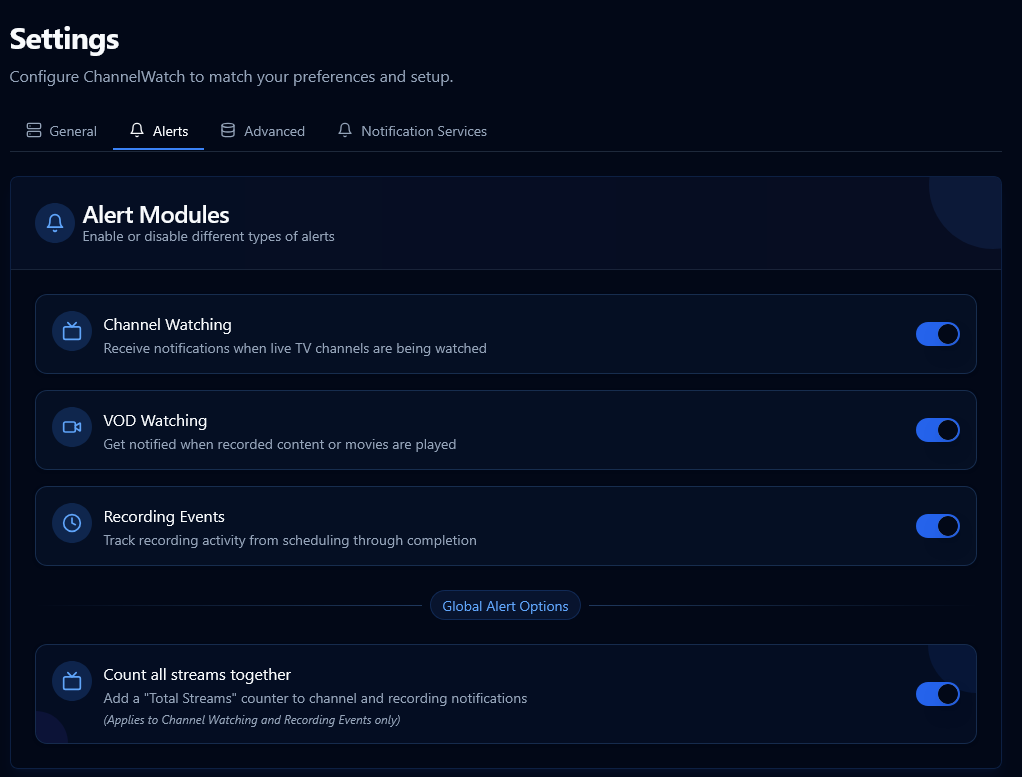
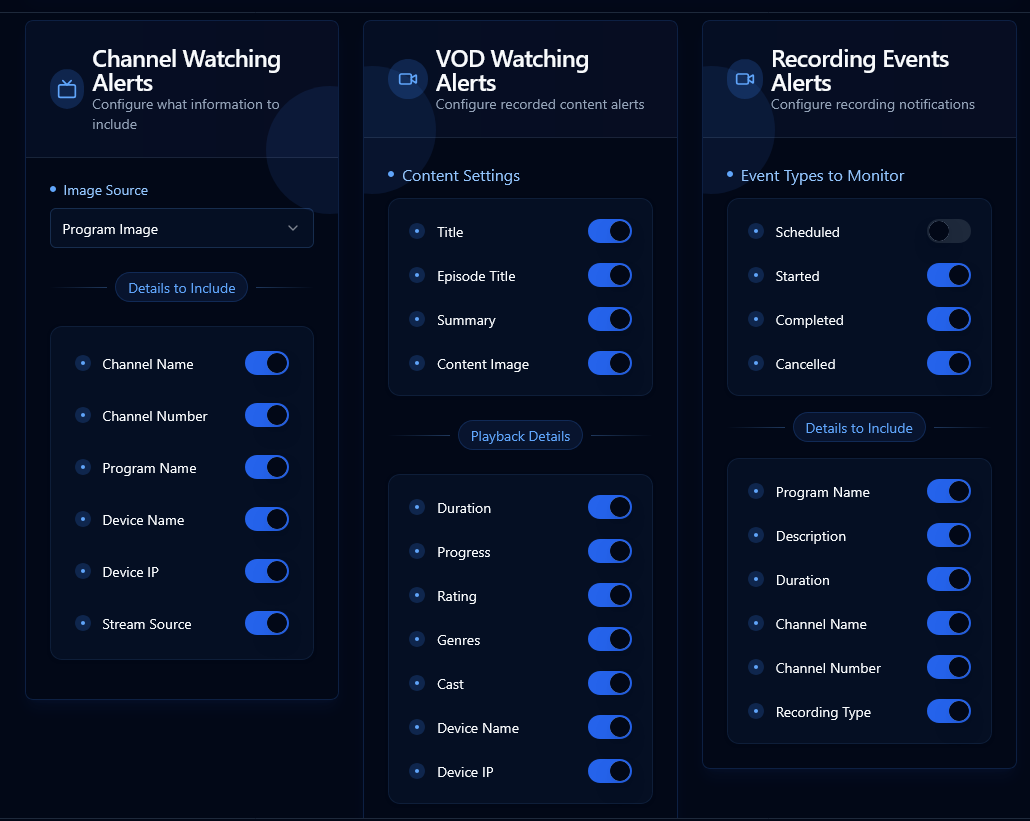
Look at Settings > Alerts
Do you have any Alerts enabled?


Yeah I've got alerts enabled. I really only want mqtt as it would be cool to base HA conditions off of what the DVR is doing or when I watch something on a particular client. But i guess getting it to work in general should come first lol.

I use the custom apprise url for notifications.
Worked for both email and pushover, but just using pushover now.
Maybe it's because MQTT doesn't support logo/image attachments?

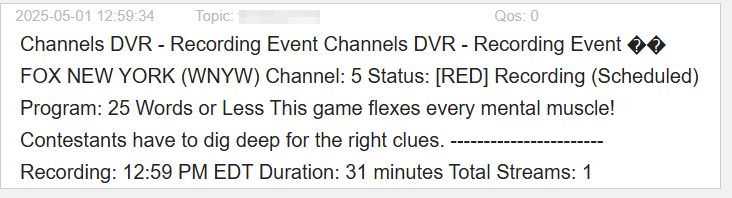
I noticed VOD and Live watching triggers notifications every 5 minutes.
Guess that's supposed to mean someone is still watching.
If you pause a VOD watch, no more notifications until you resume (unpause) it.

Thanks everyone for your feedback and reports! I appreciate all the help in making ChannelWatch better. Here's my response to the recent discussions:

@chDVRuser - Source Field Issue

I'm investigating the issue where the Source field isn't appearing in notifications. I can see from your logs that it's specifically related to "HDHRCOMPAT-1" model number devices. This issue has been added to my tracker and will be fixed in the upcoming v0.8 release.

@slampman - Dashboard & MQTT Issues

Regarding your setup concerns:

  1. Dashboard without alerts: This feature is planned for v0.9. Currently, you do need at least one notification method configured, but I'm working on making the dashboard usable without any alerts.

  2. Email configuration: Fixed in v0.7 with improved instructions and support for both formats:

  3. MQTT Support: After careful evaluation, I've decided to discontinue MQTT support in future versions due to:

    Would webhooks or a dedicated API endpoint better support your Home Assistant integration needs? I'd love to hear your thoughts!

  4. Live TV not showing: Could you provide more details about this issue? Your logs show we're receiving the events, but something's happening with the display.

@chdvruser - Notification Timing

The repeated notifications for VOD and Live watching every 5 minutes is definitely not intended behavior. Something's off with the channel capturing logic. This will be addressed in v0.8.

Looking Forward

Version 0.7 is coming very soon as hotfix within the next 30 minutes to 2 hours from this post:

  • Better email configuration supporting multiple formats
  • Improved Discord notification formatting with proper image embedding
  • Overall UI improvements and bug fixes

For those using MQTT, I recommend transitioning to another notification method before v0.7. If MQTT was fulfilling specific integration needs, please let me know so I can explore better alternatives!

Thanks for your continued support and feedback!

Cheers,
CoderLuii
203967356"

@CoderLuii so here is the weird thing. After a while it just started working on its own. I do have the same issue as @chDVRuser where the playback is listed multiple times for a single show.

Webhooks would be great instead of mqtt.

Also i think i wasnt seeing all of the live tv activity because i have turner sharing off. Have you thought about polling the channels client api to get the live status of what the client is watching? It might be messy becuase not everyone has their appletv's set up with static ips like i do. I did have a thought though. What if you monitored the HDHR logs? They arent very descriptive but they do list the client ip address which then could trigger channewatch to make a call to that specific client api to get the details on what was being watched. Also most everyone has their HDHR set up statically so it would be more predictable.

:rocket: ChannelWatch v0.7 - Notification Enhancements & Bug Fixes!

I'm happy to announce ChannelWatch v0.7 is now available! This update focuses on improving notification reliability and fixing several important bugs.

:new: Notification Improvements

  • :e-mail: Enhanced Email Support with better custom SMTP server configuration
  • :link: Improved Discord Integration for more reliable message delivery
  • :framed_picture: Fixed Image Selection Bug that affected channel/program images in notifications
  • :clipboard: Better UI Documentation with clear examples for all notification services

:wrench: Key Fixes & Refinements

  • Case-Sensitive Bug Fix - Channel image selection now works correctly regardless of case format
  • Email Configuration Guidance - Detailed formatting examples for various email providers
  • Security Enhancements - Better handling of authentication credentials
  • Streamlined Options - Removed deprecated MQTT support

:rocket: Upgrading is Simple

docker-compose pull
docker-compose up -d

After updating, check out the improved documentation in the Settings panel for better guidance on configuring your notification services!

If you're new to ChannelWatch, get started with our simple Docker Compose setup and enjoy real-time alerts for all your Channels DVR activity. See the GitHub repository for complete installation instructions.

As always, your feedback helps make ChannelWatch better - thank you for your continued support!

Cheers,
CoderLuii
CoderLuii

@slampman You're right to point this out - let me clarify with accurate information:

ChannelWatch connects directly to the Channels DVR event stream and tracks sessions using a combination of session IDs, IP addresses, device names, and device identifiers. This multi-factor approach helps prevent duplicate notifications in most scenarios.

When you see multiple notifications, it's likely because something in the event pattern isn't matching the expected format i built. Dynamic IPs work fine with the system - you don't need static IPs unless your address is changing extremely frequently (like every few minutes).

The event stream includes all activity occurring within the server itself. To properly diagnose what's happening with your setup, I'd need to see the actual event stream data your server is generating.

After testing v0.7, could you please provide the following?

  1. Event Stream Logs: Capture the log output when you tune one of these channels by running:

    Windows:

    curl.exe -H "Accept: text/event-stream" http://your-server- 
    ip:8089/dvr/events/subscribe
    

    Linux/macOS:

    curl -H "Accept: text/event-stream" http://your-server-ip:8089/dvr/events/subscribe
    
  2. Container Logs: Also capture the ChannelWatch container logs during the same time period:

    docker logs channelwatch --since 5m
    

Let both run while you tune the channel and watch content that's generating duplicate alerts. This complete data will help me identify exactly why the pattern matching isn't working as expected for your specific setup.

Will do and happy to help.
Just to clarify, will hdhr events with tuner sharing off on the dvr be logged?

@slampman I completely agree about webhooks - and good news! You can actually use them right now with ChannelWatch, as I built the system to accept any valid Apprise URL format through the "Apprise Custom" field.

For webhook support specifically, you can use Apprise's JSON endpoints:

  1. In Settings → Notification section → "Apprise Custom URL", add:
    • For HTTP: json://your-webhook-server.com[:port]/path
    • For HTTPS: jsons://your-webhook-server.com[:port]/path

The system will send a structured JSON payload containing all notification data (title, message, channel details, etc.) to your endpoint, which you can then process with your own scripts or automation tools.

Need authentication? Add query parameters like this:

jsons://myserver.com/webhook?header=Authorization=Bearer%20mytoken&contenttype=application/json

If you test this out, I'd be really interested to hear how it works for you. I'm considering expanding the documentation around webhook usage in a future release if people find it valuable.

I just did a test myself - with tuner sharing on in both devices, both appear in the logs. Since ChannelWatch connects directly to the Channels DVR event stream, it should see all activity regardless of whether tuner sharing is enabled or not.

The event stream provides visibility into all events happening on the server side, so ChannelWatch should capture the activities even with different tuner configurations. If you're experiencing any issues with event detection, the logs you provide will help me diagnose exactly what's happening in your specific setup.

I'm doing the tests now and when running the curl command on the dvr I see events logging when I play TVE channels but HDHR OTA channels dont show any entries with tuner sharing off. I think since without tuner sharing the client communicates directly with the HDHR and the DVR isnt in the loop
My HDHR logs it but Channels isnt in the mix

20250501-19:41:28 Tuner: tuner2 tuning 3.1 CBS (8vsb:485MHz-3)
20250501-19:41:29 Tuner: tuner2 streaming http to 10.100.12.98:50283
20250501-19:41:36 Tuner: tuner2 http stream ended (remote closed)

Are you enabling "Tuner sharing" within your HDHR directly? or within Channels?

Tuner sharing is off for me on my DVR. I have 4 HDHR's so never needed to turn it on.

@slampman To clarify, could you confirm where you obtained those logs from?

20250501-19:41:28 Tuner: tuner2 tuning 3.1 CBS (8vsb:485MHz-3)
20250501-19:41:29 Tuner: tuner2 streaming http to 10.100.12.98:50283
20250501-19:41:36 Tuner: tuner2 http stream ended (remote closed)

Did these come directly from the HDHR device's logs or from Channels DVR?

The logs pattern is throwing me off, i dont re-call seeing these type of logs from Channels DVR at all...

Also if you can provide more detailed answers on what you seeing and how you seeing it. You can always message me privately if you prefer to share more logs that way.

Its from my HDHR:
http://192.168.12.27/log.html

If Channel watch would monitor the HDHR log file it could see that a channel was tuned and then query the Channels client api to get the info. Just a thought, spitballing here :slight_smile:

20250501-19:58:21 Tuner: tuner2 tuning 13.2 Crime (8vsb:599MHz-2)
20250501-19:58:21 Tuner: tuner2 streaming http to 192.168.12.130:49915

I then queried the channels client api while I was watching live TV without tuner sharing enabled (direct connection to the HDHR) and it has a bunch of useful info.

curl http://192.168.1.130:57000/api/status

{"status":"playing","muted":false,"channel":{"number":"13.2","name":"Crime","image_url":"http:\/\/192.168.12.30:8089\/tmsimg\/assets\/s91496_ll_h15_ab.png?w=180"},"now_playing":{"summary":"Detectives discover a diabolical plot while investigating the disappearance of a mother of two.","identifiers":{"gracenote":"13159645"},"image_url":"http:\/\/192.168.12.30:8089\/tmsimg\/assets\/p13159645_b_h9_aa.jpg?w=720","season_number":4,"title":"Dateline","episode_number":65,"type":"tv","episode_title":"Finding Venus"}}

@slampman Ah, now I get it! Those are indeed from the HDHR's built-in logs - that makes much more sense.

Your idea about watching HDHR logs and then tapping into the client API is interesting! It's not something I've explored before, but it sounds like a creative workaround for tuner-sharing-disabled setups.

This would be a pretty significant addition though - it's essentially building a whole new monitoring system alongside the current one. I'd need to:

  • Figure out how to grab logs from potentially multiple HDHRs
  • Match up client IPs with the right devices
  • Determine how to reliably access those client APIs
  • Handle all the weird edge cases

I'm definitely intrigued by the challenge, but it wouldn't be a quick fix. Might need its own development cycle to get right.

Out of curiosity - what do you see in the DVR's event stream when tuner sharing is off? If you run that curl command, does anything show up when you start watching something via direct HDHR connection? Just wondering if there might be any traces we could use with the existing system.

And you watching these channels directly from Channels platform itself, right?

Yeah there would be some potholes for sure. For example if I have another app like the HDHR native app and tune a channel you wouldnt want that included in Channelwatch. That could be mitigated by getting a list of clients via api on the channels server and if the IP address matched a known client then query it (not even sure if the server has an api to list all clients).

Unfortunately nothing, It would be much easier if the client could inform the server that it was watching something directly from the HDHR.

Correct

FYI on this... I am trying to recreate the duplicate entries for VOD but I cant seem to get it to break now.
It is working perfectly

However 2 hours ago it was generating duplicates all over the place