Several ChannelWatch updates have been released since v1.0.0, so here is one combined summary.
v1.0.1
This release reorganized Alerts around clearer notification policies:
Monitor Only
Important Only
Balanced
Everything
Custom
It also added more useful recording outcomes, including failed, skipped, missed, interrupted, cancelled, started, and completed recordings.
Other additions included:
DVR unreachable and recovery alerts
Exact Channels client filtering in Recent Activity and Watch History
Separate ChannelWatch Core, UI, and DVR uptime information
A dedicated Help & Feedback page
Update Center corrections for stale release information
Existing notification choices were preserved during the upgrade. New operational alerts were not silently enabled for existing installations.
v1.0.2
This release fixed the Update Center becoming stuck on:
Another update operation is already running
The problem was caused by an old scheduler lock being treated as if an update were still active. ChannelWatch now checks whether the operation is actually running and safely clears stale state when it is not.
v1.0.3
This release corrected several dashboard activity issues reported by @JefferMC:
The 24-Hour Timeline now consistently represents the number of detected activity events within each 20-minute interval.
Timeline values and tooltip values now use the same underlying data.
Tooltip times now follow the correct chart position.
Recent Activity pagination was corrected.
Active Streams now uses the same program-title fallback logic as Recent Activity instead of unnecessarily displaying Unknown.
v1.0.4
This release further refined the 24-Hour Timeline:
The tooltip now clearly explains that values are event counts for the displayed interval.
The misleading visible zero markers at the beginning of the graph were removed.
Hovering the chart now selects the correct time bucket more reliably.
Static frontend output is revalidated during the release process to prevent stale interface files from entering an update bundle.
@JefferMC Thanks again for the detailed report. The timeline count, tooltip time, zero-marker, and Active Streams Unknown issues you identified were corrected across v1.0.3 and v1.0.4.
The timeline now clearly represents detected activity events within each 20-minute interval. Your screenshots were very helpful in reproducing and verifying these fixes.
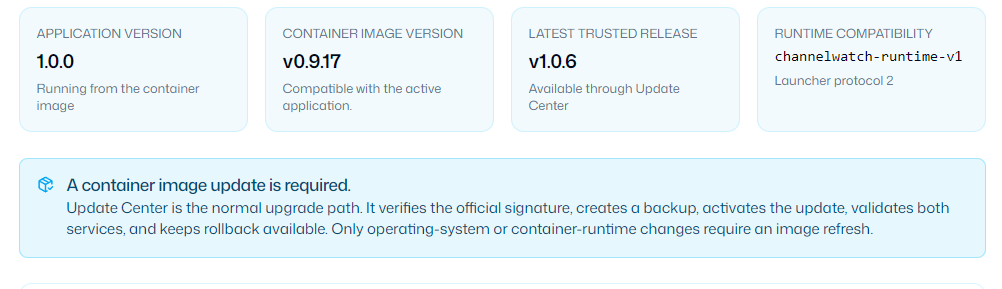
FYI, I upgraded to 1.0.0 by pulling the latest container image, so I expected I would have gotten a 1.0.0 container, etc. However, the upgrade page is telling a different story. I'll upgrade by pulling a new image, but, IMHO, I should have been able to go from 1.0.0 to 1.0.4/5/6 on the Upgrade page:
Several ChannelWatch updates have been released since v1.0.4, so here is one combined summary.
v1.0.5
This release improved how Settings behaves while ChannelWatch is restarting after an update.
ChannelWatch now waits for two consecutive healthy checks before refreshing the browser. If Settings are still temporarily unavailable, it shows a focused retry screen instead of displaying an empty configuration form.
This prevents:
Safari’s generic Load failed message during the normal restart window
Saved DVRs, timezone, and other settings from temporarily appearing missing
Save or Discard from being available before the real settings have loaded
An empty form from accidentally replacing preserved configuration
The Settings page can recover automatically once the restarted backend is stable.
v1.0.6
This release fixed the deeper frontend and backend mismatch that could happen after an in app update.
The new backend could activate correctly while the container continued serving an older frontend from the underlying image. That mismatch caused the Settings Load failed screen, apparently missing DVR configuration, a clipped Updates tab, and other inconsistent interface behavior.
Each activated app bundle now serves its own matching frontend. The release process also verifies the actual HTML and browser assets served from every compatible v1.0 container image.
Frontend and backend versions now remain aligned after:
An in app update
A UI or Core process restart
A rollback and reapply
A complete container restart
v1.0.7
This release improved what users see immediately after a successful update.
After activation, ChannelWatch now refreshes directly onto Dashboard Overview instead of reopening Settings → Updates.
The initial monitoring period is also shown as Monitoring starting while Core completes its first monitoring pass. This replaces the more alarming Monitoring stopped message during normal startup.
Rejected, failed, or timed out updates remain on their current recovery screen so the actual error is not hidden.
v1.0.8
This release made the post update transition more reliable and corrected container version reporting.
ChannelWatch now preserves the Dashboard handoff across the required browser refresh, even when the browser tries to restore the route that originally started the update.
While monitoring is starting or reconnecting, the Dashboard performs short, bounded background status checks. The status automatically changes to healthy after the first successful monitoring pass, without requiring the user to click Home or manually refresh the page.
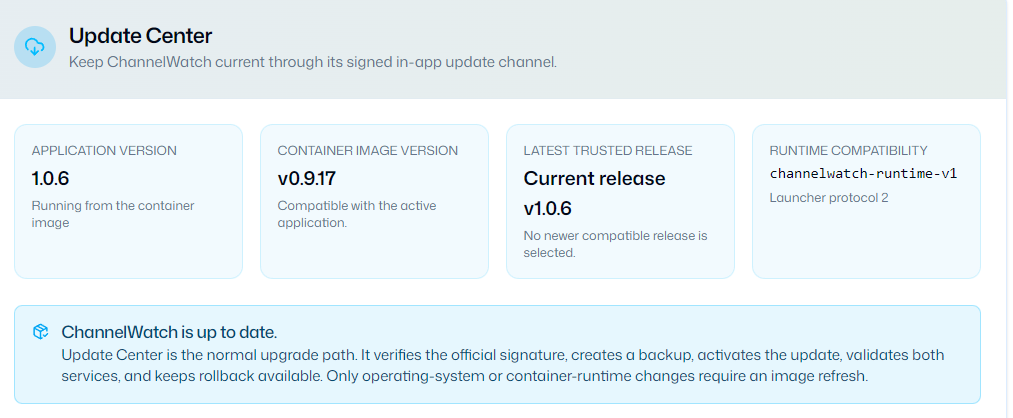
The Update Center now reads the container version from immutable metadata stored inside the image. This prevents a stale CHANNELWATCH_IMAGE_VERSION value retained by Docker or another container manager from incorrectly reporting an older image or launcher protocol.
Updating
All four releases are signed Update Center releases.
If ChannelWatch is already running on a v1.0.0 or newer container image, no image pull or container recreation is required. Open Settings → Updates, click Check for updates, and apply the latest release.
Since the newly fetched 1.0.6 won't upgrade to 1.0.8 without a new container pull, I did give you a bug report from the app. I also reported another issue with Recording Events. FYI.
Four more releases have been published since my last summary. The current release is v1.1.2.
@JefferMC, thanks for sending both reports. I reproduced the recording issue where a completed recording could later also appear as interrupted, and the fix is now released in v1.1.2.
I also reproduced a case matching your update problem. An older installation could read a stale container version retained by the container manager and incorrectly decide that an image update was required. My earlier update instructions didn't account for that situation. I've included the current update steps below, since v1.1.0 now introduces a required container image update anyway.
v1.0.9
This release focused on activity reliability, safer DVR removal, and Settings and Dashboard behavior.
Activity and notifications: Health changes and recording outcomes remain pending if activity storage or the notification queue cannot accept them. ChannelWatch can retry that work, including after a restart, instead of silently losing the event.
Safer permanent DVR removal: Storage and settings failures are reported, and interrupted cleanup can recover. Unreadable recovery data is preserved instead of being discarded during deletion.
Settings navigation: The visible tab now stays aligned with the browser address and Back/Forward navigation while preserving unsaved settings.
Keyboard and screen reader support: Expandable Settings sections, notification controls, and the restart dialog received accessibility fixes. Notification text contrast was also corrected in both themes.
Dashboard freshness: If system, recording, or activity data cannot refresh, the Dashboard shows a warning for the affected data while retaining the last available information. Each warning clears when that data recovers.
This is a container image milestone. Moving from the 1.0 image line to 1.1 requires updating the container image.
The main changes are:
Accessible Timeline details: The Timeline now offers an expandable table with exact counts for the selected series and local time intervals, including repeated hours when daylight saving time ends.
Mobile navigation: Keyboard focus stays inside the open menu and returns appropriately when it closes or navigation changes.
Long-running resource use: Inactive API rate-limit records are cleared, and retained records are bounded without removing active rate limits.
Update catalog reliability: Published release entries are retained so compatible intermediate releases aren't dropped from the update catalog.
Support and release maintenance: Reporting forms explain diagnostic privacy more clearly. Release checks, version information in distributed source and license materials, and security support documentation were corrected. A build dependency was also updated to address two upstream security advisories.
This release completed a Safari accessibility fix and cleaned up documentation and support forms.
If a restart timed out, Safari could let keyboard focus escape the recovery dialog. Focus now stays within its recovery controls, and closing the dialog restores focus appropriately.
The update guide also explains the difference between the application version and the container image version more clearly. For example, running application v1.1.2 on the v1.1.0 image is expected.
Other changes corrected release comparison links and issue-form labels, stopped ordinary security questions from automatically receiving critical priority, and removed unused interface code.
This release fixes the reported Completed followed by Interrupted recording problem.
Some DVR recording responses don't include the recording's job ID. ChannelWatch could record the completion, then fail to recognize that same job as completed during a later monitoring check. That could produce an incorrect Interrupted event for a recording that had finished successfully.
ChannelWatch now resolves the recording's exact file and job identity from DVR metadata. It doesn't guess based on the program title or recording time. If that metadata cannot be read or matched, the result remains unknown instead of being treated as evidence that the recording disappeared.
This addresses both reports of the same problem. The fix applies to future processing; it doesn't remove older entries already stored in Activity.
@JefferMC, once you've updated, please let me know if you see another completed recording subsequently marked as interrupted.
If you're still using a v1.0.x or older container image:
Update the container to the v1.1.0 image or a later v1.1.x image using your normal container update process. Preserve your existing configuration volume and storage key, if configured, when recreating it.
If you update to the v1.1.0 image, you can then install v1.1.2 through Settings → Updates → Check for updates.
If you're already using the v1.1.0 image or a later v1.1.x image:
Open Settings → Updates, click Check for updates, and install the latest release. v1.1.1 and v1.1.2 are signed Update Center releases and don't require a newer container image.
The version pattern going forward is:
X.Y.0: Container image update.
X.Y.1 through X.Y.9: Signed updates through the Update Center on that image line.
Thanks again for the reports and follow-ups. They helped identify the recording problem and clarify where the update instructions needed more detail.
FYI, I upgraded to 1.1.2 by container pull of latest. We'll see when you make another release how that goes. But the base container version did move from 0.7 (IIRC) to 1.1.0.
Too soon to tell on the cancelled recordings that finished.
Quick follow-up to my last update: ChannelWatch v1.1.3 is now released. The v1.1.2 fix for recordings showing “Completed” and then “Interrupted” is included.
This release fixes a separate false alert. If ChannelWatch missed a recording’s start event, it could later say the recording “did not start” even though it completed normally. It now checks the completed recording before sending that alert. Recordings that really did not start will still alert.
There’s also a Program image switch under Settings → Alerts → Recording Outcomes, with a per-DVR override. Turn it off to remove artwork from those notifications without changing artwork on the dashboard. I also updated the web interface’s Next.js and Sharp dependencies to patched versions.
If you have a working v1.1.0-or-newer container image, use Settings → Updates → Check for updates to install v1.1.3. You don’t need to replace that container image. If you’re still on a v1.0.x or older image, update the container first and preserve your existing configuration volume and storage key, if you use one.
I have not seen a repeat of the cancelled, but already completed message, so that looks good. I had yet another upgrade issue. Logged it in app and provided post mortem of how I got the upgrade to succeed. I'm upgraded, I just thought you'd want the report.
@JefferMC Thanks for confirming the recording error hasn't come back and that the update reached 1.1.3.
I've released v1.2.0 with updated container dependencies and a fix for Retry showing a network error while the dashboard restarts. The original restart failure is still being investigated in #22.
This release needs the container image update. Use coderluii/channelwatch:1.2.0 or latest, keeping the same /config volume and any external storage key you already use. The Update Center can't install this one in-app.
The recording fixes and Program image setting from v1.1.3 are still included.
There have been several releases since my last update covering v1.1.3. The current release is v1.6.0.
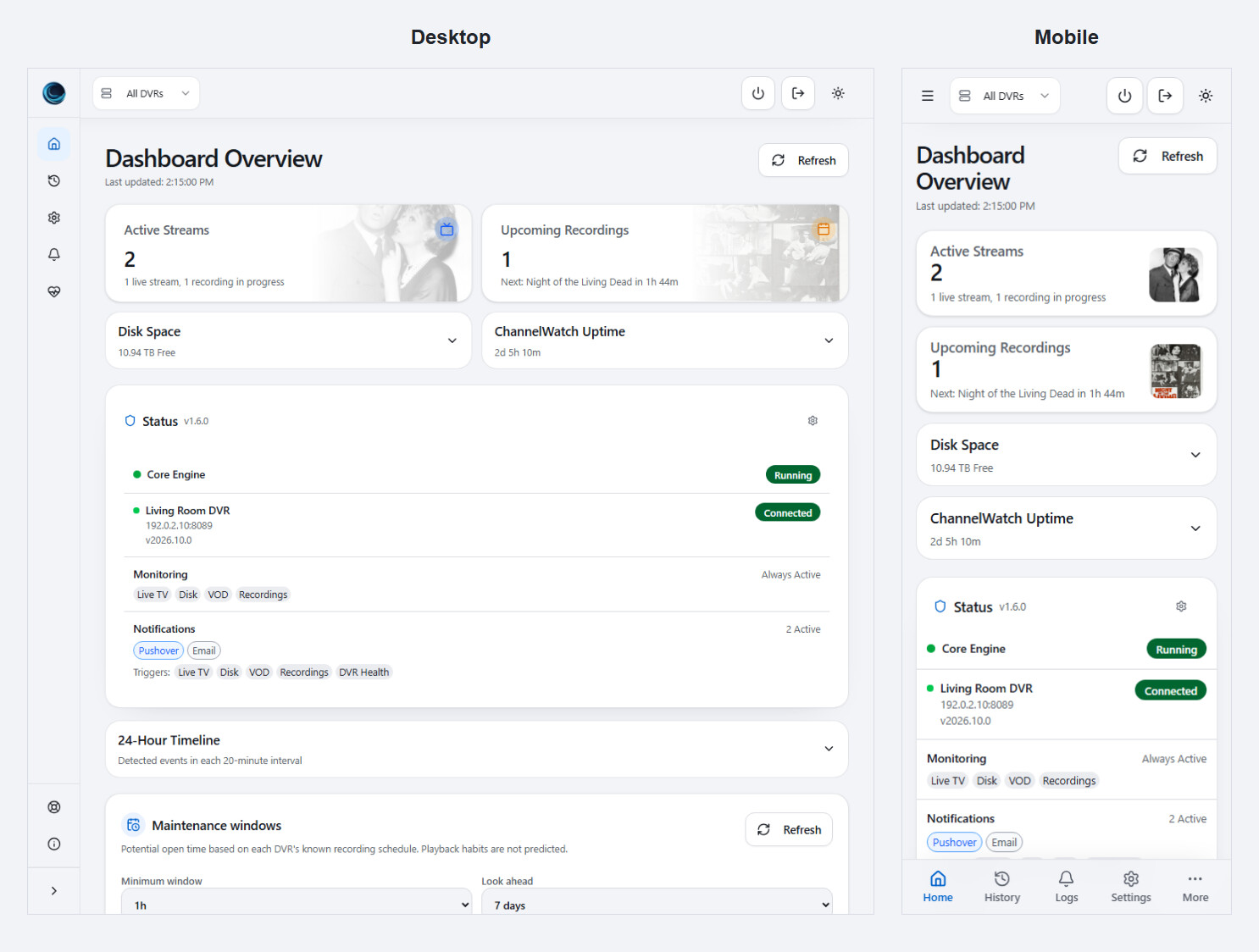
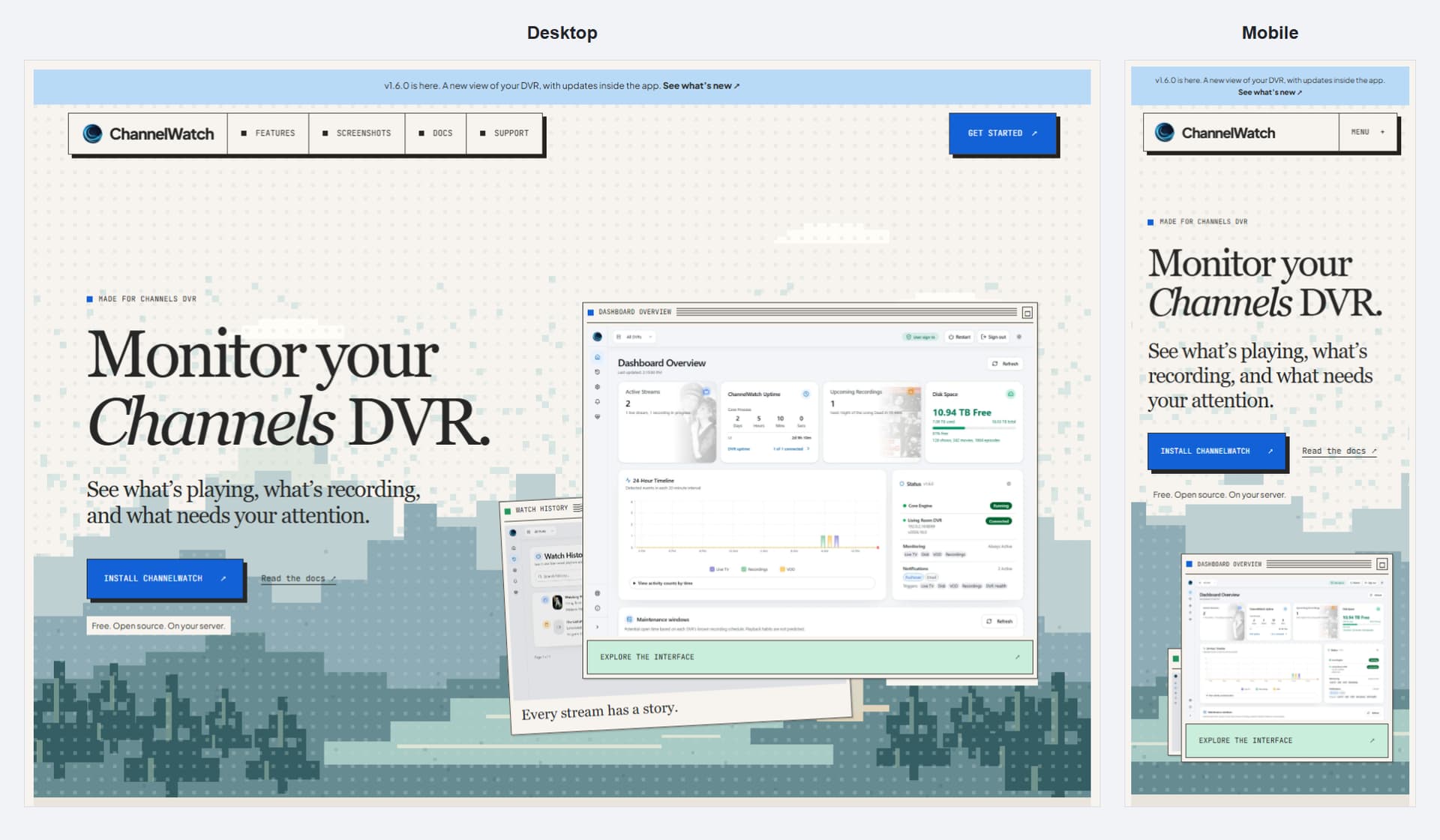
The biggest changes are the redesigned interface, potential maintenance windows, and more flexible in-app updates. There are also fixes for recording alerts, update recovery, and compatibility with older hosts.
This release updated Next.js and other application, container, and build dependencies.
It also improved what happens when restarting the app temporarily disconnects the dashboard. After retrying an update, ChannelWatch checks the restarted application's version and readiness instead of treating that disconnect as a network failure.
The original restart problem reported in issue #22 remained under investigation. This improved recovery after a restart; it did not establish the cause of that original failure.
Active recordings could lose their scheduled status when they had originally been scheduled more than a day earlier. That could cause a scheduled recording's start notification to be labeled Manual.
ChannelWatch now keeps those active scheduled recordings in tracking so their notifications retain the correct Scheduled label.
This release also added safer update-failure diagnostics while preserving the previous runtime when a restart cannot start.
[image of a scheduled recording notification with its Scheduled label]
The container moved to the official Python Debian Bookworm image, restoring the older x86-64-v1 CPU baseline for AMD64 hosts.
Other changes included compatible dependency updates, a frontend source-map security fix, and a correction to keep channelwatch doctor working with the container's Python environment.
The dashboard gained potential maintenance windows for each DVR.
You can filter by minimum duration, day, and time to find gaps between known recordings. The calculation uses the configured timezone and excludes active and scheduled recordings.
[image of maintenance windows showing the filters and available time blocks]
These are suggestions based on the recording schedule, not a guarantee that nobody is using the DVR. Unreachable DVRs, incomplete schedules, and unobserved periods stay marked as unknown. Live TV and recorded-content playback are not predicted, so check the DVR before disruptive maintenance.
This release also separated compatible app updates from newer container image recommendations in Update Center.
Update Center now keeps track of the exact Apply or Retry job through temporary restart disconnects.
Reopening Settings resumes that job, and the dashboard refreshes when the job and the new runtime are ready. This helps avoid losing the installation result or mistaking a restart disconnect for a failed update.
It also distinguishes an installable app update from a newer release that requires a container image.
[image of Update Center showing installation progress or a completed update]
This release added the image-owned launcher and verification support needed for compatible updates to deliver the application and its Python packages together.
Those updates are prepared and verified before activation, with rollback support if the new runtime cannot start correctly.
The Python interpreter, operating-system libraries, Supervisor, and image-owned startup tools still belong to the container image.
v1.5.3 itself required a container image update. However, v1.6.0 now provides a separate app-only update path for the supported v1.4.x images, so those users do not need to install v1.5.3 first.
v1.6.0 — Redesigned interface and direct in-app updates
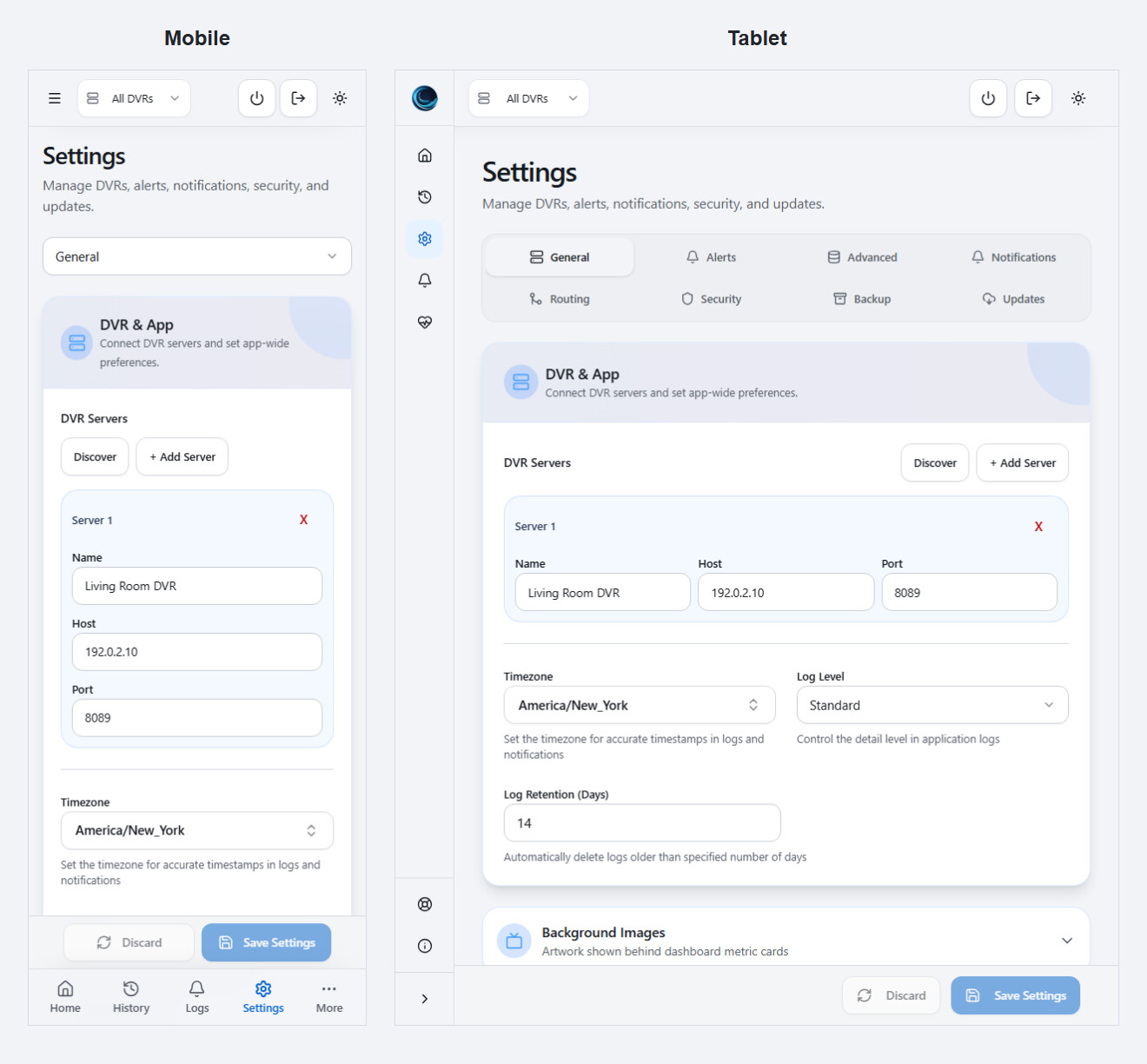
The interface has been redesigned for desktop, tablet, and mobile.
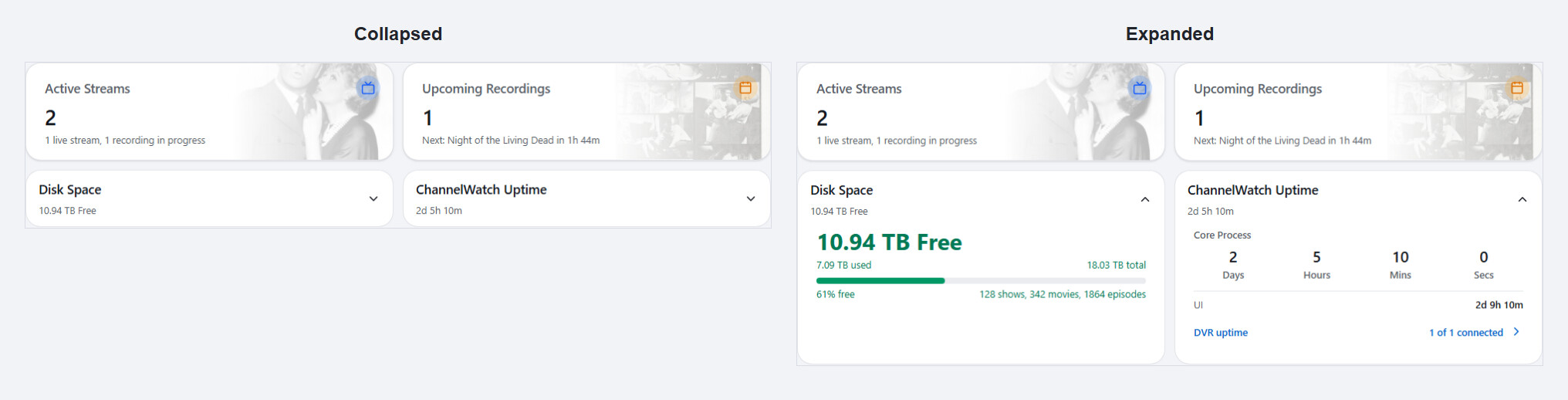
The dashboard uses more compact cards, with additional details available when opened. Show artwork appears where available, and navigation, settings, dropdowns, and dialogs have been adjusted for smaller screens.
Disk Space and Uptime details stay collapsed until needed. When expanded beside each other, the cards align without stretching a collapsed neighboring card into an empty box.
v1.4.0, v1.4.1, and v1.4.5: install the signed app-only update directly to v1.6.0. The existing image's Python packages remain in place.
v1.5.3: install the signed application and Python package update together.
Neither of those paths requires recreating the container to install v1.6.0.
Start the installation manually from Settings > Updates. Automatic installation is disabled for this release.
The update also improves rollback refresh behavior, preserves the installation result when checking again, and shows the recorded preparation error instead of a generic server error.
If you're still on v1.1.3 or another image older than v1.4.0:
Use your normal container update process to move directly to the v1.6.0 image. Back up and retain the existing /config volume and any external encryption-key configuration.
You do not need to install each intermediate release.
If you're on v1.4.0, v1.4.1, v1.4.5, or v1.5.3:
Open Settings > Updates, check for updates, and manually install v1.6.0.
This does not mean every future update can avoid a container image change. Updates to Python itself, operating-system libraries, or the image-owned launcher still require the normal container update process.
If you run into a problem, include the app version, your installation method, and what happened. Please keep credentials and private diagnostics out of public replies.