Chrome Capture for Channels

well hopefully I can still use main.js normally without changing it.

It doesnt work
I have created this chrome capture from the older node version and it works amazing. It allows me to rip hulu and prime and I can watch peacock sporting events like Eplustv. What is going on can we fix this?

I need to see my code ported to the main.js . the syntax is broken somehow. Please can anyone help me get it working?


KineticMan

Can you help?

There is a ton of work I put into this js file that makes it much better than the current iteration.

PS: Does espn4cc have abc/espn3 as well as SEC+ and ACCX ?

Will pay for help
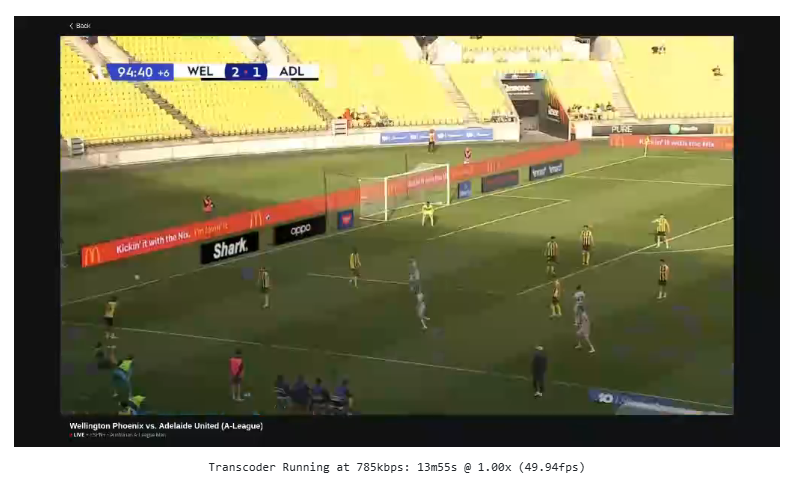
For some reason chrome has no audio in the puppeteer tab but if I copy that same url and into a new tab it plays audio without any intervention. I did enable autoplay audio for the website and I did click on the tab just to see if it was something with chrome.
I am using the Windows version. Anyone have this issue?

I’m using the node method and 142 works fine. I was also able to update the main.js to support Dish Anywhere (using a similar method to the DirecTV one). Also moved the stream snippet to the end so you don’t see the whole navigation/loading process on the Channels client.

Can you help me port my .js code above to the new method? I have a lot of nice args and tbh 6000 kbps is too low for default

I scheduled a restart of my Mac every night, but Chrome Capture interrupts it and won't let my system restart. How do I get around this? Is there a way to allow a scheduled restart to interrupt Chrome Capture? How do I uninstall Chrome Capture? Thanks for your help!

New bnhf/olivetin:latest (aka bnhf/olivetin:2025.11.23) pushed today with Project One-Click support for ESPN4cc4c, ESPN4ch4c and ESPN4adbt. All three can be run simultaneously.

More details here:

1 Like

Please forgive me if this has been covered recently. This thread is quite daunting and I haven't followed it closely in over 1.5+ years.

What's the recommended way to run CC4C these days, particularly using Portainer in a Proxmox VM? I figured @bnhf's image and compose file would be the easiest. I get the illegal instruction error I saw mentioned even though my CPU is quite new and I didn't see any solution for it. Running @tmm1's image directly with docker works but I figured I'd ask for any other recommendations before writing my own compose file for it.

Also, does 1920x1080 resolution work well for all of you? Every time I've tried CC4C in the past, I always had stuttering and had to drop down to 1280x720 to get rid of it

Yeah...use Olivetin and project one click for an easy way

Yeah...use Olivetin and project one click for an easy way

I've seen Olivetin mentioned here but I'm not familiar with it. I'll take a look tomorrow.

Since you’re running Proxmox, I’d suggest going the LXC route:

Thanks. I thought of that too as it would let me pass in the gpu for hardware assisted encoding. I intend to explore that as soon as time allows. For the immediate term, I'll stick with the now working docker version. I needed a quick ESPN+ solution and this along with espn4cc4c should suffice for now.

Been a while since I messed with CC4C but I am not getting ESPN+ full screen and it appears with a black border. What is the fix for this again?

Increase resolution to 1920x1080 or more?

guide that I wrote up to get it to work on mine.. little hack on the cc4c main.js to send a "F" keystroke.

Any way to get this working on the Mac again? The current version doesn’t work and the Docker doesn’t work either.

Thanks

I have it working natively on Mac. What seems to be the issue?

I get this…

It seems that the current version of Chrome Capture for Channels posted to GitHub (Release v2.0.1 · fancybits/chrome-capture-for-channels · GitHub) for Apple Silicon is hard-coded to pull a file from @tmm1. Below is the line I am receiving on my console.

enableExtensions: [
'/Users/tmm1/fancybits/chrome-capture-for-channels/node_modules/puppeteer-stream/extension'

Should this work with the fancybits image? It doesn't seem to for me.

Tbh I’ve never tried that image. There was some other guides out there how to inject full screen that I experimented with to get this one to work.

Sorry wish I could help more.

Kineticman can you port this main.js to new system? There is a lot of code not compatible here..