
That's the same behavior that I've seen all day. It authenticates fine, but you can't actually watch it.
Do you think it will resolve?
Historically do TVEchannels that go dark come back?
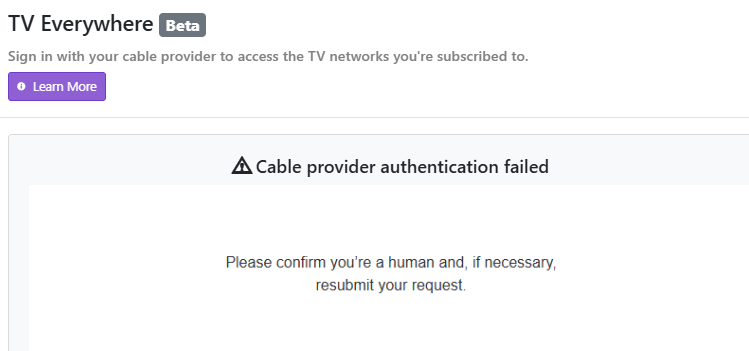
Isn't there a new cc4c that was released that would also work? Is it fully drm now has anyone checked?
I just used OpenAI Codex/ChatGPT to do 100% of anything needed to fix this CNN issue. Model used was 5.6-Sol with High Reasoning.
For those who dont understand, this is NOT chatting with AI and copy/paste whatever it says or trying to follow its instruction. This is AI taking control of your apps, your terminal, and running commands itself, installing software, making config changes to the ChannelsDVR server, doing everything automatically for you.
I did not know anything about CC4C or PrismCast prior to doing this. Maybe try Prismcast first?
Here is what we did:
- Built a 100% software-only CNN workaround on an M2 Mac mini—no HDMI encoder or capture hardware.
- Installed Chrome Capture for Channels (CC4C) bare-metal and authenticated CNN.com using a Spectrum subscription.
- Added the stream to Channels DVR as a custom M3U source on channel 6030.
- Modified CC4C to restore audio, capture at 1920×1080, eliminate embedded black borders, and keep Chrome fullscreen but hidden.
- Verified live viewing, stereo AAC audio, and DVR compatibility. The original Spectrum TVE source still returns “TVE: Stream Not Available,” so CC4C remains necessary.
I asked for a prompt (Its Mac specific though) that I could share with others.
------------- PROMPT BEGIN --------------
You are running directly on my Apple Silicon Mac mini, which already runs Channels DVR. Build and configure a 100% software-only CNN workaround using Chrome Capture for Channels (CC4C). Do not use Docker, HDMI hardware, screen recording, or a physical capture device.
Requirements:
- Find and install the current maintained CC4C source locally.
- Use Google Chrome’s existing GPU/video decoding.
- Run CC4C on port 5589 at 1920×1080, 30 fps, approximately 6 Mbps video and 256 Kbps audio.
- Store Chrome’s persistent login profile under:
~/Library/Application Support/ChromeCapture/chromedata - Initially run Chrome visibly so I can personally sign in to CNN.com with my TV provider. Never ask me to paste or store my provider password in chat.
- Use this CNN page:
https://www.cnn.com/watch/US
Make any necessary CC4C changes specifically for CNN:
- Wait for CNN navigation using
domcontentloadedand tolerate detached/replaced frames. - Locate the active HTML5 video element and promote it to:
position: fixed; inset: 0; width: 100vw; height: 100vh;
object-fit: contain; background: black; highest z-index. - Repeatedly force all video/audio elements to:
muted=false, defaultMuted=false, volume=1, remove the muted attribute, and call play(). - Launch Chrome with
--kioskand--start-fullscreenso the captured viewport is exactly 16:9 without embedded black borders. - Do not minimize Chrome because that can stop tab capture.
- After fullscreen initializes, hide only the CC4C Chrome process using macOS AppKit/NSRunningApplication—not screen recording or Accessibility automation.
- Keep the window hidden while capturing.
Create a macOS LaunchAgent so CC4C starts automatically after login with these arguments:
--port 5589
--videoBitrate 6000000
--audioBitrate 256000
--frameRate 30
--width 1920
--height 1080
--no-minimizeWindow
--offscreenWindow
Add a Channels DVR custom M3U source named “CNN (CC4C)” with one tuner and this playlist:
#EXTM3U
#EXTINF:-1 channel-id="cnn-cc4c" channel-number="6030" tvc-guide-stationid="58646" tvg-id="58646" tvg-name="CNN",CNN
chrome://127.0.0.1:5589/stream?url=https%3A%2F%2Fwww.cnn.com%2Fwatch%2FUS
Verify everything instead of stopping after installation:
- Tune the custom source through Channels DVR.
- Confirm H.264 video at 1920×1080.
- Confirm AAC audio at 48 kHz stereo and verify that it contains an audible signal.
- Extract a test frame and confirm CNN reaches all four edges of the encoded 16:9 frame.
- Confirm Chrome is hidden and no screen-recording capture is being used.
- Restart the LaunchAgent and test again from a cold start.
- Preserve the original Spectrum TV Everywhere source so it can be tested separately later.
Report the installation directory, LaunchAgent path, port, Channels source name, channel number, verification results, and any source-code modifications made.
------------- PROMPT END --------------
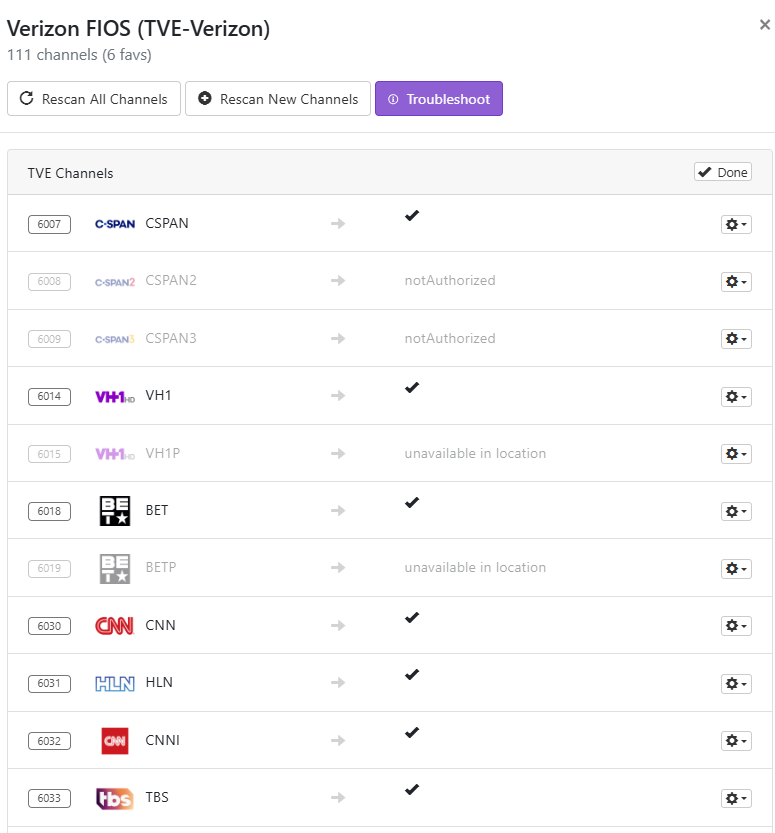
Once you get that channel working, you might want to send it 'now fix channel 6032', which I just did... and it did. 
1 Like
Lol congrats. You just recreated Prismcast without all the stream reliability checking.
But even with all that checking, it's still not very reliable lol.
1 Like
Just to stay within this topic for CNN specifically, I found that the default auto detect profile in Prismcast did not work, I had to change it to embedded dynamic multivideo. Streams fine after that.
I am adding support for premium DirecTV and Sling to FastChannels for next version and they both have CNN. It will rely on Prismcast DRM bridge, but a little simpler to use if you not into HDMI encoders and Chrome Capture.
3 Likes
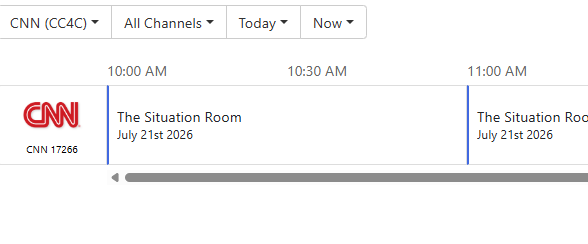
This worked but it displays Channel 17266 not 6030
How do I do this with CNN (Channel 6032 ) ? What is the #EXTM3U coded for 6032 CNN I ?
Great
work !
EDIT it doesn't record. ZEROplaybackwont open file
1 Like
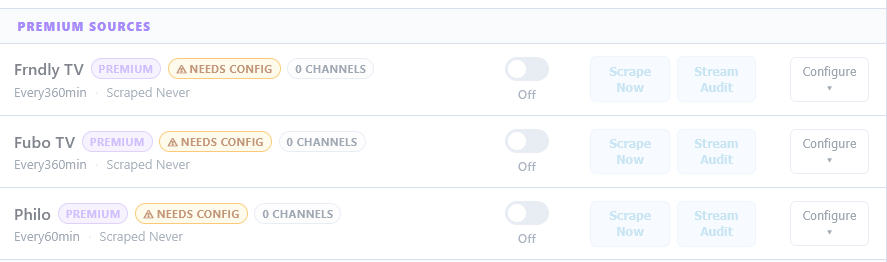
PrismCast is discussed in great detail at the same link. The only thing not discussed are the premium sources from FastChannels that can integrate either directly or through the PrismCast bridge inside FastChannels:
Well this blows. Is the final answer that there is no more CNN on TVE? Or do we not know for sure yet?
From.whar I understand it's drm don't see any m3u8 in my sniffers
I am wondering if i can pay for a CNN and CNN I stream that I can use in Channels to watch or DVR?
Thank you !
Do you have access to a terminal based AI like Claude Code, Codex, Gemini CLI, etc? You need to fire it up, explain the problem, and ask it to fix it for you.
Are you serious? I wish I knew what terminal based AI is LOL
If these channels are now DRM'd how can AI fix it?
I
His explanation was earlier in the thread. Gotta say, I'm impressed and intrigued:
1 Like
I wish I could hire someone to remotely take over my PCand fix this ! This is beyond my skill set
maybe start with PrismCast then, at least for now? And ask Claude for help if you get stuck
Or ask here, there are plenty of helpful people sharing their knowledge.