
I’m most interested in diagnostics after that error message you posted on the screen vs an app hang. Those are likely different causes.
I am trying but the entire box locks up and I have to struggle to get it into a working state again. When it does work, Channels fully crashes and the splash startup screen pops up when I click on it. Not sure if that wipes out previous error stuff for diags?
Just sent diags.
Sent.
1 Like
Sent

It's happened multiple times today over 2 boxes. I sent over diags each time. Hope it helps. Thanks @eric
Most of the time the image will lock up and there will be a spinning wheel in the middle at the bottom. The app becomes unresponsive and after pushing several buttons and waiting it will just crash entirely. I then start it up and submit diags. Other times I will get the disk full message on the screen and I will submit diags after that.
@troyhough Please try the latest Android beta. It will hopefully give me some insight as to why the disk space handling we have in place isn't triggering as expected.
1 Like
Ah, I think I understand more about what's going on. Did you have the playback paused before this error happened?
What I have been doing is turning on a baseball game or whatever and letting it go while I do work. I am always coming and going from different rooms. I will come back to it and see the 'disk full' message OR spinning circle at the bottom with a frozen image OR ATV will have it's screensaver going and when I back out of that it's on the ATV homepage, meaning I think Channels DVR crashed completely and the screensaver has activated. I then submit diags after any of these 3 scenarios.
Diags just sent after 'disk full' screen.
Have had it lock up and throw the disk full error today. Sent diags after each time. Hope that helps!
I’m starting to think we’re running into a weird interaction with the android OS acting strangely. I’m still trying to wrap my head around it.
If it's pertinent, it seems to only happen with the eplusTV channels (espn+, MLB, B10+). I have some other remote onn boxes that never tune those channels and those don't seem to have the same problem.
I've used eplusTV for about a year without having this issue. It just started recently...
Have you seen any different experience with setting Original to Streaming?
2 Likes
I changed 'Original Quality Delivery' from Direct to Stream. Is that what you wanted me to try? I did and am now constantly seeing this (below). Sent diags several times...
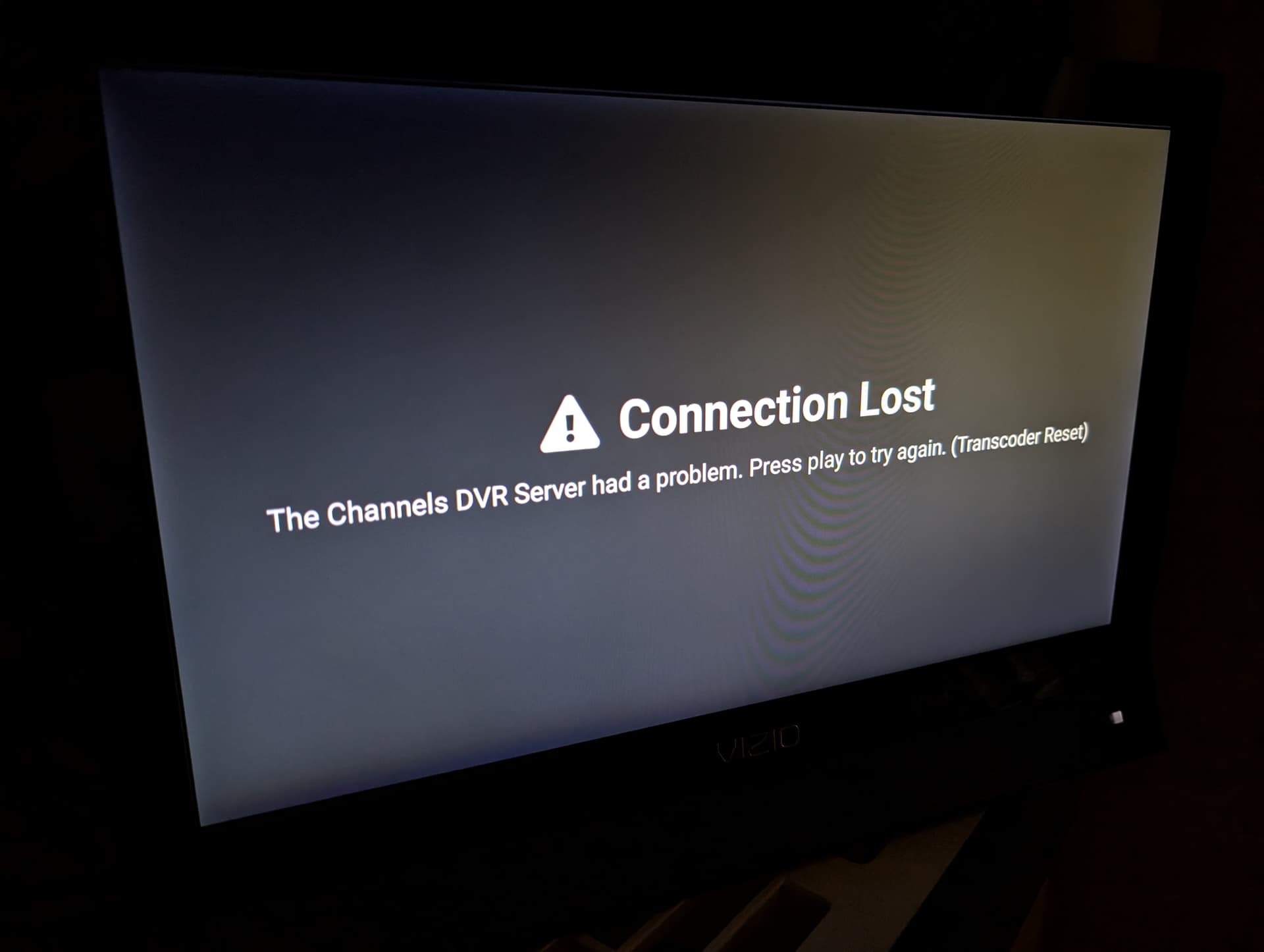
It looks like there was too long between when you had this error and when you submitted diagnostics last and too many other things in the logs pushed out the relevant info.
Could you try to catch this again and submit diagnostics as soon as it happens? Sorry for this trouble, but this issue seems to be entirely different than the last one, but is also very confusing.
I sent over 6-8 of them last night when I got the error under "Stream". None of them gave you anything? I will do it again today. Just sent the 1st one. Thanks