
I also thought I was a little overkill with six 60233 models! I'm surprised anyone has more than me at this point.
still not organized, or clean, but I figured i'd share
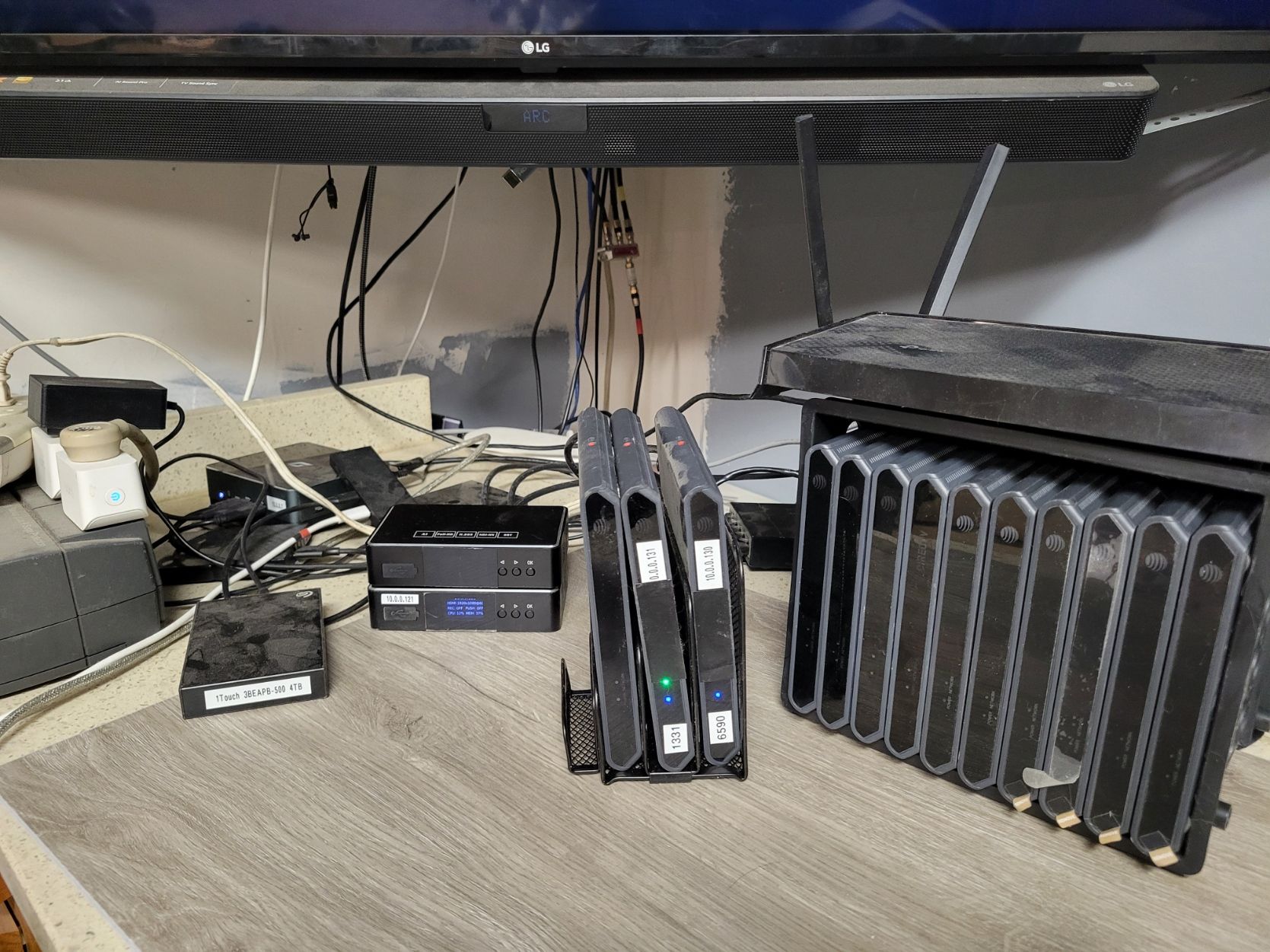
no not all are working, yes i have more than i need.
if anyone is looking DM me, i got them cheep, will get rid of extras cheep too
I would definitely consider a laptop cooler below those and also spacing them out a little bit more if you can.
1 Like
With the rate TVE is disappearing, trying to get future proof. I record a ton of sports, throw in family members - not sure what I'll end up with. Time for an upgrade anyway. Switching from Uray to Linkpi's adding more Ospreys, along with trying to get rid of my rat's nest I've had for 3 years.
So far, I have 2 Ospreys with LinkPi running and testing has been good. I even switched to Poe to get rid of the power bricks, using a Kitchen cutting board rack to standup the Ospreys to help with the heat & my rat's nest issue. I've got my eye on a laptop cooler I'll add if needed. It's all still on my bench for now. Fun stuff...
2 Likes
I never confirmed. What is the DC Barrel size on the Osprey?
This is what I am using. Have 3 up and running plus the Link Pi
This was the only place I could find it.

jagrimDVR User
Not sure if this is the correct topic in the forum, but since I'm moving my Link Pi Enc5-V2 encoder to POE, the below items allowed me to put add all (3) of my ATT Osprey devices to POE. I can confirm that these work!
@spammedeeper
The adapter plug was the hardest thing to source.
C2 DC Power Connector Tip - 5.5 x 3.3mm Male Plug with 5.5 x 2.5mm Female Jack
BixNet.comC2 DC Power Connector Tip - 5.5 x 3.3mm Male Plug with 5.5 x 2.5mm Female JackC2 DC Power Connector Tip - 5.5 x 3.3mm Male Plug with 5.5 x 2.5mm Female Jack
1
1 Like
Fantastic info. This is going into the Osprey Details Page!
I was just playing around with my extra boxes, and bumped into Settings-Preferences-Notifications ; Recomended and Promotions
I suspect one of these is toggled ON.
2 Likes
So I don't want to mess with PoE, it's just not worth the investment for me, but I do have a free UPS that I got to add to my pile of UPSs. have like four of them in a line under my desk basically. Regardless, this one is 850 volt amps and I want to just plug all of the Ospreys and Encoders into just one UPS to take the load off of my others that run my two servers and other appliances that I have in my office. Such as my Mac Mini server.
Just kind of consolidate the DVR set up into one UPS. I picked up these little extensions because the LinkPis have very large wall warts. Plus, I don't have enough outlets for all six Ospreys. The UPS just has five outlets. It can definitely handle the power draw. It's just a matter of having enough capacity physically and the actual space to plug things in. I thought this was a good solution.
I had Claude calculate the power draw and it seems like it is safe and these are commonly used for UPSs according to the reviews. I just thought it might be a nice thing to share before I get them tomorrow. Perhaps they'll help someone else in the same boat where you have a powerful UPS, like 850 volt amps, totally overkill for this kind of thing, but not enough outlets.
Thanks! I made the change and have not seen any ads since. Hope it holds! Appreciate the info!
1 Like
Fyi these settings are unique to each profile. I've been taking some notes as I slowly rebuild my lab, and will soon write up what settings are acct, device, profile specific.
I should mention those plugs I bought from my UPS worked really, really well. I have all six Ospreys and three encoders as well as three switches going off of one UPS. It's just 850 volt amps and it has about an hour of runtime.
Has anyone had their Ospreys just out of nowhere while watching TV go to a blue screen with a DirecTV logo. For me, the only way to break out of it has been forcing a reboot. I'm curious if anyone has come across this and if there's another way to unlock it and why that happens.
I'm starting to wonder if maybe a package I disabled causes it, some sort of transient issue.
I have had this happen. I don't remember exact details, but it was when I was trying to repurpose an Osprey with a new launcher. The firmware really did not like this and would dump to a screen like you describe.
I wonder what I did to cause it. It just kind of happens randomly. I really only disable the Google cast functionality and Google Assistant.
Well, I don't disable those two items, so maybe they are "critical"?
Yeah, if it happens again, I might re-enable them. So maybe they are.
I had this recently happen with a kw-200 that was on wifi streaming 12hr utube cat channels for my little fighter.
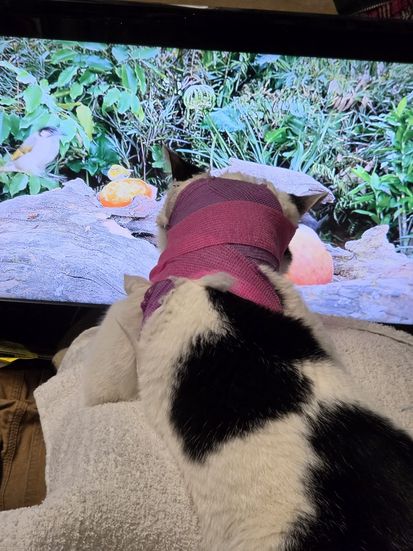
My assumption was the combo of utube app on wifi overheated the unit. I have since replaced his tv with a 60233 and moved the kw200 to my 720p ah4c group with wired network, wifi disabled. it's been 2 weeks running a news channel 16hrs a day no problem.
are you doing this via on screen menu's or adb?
1 Like
I did it via ADB. Also I hope your cat gets better!
Mine was sick with a resistant UTI for nearly a year. We finally seemed to get her healthy again.
I am using AH4C as my preference. What do I put down for the channel for alternate channels? Like the MLB Network Alt channel? I have tried 213-1 and 213.1 and not getting it. Has anyone tried any alternate channels?