
I have been playing around with the Client API and created a remote control for Channels DVR Clients. It is very much a work in progress and does not offer all the features a true remote control would have. The Readme on Github gives more info on this project. I only tested it with the Android TV clients, but it should work on the Apple TV clients as well. You can find your client IP address under Channels DVR Admin Settings/Clients. Enjoy.

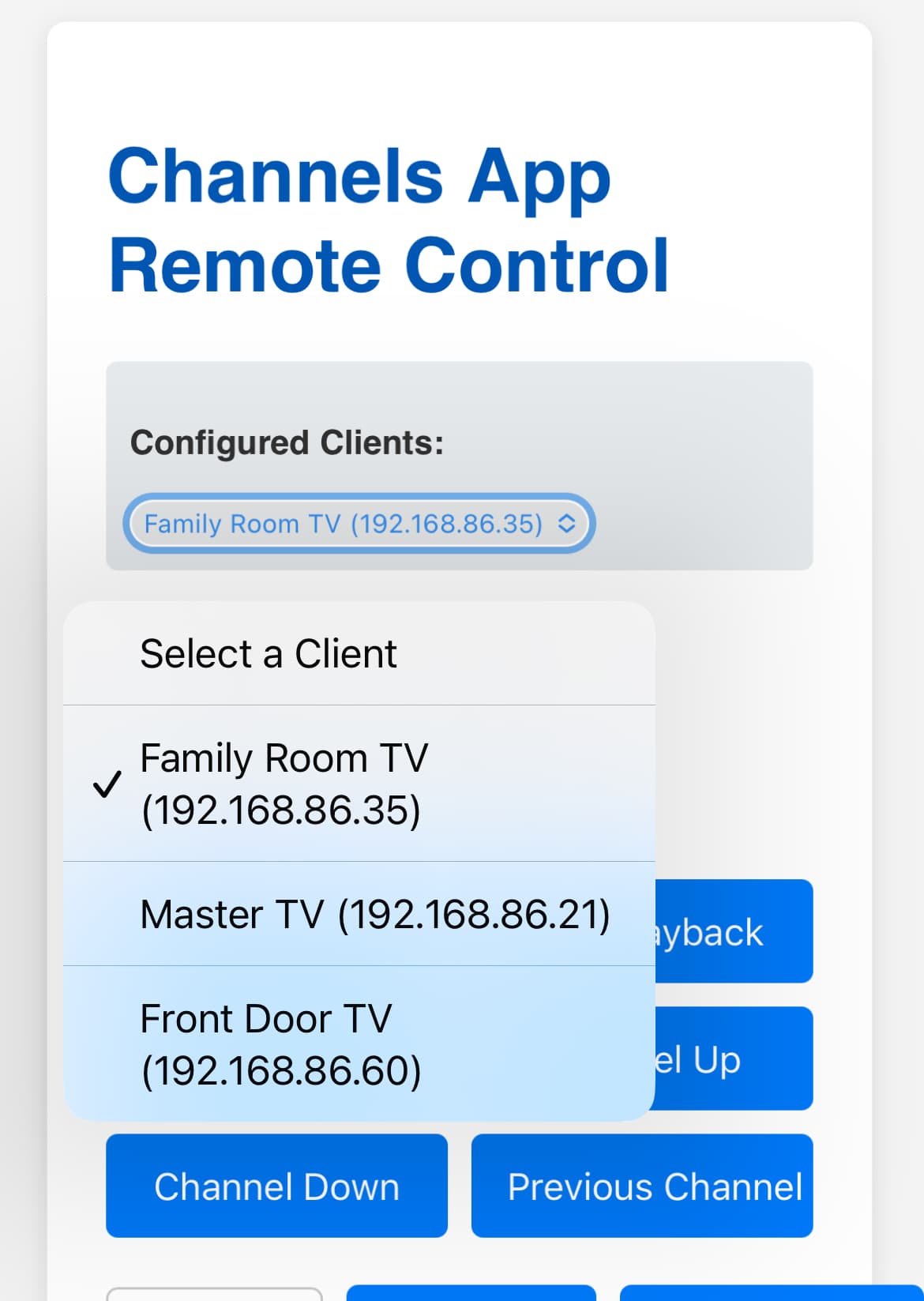
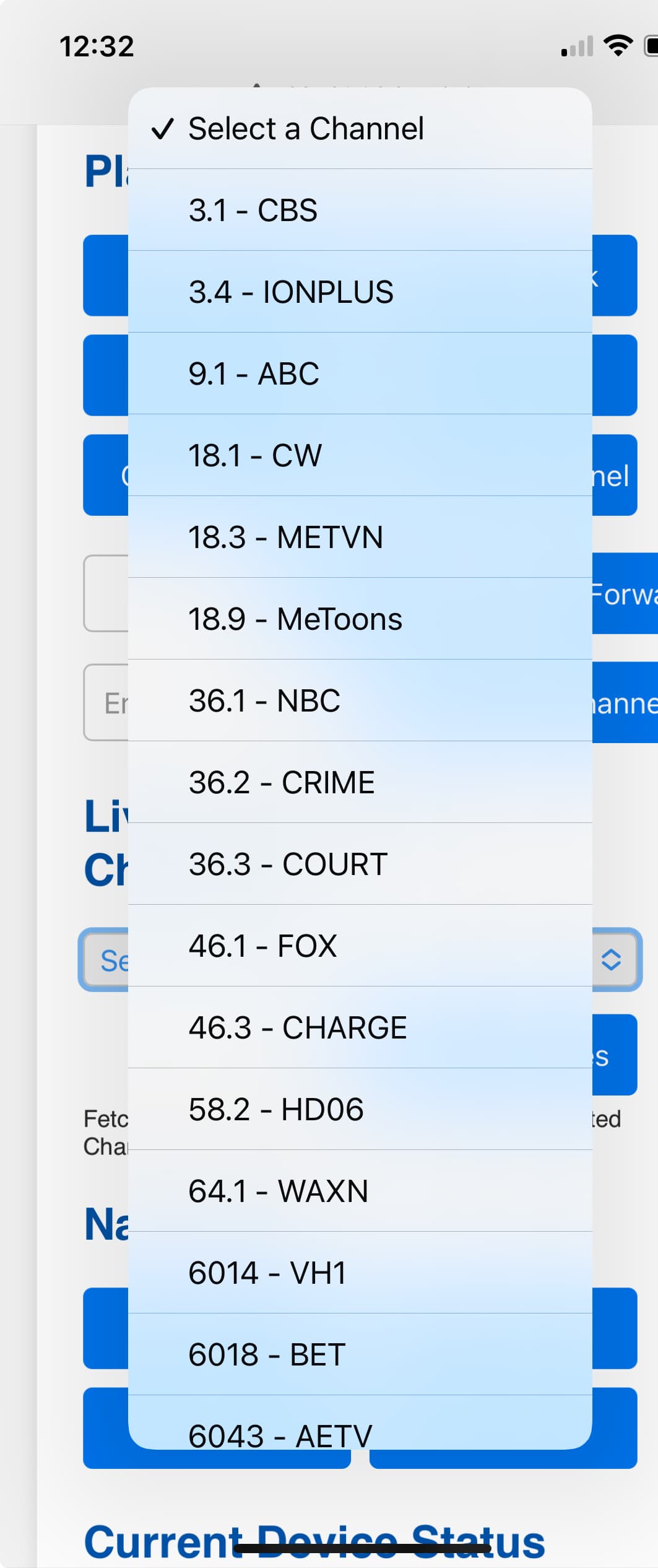
Thanks so much for this, it's great! Very convenient!
@bnhf, please take a look, and consider including this nice utility with OliveTin's One-Click list.
I agree, it'll be a nice addition!
@Bobby_Vaughn In OliveTin, Channels clients are already in an env var, by IP address or resolvable hostname (not to be confused with the Channels-specific casual client names), space separated. Will that format work as an option for your CHANNELS_APP_CLIENTS variable?
For 2+ years now I've been remote-controlling Channels on my AppleTV's via macOS shortcuts:

But now, I'm switching over to Channels App Remote Control! It's a lot more powerful and looks nicer too. Especially in dark mode.  Different colors would help differentiate between different Channels clients, so my first request would be some customization options, like a choice between a few colors.
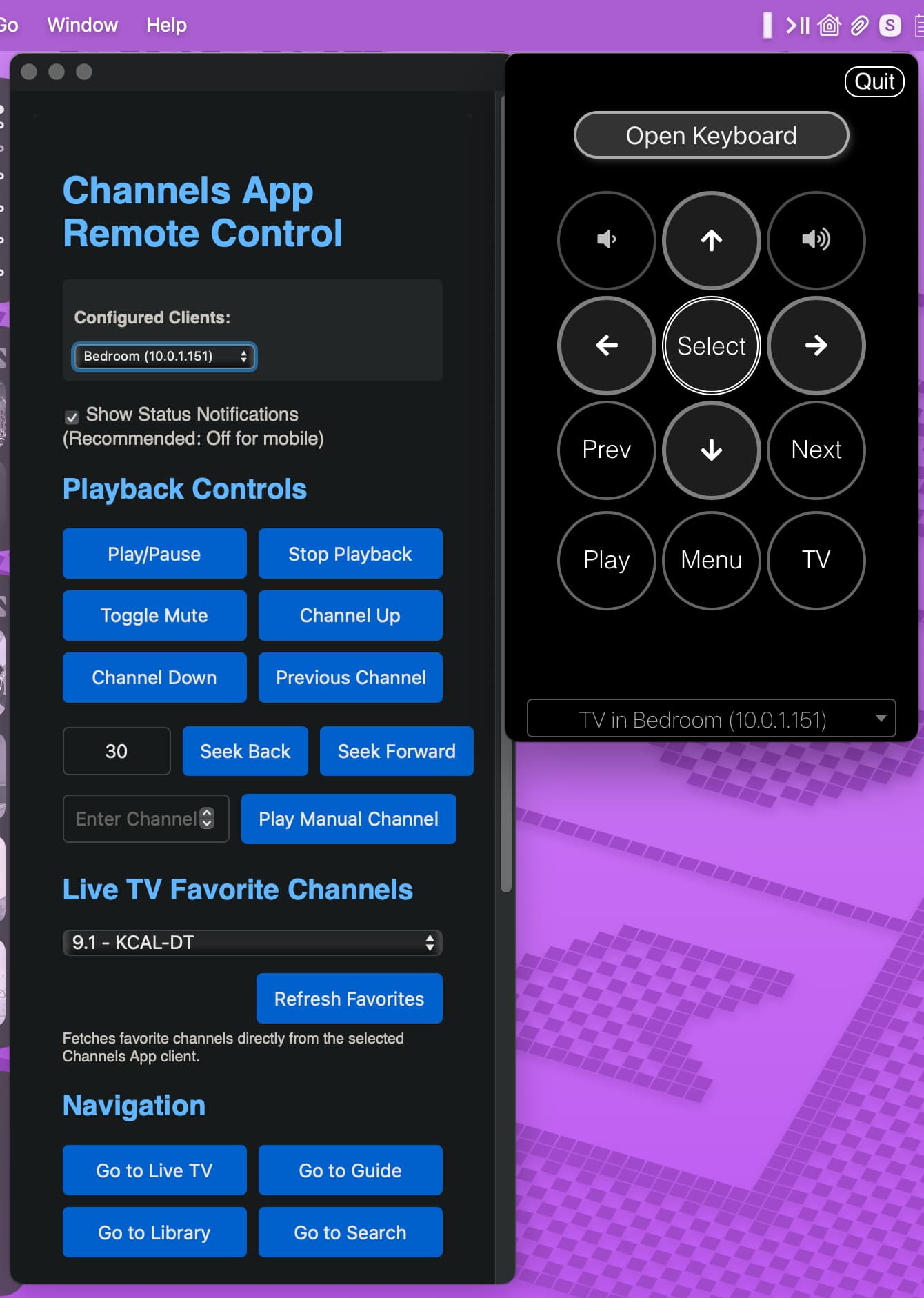
(The app to the right is ATVRemote, which is a great complement to CARC. It allows for AppleTV control, as well a virtual keyboard for text entry. A similar one I use for other devices is Remote for Android TV.)
In order to make the CARC web page behave more like a standalone app, in Safari I went to File → "Add to Dock." ChatGPT helped me with icon choices, which I'm sharing here if anyone else is interested:



My only other request is that I'd love to see a toggle to enable/disable Closed Captions. I use that shortcut a lot. I'd also like to see a checkbox for the mute toggle, whether or not to include closed captioning by default when muting. That's super convenient. And if could be extended to the 30 second seek-back, it would be very cool too. For what it's worth, Siri does that automatically when you ask "what did he say?" but it doesn't extend to 3rd party apps. Thanks for the consideration!
And thanks so much for making and sharing this.
Right now it is using comma separated Name:IP pairs, I am working on adding D pad controls and changing how everything is stored and formatted. At the moment I'm working on a persistent docker volume with a JSON configure to use between the Client API and a Python library, androidtvremote2. It's all going to change with the next release. I will also be using a compose.yaml if that would help any. Way too complicated. Too many dependencies involved.
The client API has a CC toggle. I haven't worked with it yet, but do plan on adding it in next release. I'm not clear on what you want to do with the seek time setting. It can be adjusted to any amount you want.
Excellent, thanks! Looking forward to seeing how this evolves.
Even the ability to couple Caption toggle with Mute toggle would be welcome. What I'm suggesting with the seek time setting, is the ability to couple that command, with temporary closed captions. So, for example, one click of the button would jump back 10 seconds would also automatically enable the captions, and disable them 10 seconds later. It would be for quick seekbacks, i.e. "what did he say?" Similar to this native Siri functionality: New Apple TV Feature Lets You Rewind and Use Closed Captions - cielo24
I just added a CC toggle and a CC/mute toggle. I'm going to have to think about the back 10 combo. I might work on a configurable combo setup option. I am tired at the moment and having a hard time focusing. I'll work on it later this evening.
I have been thinking about the go back and turn CC on combo. It can be done, the only issue I see is timing everything and getting the status of the closed caption toggle so it can revert back to the previous state. I'm thinking a 15 second jump back with CC so it can have time to display before the missed dialogue is said and have the CC revert back to previous state after say 20 seconds should work but may need some tweaking. Does that sound like it will work for you?
I just updated and tested, these toggles are working great! Thank you!
That sounds perfect to me! 
I went looking for the caption status in pychannels and it is not returned, so what I can do it have a combo button the jumps back 15 seconds and toggles CC on. Without being able to determine if CC was on before or not, I will just leave it on and allow the user to turn it off if they want to.
1 Like
Sounds like a great implementation. Thanks so much!
As far as other status being reported, how about what's "now playing?" For inspiration, here's what I see with Home Assistant integration:

Being able to see this information in CARC would be sweet.
1 Like
The CC -15s toggle is added.
Now Playing block added
Added Theme Selection
Added manifest for Progressive Web Apps icons
Give me an idea of what info is available. I could just use the device IP, it would be nice to have a name to associate with the client IP. I assume it would be in a portainer stack. It might be easier for me to just add a Client Manager to it and store the name:IP pairs in a JSON config file instead of the environment variables. This would make it easier for users to add, edit and delete clients.
There's currently an OliveTin env var for CHANNELS_CLIENTS, that's a space-separated list of IP addresses or resolvable hostnames.
However, I can grab a full list of clients in your format, this way:
curl -s http://media-server8:8089/dvr/clients/info | jq -r '[.[] | "\(.hostname):\(.local_ip)"] | join(",")'
So, I think I'll do that instead of using the OliveTin Channels clients variable -- which was originally intended to send onscreen notifications to all configured clients.
I'm almost done adding this to Project One-Click, and expect to push an update tomorrow:
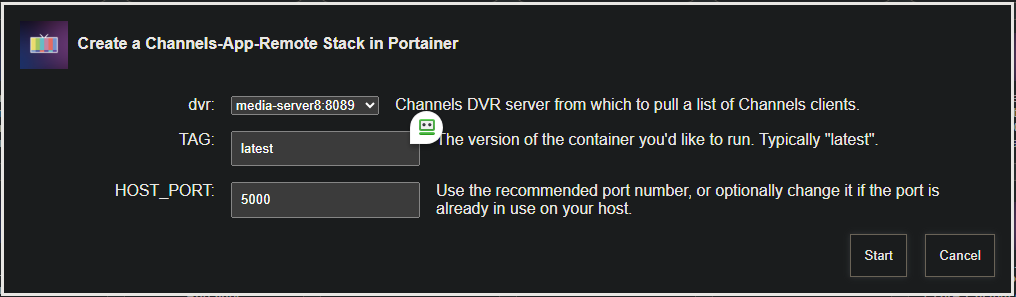
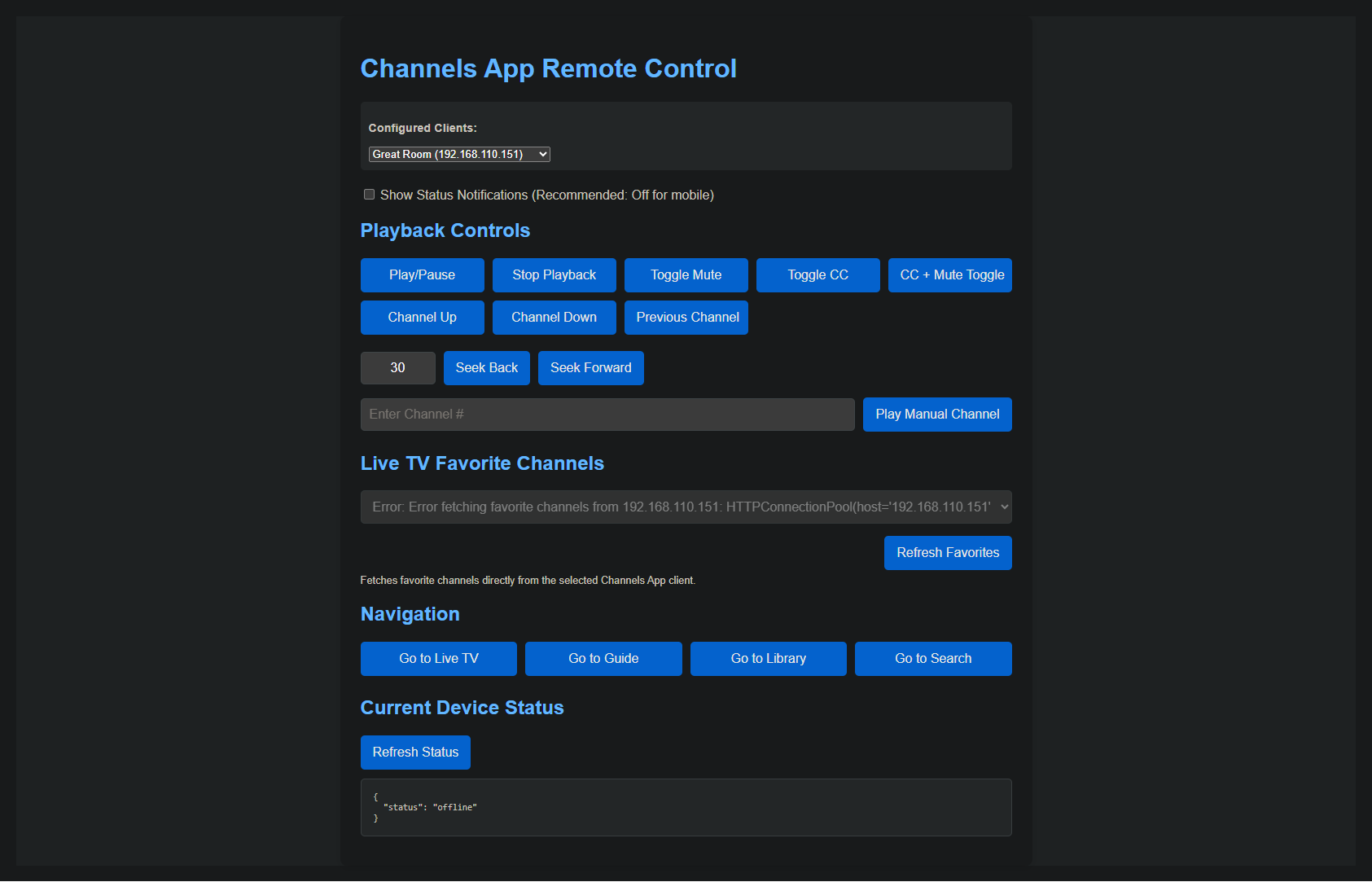
I've added this project to Project One-Click, so it can be both added and removed with a single click. After some thought, I decided to go with an automatic addition of Channels clients from whichever CDVR server is selected. If you wish to add or remove clients in the future, stop the channels-app-remote stack in Portainer, and modify the CHANNELS_APP_CLIENTS env var accordingly -- then restart the stack.
Here's the Docker Compose that's being used by Project One-Click:
version: '3.9'
services:
  dvr-remote:
    # 2025.06.22
    # GitHub home for this project: https://github.com/nuken/channels-app-remote.
    # Docker container home for this project with setup instructions: https://hub.docker.com/r/rcvaughn2/channels-app-remote.
    image: rcvaughn2/channels-app-remote:${TAG:-latest} # Add the tag like latest or test to the environment variables below.
    container_name: dvr-remote
    ports:
      - ${HOST_PORT:-5000}:5000 # The container port number (to the right of the colon) needs to be left as is. Set the environment variable to the same, or change it if there's a conflict.
    environment:
      - CHANNELS_APP_CLIENTS=${CHANNELS_APP_CLIENTS} # A comma separated list of Channels clients in the form "iPad:192.168.1.2,Apple TV:192.168.1.3"
    restart: unless-stopped
And, here's a set of sample env vars:
TAG=latest
HOST_PORT=5010
CHANNELS_APP_CLIENTS=Family Room TV:192.168.86.35,Master TV:192.168.86.21,Front Door TV:192.168.86.60
3 Likes
Thank you for the ideas and icons. I used one of them for the manifest icon for the PWA links. I also added a few theme options. I will probably add a few more options when I have time to sit down and test some color combos. I also really like your input on the Now Playing bar.
Speaking of Home Assistant, there is a way to create remote controls using dashboards. I can control my entire home theater on my phone or computer using Universal Remote Card and Apple TV Remote Card.