
I don’t have a log as I deleted everything.
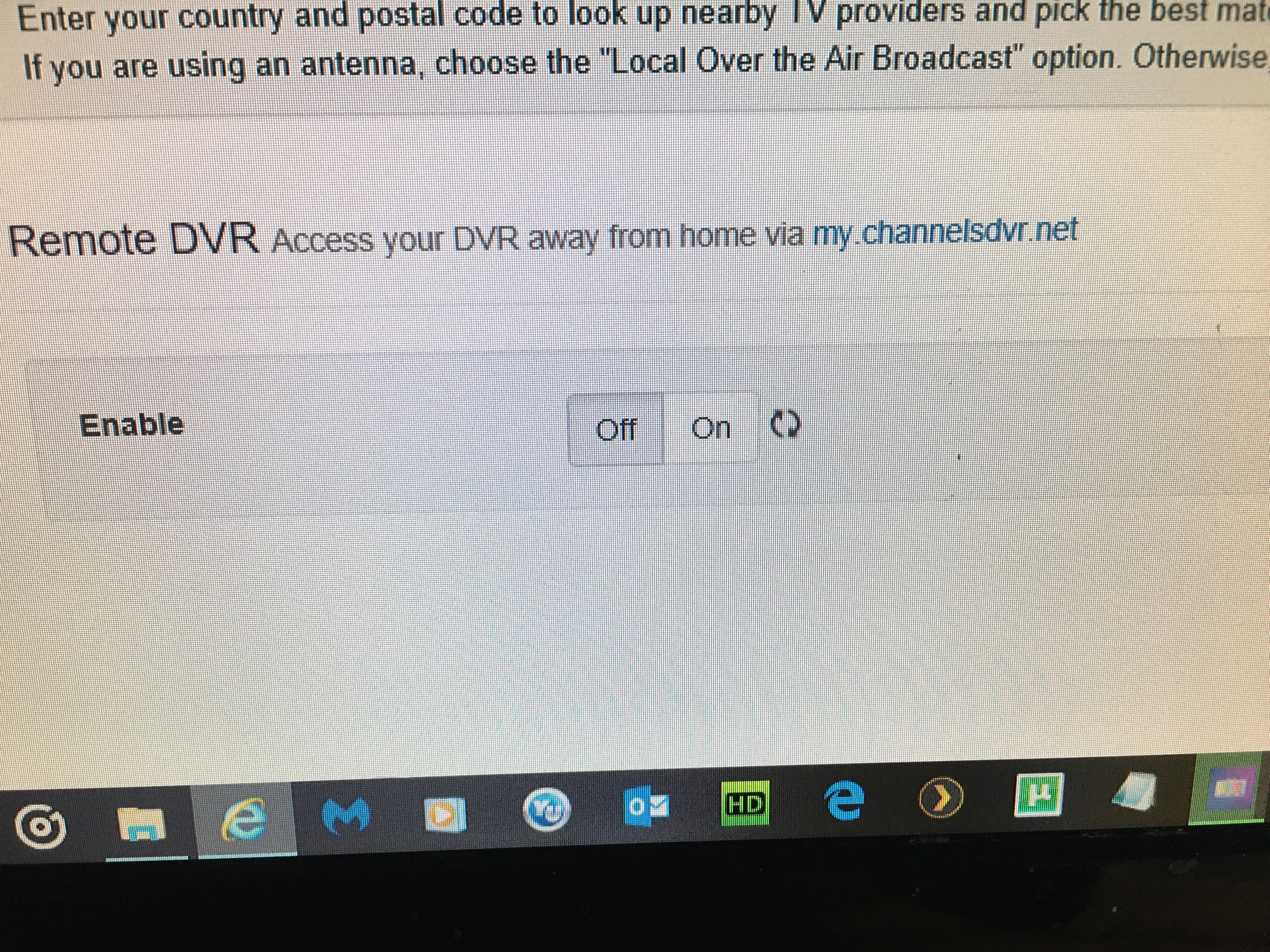
When I try to reinstall I get to downloading guide but that’s it. If I click on enable it just sits there and spins. I try to block on log and the same Judy’s sits there and spins.
Click on log I mean

Cannot teach this page

I can get here after I delete the intire folder under program data. 
Now I am here. If I click enable on it fist sits there and spins.

If I click on log at the top, the same ,just sits there and spins.
Please open this file directly so you can view the log without the browser:

Before you deleted the entire ProgramData/ChannelsDVR folder right? Including the USA*airings folder inside?
What kind of filesystem are you using on c:\
windows 10
yes. deleted all

NTFS file sys

Mabe I could do a restore. Don’t know if it will put everything back the way it was when it first stopped working. I know it won’t fit it. I already tried that a few days ago.
Uninstall completely by running the installer and select uninstall. Delete the programdata folder and then reboot. After reboot try fresh install.
Already done that about 10 times. That the only way I can get back to the instal browser page. No go I’m afraid. Just the wheel spinning and nothing past that.
Maybe run a filesystem or disk check on the C drive
How do I do this
No errors
This is very strange.
Try using a different zipcode, change it by one digit