
Version 4.11.0 adds support for various small college conferences via Hudl. Also removes NSIC provider (now available via Hudl) and NESN (no longer working).
1 Like
Starting channel upper limit has been removed in v4.11.1 (although I neglected to update the displayed version number!).
2 Likes
I cannot get this to work. I have installed it but get this error every time, and have deleted the image and container several times and reloaded. Any help would be amazing!
=== E+TV v4.11.0 starting ===
/app/services/misc-db-service.ts:5
import {removeEntriesProvider} from './build-schedule';
^
TypeError: Cannot destructure property 'enabled' of '(intermediate value)' as it is null.
at /app/services/misc-db-service.ts:128:12
at Generator.next ()
at fulfilled (/app/services/misc-db-service.ts:5:58)
My bad! Update to the latest (4.11.2) and it should work.
1 Like
Thank you! One question how do you get the thumbnails of the channels to work? I can’t seem to get it to work.
They should just show up.
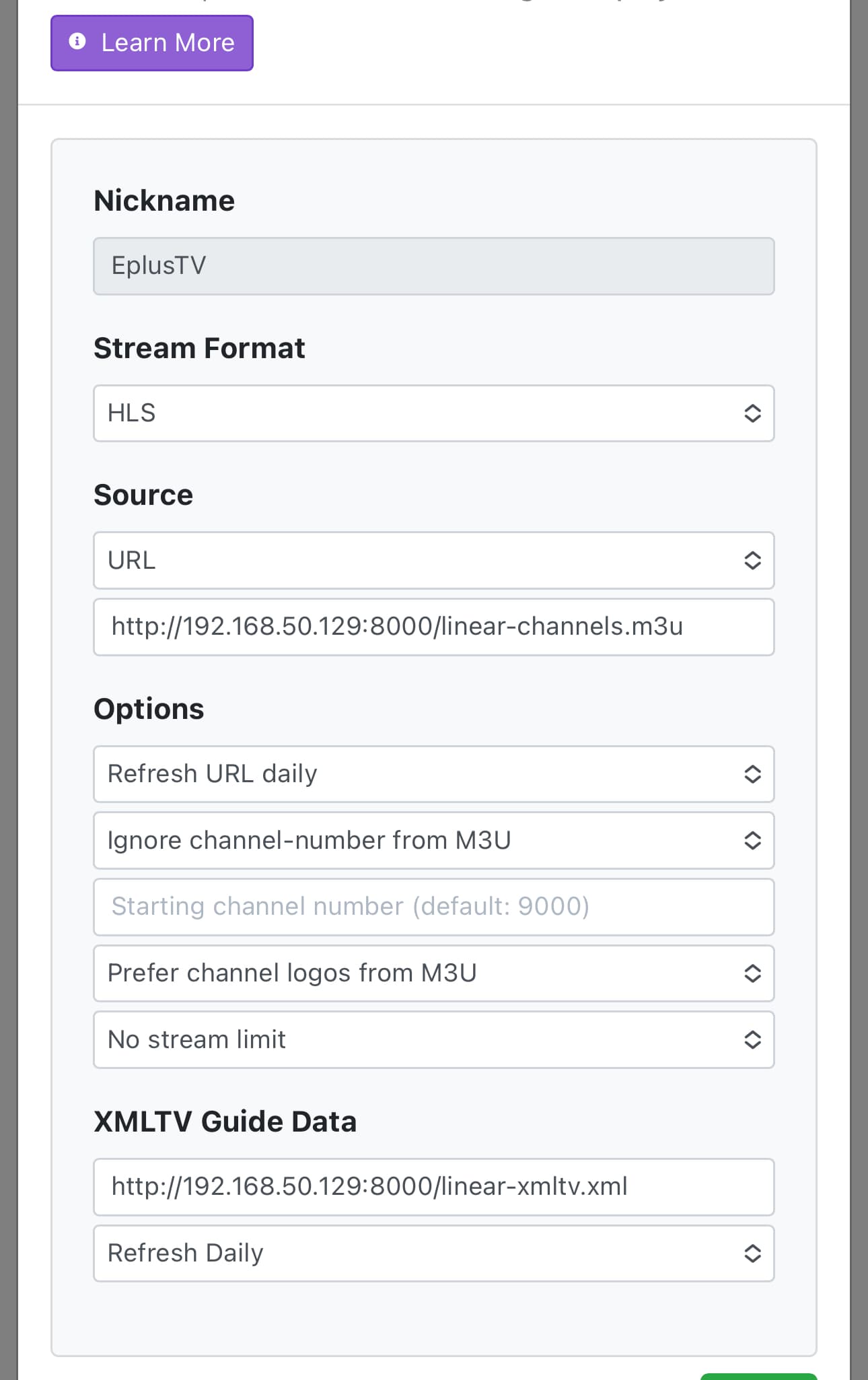
Try removing the XMLTV guide data link. That is not needed in channels. Not sure if that will fix it or not, but worth a shot.
Thank you i figured it out i just had to go to each channel and correspond the thumbnail to that channel.
Another question is how do you have the ESPN+ channels from the main guide? I created a collection for it and would like it to be only there and not in the main guide. TIA!
You can’t hide it from the “all” collection. What you can do is assign eplus channels with a very high channel starting point for example 20,000 that will put the eplus channels at the bottom of the list.
Another option is to create a new channels collection called “all” that only excludes eplus source and disable the built in “all” collection in the clients settings.
There appears to be an audio problem with the Dallas Stars preseason games on Victory+. Before the game broadcast starts, there is a static advertisement for upcoming programming with music playing. When the game broadcast starts up, however, the audio goes away. If I chop off the beginning of the recording with dd, mediainfo doesn't see any audio track in what's left. Hopefully, this is just a preseason glitch but I figured I should report it just in case something needs to be fixed before the regular season starts next month.
1 Like
KSL Sports events have been added in version 4.12.0
Zeam Live Events have been added in version 4.13.0
That's awesome you rock. Could you add Hawaii/Spectrum sports ? I can dm the hls m3u8 we just need to pull guide data from grace note when a game comes on. I could make epg for it of you want
We're not allowed to hardcode an m3u8 stream here. You'd need to build a new provider with the whole authentication procedure. I don't have that provider, and I don't live in that state, so I can't do it.
You could add it as your own custom channel: Bringing local sports streams into channels - #3 by babsonnexus
1 Like
It's free though not login. They are part of the mountain west, mountain west is the only group of 5 conference that has their games on their website and apps it's a free game but you have to use a phone but they use the same m3u8 weekly. We wouldn't be using spectrum sports 24/7 the m3u8 only for a game
I think I finally understand. Some Hawaii football games are only available on the MW mobile app outside Hawaii. We still can't hardcode a stream. But I can try to take a look at the mobile app during the next such game on Oct. 11. (Tomorrow is a national game on FS1.)
OK thanks. I was able to logcat it out then thanks for the help! They are actually a fbs school so it would be cool addition.
Okay so I've got a weird one here, I've seen this before with this container so it's not new. I have an advanced pass for college football, all it has in it is 'title contains College Football -' and 'tags == Live'. This will pick up all the college football games on E+.
Unfortunately, there's plenty that I don't want to actually record and the problem is some of them are unskippable. In other words, if you go into the schedule you cannot skip them because channels won't let you do it. I've tried doing it from the Apple client and from the admin web page and there's some sort of bug with the guide data that E+ is providing that's preventing channels from skipping these.
For example, there are Big Ten Network games tomorrow at 12:00 and 3:30 and I cannot skip either one of those. It just won't let me do it. On the web page if you try to skip it will say that it's skipped, but if you reload the schedule page it will show that it's still scheduled.
@tonywagner I wonder if you can get with @eric or someone and see what the issue is. I think there may be something in the XML that it doesn't like. If you need me to provide the XML for one that you can skip vs. one that you can't let me know.
Yes, please share some XML samples. I presume those BTN games are coming from the Fox Sports provider?
FYI, last night's game had audio so I'll chalk the problem with the first two games to Victory+.
1 Like
Yeah these BTN games are coming from Fox sports.
Here's one that I can skip and did tonight, it's on my local Fox channel but the channel doesn't matter I've seen this issue happen across all of the fox channels. It's not BTN specific in other words.
<programme channel="8002.eplustv" start="20250927010000 +0000" stop="20250927043000 +0000">
<title lang="en">College Football - TCU at Arizona State - WOFL-DT</title>
<video/>
<desc lang="en">College Football - TCU at Arizona State - WOFL-DT</desc>
<icon src="https://static-media.fox.com/fmc/prod/sports/artwork/VX-10072682/tie3naunee59vh79.png"/>
<live/>
<new/>
<category lang="en">HD</category>
<category lang="en">HDTV</category>
<category lang="en">Sports event</category>
<category lang="en">Sports</category>
<category lang="en">E+TV</category>
<category lang="en">EPlusTV</category>
<category lang="en">FOX Sports</category>
<category lang="en">FOX</category>
<category lang="en">NCAA FB</category>
<category lang="en">Football</category>
<category lang="en">Competition</category>
<category lang="en">football</category>
</programme>
Here's a BTN one that's unskippable:
<programme channel="8005.eplustv" start="20250927160000 +0000" stop="20250927190000 +0000">
<title lang="en">College Football - Rutgers at Minnesota - BTN</title>
<video/>
<desc lang="en">College Football - Rutgers at Minnesota - BTN</desc>
<icon src="https://static-media.fox.com/fmc/prod/sports/artwork/VX-10131707/86ebos0id5se09zi.png"/>
<live/>
<new/>
<category lang="en">HD</category>
<category lang="en">HDTV</category>
<category lang="en">Sports event</category>
<category lang="en">Sports</category>
<category lang="en">E+TV</category>
<category lang="en">EPlusTV</category>
<category lang="en">FOX Sports</category>
<category lang="en">FOX</category>
<category lang="en">NCAA FB</category>
<category lang="en">Football</category>
<category lang="en">Competition</category>
<category lang="en">football</category>
</programme>
I honestly don't see any difference between them, so maybe you can work with @eric to see what's going on. It's a head scratcher. Maybe it has to do with all the different category tags, like it's hitting a limit or something and some variable's randomly getting trashed?
I've noticed other weird stuff with E+ Fox events and channels, most of the time they do not show up in the recordings section of the Apple client until you make it go to sleep and then wake it up. Then recordings refreshes and you see it. (I reported this to them as a bug before and followed up but it never got fixed.) Other times you cannot cancel a recording in progress the normal way, you have to go into event details and then trash it. Trying to stop and trash it the normal way (manage, then stop recording, then trash) doesn't do anything. This happens to the ones that are unskippable.
Pretty sure that all of this is related to something that channels doesn't like in the event details. I don't think I've seen this issue with the NFL+ games (different channels advanced pass) but I could be wrong. I use the container for Fox, NFL+, and free MLB games only.