
In the ESPN Android app they're labeled as Re-Air. And it's the same in a web browser:
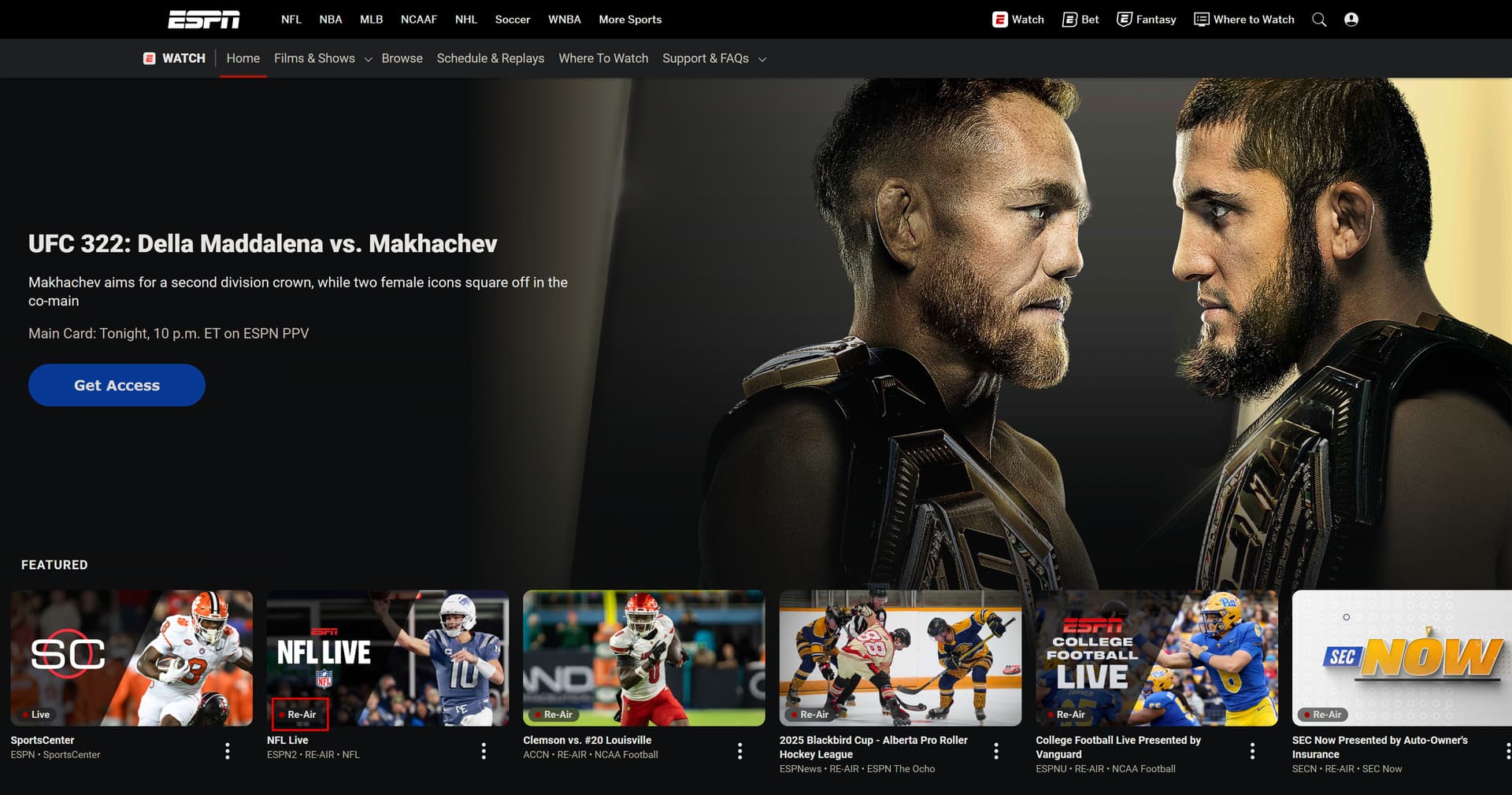
found it .. there is a boolean "isReAir" in the scrape. i'll add to DB and use that for the "live" logic as well, and add to filtering.
i'm not 100% throwing the towel in on this. now that I know the "isReAir" i'll keep seeing if we can find any new schema from that URL.
1 Like
Can confirm that editing filers.ini doesn't work. I'm still getting ESPN stuff along with PPV stuff (which I don't care for)
I also tried increasing the lanes and that didn't work well as I still get 40 lanes instead of 100
EDIT: Ok, solved the lane problem by deleting the sql file and restarting container
I should have thought through that. I added a feature called ‘stickiness’ into the original planning logic. Essentially, if you ran a fresh refresh of the DB/plan, it keeps it static for the next 6 hours. The thought was if you refreshed too often, the XML would get out of sync from the resolver (that sends the channel to the appropriate Streamlink).
When you set a new filter, it does work. But it doesn’t override the stickiness in that 6 hour time frame.
Anyway, I’m adding a way to override that in cases of new filtering. Yes, deleting the DB is an easy fix but end users shouldn’t have to do that - I should make that part of progress.
Good feedback— thanks.
1 Like
May I suggest putting the filters instead as an environment variable option.
That seems much easier just doing that instead of messing around with ini files (and hoping and praying it sticks)
+1
2 Likes
I’m curious… which sql file you deleted? Did you get 100 channels after doing this?
Thanks!
I have not been able to get anything working with the filters. Adding a $hitload of lanes helps.
Working on some of my Passes and Channel collections noticed a couple of things that might be good to add to the enhancement list after the current priorities.
- The "Live" and "New" tags are used in collections. Currently these are loaded as categories from the epg.xml I think.
- Categories are limited to a specific list in Channels, so I could not use them to select in a pass. I did find that genres were less restrictive and could use them to select from the categories from the epg.
Not sure how all that is supposed to work, but the ask would be to align tags, categories, and genres better to how Channels expects them for consistency.
BTW, watching a couple of games this weekend, the video quality looks better and it definitely is better handling the ad injections that were always sketchy with eplustv.
Thanks
You have to delete the db file thats in the data folder after you change the amount of lanes to 100
Yep fixing up tags now. Next release will be much more aligned.
Also filtering does work, I just didn’t lay out a great user experience for it. Just delete the whole Sql file in the Data folder for now and restart container. I’ll tighten that process up. I’d assume people won’t be filtering every week something new but would like to eventually do a config webpage to make it easier.
I think I have something else going on with the filters. I tried deleting the sql file with no luck. It certainly worked to add additional lanes, but I am probably doing something wrong with the filters.
looking forward to the next release!
1 Like
Pushed update out tonight
-
much Improved XML tagging. It’s not perfect, but much better than before. Occassionaly, a show will get tagged as event, but should be relatively rare. No super clear way to get it from the API.
-
filtering for “isReAir” working. I know filtering is a chore right now - it’s my next major thing to improve for everyone. I did want to get this out “isReAir” filter out as I know the deep link on those is faulty still.
-
I suggest editing the filter.ini then deleting the SQL DB under \data for now until I can work something out easier. Then do
docker compose exec espn4cc4c bash -lc "/app/bin/refresh_in_container.sh"
- Added experimental support for CH4C outputted formatted m3u file (@bnhf has more to come on that later). I did add those in the docker compose. Let me know if that works how you expected.
I am pulling with the :latest tag but not getting the updates.
Ok, I have the most recent running, but still at a loss on the filters. It seems that no matter what I put in there I still get ESPN, ACCN and all the other networks.
Something must be messed up in my environment, but I have no clue what it could be. Is there a way to verify that the filters.ini is getting ingested?
Also, the event description has changed to just the network and no longer contains the teams just the network.
Thanks
1 Like
Confirm the process your doing.. the filters.ini is in root directory, and then u deleted the DB then did refresh in container script? Full instructions on GitHub. But again everyone I promise I’ll make it easier eventually!
That xml kicked my butt. I’ll fix the description. Good catch.
I did that...and I still get ACCN, ESPN/2/Deportes/ESPNU events which I excluded in the filters
ok i think i hear its time to fix the filtering lol... i'm on it.
so i guess it would have been helpful if i called for filtering in refresh_in_container script.......... fixed. whoops. take it out of my bonus this year 
Step 2/5: Applying event filters...
Active Filters:
Leagues: All ()
Excluding: ncaaw, women's
Languages: All ()
Excluding: es
Exclude Re-Air Events: True
1 Like