
Pluto has a lot of great programming and unfortunately is not a quality source. I've seen what you describe a number of times. The other day there clock was off by a few minutes and I missed the end of a movie. Well I've set my default pass to record longer yet I should not have to.
How do I go back to using the old Pluto Series IDs and Channel Numbers?
For example, I have a Midsomer Murders pass using SeriesID == pluto/5c7dcd8fc67ea351edc3a5c1, but now it uses SeriesID == Midsomer Murders. So it's not recognizing the episodes I have recorded. If I create a new pass, it wants to start recording all episodes over again. Thank you.
I am also having the logo problems. I read through the instructions for setting up subnets in Tailscale on Windows. For someone like myself that is not well-versed in networking and command lines it is incredibly complicated. Is there no more simple solution for those of us that aren’t network savvy? I am using Tailscale for my remote streaming CHDVR set up and the only reason I was able to do that was Google AI.
hey .. I cleaned up the XML output to be more compliant with XML standards. I wasn't aware that it'd affect recordings. I will restore that tag in next version.
1 Like
Awesome! Thank you so much. I appreciate you.
I recommend for anything you want to record from FAST stations that are using XML guide data (as opposed to Gracenote data that has real IDs) to not use the SeriesID, but modify the pass to just search for the Title contains:
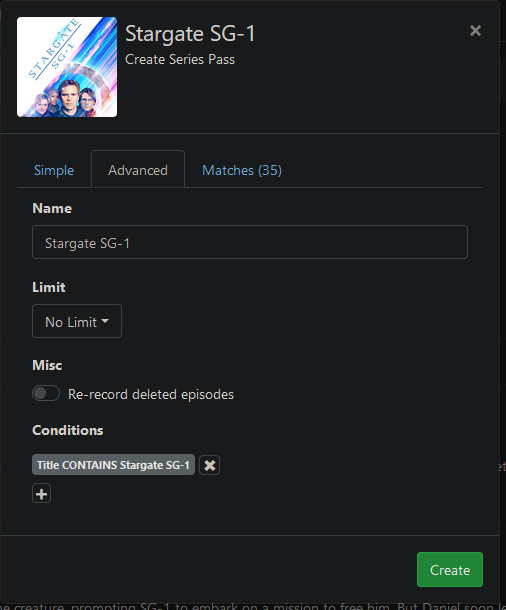
This method is way more reliable and you don't have to worry about Pluto one day just randomly changing that 5c7dcd8fc67ea351edc3a5c1 string to something else. From experience, this happens! Here's a post that goes into a lot more detail around this:
Further, I generally put in SeasonNumber != 0 and EpisodeNumber !=0. That should get rid of stray episodes without the right metadata.
Hello babsonnexus, thank you for replying. While that is an interesting idea for moving forward, that does not solve my current issue. I have hundreds of movies and series recorded off of Pluto using the OG Maddox method from years ago. Some series have 100s of episodes in total that are missing a few episodes here and there. Additionally, I cannot see which movies and episodes have been recorded/not recoded because of this change. Maddox is pointing to this solution and is not maintaining his guide anymore. Having the option to use the Pluto SeriesID would resolve all of these items. Thanks again.
This is a great help to me. I have always wondered how to eliminate those "stray episodes". Thanks for the tip!
Your scraped guide data is more accurate than the gracenote listings for the C-SPAN3 channel

Can you add guide data scraping for the other C-SPAN channels
https://www.c-span.org/schedule/?channel=1
https://www.c-span.org/schedule/?channel=2
That way I can use your scraped guide data (updated hourly) for the three C-SPAN TVE channels (6007, 6008 & 6009), instead of using the inaccurate default gracenote guide data.
maybe a bit out of scope for FastChannels, but I could probably whip something up for you (similar to my Hallmark EPG i provide).
Oh, OK.
I thought since you added C-SPAN 3, that C-SPAN 1 and C-SPAN 2 would be just as easy.
Trying one last time for now on the DRM channels. I tried to add a few Amazon channels I wanted. I ran the test. Got the message about the browser needing a secure context, but I have changed the flag in chrome as suggested and the actual test seems to work with Amazon:
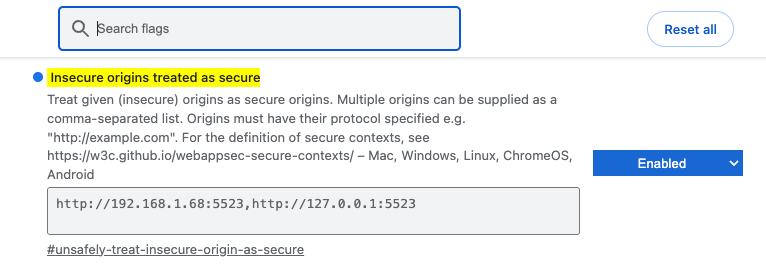
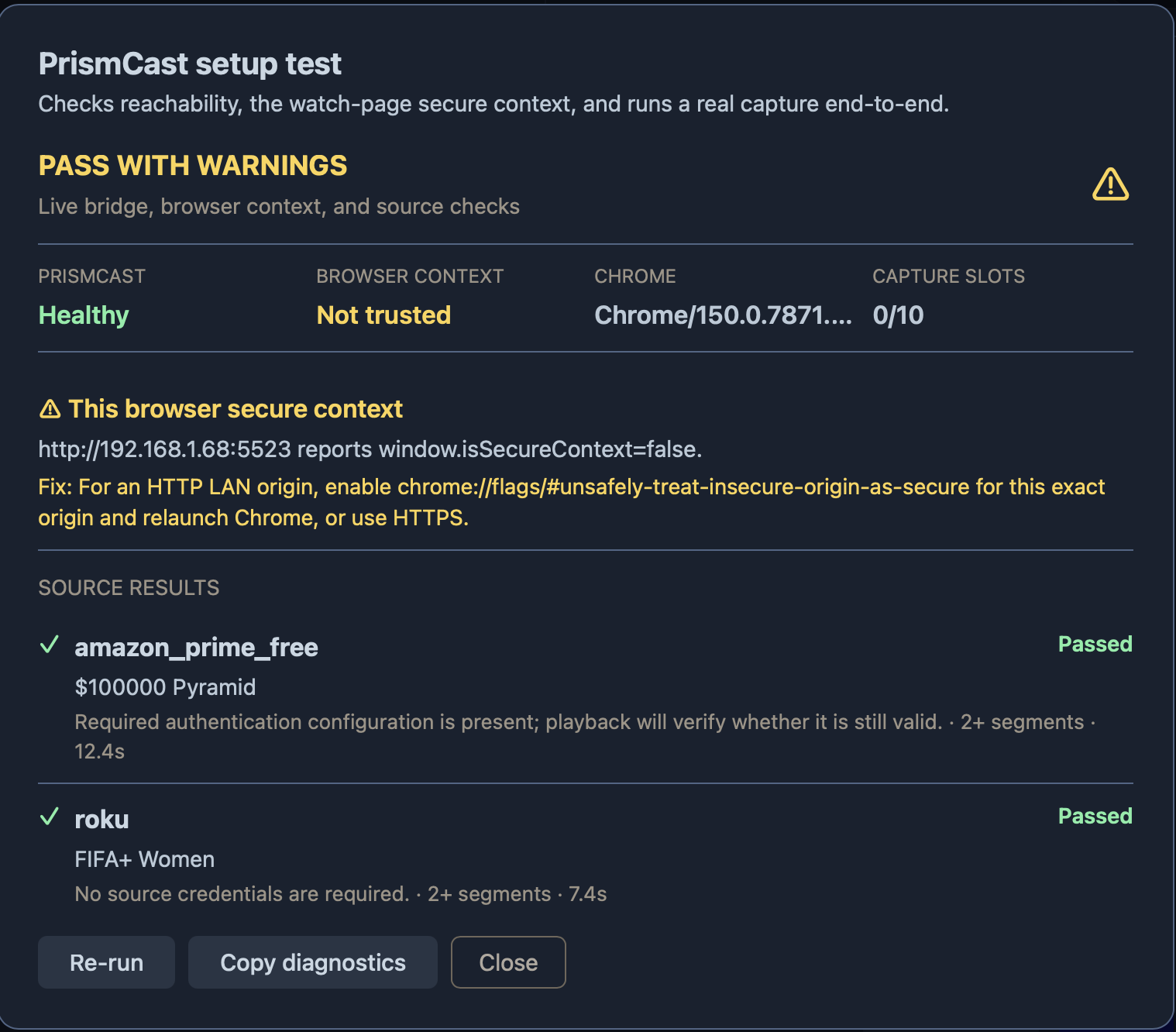
I made a feed with those Amazon channels but the button to add the feed to the DVR is grayed out.
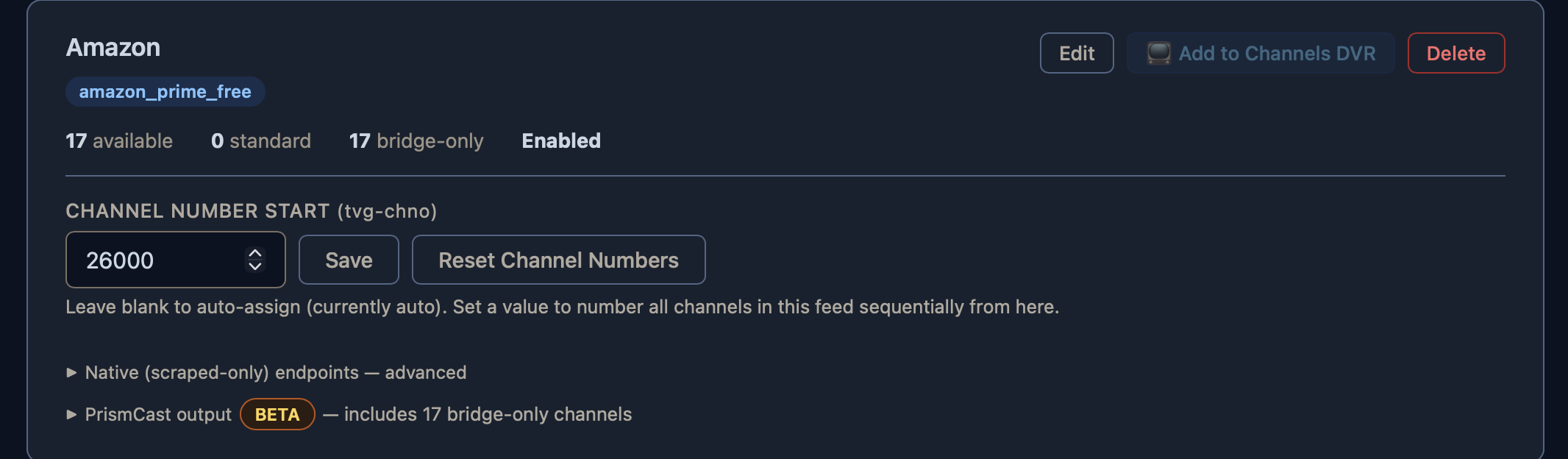
Is it grayed out because the DRM channels are still not able to be added despite success on the test? I'll probably just table trying to add these for the time being, but wanted to make sure there wasn't something different I was missing.
1 Like
See at the bottom where it says PrismCast output? Click the arrow to the left to expand it. That's where you add it to Channels.
3 Likes
FastChannels 5.0.0 — What's New
Headline: TV Everywhere (TVE) support BETA
FastChannels can now pull cable/satellite-authenticated channels using your TV provider login (Adobe Pass / "TV Everywhere"), the same tech Xfinity/Cox/etc. use to let you watch cable channels in their own apps. Sign in once with your provider and it cascades across all the networks below automatically.
I know CDVR handles this currently, but with more and more moving to DRM, I decided to add support so when the inevitable DRM switch gets thrown, there's a backup. The goal was to at least have a DRM-Bridge option for users. If CDVR TVE works for you currently, I would leave it there inside CDVR. This is currently only tested with Cox authentication, but I'm open to adding more support - but would need users to provide credentials to me. DM me if interested.
New channels/sources:
- A+E Networks TVE — History, A&E, Lifetime, FYI
- AMC Networks TVE — AMC, BBC America, IFC, WE tv
- Discovery TVE — Discovery-family TVE channels
- FOX TVE — Fox News, Fox Business, Fox Weather, FS1, FS2, FOX, Big Ten Network, FOX Deportes, FOX Soccer Plus
- FOX One TVE — FOX's direct streaming product (own sign-in, unlocks paid FOX Sports channels)
- NBCUniversal TVE — local NBC, NBC News NOW, NBC Sports Now, Bravo (+ Vault), Real Housewives Vault, Telemundo digital feeds, NBC Universo, NECN
- Warner Bros. Discovery TVE — TBS, TNT, truTV
- PBS (non-TVE) — clear local PBS stations, plus an opt-in DRM-bridge mode for PBS/PBS KIDS stations that need it
All of these are off by default — head to Settings → TV Everywhere to sign in and turn them on. Most share one sign-in; a couple (FOX One, PBS DRM) are configured separately.
Playback fixes
- Fixed a DirecTV PrismCast "Failed to start stream" bug some users hit
- Fixed Roku streams occasionally getting stuck with no audio/video (license error) for up to 5 hours after a bad response
- Philo streams stay closer to true live now, with smoother recovery from buffering
- Restored in the guide data — if your DVR (e.g. Channels DVR) was losing track of recording series and falling back to matching by title, this fixes it
Channel numbers
- Locking a channel number now blocks conflicts instead of silently letting two channels share one
- Red "conflict" numbers now explain what's wrong on hover
- New "Lock All" button on the Feeds page to pin your current numbering in one click
Smaller fixes
- Fixed some Xumo radio channels and Plex sports/news channels getting mislabeled as "Movie"
- C-SPAN's overflow/event channels have clearer names and more accurate live guide data
- Assorted guide-data (tvtv/Gracenote) reliability fixes for channels that weren't getting matched before
- Settings & Sources page reorganized for easier navigation
- Added experimental support for MPEG-TS output for DRM-Bridge channels (as opposed to HLS).
- Added experimental support for
tvc-stream-timestamps="rewrite"to generated M3U entries for Channels DVR. This may help recordings with bad durations or timestamp corruption, but can affect in-progress playback on some streams.
6 Likes
Excuse the simple question from a novice. Is there an easy eay or script to ipdate fastchannels? My last update caused a little chaos, and restore worked ok, ut assimed there may be an easy few lines to update the virtual image on docker and restart.
I love fastchannels. Solved my BBC News guide issues and more. I did one stupid thing to de-dupe channels once which screwed up my CDR channel guide lists so readded dupes for sone channels.
This shows my novice lack of a abilities.
How did you deploy it? I deploy/update through Portainer and it's easy.
1 Like
If you have FastChannels in docker, you can install Watchtower. You run it when needed from inside docker and it will update for you (and update everything else too).
1 Like
Looking forward to doing the update tonight. I was running into an issue yesterday where lip sync was way off on Frndly channels. The longer a show played, the worse it got. I haven't tried troubleshooting; it's the first time I've seen an issue. I was also doing a bunch of work on the network infrastructure yesterday and I haven't verified all my interfaces yet.
I mentioned this interesting project here and how it works with FastChannels:
The developer @AnalogTV chimed in, and has now added FastChanels and Plex integration to the mix!
https://reddit.com/r/appletv/comments/1vh3hxj/_/p2rq625/?context=1