
So these are all feeds that get pulled into one collection in CDVR or do you need multiple collections? Or are the descriptions (Anime, Food, etc) just an attribute for a single collection of channels?
So if I wanted to view DTV Stream channels, The Firestick would need Kodi and DTV Stream installed? Or is this only for DRM streams in Fast Channel services?
1 Like
I need some help getting Hallmark channels via Frndly
working in Channels. I've done all the configuration and it's working in the FastChannels web admin page - the video plays fine when I select Play Here. It also works in VLC, but when I go to play it in Channels it says invalid format. I am not sure where to look.
1 Like
It just creates more custom sources on CDVR.
Then, if you’re like me, I love the Channels Collection feature on CDVR. I create the channel collections on the admin page, then my clients can view the categories in the guide.
Make sense?
I suspect those are DRMed. Run a stream audit on Frndly and it’ll tell you.
If they are, you will have to investigate PrismCast DRM bridge, and/or ADB tuner stuff.
Are you trying to use the WebUI in a Chrome browser (or derivative)? Try switching to Firefox or Safari, as the error you're describing sounds like a known issue with Chrome.
in Channels, make sure in the custom source that you are using hls
All FRNDLY channels are in HLS.
I checked the channels in question ad all seem to be in the clear.
it PLAYS in the browser on the server it's running on - just not in channels.
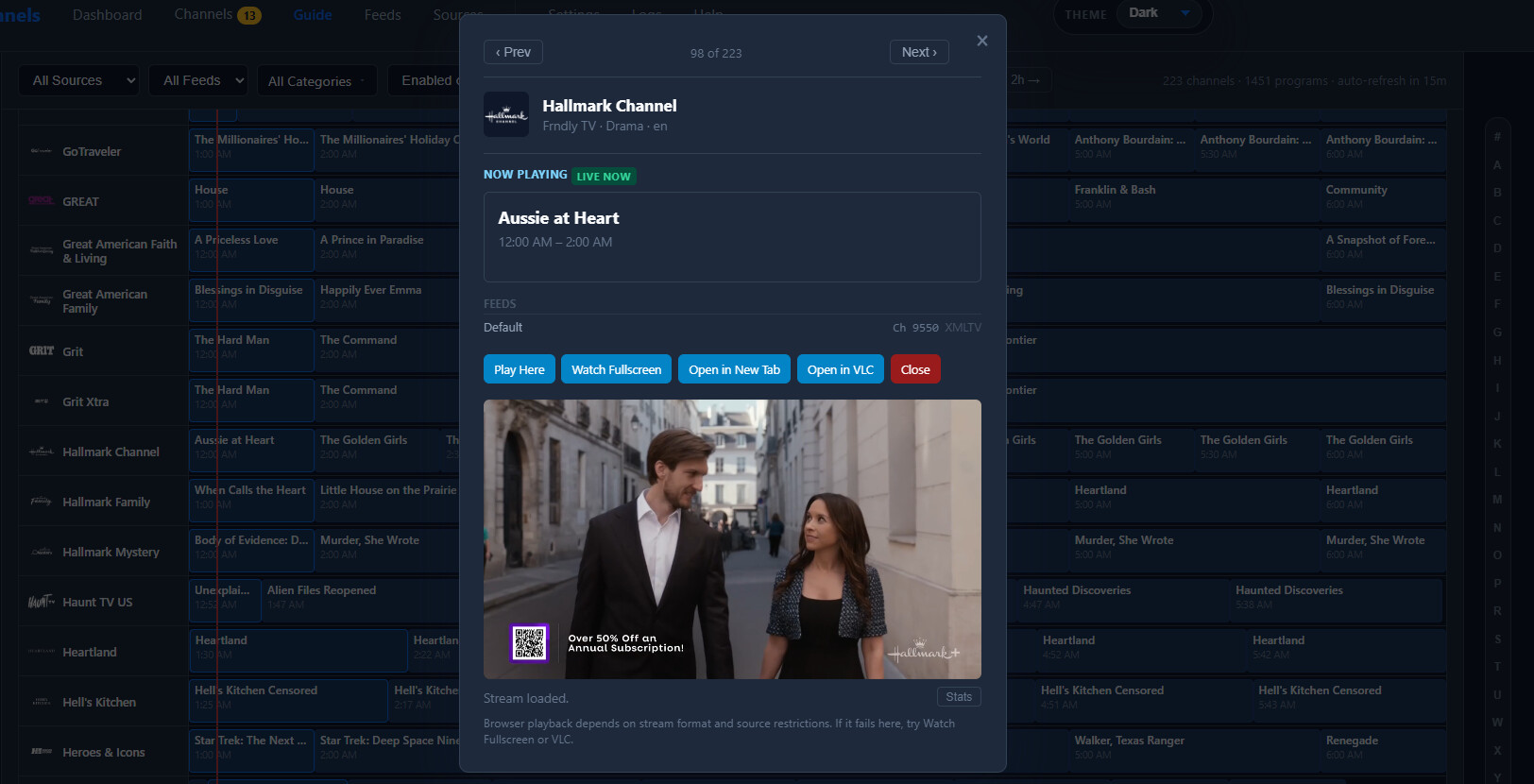

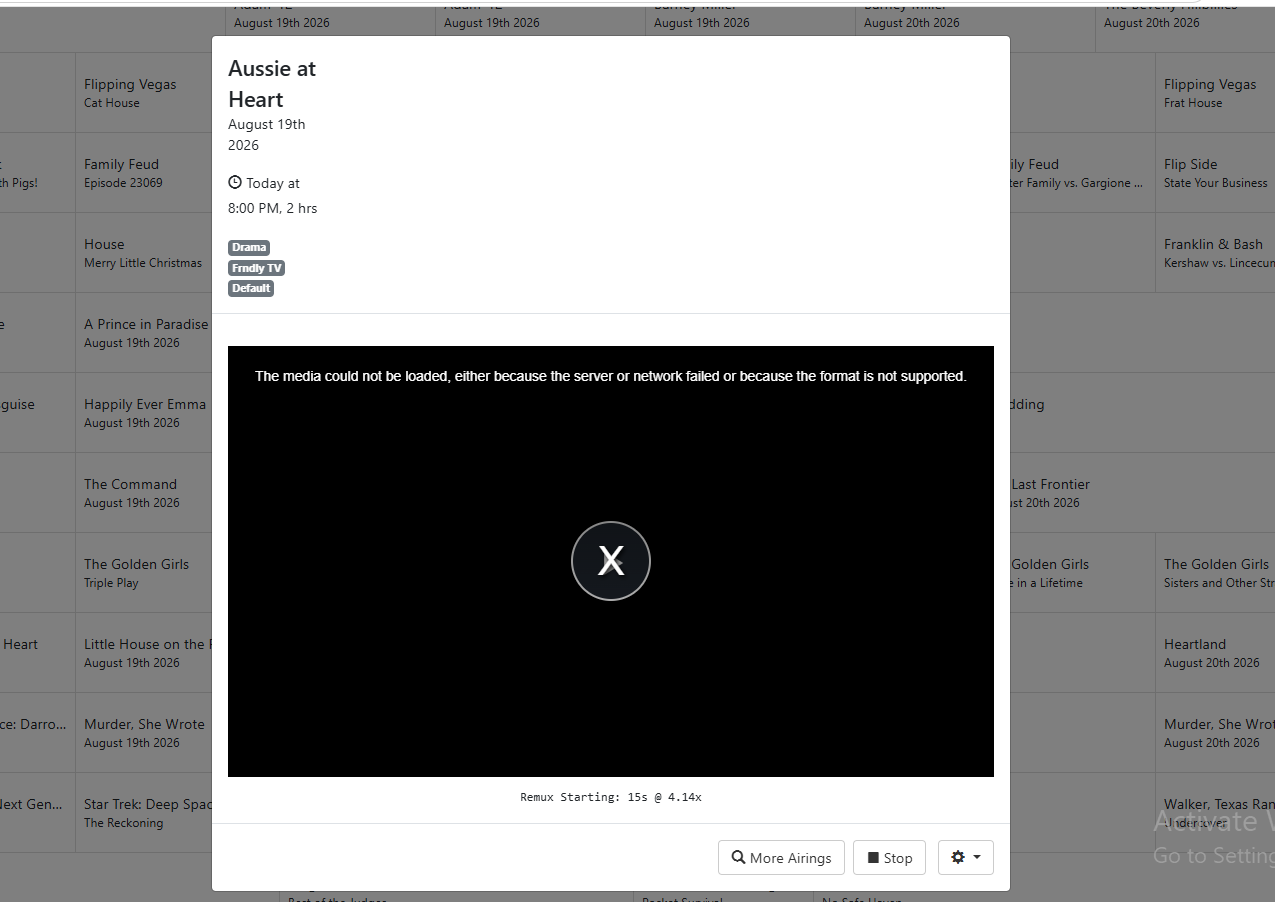
Stream audit is ok for all scanned channels. Some of the Frndly channels do play just fine. Here is my Channels setup (actual IP used):
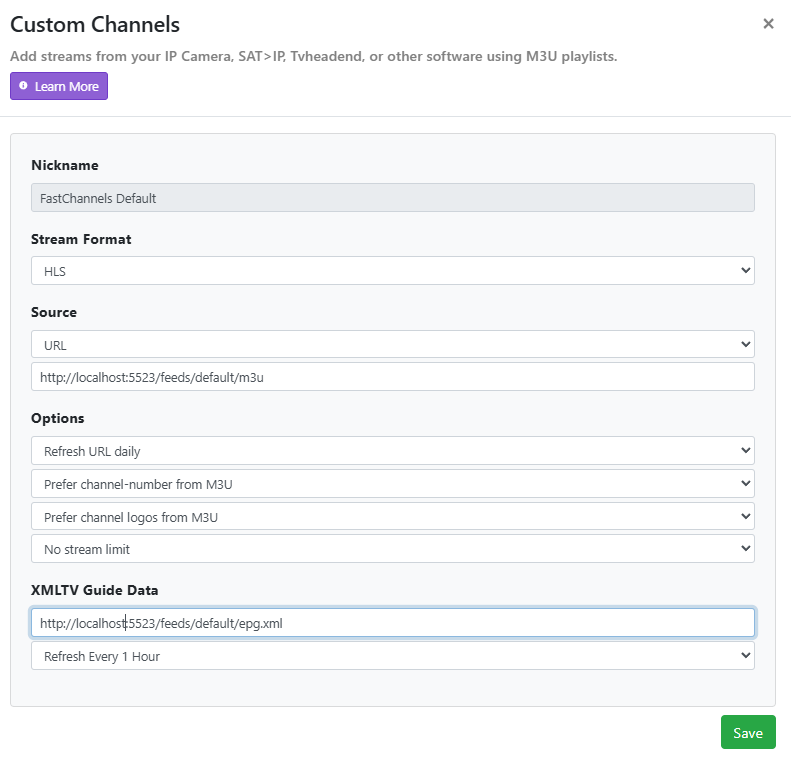
i'm seeing where it says/m3u rather than .m3u
in docker desktop Click on settings click resources, network and Choose enqble host
Might have better lock if you use the local ip or just use 127.0.0.1 to connect channels to your output.
thanks
Probably best to make sure
Sorry, not sure. I don't have Frndly creds to test with at this time.
Can anyone else on here with Frndly creds confirm if Hallmark works? @chDVRuser you've been quiet recently. don't you have Frndly?
Follow the advice of bnhf and use a non-chromium browser, or watch it on a Channels client.
It's not DRM.
This looks to me like you're trying to play this channel using a Chromium-based browser. This is a known issue. Trying using Safari or Firefox to use the Channels WebUI, or try a full Android or ATV Channels Client.
Maybe you missed my previous post to you about this?
Got it. I use CVDR channel collections but just with a single feed of all my favorites. Then a collection for DTV TVE stations and one for all of Pluto.
Editing this because I now see that most of my questions have been addressed. So leaving just the one: This looks like a device I already have (I might have 2 of them, actually - they look like the $10 one that shows on the same page with the one you linked): I can plug the HDMI output of a Firestick, Roku, etc., into it and then connect to my PC via USB, and have used it occasionally for grabbing stuff manually off of one of the media sticks.
I had thought that things like the Link-Pi did something network-ish that was needed for stuff like ADBTuner. But if all that's needed for your setup is a plain HDMI-to-USB connection, that's even better!
Please keep us posted on progress with this!!
Last I checked, Firesticks were kind of a pain to side-load stuff (the newer ones even more so, from what I've heard). I think I had to install a recommended file-manager via the main store, and jump through a couple more hoops. I guess it's time to study up again on the process since it's been a while since the last time I messed with it.
For people with the Onn devices, are they less of a pain to sideload?
That is exactly it! It's working on the AppleTV client now. I did have to make a change so the port would be open to the network and I could reach the ADMIN address form other PCs on the network, but I think that was a separate issue. Thank you and everyone for the quick response and follow up help. Greatly appreciated!!!
Thank you all for jumping right in to help! All good. I will be installing another browser on the media server so I can test properly going forward. FastChannels is fantastic and greatly simplifies my setup.
1 Like
Def don't buy the new Vega one - get an older 4K Max - you can pick them up for $25. I had zero issues installing Kodi. I'll include some documentation on how to do it when I get this dialed in, but honestly it took me 10 minutes to setup the stick.
About to cancel Peacock but still need our OPL fix. Does recording Reelz from Frndly via FC require DRM workaround or does it just work?
All channels on FRNDLY are in the clear.
Recording from Reelz is straight forward.
thanks
1 Like