
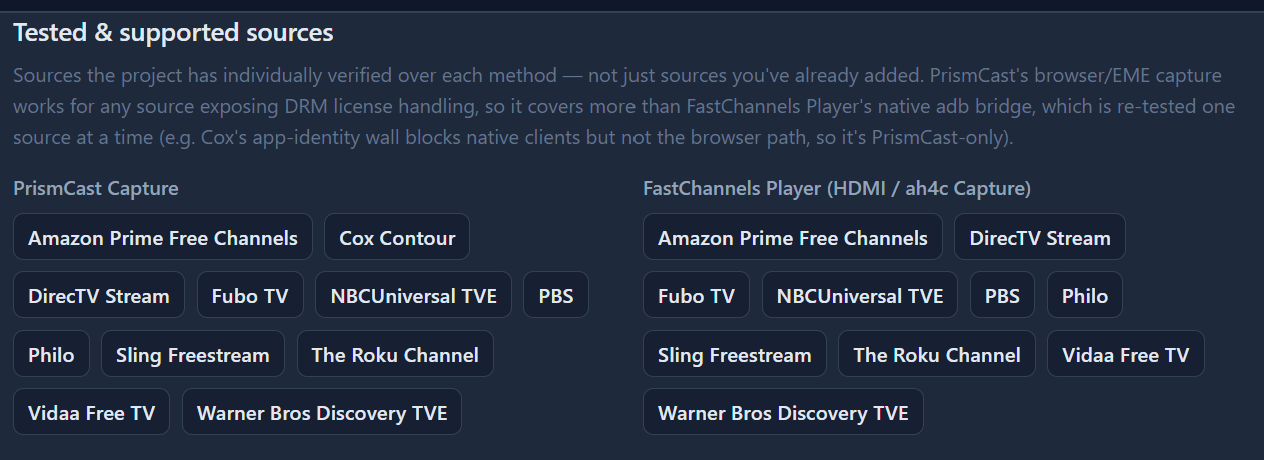
here's todays support... getting real close on a xfinity/comcast support for the hdmi bridge 
2 Likes
I've found Docker difficult to wrap my brain around as well - even for someone who had used and done light coding for 40+ years using CP/M, MSDOS, and now Windows - but have made some progress thanks to folks here and to my new best AI friend. I now have successfully installed & continue to use 2 containers: Fast Channels, and PBS VLC Bridge.
My first hurdle was just getting Docker set up on my Windows 11 machine in the first place, as there were a good many prerequisites I needed to install and configure first - few of which were straightforward. After numerous failures and backtracking (for example, how to enable WSL, which virtualizations to enable, which version of Linux should you set up on WSL - and does it matter?) I finally ended up turning to AI for help and eventually got it done, but not without much gnashing of teeth.
After that, I had to try to sort through the various ways of installing various Docker containers. Very few of the online tutorials I've found are very useful for people just trying to use containers developed by others; they seem oriented toward helping developers containerizing their creations. The installation methods I've heard about have been:
"Docker Run"
That has been the easiest to set up (once I had Docker itself working) because all I had to do was enter a supplied command. It did get more complicated when I needed to update a Docker container, because that involved several not-so-obvious steps. Fortunately, someone here had posted the list of commands that would do the job, and I have saved them in a batch file that I can run as needed.
"Docker Compose"
The instructions I've seen for these don't generally tell the whole story, and I've yet to manage to implement anything using it. Apparently you need to set up some files & folders -but instructions are not always complete on what and where. The actual command to run once you have those files & folders set up is usually just one line, but getting things set up to run that one line can be difficult. It appears that once you have something properly set up via Docker Compose, updating it is easier than if you set it up with Docker Run, but I have no idea if it's practical to try to convert from Run to Compose once everything's been set up.
"Portainer"
Many have described this as the easiest way to go, so I actually tried that first - then regretted it and doubt that I will ever use it again. I carefully followed the Portainer installation instructions, which included setting a password, which I recorded. Then I installed a container. The problem arose when I wanted to update the container, but I couldn't get into Portainer to do so. It rejected the password I had carefully recorded. In the end, I wiped out both Portainer and things I'd installed it with, and started over. I had a lot of trouble recovering my settings, even though I'd made backups, having switched from Portainer to Run.
It would be great to find a tutorial on how to set up Docker for those of us who just want to use the various containers that are on offer, but have yet to find anything that takes one from zero to 60 - they all seem to start around 50.
And it depends on what you're installing Docker on to run it.
For me on my Synology NAS, I just install their Docker package "Container Manager".
I started out using docker run, but am now using Portainer stacks (compose) to install and manage containers.
I learned docker the hard way (trial & error) Channels DVR on docker
1 Like
I worked a lot with NT back in the day...then of course DOS, Windows and a bit of C+. After retirement, I installed a NAS (QNAP) and repurposed an old WIN 11 PC with Linux. I used ChatGPT and Google AI to ask question when I had problems. I run Portainer on Linux and Channels and Prismcast on a Win 11 cheap box from Amazon. I have managed to get ABDTuner, AH4C, FastChannels, Plex, EplusTV all going in Portainer. I also run Home Assistant on the same Linux box in Portainer. The key is to go slow and ask questions both on this forum and AI. Make backups before changes and take it one step at a time. I was never a true IT professional but did work in broadcast technology. I would encourage you to keep trying. You will find your way.
I've primarily been a command line guy over my IT career so docker run is simple and easy with scripts to update and bounce the containers.
I bounce all my containers every night because pretty much all of them flake out at some point. FC and FDL, for example, will start returning http 500 internal server error on playback after a week or two. EplusTV will start failing Fox token auth after a few weeks.
Been too lazy to pull the logs lol.
I use Lubuntu and install portainer. I think the easiest way to get going is to install @bnhf's olivetin tool after installing portainer
Or install Olivetin-EZ Start
please send me logs when you see this. can't fix it if I don't know about it!
I'm missing guide channel names and logos on all of my FastChannels channels, but only on my FireSticks and my Android phone. They show up fine on my Windows 11 server. I'm sure they were working before I changed machines and upgraded from Windows 10 to Windows 11.
I just updated versions of FastChannels, ChannelsDVR server, and ChannelsDVR Android client.
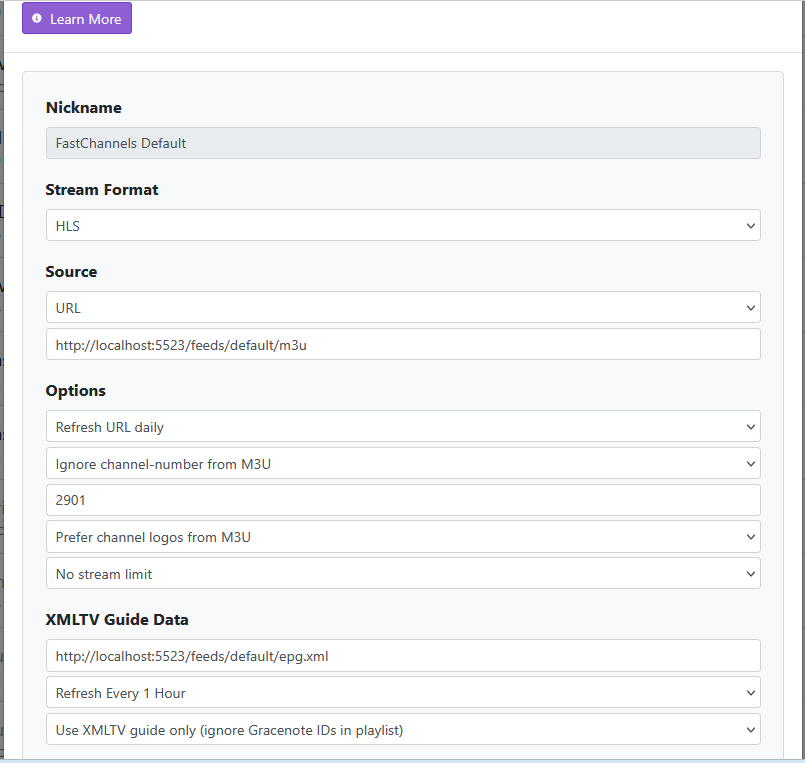
Any idea as to what is wrong?
yes - show us this config setting from FastChannels settings page:
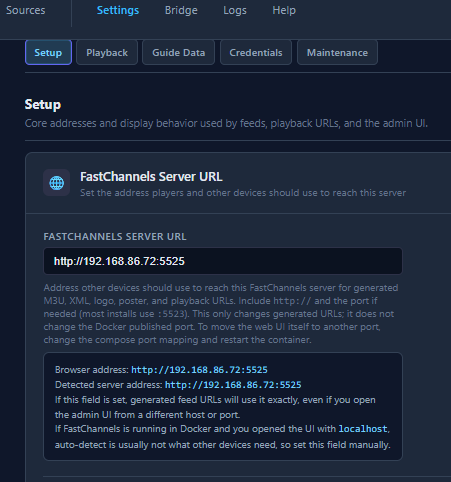
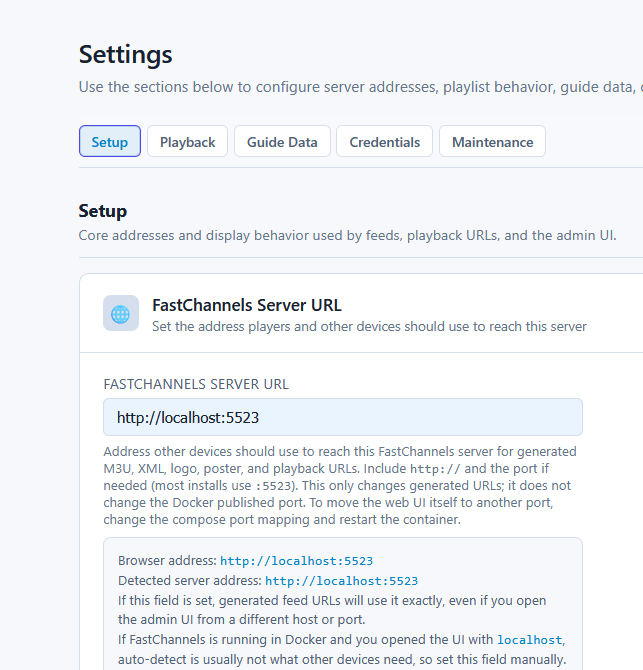
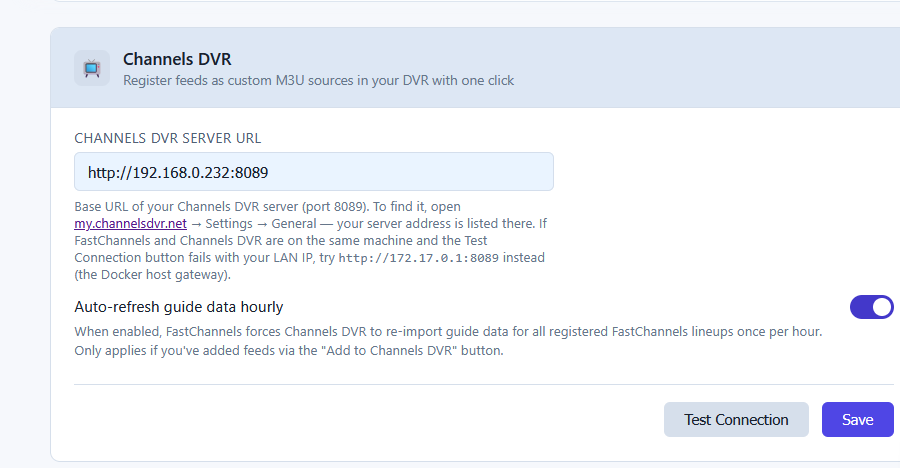
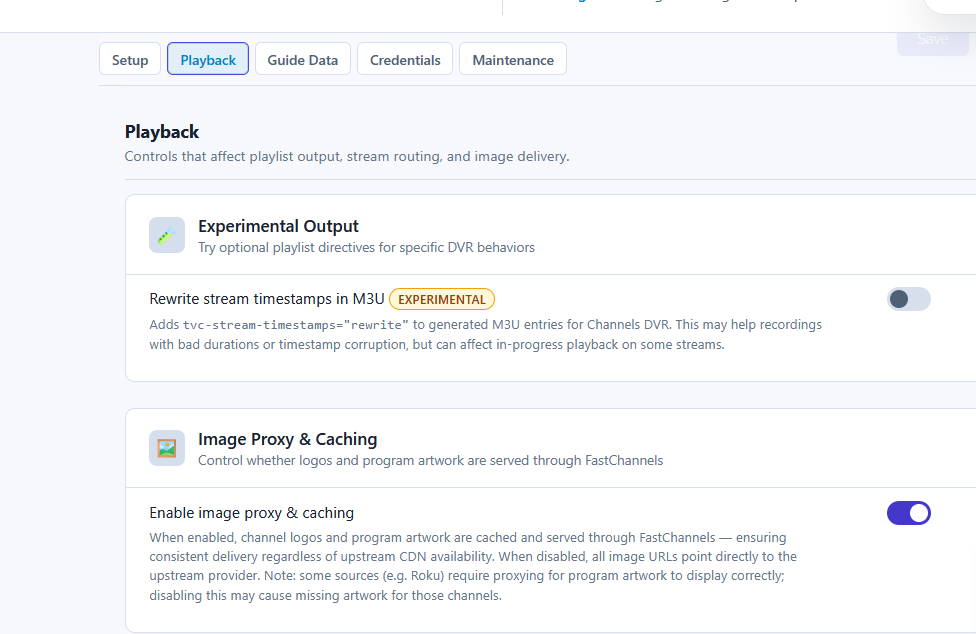
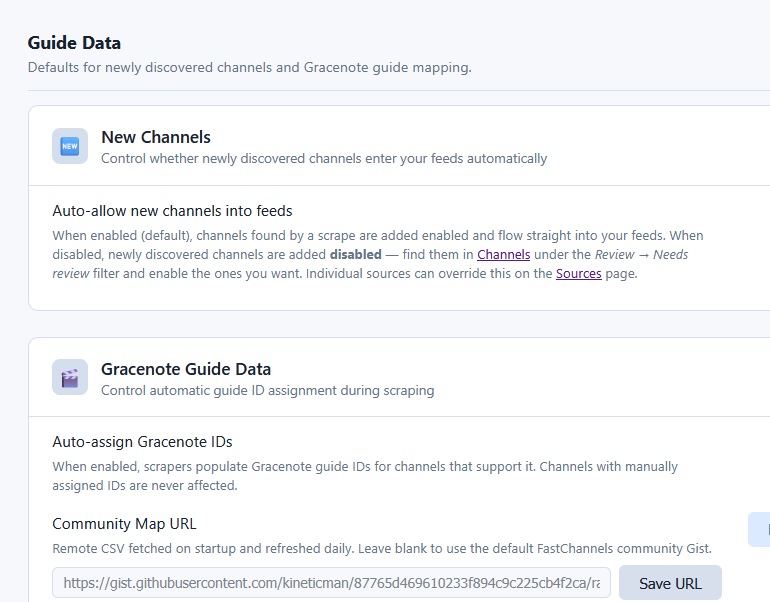
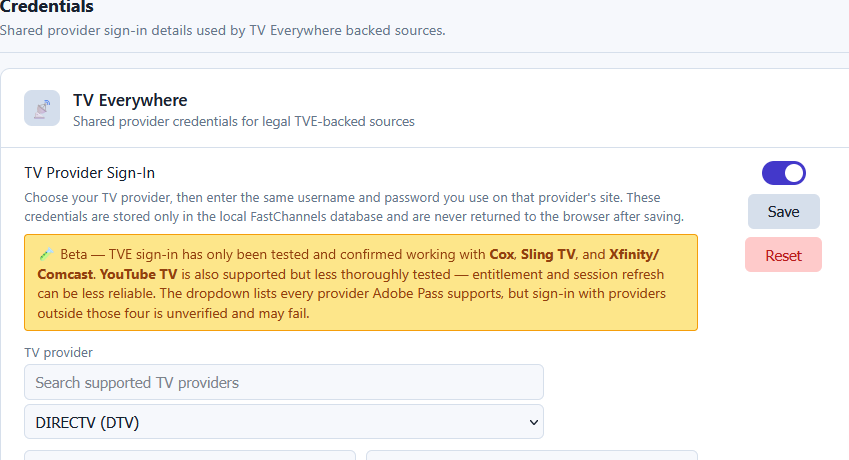
the help text explains it, but you can't put localhost:5523 there. it needs to be the actual lan IP of your FC player. for example, mine is http://192.168.86.28:5523
1 Like
So I tried to change from the single encoder method to ah4c, downloaded the scripts, changed the streamer_app to scripts/firetv/fastchannels, but no go. Below are what I think are the relevant portions of the ah4c logs. Any idea what I'm doing wrong?
2026/09/14 10:19:26 [EXECUTE] Stderr: '+ STATION=FS1HD~f86aec47-ea18-4de2-8f67-38384c91102a

+ TUNERIP=192.168.88.113:5555

+ SOURCE=FS1HD~f86aec47-ea18-4de2-8f67-38384c91102a

+ CHANNEL_ID=FS1HD~f86aec47-ea18-4de2-8f67-38384c91102a

+ declare -i COUNTER=0

+ declare -i FAILSAFE=0

+ STATUS=notplaying

+ echo '[STARTING] bmitune.sh FS1HD~f86aec47-ea18-4de2-8f67-38384c91102a 192.168.88.113:5555'

+ '[' -z FS1HD~f86aec47-ea18-4de2-8f67-38384c91102a ']'

+ '[' -z FS1HD~f86aec47-ea18-4de2-8f67-38384c91102a ']'

+ '[' FS1HD~f86aec47-ea18-4de2-8f67-38384c91102a == FS1HD~f86aec47-ea18-4de2-8f67-38384c91102a ']'

+ echo '[ERROR] Could not parse source/channel_id from STATION='\''FS1HD~f86aec47-ea18-4de2-8f67-38384c91102a'\'' — expected source:channel_id'

+ exit 1

'

2026/09/14 10:19:26 [EXECUTE] Finished running ./scripts/firetv/fastchannels/bmitune.sh in 2.810754ms

2026/09/14 10:19:26 [ERR] Failed to run start script: exit status 1
You're using the FastChannels scripts, but not the M3U from FastChannels.
1 Like
So the m3u I use (which has my Los Angeles satellite channels) for the single encoder won't work for ah4c?
Thanks much. All is working. Converting everything over to a new machine and operating ststem has fried my brain.
Here's what a proper CDVR Custom Channels Source looks like when using the FastChannels ah4c bridge:
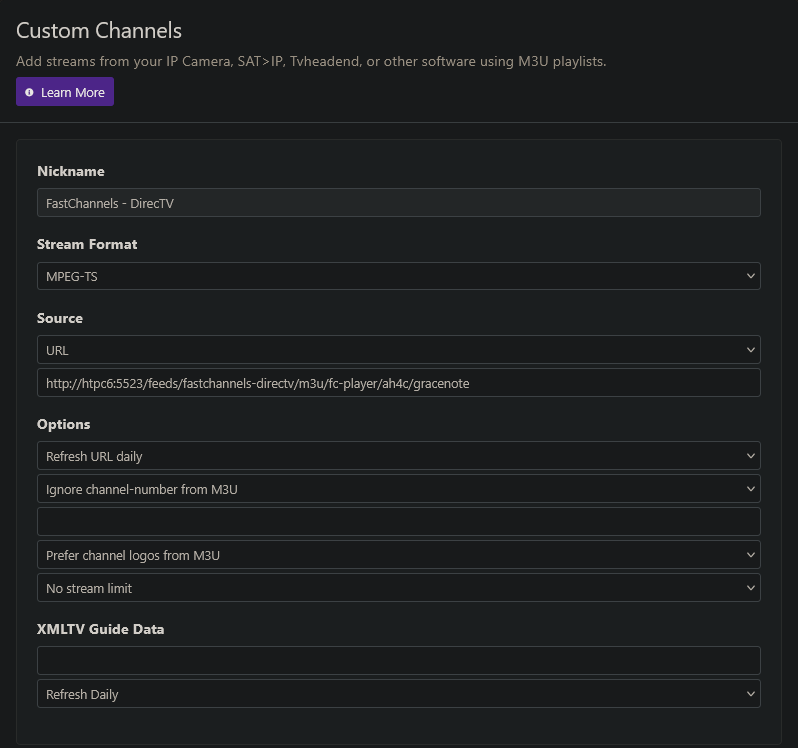
Can you post a screenshot for the Custom Channels Source you're using?
The channel ID in the partial tuning log you posted, isn't the correct format for either the HDMI Capture or ah4c bridge through FastChannels. What you posted is in the <callsign>~<deeplink> format. FastChannels doesn't use deeplinks.
worth mentioning.. I recommend using the "add to channelsDVR" auto function from feeds. theres one for AH4c and one for single-encoder bridge.
Thanks for all your work! I've dream't of having something like this to tack onto Channels SRV. I'm having one issue. I've previously had both uk and US versions of Pluto, and even though I've highlighted both US and UK options in fastchannels I appear to only be getting the US channels. Are we sure we dont have to login to Pluto in fastchannels? I had to on my previous solution (pluto for channels). Thanks. Al
I was looking for that button, but there is no output showing. The post health check says I need to run a stream audit which I've done multiple times.
1 Like
What does the current Custom Channels Source you're using for FastChannels-DirecTV look like? Can you post a screenshot?