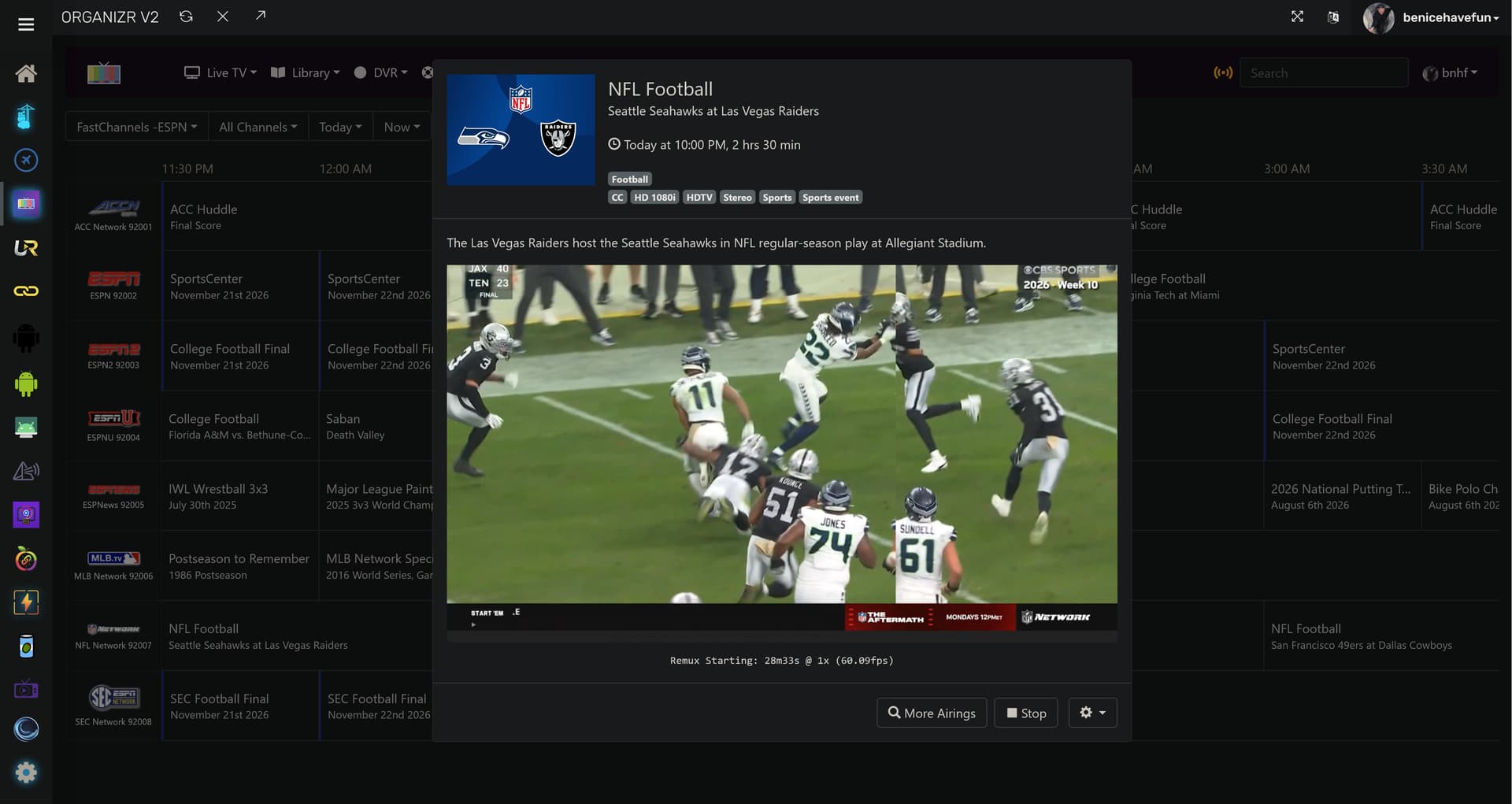
Well I was lucky as I got it mid 2024 and then maxed it's ram while the prices were still (normal) low. It seems to work well.
Host Profile: mini-t (Channels DVR Core & Storage Host)
A comprehensive architectural specification and operational profile for a dedicated, energy-efficient Channels DVR host. This profile outlines hardware configuration, BIOS and power tuning, direct-attached storage (DAS) stability solutions under Linux, and volatile RAM transcode disk configurations for high-throughput streaming.

1. Hardware & Platform Specifications
The core server is built on a compact AMD Ryzen mini-PC platform selected for its balanced 8-core/16-thread multi-core throughput, integrated 2.5 GbE networking, and quiet 15W sustained power envelope.

Component	Specification	Operational Notes
System Model	AOOSTAR R7 (OEM: TianBei WTR PRO)	Motherboard identifies as TianBei WTR PRO; BIOS v0.33
Processor	AMD Ryzen 7 5700U	8 Cores / 16 Threads (1.80 GHz base, up to 4.30 GHz boost)
System Memory	64.0 GB DDR4	3200 MT/s Dual-Channel
Host Storage	2 TB M.2 PCIe 3.0 TLC NVMe SSD	OS root (/), home (~), and application databases
Operating System	Zorin OS 18.1 Core (Ubuntu 24.04 LTS Base)	X11 (Xorg) Windowing System
Linux Kernel	7.0.x-generic	Modern kernel branch with optimized AMD P-State EPP drivers
Primary Network	2.5 GbE Intel I226-V Controller	Hardwired to core 2.5 GbE backplane (MAC: XX:XX:XX:XX:XX:XX)
2. Storage Architecture & Drive Matrix
The storage topology combines fast internal NVMe flash for application databases and operating system files, a dedicated direct-attached storage (DAS) enclosure for mass recording capacity, and an allocated volatile RAM disk for live HLS transcoding buffers.

2.1 Physical Disk & Mount Map
Block Device	Role	Drive Specification	Mount Target	Filesystem
/dev/nvme0n1	OS & Databases	2 TB M.2 NVMe SSD (Serial: <REDACTED>)	/ and /home/<user>	ext4
/dev/sda1	SnapRAID Parity	12 TB Seagate IronWolf Pro CMR (Serial: <REDACTED>)	/mnt/parity1	ext4
/dev/sdb1	Pool Data 1	12 TB Enterprise HDD (Serial: <REDACTED>)	/mnt/data1	ext4
/dev/sdc1	Pool Data 2	12 TB Enterprise HDD (Serial: <REDACTED>)	/mnt/data2	ext4
tmpfs	Transcode Cache	32 GB Volatile RAM Disk Buffer	/dev/shm/Streaming	tmpfs
mergerfs	Unified Pool	22 TB Aggregated Capacity (data1 + data2)	/mnt/storage-pool	MergerFS
Storage Pool Configuration: Data drives (data1 and data2) are pooled into a unified 22 TB virtual volume at /mnt/storage-pool using MergerFS.

Parity Protection: Parity calculations are handled out-of-band by SnapRAID using the dedicated 12 TB parity drive. SnapRAID provides bit-rot protection and single-drive failure recovery without requiring real-time drive striping, allowing inactive data drives to remain completely spun down during single-stream playback.

Persistent Mount Flags (/etc/fstab):

# MergerFS storage pool combining data1 and data2 with systemd ordering guards
/mnt/data1:/mnt/data2 /mnt/storage-pool mergerfs defaults,cache.files=partial,symlinkify=true,dropcacheonclose=true,x-systemd.requires-mounts-for=/mnt/data1,x-systemd.requires-mounts-for=/mnt/data2 0 0

# Dedicated RAM disk buffer for Channels DVR HLS streaming segments
tmpfs /dev/shm/Streaming tmpfs rw,nodev,nosuid,size=32G,mode=0777,uid=1000,gid=1000 0 0
Streaming Transcode Link: The transcode buffer directory is symlinked directly into the pool:

sudo ln -s /dev/shm/Streaming /mnt/storage-pool/DVR/Streaming
2.2 Storage & Channels DVR I/O Performance Baselines
Benchmarking across the storage subsystem confirms sustained throughput without mechanical bottlenecking:

Channels DVR Troubleshooting Disk I/O: 9.8 GB/s sequential write and 21.1 GB/s sequential read measured through the Linux page cache and MergerFS mount (/mnt/storage-pool/DVR).
Direct Uncached Disk I/O (O_DIRECT): 159 MB/s write and 165 MB/s read measured directly across 12 TB enterprise platters in the external Syba DAS.
Active Transcode Footprint: Live multi-stream playback maintains an active footprint of ~15–18 MB within the volatile RAM buffer (61–75 MB Kernel Shmem), eliminating all random disk write cycles during active playback.
3. Storage Enclosure Stability: Solving USB DAS Sleep & Bus Drops
A critical engineering challenge when running a multi-bay USB 3.2 Gen 2 direct-attached storage (DAS) enclosure (such as the Syba 8-Bay USB-C enclosure powered by ASMedia bridge silicon) is preventing bus resets and unprompted sleep states.

3.1 The Windows vs. Linux Architectural Difference
The Windows Limitation: While the enclosure operated reliably under early Windows releases, a cumulative Windows update introduced changes to the USBXHCI/UAS (USB Attached SCSI) driver stack. Despite updating the host motherboard BIOS to v0.33 and flashing custom ASMedia bridge firmware to disable power-saving states, Windows frequently encountered USB bus resets and controller dropouts under sustained I/O.
The Linux Resolution: Migrating the host to Linux permanently resolved the bus drops. The native Linux SCSI/UAS kernel stack handles continuous multi-drive streaming traffic across USB 3.2 without link instability.
3.2 Heartbeat Script to Prevent ASMedia Enclosure Spin-Down
Certain ASMedia bridge chips enforce a hardcoded 3-minute idle sleep timer in firmware, ignoring operating system power configurations. To ensure drives never spin down mid-day or drop off the bus during quiet recording intervals, an automated lightweight micro-read script runs every 60 seconds:

#!/bin/bash
# /usr/local/bin/homelab_heartbeat.sh
# Performs a small 4MB uncached read across member disk UUIDs to bypass enclosure sleep
for uuid in "<UUID_DATA1>" "<UUID_DATA2>" "<UUID_PARITY1>"; do
  dd if="/dev/disk/by-uuid/$uuid" of=/dev/null bs=1M count=4 iflag=direct status=none
done
3.3 SnapRAID Temperature Query Optimization
Standard SMART queries can sometimes trigger false sleep reports through USB-SATA bridge chips. Configuring audit_pool.sh to explicitly pass SAT encapsulation flags ensures accurate thermal and health telemetry:

smartctl -d sat -a /dev/sdX
4. Channels DVR Server Configuration & Performance Tuning
Channels DVR Server runs bare-metal under systemd (channels-dvr.service) to minimize virtualization overhead and maximize raw I/O throughput.

4.1 Transcoding & Volatile Memory Architecture
Pure CPU Software Encoding (libx264): Configured for clean software encoding. With 16 logical threads on the Ryzen 7 5700U, software transcoding achieves pristine stream quality while maintaining low CPU utilization and avoiding hardware-driver segmentation faults.
Volatile RAM Transcode Buffer: By mapping /mnt/storage-pool/DVR/Streaming directly to tmpfs (/dev/shm/Streaming), all live HLS video segments, temporary audio chunks, and trick-play scrubber files are created and destroyed in system RAM. This prevents thousands of small temporary files from thrashing spinning hard disks.
4.2 CPU Power Envelope & Frequency Scaling
To balance rapid background commercial detection with quiet, low-wattage idle acoustics:

UEFI Configuration:
15W Configurable TDP (cTDP): Locked to 15W POR in the AMD CBS NBIO/SMU menu to limit chassis heat and power draw.
Core Performance Boost (CPB): Enabled to allow dynamic frequency bursts during CPU-intensive tasks.
OS Frequency Management (cpupower-tune.service):
Governor: powersave
Energy-Performance Preference (EPP): balance_performance
Frequency Scaling Bounds: Floor at 400 MHz, ceiling at 3,000 MHz
Operational Result: The CPU scales dynamically up to 2.94 GHz during commercial detection and audio fingerprinting, then immediately throttles down to ~412 MHz at idle. Package power holds steady at 10W–13W PPT under load and ~4.0W PPT at idle, keeping operating temperatures around +55°C to +66°C with silent cooling.
4.3 Commercial Detection & Parity Exclusions
Volatile runtime and diagnostic files are excluded from SnapRAID parity tracking to prevent unnecessary parity recalculations and array bloat. In /etc/snapraid.conf:

exclude /DVR/Logs/
exclude /DVR/Metadata/
exclude /DVR/Streaming/
exclude .Trash-*/
Channels DVR's neural network commercial detection models and master database (recorder.db) reside securely on the fast internal NVMe SSD (~/channels-dvr/data/), ensuring instant guide navigation and rapid detection passes without spinning up mass storage drives.

5. Active Network & Port Map
The server maintains a low network footprint, serving local playback clients and whole-home companion services across a dedicated local subnet.

Port / Protocol	Service / Process	Purpose
8089 / TCP	Channels DVR Core	Primary Web Admin UI, REST API (/status, /dvr, /api/v1/*), and adaptive HLS playback
8089 / UDP	Channels Discovery	Bonjour / SSDP local player discovery
8080 / TCP	Companion Web Engine	Lightweight web server for custom dashboards and channel artwork
5005 / TCP	Audio API Bridge	REST API bridge relay for whole-home soundbar control
3493 / TCP	Network UPS Tools (NUT)	Master NUT server daemon (nut-server) providing UPS telemetry to client nodes
6. Scheduled Automation & Timers
Scheduled tasks are managed via systemd timers to ensure reliable, non-overlapping maintenance windows:

Cadence	Systemd Unit	Functional Scope
Daily @ 12:00 AM	deja-dup-scheduled.timer	Encrypted differential system configuration backup to secondary NAS vault (configured with Persistent=false to prevent daytime catch-up storms)
Mon–Sat @ 03:00 AM	snapraid-audit.timer	Incremental SnapRAID parity validation sweep
Sunday @ 03:00 AM	snapraid-scrub.timer	Deep block-level integrity scrub across 12% of the array
1st of Month @ 12:00 AM	frag-audit.timer	Background ext4 filesystem fragmentation audit
7. Operational Cheatsheet & CLI Reference
A collection of quick shell shortcuts and diagnostics for administering Channels DVR and underlying storage:

7.1 Channels DVR Service & Process Inspection
# Check Channels DVR service status
sudo systemctl status channels-dvr

# Live process monitoring (CPU and memory footprint)
top -p $(pgrep -d',' -f channels-dvr)

# Inspect active video processing, commercial detection, or active streams
curl -s http://localhost:8089/dvr | jq '.activity'

# Watch real-time processing queue updates
watch -n 2 "curl -s http://localhost:8089/dvr | jq '.activity'"

# Query active hardware transcode capabilities
curl -s http://localhost:8089/hls/hwaccel

# Restart the Channels DVR service
sudo systemctl restart channels-dvr

# Stream live service logs
sudo journalctl -u channels-dvr -f --no-pager
7.2 Storage Pool & Array Monitoring
# Verify MergerFS pool mount and member disk utilization
df -h | grep -E 'storage-pool|data'

# Check real-time hard drive temperatures across the DAS
sudo smartctl -d sat -A /dev/sdb | grep -i temperature

# Inspect active RAM transcode disk usage
df -h /dev/shm/Streaming

# Monitor live kernel and USB bus events for ASMedia controller stability
sudo dmesg -wT | grep -iE 'usb|ata|scsi'

# Check SnapRAID array health and parity synchronization status
sudo snapraid status

# Trigger an immediate manual SnapRAID parity sync
sudo snapraid sync
7.3 CPU Frequency & Power Verification
# Check CPU scaling governor and current frequencies across threads
cpupower frequency-info | grep -E '(current policy|boost state)'

# Monitor live CPU core scaling frequencies
sudo cpupower monitor -m Mperf

# Verify AMD boost switch state
cat /sys/devices/system/cpu/cpufreq/boost

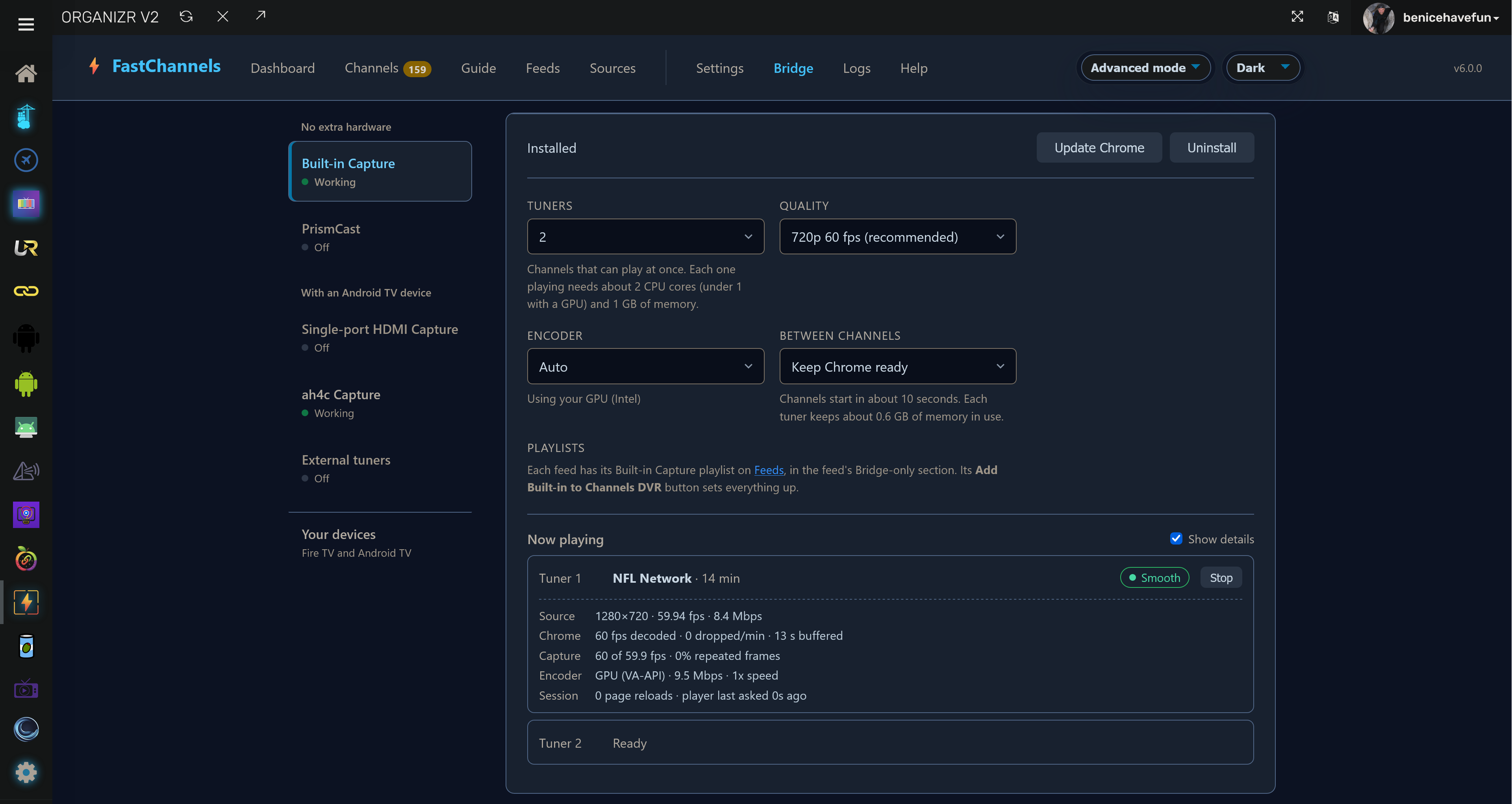
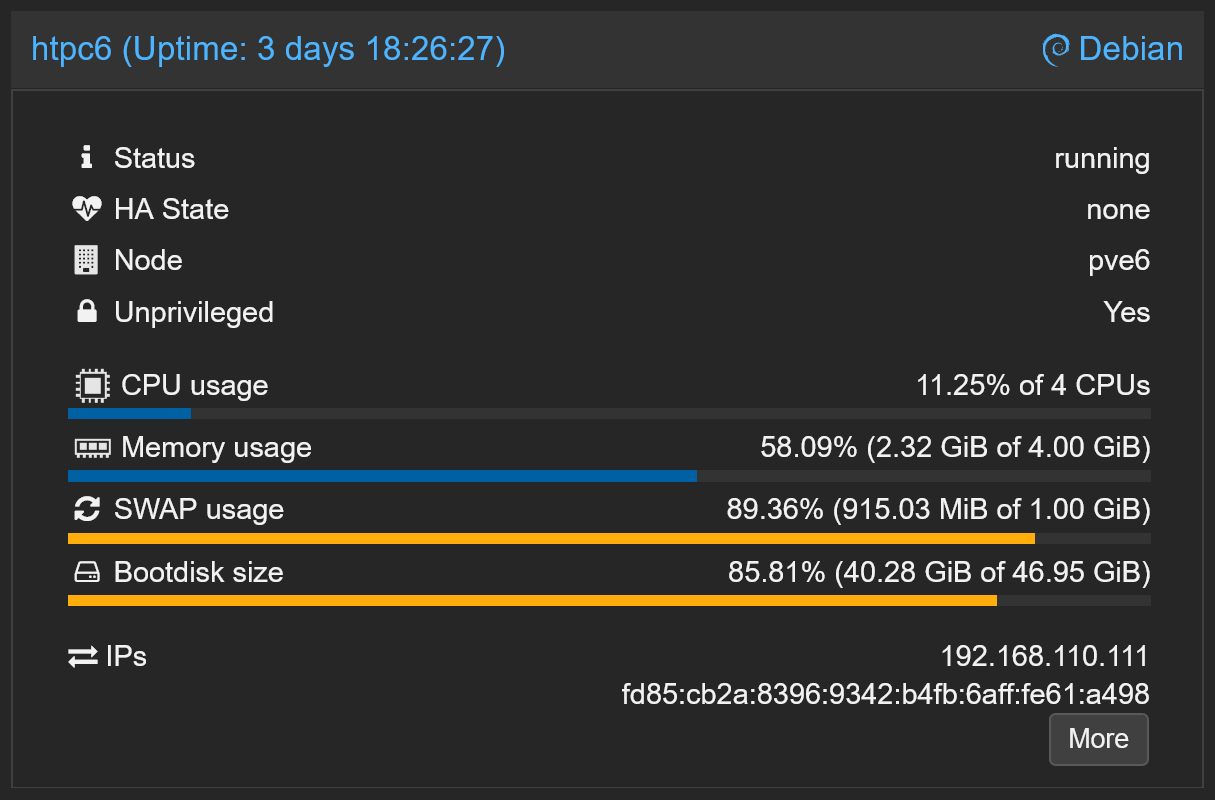
 Neither MacOS or Windows users will have the hardware acceleration option of course, so it's something of an open question regarding how performance will be for them.