
Hmmm.. OK, thanks for the tip...
I had to re-look at the changes for the last update to see I have to toggle it in the Channels tab...
OK, I see you just pasted the screenshot...
Got it now...
However, I'm not sure what you mean by "you will have to manicure them occasionally"...
So I will have to edit the feed and just save it again?
You edit the new channels.
What I just did since he added this is look at new channels that were scraped in the last 3 days.
I then decided whether I wanted them enabled and for those I did I went through the normal procedure (my workflow) of adding a channel. For those I don't want I disable the channel.
Makes it a lot easier to catch new channels than the old way (without FastChannels).
1 Like
well, that's weird...... no clue how that happened. will fix in next version
1 Like
@KineticMan Please disregard my request for the Shaka player, unless you still want to look at it at some point...
I've found a Chrome add-on VideoPlayer, that allows me to open the non-playing streams via FastChannels in a new tab... So when I click play and I get the error
Browser preview unavailable for this source (CORS restriction on stream CDN). Use "Open Externally" to play outside the browser preview.
I click the Open Externally and Brave opens a new tab and actually plays it... which it wasn't before...
So I'm good to go now...
Ok.
I am still adding an open in VLC button (or similar wording). It’ll create a one line M3U that will download in your browser then your OS can auto-open in whatever external video player you want.
2 Likes
Channels DVR has an Open in VLC integration that requires a helper app to add the registered protocol vlc:// and pass the stream to VLC (Windows only)
Also see Play in VLC integration now broken? - #7 by chDVRuser
I'm getting conflicting results for Distro TV.
The scrape finds 309 channels:
Last audit: 304 ok · 2 rate-limited · 1 errors · 4/6/2026, 11:06:33 PM
I checked several Distro channels and they say "Live 1920x1080". However, they will not Preview either internally or externally. For external viewing, I'm getting a message like below (I truncated the extremely long URL). Likewise, attempts to tune in CDVR get a 404.
This d35j504z0x2vu2.cloudfront.net page can’t be found
No webpage was found for the web address:
https://d35j504z0x2vu2.cloudfront.net/v1/master/0bc8e8376bd8417a1b6761138aa41c26c7309312/drive-plus-speed/manifest.m3u8?
@autryld This is somewhat a similar issue I reported earlier today...
see
and the follow-up a few posts after...
but the channel I wanted to watch was viewable via VLC... I found a fix by installing an add-on to my Brave browser and I'm able to watch the channel via the "Open Externally" where the channel opens and play in a separate tab....
I just checked the 4 Distro Speed channels:
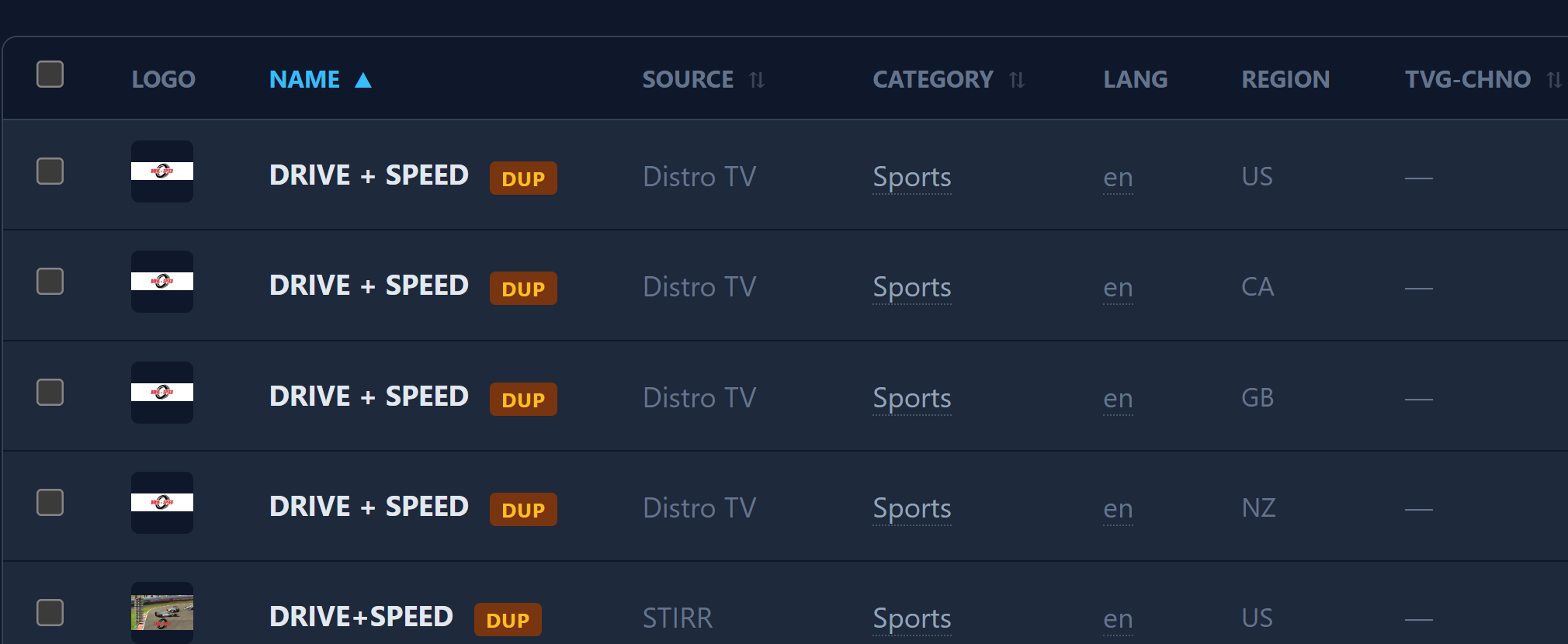
and they won't play via Microsoft Edge but they will play in Brave...
So IF you want to try it, until @KineticMan gets a fix in, and you're running a Chrome browser, search the extension store for "VideoPlayer MPD/M3U8/IPTV/EPG"
If not, no worries... just sending a suggestion
Fastchannels can scrape 309 Distro channels successfully but for some reason the stream is not working in CDVR. I can't get to the streaming URL when attempting to preview externally.
you're saying Distro not working inside CDVR either, or just channel preview? i dont think it's ever worked on preview btw
Just wanted say "thanks" for FastChannels. I was able to get Pluto (and now other streams) added back for my wife. I'm impressed by the thought that went into making it easier to sort through thousands of streams.
As of lately, Pluto has been a moving target. As everyone knows, they started requiring credentials recently. After @maddox fixed the credential issue, it went on the fritz again about a week ago. But, FastChannels resolved it for me.
1 Like
Distro is not working inside CDVR. They are getting the error "Streaming to the tuner failed" 404.
Thank you.
Unfortunately, I don't have an old version to upgrade FROM to test this, but pushing v2.9.1 to attempt to fix that migration issue. Please give it a shot (may need to refresh your M3U in CDVR after upgrade).
1 Like
Just as a basis for comparison, I’m using FastChannels and I have Distro set up and I’m currently watching good ol’ Kaloopy, without any issue.
Thanks, I'm glad that Distro is working. I updated to Fastchannels 2.9.0 yesterday. It appears that I need to refresh the m3u and guide data. I don't recall doing that for 2.8.
After doing both m3u and EPG reloads, I can view the channels but the guide is not updating. I'll try deleting and rebuilding guide data if that's what it takes. I'll check my DVR schedule before I do that.
@KineticMan - FYI
Update: After the EPG finished refreshing, the 404 errors returned. Simply refreshing the m3u a second time fixed it. There is still no guide data in the grid or the home cell but the program information is there when I tune in the channel. The recurring 404 errors are also puzzling.
I will try rebuilding the EPG early this afternoon. I hope that's not necessary but I may also try to rebuild the sources as well. (And then there're the collections.)
@KineticMan quick side question. Do you have an official (or unofficial) icon at a URL somewhere for this project? In the UnRaid Docker manager, you can add an icon for a project and I would like to make it look more pretty.  Below is an example:
For example, for E+TV, it gets the icon from the following URL:
https://i.imgur.com/LrdVje2.png
yea i'm puzzled too..
if you could help me debug, that'd help. If you could download the M3U in Notepad, find a Distro channel and copy/paste here. Then, in your FastChannels logs, when you tune a channel from CDVR, it should log the tuning attempt - paste that here too.
m3u will look like this ->
#EXTM3U #EXTINF:-1 channel-id="distro.US:39730" tvg-id="distro.US:39730" tvg-name="24 Hour Free Movies" group-title="Movies" tvg-logo="http://192.168.86.72:5523/logos/9953a821f2b79534c7b512fcfe5fd231.png" tvg-chno="600000",24 Hour Free Movies http://192.168.86.72:5523/play/distro/US%3A39730.m3u8
and logs like this:
2026-04-07 10:52:58,802 INFO     app.routes.play: [play] request ip=192.168.86.72 source=distro channel_id=US:39730 channel_name=24 Hour Free Movies
2026-04-07 10:52:59,165 INFO     gunicorn.access: 192.168.86.72 "GET /play/distro/US%3A39730.m3u8 HTTP/1.1" 302 481 0s
2026-04-07 10:52:59,449 INFO     app.routes.play: [play] request ip=192.168.86.72 source=distro channel_id=US:39730 channel_name=24 Hour Free Movies
2026-04-07 10:52:59,719 INFO     gunicorn.access: 192.168.86.72 "GET /play/distro/US%3A39730.m3u8 HTTP/1.1" 302 481 0s
found it... Distro made a change with more than half their streams now requiring headers to get the stream to authorize and play. I'm going to implement a lightweight proxy to fix this. Stand by...
2 Likes
Yes my observation also..the indian ones 2 cloudfronts effected. Iptvnator will play them as i think it sends headers for everything.
streamlink also doesnt need the headers.