
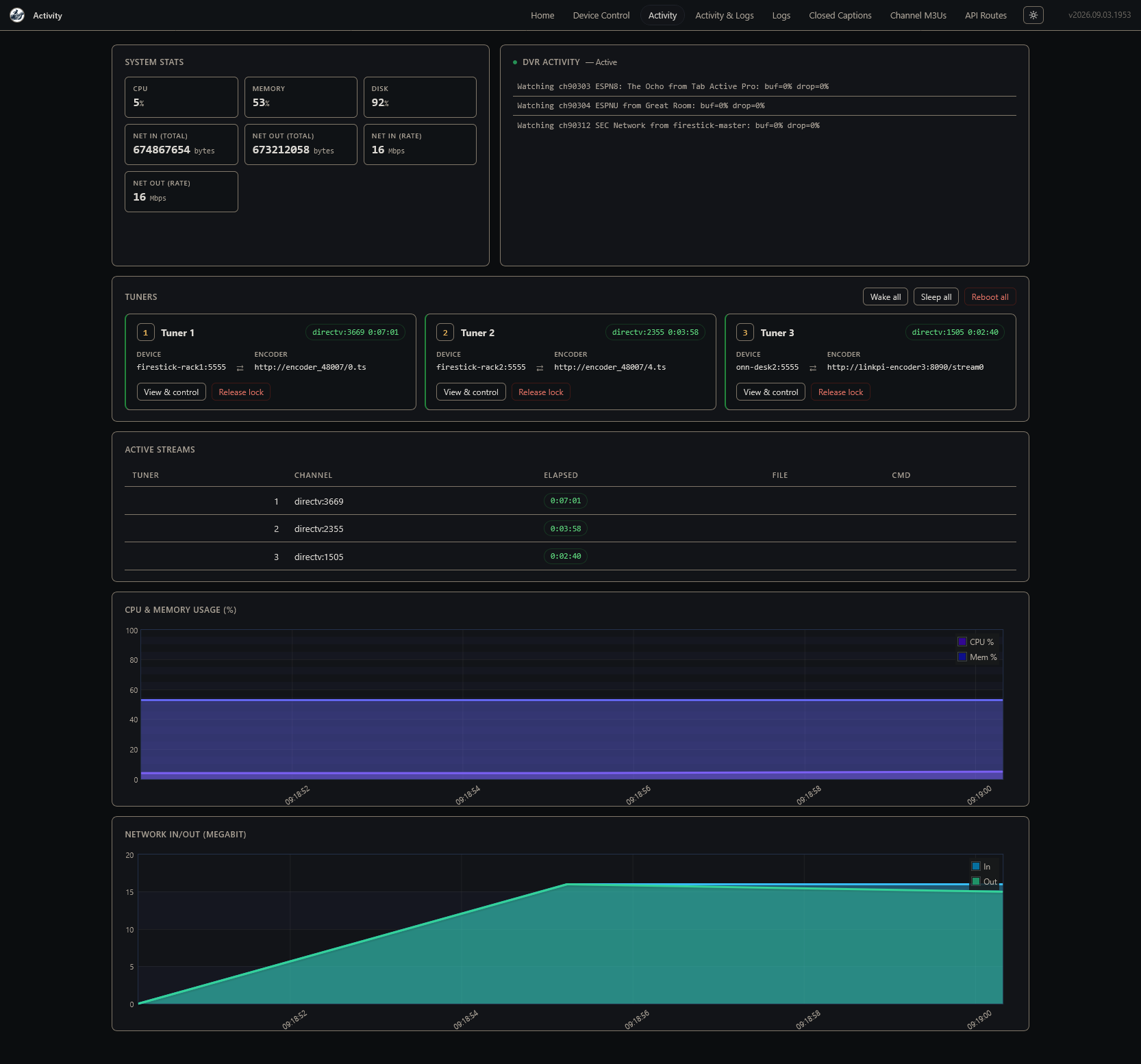
DTV is looking good! Testing with 3 simultaneous streams atm. A few minor details to sort out, but this is looking very, very good. Tuning times in the same ~4 second range, which is the same as Philo and Sling:
I'd like to use ah4c. So, I exported the scripts, moved them into the scripts folder, and changed the streamerapp setting. Now it doesn't tune at all and I get the following error.
2026/09/04 08:13:06 [ERR] Failed to run pre script: fork/exec ./scripts/firetv/fastchannels/prebmitune.sh: permission denied 192.168.88.113:5555
If you are using single port HDMI encoder (not a linkPI), i'd just use the built-in Channels capture card support. Let us know and we can help (that's how I originally set this support up).
also, curious how your experience will go using the built-in DirecTV scraper with DTV Satellite creds.

That could be a few different things related to how you created and saved the scripts. The easier path at this point would be to update your ah4c container, as the scripts are included in the container now.
Also, I agree with @KineticMan, unless you have plans to expand the number of tuners you have -- going the single port route is probably best.
1 Like
Do you think it'd be difficult to exclude the FAST channels from DTV and Sling with a tick box in their settings in Sources? With so many sources for FAST channels, it seems like it'd be better to pick up the few I might watch from a method other than the ah4c bridge.
This is something I can tackle, but just wanted to get a read from you on the level of challenge.
Loving fastchannels with Pluto/Tubi/etc. Works great.
Having issue with FastChannels Player and I'm sure it is a simple fix:
-When I play a FastChannels Player show from Channels, the Firestick tunes the channel, and I can see the channel playing when hooked up to my mac (using a camera app), but the video never makes it back to Channels to display.
If I pick "play here" in fastchannels, nothing happens...but if I pick Open in VLC, I see the Firestick tune and play properly. If I pick to "watch now" in Channels DVR, I see the Firestick tune and play. However in both cases, the video does not return to play in FastChannels nor in Channels.
Configuration: Mac M2, Docker desktop, channels DVR, Hagbis USB3 video capture card (as recommended), Firestick with FastChannels player installed and working.
My guess is that Docker is preventing the pass through of video from the USB stick back to Fastchannels, and that I missed a step somewhere in Docker.
Thanks you for creating FastChannels...it is awesome. Just stuck on getting the return video from Firestick-->USB encoder-->fastchannels--->channelsdvr
welcome glad you like it.
good to hear it's tuning - so we're almost there. i suspect it may be this setting is wrong in FC (your screen may look slightly different - this is from my development setup).. show me a screen shot pls.

How I got that address (I should automate this btw for easier setup)
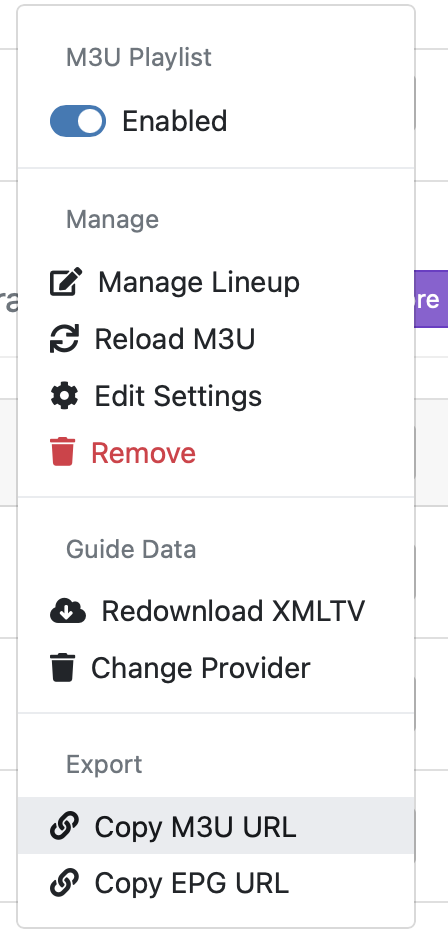
- In Channels DVR: Manage → Export → Copy M3U.
- Open that M3U URL.
- Copy the non-comment URL immediately below #EXTINF.
- Paste that direct /stream.mpg?... URL into FastChannels’ Capture/encoder stream URL field.
This turned out to be pretty easy, so I've already implemented it (PR shortly).
Adding @bnhf.
Switched over to single port setting as suggested and it's back to my previous question.
1 Like
ah4c is not involved then. Put your "virtual encoder" URL (as we've discussed at length previously) in as the Capture/encoder stream URL value, and turn off the ah4c bridge.
1 Like
That's what I did. I also removed the ah4c server url.
Does the "Test connection" button work? What do the FastChannels logs show when you try to tune?
1 Like
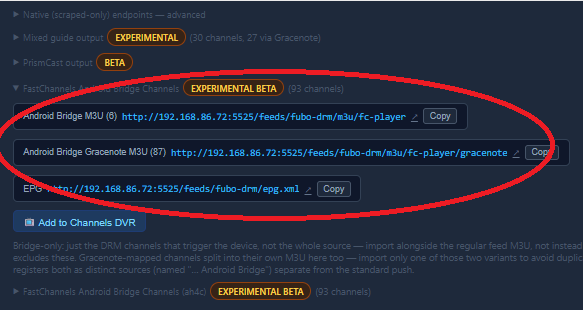
silly question - what m3u/feed are you putting into channels then if you're using the single port step?
ah4c shouldnt even be triggered if your using this one:
1 Like
I'm not seeing the #EXTINF info. Here are screen shots of what I did:
FastChannels and tuning works great...just not getting the video back. Since I don't see the #EXTINF data, I can't figure out what number to use (ex: yours is 70092):
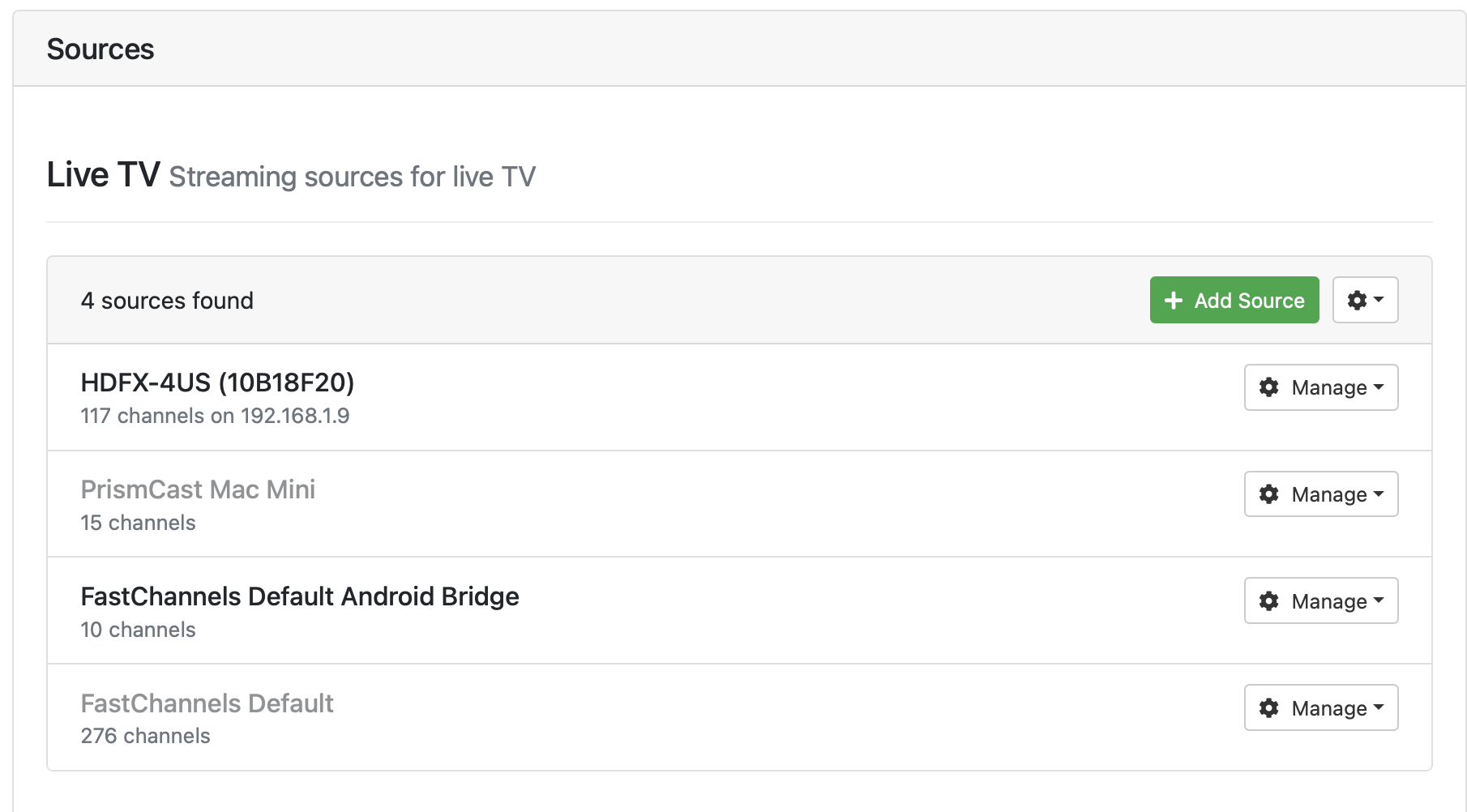
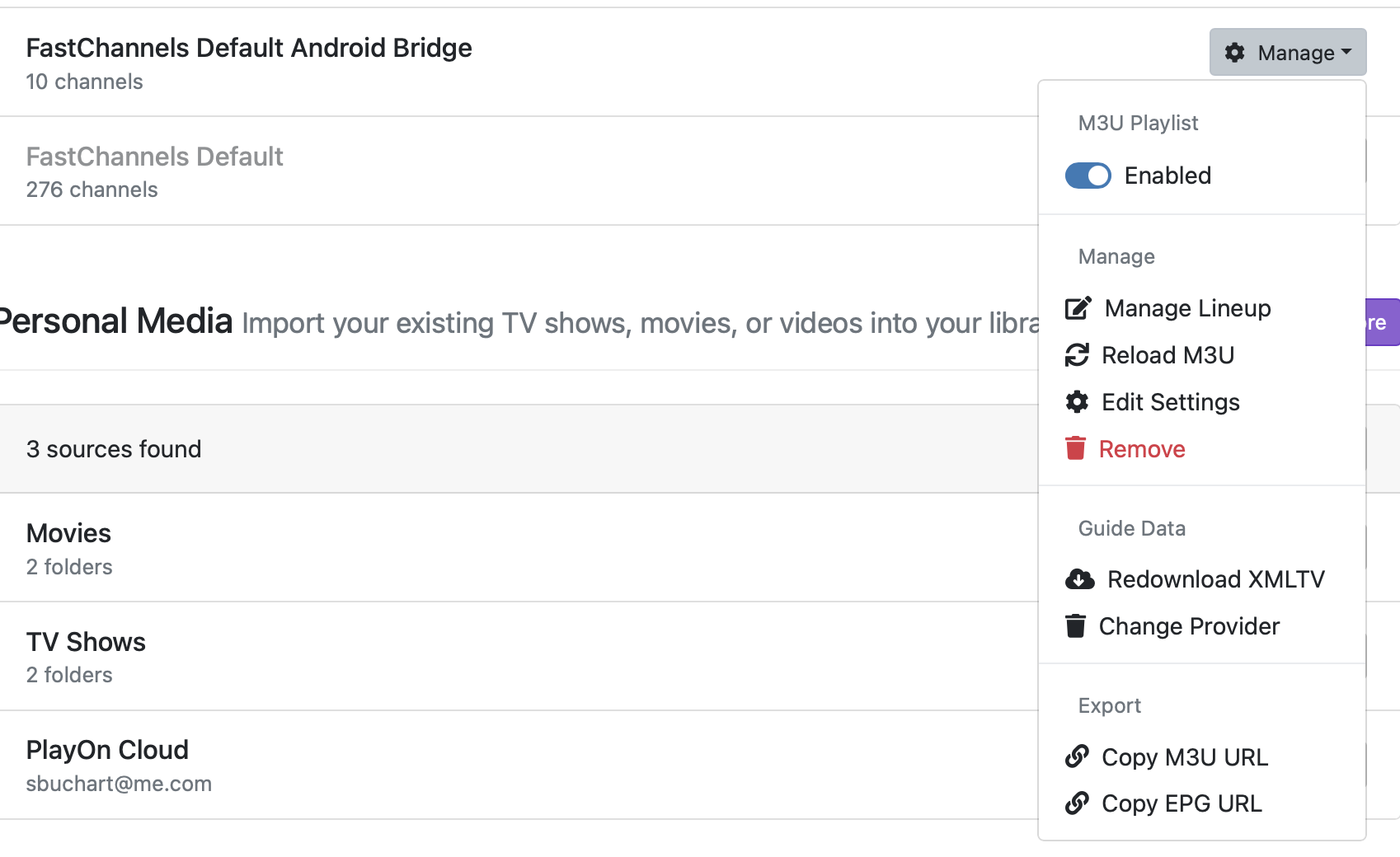

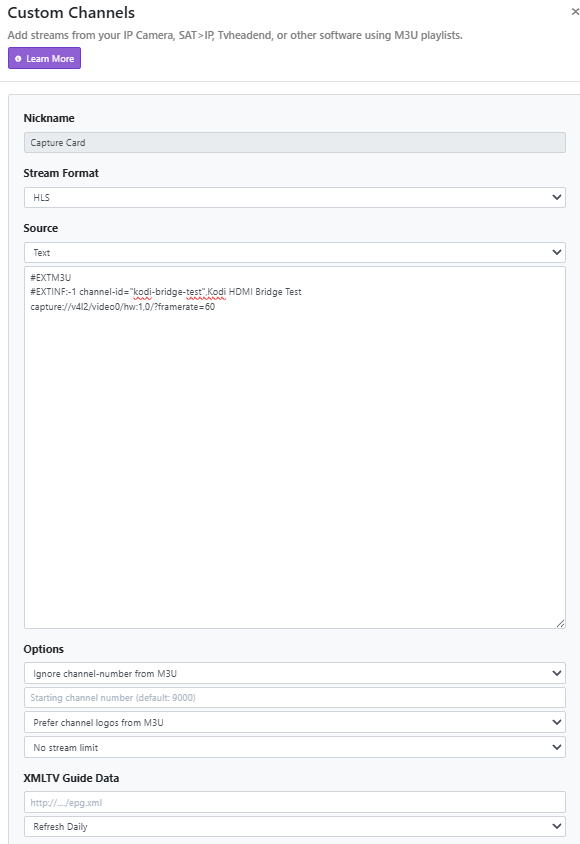
oh! you have to setup the camera as a seperate source. that's the missing link. see posts 1, and 2 here for setup. (ps don't disable the source like he recommends - i found it problematic).
edit: here's my setup (on ubuntu fyi)
@KineticMan PR#46 submitted:
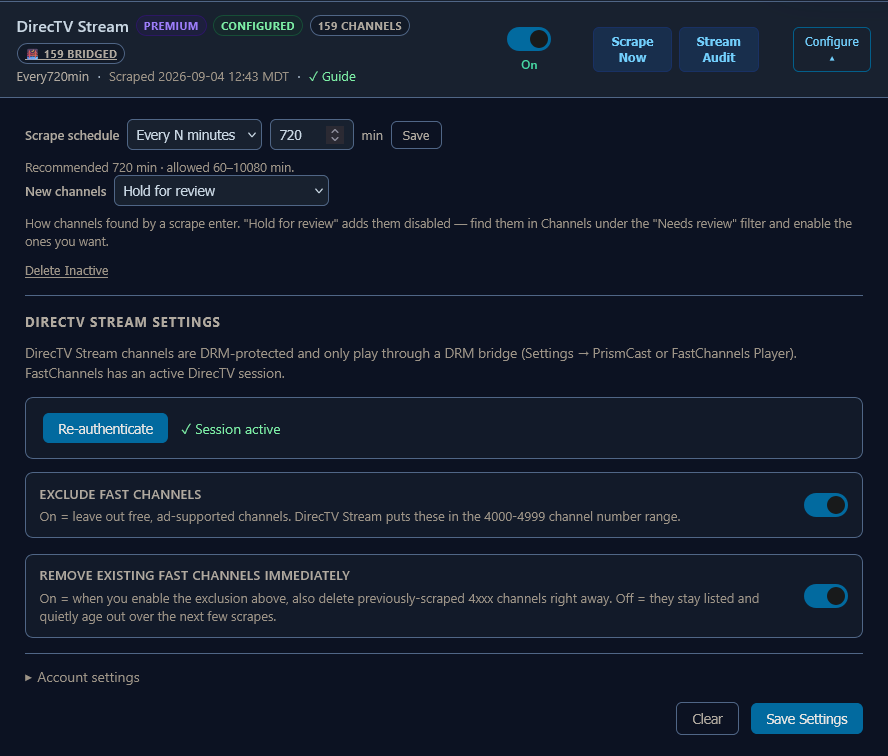
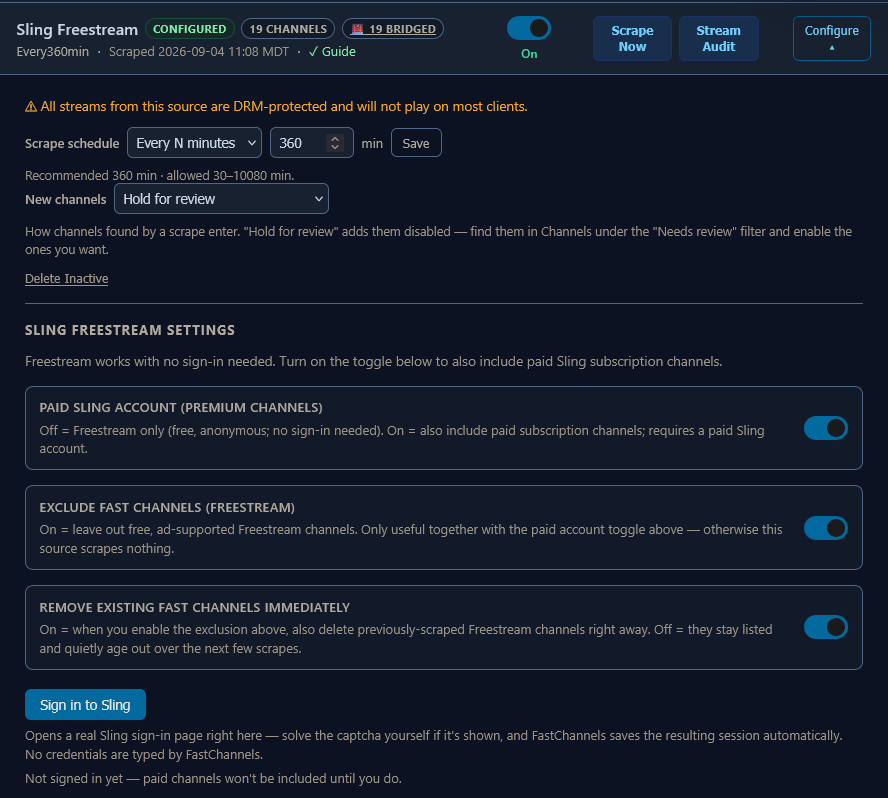
I added an option to both DirecTV and Sling to be able to exclude FAST channels. This is done through toggles, and each also has an the option to purge the identified FAST channels immediately, without waiting for them to "age out".
Also, DTV is one of the few (only?) sources that provides correct Gracenote Station IDs via their API, however those IDs were not being utilized. They are now the first choice where DTV is concerned, only dropping back to the community map where they are not provided (this is typically only the case with some legacy channels that only show-up for satellite subscribers).
1 Like
Well, that fixed the problem with trying to tune with ah4c (so many things to revert after messing things up! 
But it still does not tune a channel. I've tried Espn2 and the app tried channel 881, my directv guide shows it as channel 209. I also tried Freeform, the app tried to tune 4211, my guide is showing it as channel 311.
1 Like
Weird. Delete and recreate db inside CDVR settings? I’m confused why it’d tune a different channel. Unless you have conflicting names on CDVR?
@KineticMan Do you think Xfinity Stream is in the cards for the FC Player Bridge? My remote encoder and streaming sticks are tuning via the Xfinity app. It works well with ah4c, but the tuning times are far from the best, and could definitely use an FC makeover. 
I recreated the db in CDVR, but no change in channel number trying to be tuned.
@bnhf has said the Directv Stream channel numbers do not match up to the Directv Satellite channel numbers (which is what I subscribe to). I checked the fastchannels.db in \data\docker\volumes\fastchannels_db_data_data and Freeform shows its channel id as 4211 which is not correct for my sub.