
I’ll add whatever info the scraper finds in the Channel preview modal in next release. Don’t expect miracles it’ll only be what I am provided.
3 Likes
Fair enough. Any little tidbit may be sufficient to jog my memory. I have looked up many/most of these channels before.
I just started playing around with feeds. If possible, can you also add region as a filter option in there? Thanks!
Thanks for the info. I hadn't heard of home.arpa.
I mentioned it a ways back, but having a way to tell which channel is from what region, on the Channels page, would be a big help. Once you add the channel to a feed, it shows in CDVR with a (xxx) at the end of the name so u can tell what region it is there, after the fact.
But, not being able to see which version is what, in the Sources channels list in FAST, since it just shows all channels for the enabled regions side by side, they look like duplicates, i have found i had enabled several of the CA versions, vs the US versions of channels. Not a big deal, aside from when u are dealing with regions that use a different language, and that version of the channel still is scraped as being English...Just ads a bit more work to go back and figure out if I want the US or CA, or what ever version, but it is a guessing game currently as to what one i picked from FAST.
By the way... THIS⬆ is Tha Shiznit! Thank you!
1 Like
Incredibly wonderful!
I think I've run into a bug.
On the Channels tab choose the category 'Home & DIY'. It tells me there are 65 channels. If I scroll to the bottom of the list and click Next, the Category drop-list reverts to All and the filter summary shows the category as just 'Home'. No channels are in the list. I suspect the '&' is causing a problem.
2 Likes
What's new 2.7.0
- DB download — Added function to export your DB so you can backup.
- Channels DVR registration — Bumped the timeout so slow setups don't get left at the altar during DVR registration.
- Tubi stream audit — Pre-warms the URL cache before auditing, so it's not checking streams cold.
- Memory stats — Clarified the labels on the system stats page so you actually know what you're looking at.
- Language override — You can now pin a channel to a specific language, same as category/override. Great for sources that mislabel their own content.
- Region/country filter — You can now filter your feeds and channel browser by country. You're welcome, everyone who isn't in the US. We see you. All two of you.

- Source tags — Tubi groups and Plex categories are now saved per-channel and shown in the channel preview. More metadata, less guessing.
- Program categories in preview — Pop open a channel preview and you'll now see the genre/category on each program card.
- Gracenote community map improvements — Polished up the community map UI, added a curated
baseline of 611 matched channels, and added an Apply All button so you can bulk-apply community Gracenote IDs in one click (with a confirmation step showing exactly what it'll touch). I did most of them myself so take a look and see if you find any errors. - Bug fix: "Home & DIY" pagination — Filtering by any category with an & in the name would blow up pagination and drop you back to an empty list. Fixed — ampersands are now properly encoded in page links.
6 Likes
¡Muchas gracias
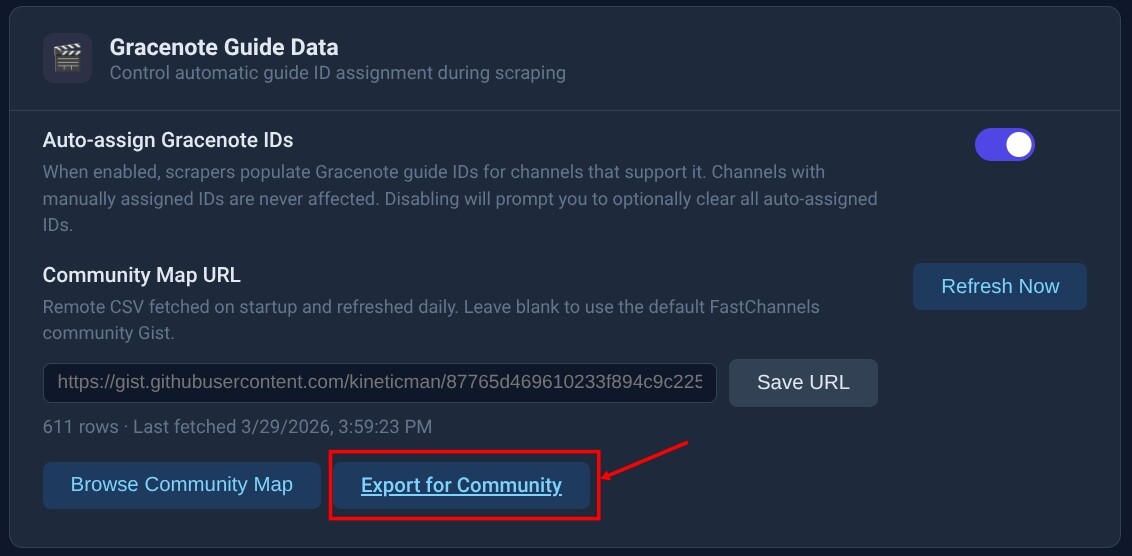
On the Settings page, under the Gracenote Guide Data section, what does this button do? How do we use it?
As an FYI, accessing the Gracenote Community Map from the Help page does not show the "Apply All" button. The button appears only when accessed through the Settings page.
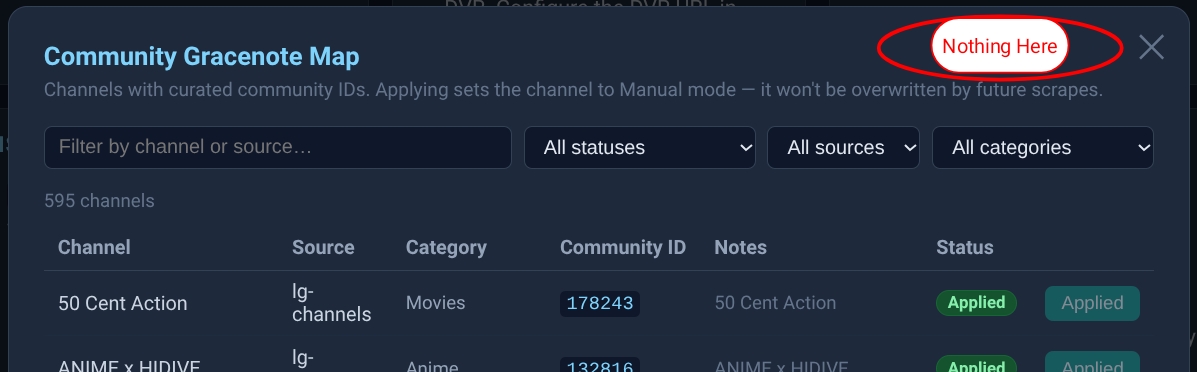
And I don't understand what we're supposed to do with the Gracenote Community Map.
I looked at one example and can tell the GN ID is wrong?
Are they just GN ID's that match the channel name, or are they supposed to be verified as correct for the source and channel?
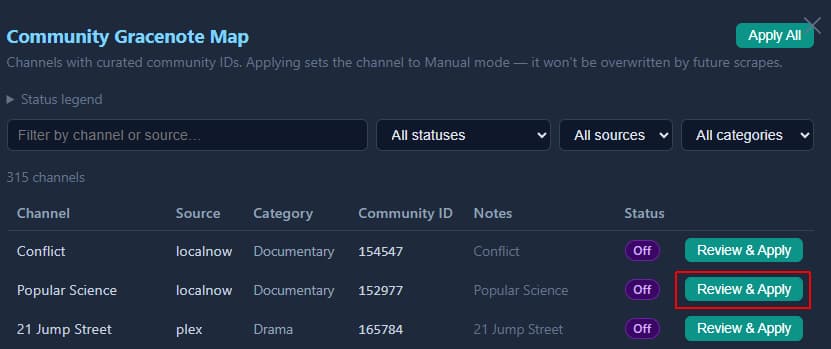
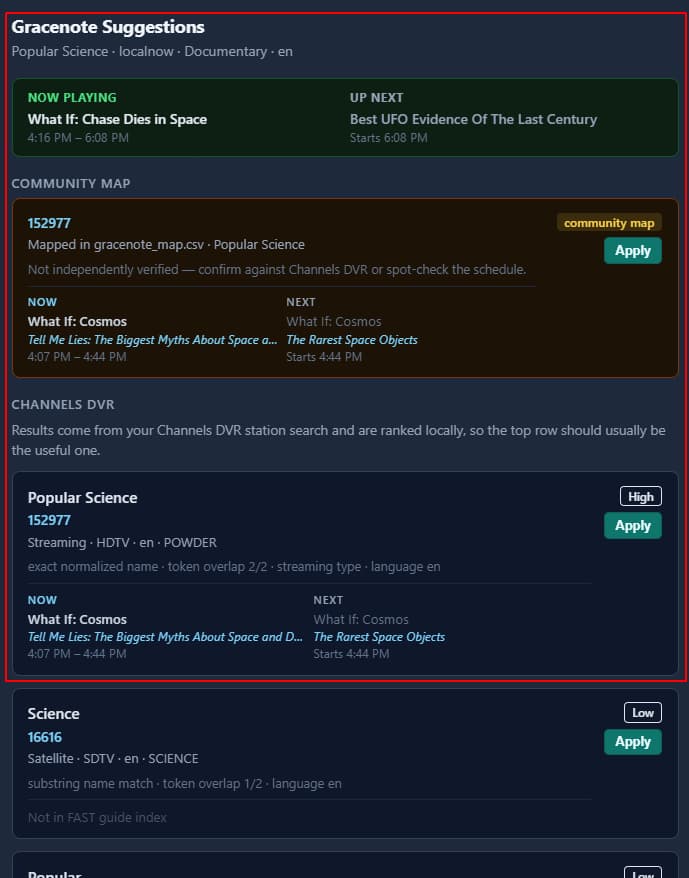
Did the gist update?
Will fix
1 Like
you can accept or reject any suggestions. They are my best attempt.
Feel free to send me a better list and we can use yours.
No problem, just wanted to know what they are.
I only find one GN ID for "popular science" when I search too.
I'm just trying to wrap my head around how these community sourced GN ID's are supposed to work.
We verify one for a source and channel and then what (besides using it ourselves)?
How do we get it added to the community list as a verified GN ID?
I still don’t know the best path. I have an export function right now that will generate a JSON file and was thinking of sending to me and I’ll merge.
It’s not beginner user friendly. That’d require hosting a website or something to have people upload that way.
Anyway I’ll keep thinking through the whole process. Figure this is a good start.
And also- that suggestion “what’s playing” isn’t perfect either. It scrapes a site I found with GN data and I noticed the times aren’t always spot on. So user beware- and maybe that’s why you saw what you saw. It’ll definitely require some human auditing.
1 Like
Thanks, good info.
It is and amazing what you have accomplished in such a short time.
WIP (Work In Progress)
1 Like