FastChannels - FAST Channels aggregator/manager

@KineticMan Not sure how complicated this would be but is it possible to request a Play Next/Previous Channel icon in the Preview Player window?
On the Channels tab, given a playlist, either the full list or a filtered list (like a Feed), when you click to play the preview channel, is there any way to add a Play Next/Previous icon to the player window? Like an up/down arrow, or a left/right arrow?
Something like from PotPlayer:
image
or this:
image

The good news is that on my screens, when I'm previewing a channel, I can see the list of channels behind the player's window, and I can also scroll up/down to see the names of the channels...

FYI - I’m adding a push refresh of XML/EPG guide data hourly into next version. I’ve noticed that CDVR doesn’t really update XML hourly like it’s supposed to so I’m forcing it. It should help everyone’s guide data stay fresher.

Caveat is that you used the Auto create feed (to CDVR) from FastChannels as I use the auto-created names to accomplish this.

1 Like

PUT /dvr/lineups/XMLTV-Device ?

I used to script that, but now

Yep! Used your guide from years ago for the inspiration

1 Like

Is there a way to reset dupes so I can reprioritize source priority? I would like to partially determine the priority on the above list so that I can get more consistent guide data.

Well, it’s a little dirty but you could in theory filter by duplicates, then re-enable all channels then re-run duplicates helper.

Did you actually get this to work? I fiddled around for quite some time. All I could get it to do was open to the Slingfree channel guide. I couldn't get it to launch the channel. I feel like I must be overlooking something obvious.

Yes, as you can see by the playback in the post it was working.
I removed the channel since I was only adding it to test if it could be done without a Sling account.

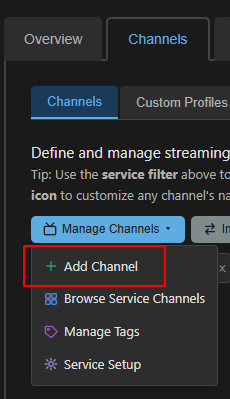
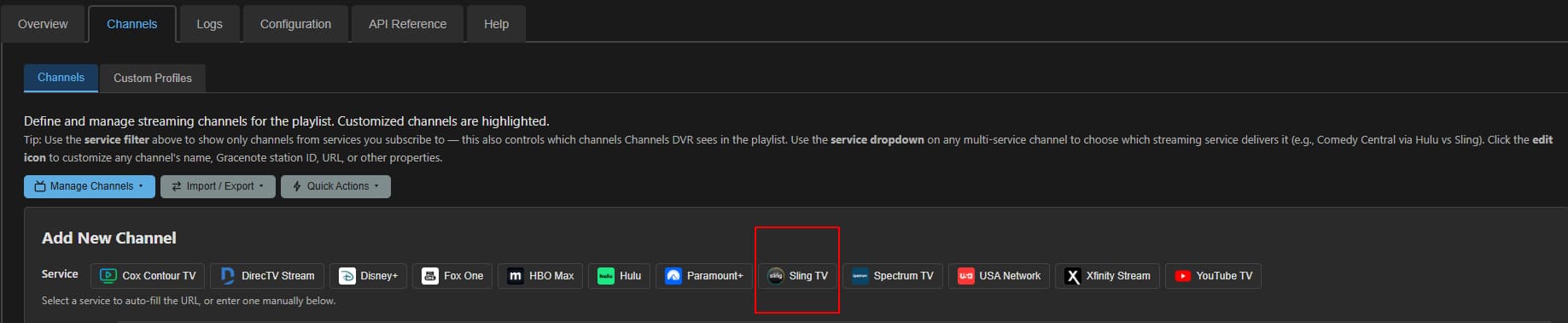
As easy as 1,2,3,4. I did it again just for you! :smile:

brave_screenshot (1)

brave_screenshot (3)

No need to authenticate/verify brave_screenshot (5) since it's a free channel.

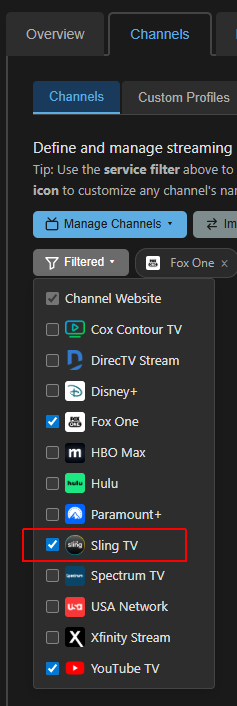
And you should know that after adding channels in PrismCast you have to Reload M3U and Redownload guide data on the Channels DVR source settings to see it in Channels DVR.

Would it be possible to be able to list channels that are NOT on any feed other than the default feed? I am trying to put all channels into separate feeds (grouping them) and I know I can look at the folder icon to see if it has a dot but it would be nice to have a list of all so I know how many I am missing. I think it would also help me easily see new channels as well.

Also, how does the "Add to feed" work? When I do that, it doesn't look like the channel is checked in the list but it says pinned at the top of the list. What is the difference? I have been going into the feeds and checking the boxes in there. Does it matter which way you add them to a feed?

I'm back home now, but was away this past weekend and using the "away from home" connection to my CDVR on Apple TV. Back at home, all of the channel identifiers are here. I didn't pay attention before I left. Perhaps you worked on something today, but everything looks correct from home now. My cabin may be fixed too now. Won't know for a couple of weeks however. Thanks again.

Not currently, but easy request. Will add

Also, add to feed from admin/channels: It’s a new feature to help manage feeds from channels page. I had to be a little creative how I added it via pins since it was slightly different from the original way of just from feeds (with filters). In theory, they should all share same data of being in a feed or not. Clear as mud?

1 Like

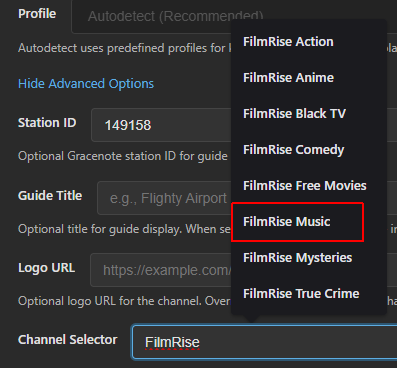
I appreciate the help!:slightly_smiling_face: Maybe this is where I went wrong... I didn't realize that this was a drop-down(pop-up?) menu. I manually typed the entry in... I managed to get guide data into CDVR. But, all of my recordings from this channel failed. :thinking: Looks like it's working now! I'll schedule a couple recordings overnight to see if they fail again. Hopefully, with your assistance, this is a winner this time.

That was one thing that stumped me. I didn't realize it was a selection of channels and when you start typing the selector value it gives you a list to choose from.

The other issue I had was thinking that the verify button brave_screenshot (5) was supposed to tune to the channel in Chrome. It doesn't (on a muli channel website with grid guide). It just takes you to the website to authenticate (if needed).

This :arrow_up: made me think that I had done something wrong. I'm glad to know that I'm not the only one who stumbled a bit on these little details. Thanks again!
1 Like

Same for me. Logos broken for FastChannels.

(Local and Away) Channels DVR (Android)

1 Like

This is like the 50th question about channel logos and proxying in general, so here's FAQ for everyone:

  1. FastChannels is a locally hosted service for your home. You must be on your local LAN for images to work on the CDVR portal (access it with local ip ie 192.168.x.x) - not my.channelsdvr.net .. If it doesn't work, I promise it's your network

  2. If you truly are in need to see logos remotely, setup a Tailscale network with your clients or something simliar.

  3. I'm going to add an override to skip image proxy and append the upstream image URL, but I cannot support it'll work for all sources (ie Plex). Some absolutely require proxy - user be warned.

Also, many people have asked about why I don't just send upstream direct URL for streams in the M3U. Well, here's why:

  • Tubi — Could store the resolved CDN URL directly. Risk: URL might rotate between scrapes, but clients would just get a 403 until next scrape refreshes it. Not a great user experience in my opinion.
  • Distro (open CDN) — URL is stable between scrapes. resolve() is basically just reading a field. Could store directly.

Doable with manipulation:

  • Samsung — follow the jmp2.uk redirect chain at scrape time and store the final Akamai URL. Works until Akamai rotates the token (could be hours or days depending on their TTL).
  • Xumo — URL is hour-based. Could refresh the stored CDN URL every hour alongside the EPG job. Bit janky but would work.
  • LG Channels — macros like [CB] (cache-buster timestamp) have to be fresh at play time, so this one's a no.

Not viable:

  • Roku, Plex, Pluto, Amazon, LocalNow, Sling, TCL — all have JWTs or session tokens that expire in minutes. Storing them would mean every other play fails.
  • Stirr — IP-bound, impossible.
  • FreeLiveSports — timestamp macro must be generated at play time.
2 Likes

For what it's worth, other containers (such as Matt Huisman) had the actual external URL's stored in the M3U playlists. This one has internal URL's and is doing some proxying of some sort. That could be why you are seeing issues. I had issues as well.

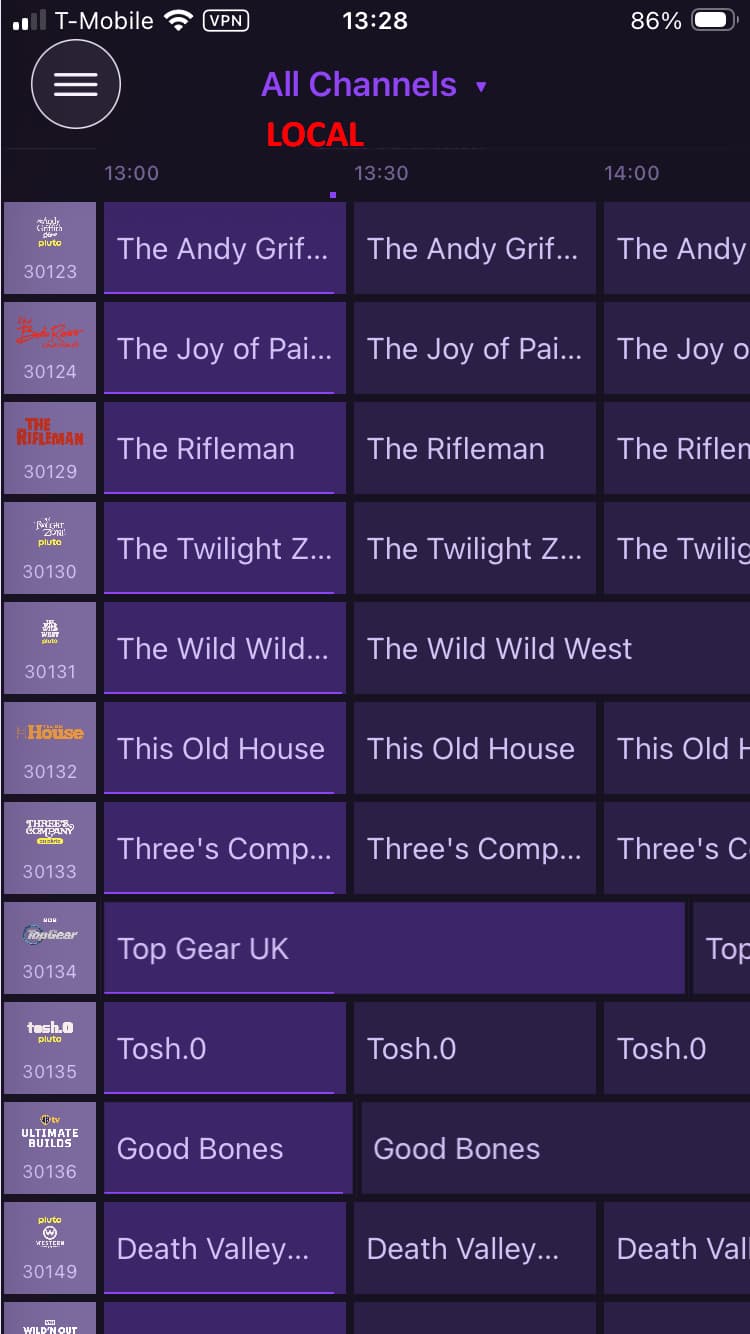
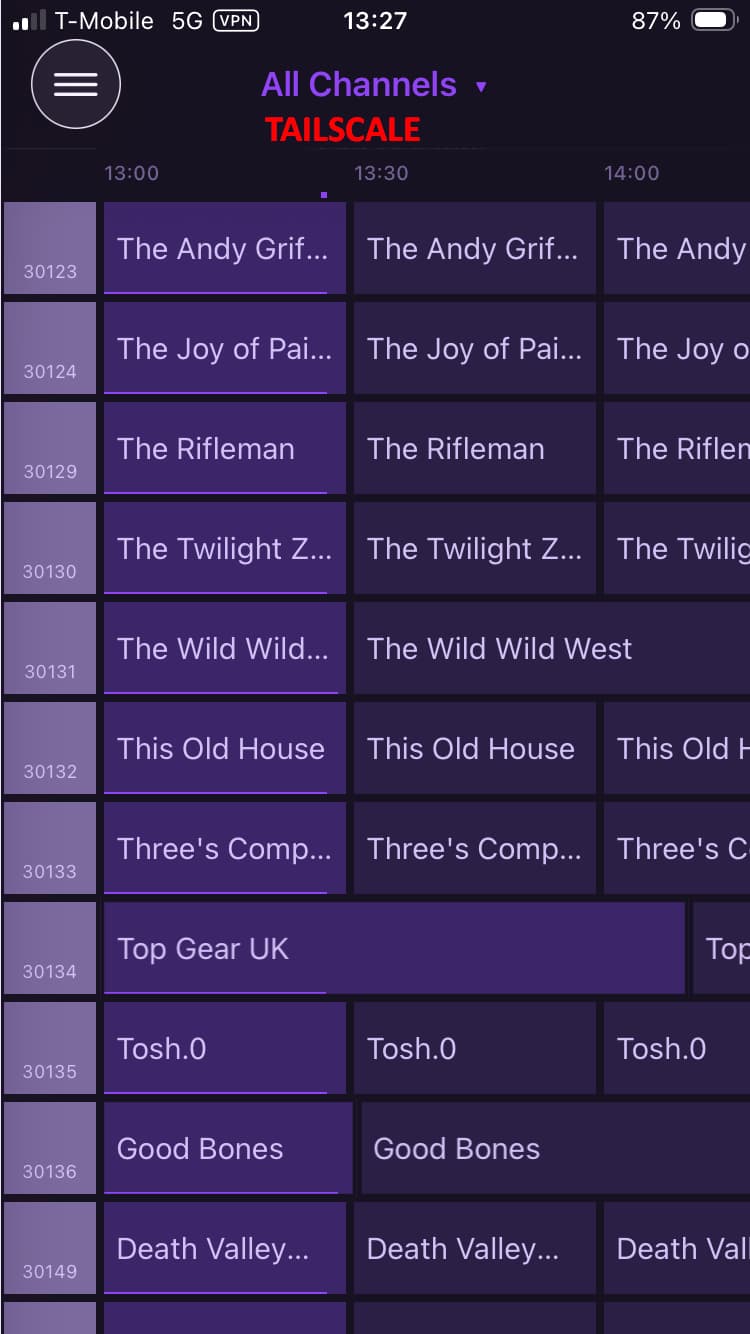
The channel icons appear when connected locally, but they don't appear when using Tailscale to connect to my server remotely. Tailscale installed on my server and Tailscale installed on my iPhone. I'm guessing it's a Channels client issue.

The image URL is right inside the M3U. See if you can access the image link from your remote device. If you can’t, then it’s a network issue on your end.