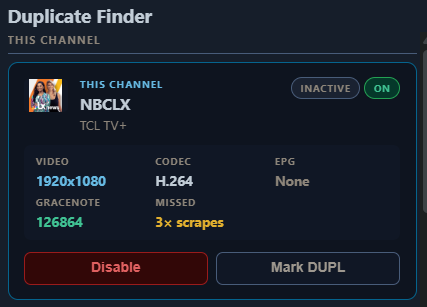
Much better!
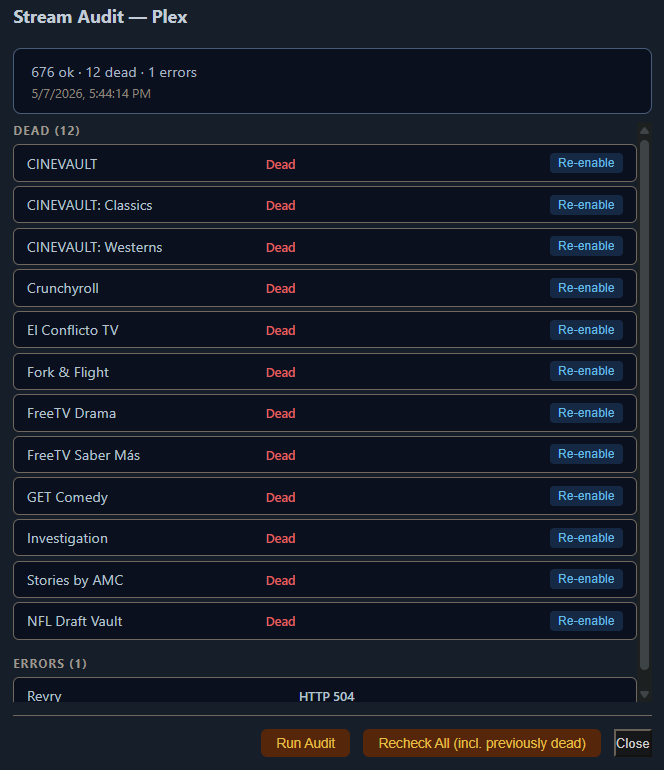
Thanks!

I'm guessing this channel was listed on their site, but not listed any longer although the stream is still there.
Just came back in the At Risk report
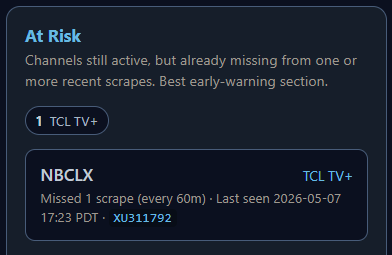
agreed - not sure how often this will come up. i suppose I could add a "pin" feature to keep that channel alive maybe? probably pretty niche edge case scenario.
I'll just delete it when it quits working.
Not like I'm going to rely on it for recordings.
Something broken with Portainer Community Edition 2.39.2 LTS
I'm having the same problem trying to update OliveTin from the stack.
Works when recreating from the container.
Do you remember your second beer?
Re-pull and deploy struggled along very slowly on Portatiner CE 2.39.1 LTS, too. After a long wait, it finally deployed. FastChannels 3.6.0 is up and running for me. I guess I'm glad that I haven't updated Portainer yet.
I updated after seeing the 30+ CVE's resolved
Wow, that's a lot of issues resolved. To be honest, I regularly update without reviewing the new changes. This morning, I had to look up what at CVE is. I guess that I've been going on the blind faith that an update will be an important improvement. There's still a lot that I don't know or understand.
I'm not the only one. Issue reported already Re-pull image and redeploy · Issue #13163 · portainer/portainer · GitHub
I’m adding a pin feature next version fyi
Logos are only missing for me via remote access, on my other ATV. Have no issue on my Iphone remotely, or at home using ATV.
See and vote:
You can also try the remove proxy flag in FastChannels settings if remote logos are necessary. Buyer beware- some sources require it. Annoying, I know.
Hey All, I'm trying to let fastchannels trigger the guide refresh, but I think it's getting annoyed at my "cert" on the dvr itself. Anyone else seeing this? Did I miss a checkbox to ignore the cert somewhere?
026-05-09 13:30:25,165 WARNING main: [dvr-epg] guide refresh errors: XMLTV-FastChannelsDefault=HTTPSConnectionPool(host='192.168.101.51', port=8089): Max retries exceeded with url: /dvr/lineups/XMLTV-FastChannelsDefault (Caused by SSLError(SSLCertVerificationError(1, "[SSL: CERTIFICATE_VERIFY_FAILED] certificate verify failed: IP address mismatch, certificate is not valid for '192.168.101.51'.
Alternately, if anyone else has encountered an easy fix for channels dvr itself not doing an hourly refresh even when specified on the source, I'd appreciate ideas on that too. I've already tried to recreate the custom source, maybe I have to create it under a different name. Also did the 'delete and recreate database' in the guide data , maintenance section.
To add context, this was a migration from an old machine/install.. maybe something hidden is corrupting things, but just can't figure it out yet.
thanks!
Do you have the Channels DVR setting (in FastChannels) as HTTP or HTTPS? Try the opposite.
Then to your question- auto-refresh will only work if your custom source is auto-set by FastChannels.
If continues to be an issue, I can code in something too.
oh .. interesting! I never thought to do non https. that did the trick. thanks!
and yes, I do realize that auto-refresh from the FastChannels piece was if FastChannels did it, I was sort of asking for the built-in refresh interval in Channels itself. Perhaps it's somewhat known to be less reliable and hence, you built one into FastChannels?
I don’t trust the hourly XML refresh on channels. It never seems to work like it says it should. Not sure why either so I force it.
When Channels DVR refreshes the XMLTV guide data for one source device, that resets the timer for all XMLTV source devices. So if you have one set to refresh every hour and others set to refresh less often, those others will never refresh until the morning guide update.
That's why I set all my XMLTV sources to refresh every hour, and they do.
oh .. weird. unless I need a reboot, but now that I'm using FASTChannels to push the episode guide update, I see it reindexing the sources but erratically not actually fetching the guide data and thus being ineffective.
Guess I'll do it myself thanks to someone asking about a manual trigger in this post API - To kick off guide refresh, so I tried to run the api calls on all my sources in a script, but realized if I trigger all of them at once, the same thing happens. So now my script pauses a minute between each push and I got reliable fetches.