
yep my bad-
All working now.
As a long time (former) software systems designer, I have seen many free user supported software products (including my own). Yours is the highest quality piece of software in this category I have ever seen.
5 Likes
So, in general after updating to the latest version, is there any special requirements that may be needed if your system been working properly before updating? Feeds are still working, no need to re-activate feeds with sources? Just checking to see if any recommend process after an update. Thanks, for all this work!
Thanks. Was finally able to delete that channel.
Nope! I've tried my best to be as seamless as possible with migrating users. Should fire right up on any migrations.
The only thing I would recommend is to make a Database Backup from the Settings tab.
I do this after any changes I make to sources, channels and feeds (if more than one change in a day I do it at end of day).
1 Like

So today I decided to disable all my sources and delete the data to start over fresh. Then re-added some sources back one at a time. I seem to be running into channel numbers duplicating and it seems to have to do with sources that have a regular source and also a gracenote source. Like Tubi for example.
Its causing the Guide on Channels to list wrong shows and duplicate numbers. Even the guide sometimes flickers in the correct show for what is playing. It is like the two same channel numbers are competing for the time slot for the channel. If you see in my screenshots. 9003 is listed in both. But they indeed have two different channels with the same channel number. I guess my question is??? Should this be duplicating same channel numbers?
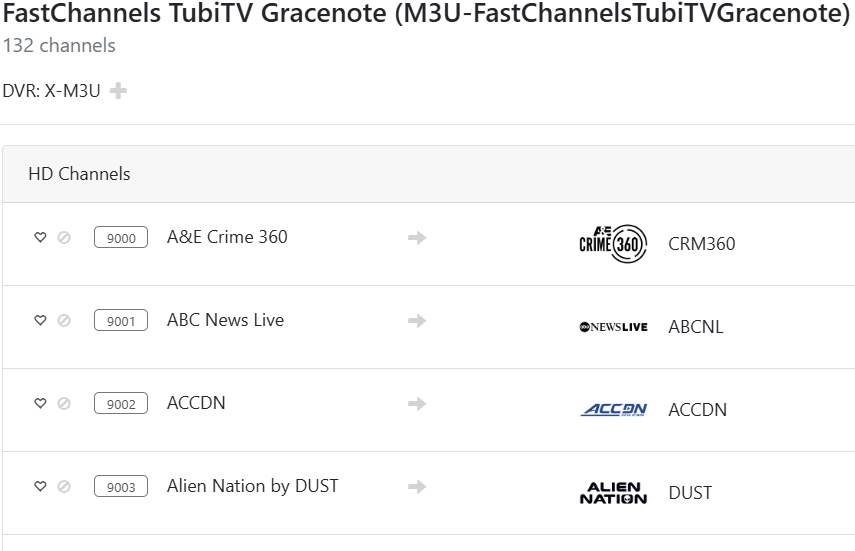
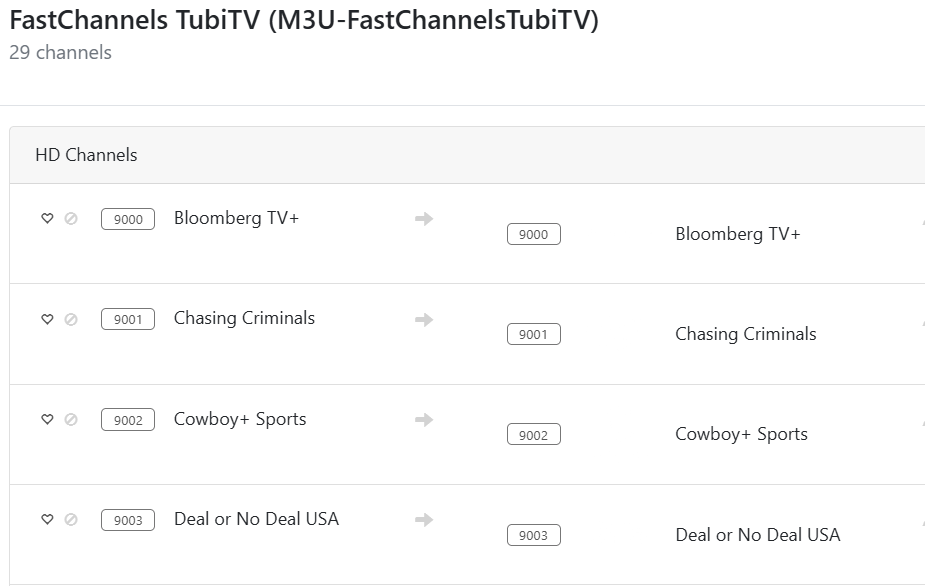
Ok, just moved to FAST Channels, and things are (mostly) working well. I am seeing the duplication of Channel Numbers for sources when there is both Gracenote and non-Gracenote channels as mentioned above by @jxxaxxy....
Request Inquiry: There are some old threads here (outside of this FAST Channels thread) for a similar request, and I just thought I'd inquire here for FAST Channels... Is it possible to add Klowd.tv Source to FAST Channels, and add login data? Similar to the way Pluto and Tubi are handled? I suscribe to Klowd TV, and it would awesome to have this Source available with EPG in Channels App?
I've seen that issue and there are many ways to solve it.
Here's what I'm doing now.
I let Channels DVR assign the channel numbers (it uses the channel-id to keep track) and just tell it where to start numbering them.
I separate my sources by 5,000 to ensure there will be no overlap.
 START NAME
     1 Custom-Gracenote
  5001 Custom
 10001 Local Now-Gracenote
 15001 Local Now
 20001 Distro-Gracenote
 25001 Distro
 30001 Samsung-Gracenote
 35001 Samsung
 40001 Plex-Gracenote
 45001 Plex
 50001 Pluto-Gracenote
 55001 Pluto
 60001 tubi-Gracenote
 65001 tubi
 70001 Vizio-Gracenote
 75001 Vizio
 80001 Vidaa-Gracenote
 85001 Vidaa
 90001 Stirr-Gracenote
 95001 Stirr
100001 Xumo-Gracenote
105001 Xumo
110001 TCL-Gracenote
115001 TCL
120001 Roku-Gracenote
125001 Roku
130001 LG-Gracenote
135001 LG
140001 FrndlyTV-Gracenote
145001 FrndlyTV
Like I said, there are many ways to solve it. This one works for me.
The reason I start the channels with 1 is so it's easy to tell if there's overlap if say channel 50000 appears I know to look at my Plex (non-gracenote) source.
1 Like
Yeah I did think about that after my post. Was just hoping to have it done on the source since I was using FastChannels to set the starting channel instead of Channels DVR.
I've never tried using the source-assigned channel numbers or letting CDVR assign the channel numbers. I'm a big advocate for setting a starting channel number for each feed and having FastChannels manage the channel numbers.
In my case when I am saying source... I am referencing using FastChannels to assign channel number.
Are you setting a starting channel number for each feed (in FC) or are you using the default channel numbers? Also, are you using the "Add to Channels DVR" buttons on the FC Feeds tab to define the CDVR sources or are you doing it yourself using the CDVR Source settings page?
Used Add to Channels DVR. Set starting channel number in FC. But the parsing data that comes out of FC duplicated the starting numbers in Tubi. I went with @chDVRuser idea and for the gracenote sources I picked 500 higher. So the none gracenote source starts at 9000 from FastChannels and I went in on the Gracenote version and told that one to start at 9500 so it overrides what is coming over from FastChannels with duplicate numbers.
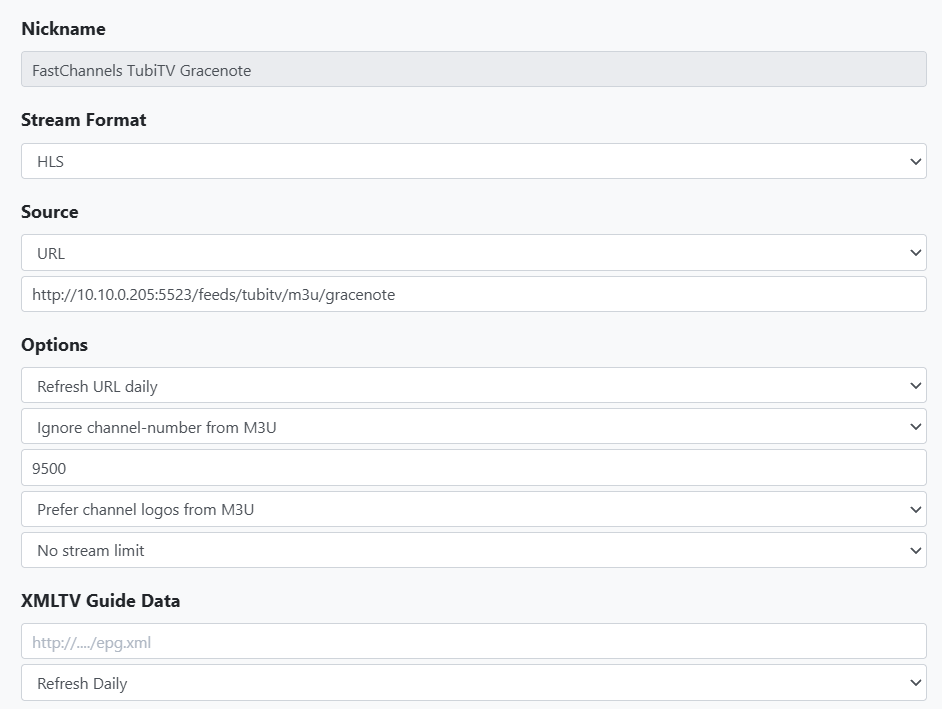
You may want to try exercising the "Reset Channel Numbers" button on each of your feeds in FC.
My somewhat destructive suggestion is:
- Delete all of your FC sources in CDVR.
- Click the "Reset Channel Numbers button on each feed in FC.
- Click The "Add to Channels DVR" button on each feed in FC.
- Delete and recreate the guide database in CDVR.
I'm not sure I understand what you are saying about Gracenote vs. non-Gracenote feeds. All of my feeds are a mixture of Gracenote and non-Gracenote channels, but FC automatically segregates them into two separated sources in CDVR.
So in FastChannels when you click on Add to Channels DVR for Tubi. It actually adds two sources at the same time to Channels DVR.
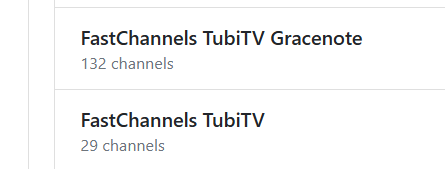
In FastChannels you will see a standard link and a Gracenote link. Both are added just by clicking Add to Channels DVR button.
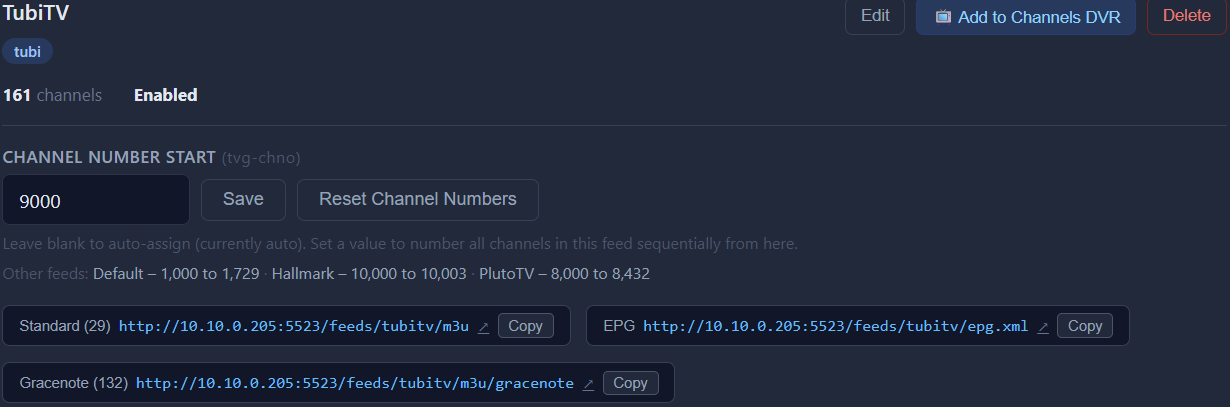
The problem is that the Standard Link and the Gracenote link start at 9000 for both that get added to Channels DVR, instead of being parsed out when sending channel number over so they don't duplicate.
I did the 1-4 as you stated this morning since I have had this project for a while and decided to blow it away and start over fresh.
Screen shot below shows the two sources with the channel numbers unaltered from FastChannels.
The first 29 channel numbers are duplicated.
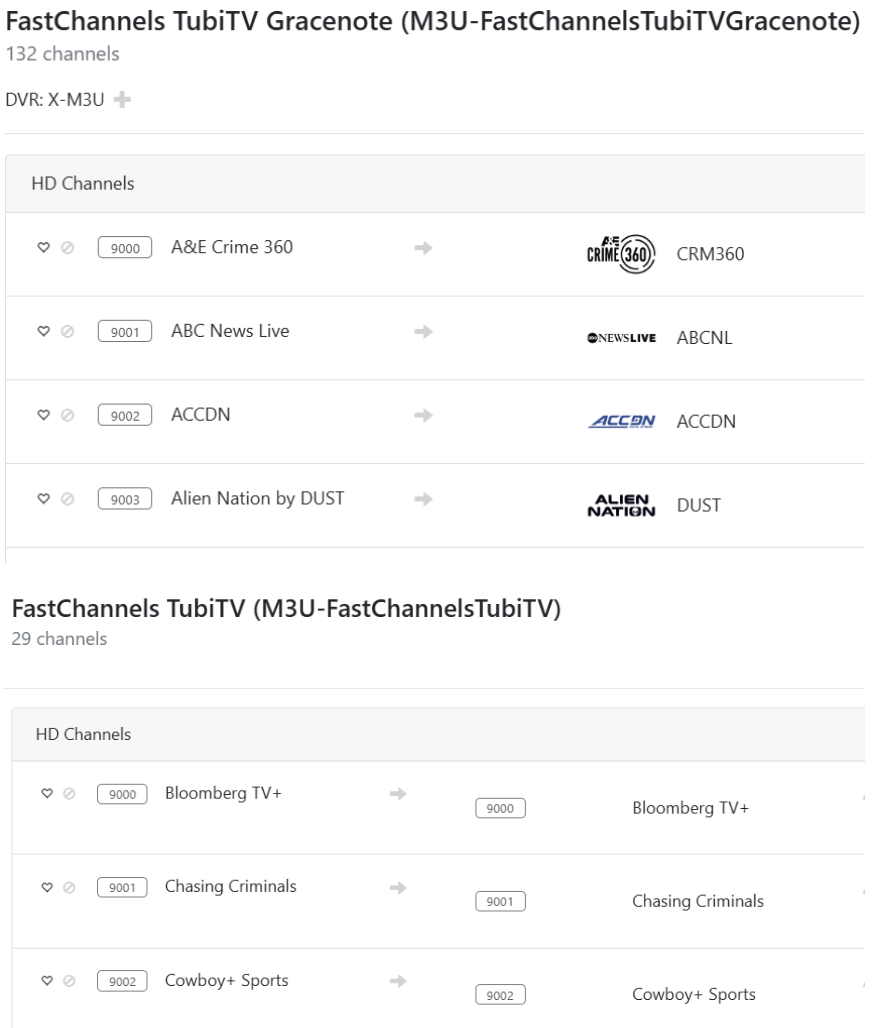
good info... def a bug. will attempt yet another fix.
have I ever mentioned tv-channum has been the biggest pain in the rear....
Yes. Yes you did. Sorry bud.
Just don't tell him Kaloopy's not working. It might ruin his weekend 