
Trust me guys - I knew last night... But this time it's nothing we did - their website isn't streaming it directly right now!
I'm looking for a way to understand the different between Gracenote channels and non-Gracenote channels. I also see both types listed, but don't really understand the difference.
I'm having a problem with the guide listings for two Pluto channels. I'll document one here.
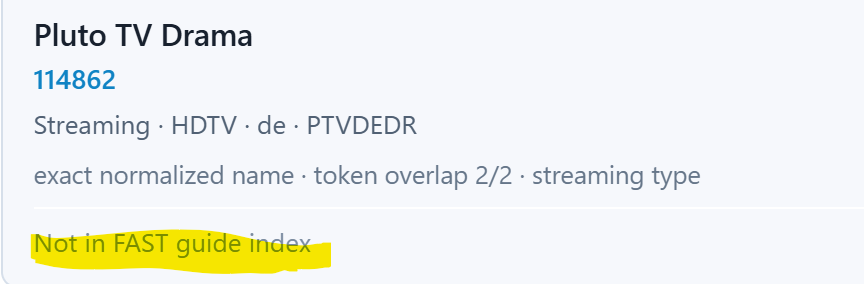
The channel is Pluto TV Drama. It was showing "Pluto TV Drama Programming" in every time slot. I put in a manual Gracenote ID of 114862. Now the guide in FastChannels shows the correct programming, but the guide in Channels still shows the filler message.
I did a new Fast Scrape, Reload M3U in Channels, Redownload Guide Data in Channels, but nothing changed.
All the other Pluto channels did not need a manual Gracenote ID, and are working fine.
The video content from these channels is fine.
Any thoughts?
Did you try deleting the channel dvr guide data and letting it rebuild?
Good guess, but I just tried it with no good results.
Killed Channels Server
Killed Docker
Restart Docker
Restart Channels Server
Insure Docker/Channels working properly
Delete and recreate Channels Database
Problem still exists.
This might be an interesting project to try including:
The Puffer FAQ says they are limited to 500 simultaneous users.
1 Like
If you are saying Pluto TV Drama is not supported, why is it showing up correctly in the FastChannels guide, but not in the Channels guide?
Pretty sure FC is displaying scraped guide data, not Gracenote guide data. You set Pluto TV Drama to a Gracenote ID that CDVR doesn't get guide data for. If you remove the Gracenote ID from the channel it will probably work in CDVR.
(My setup does not specify a Gracenote ID and I do see guide data in CDVR.)
I'll save you some time. None of these gracenote ID's are correct.
114862
115039
123802
I setup a test source using these 3 gracenote ID's to show what epg they get.

And no, I don't know if there is a correct gracenote ID for Pluto TV Drama, I just turned it off so it uses the FastChannels scraped epg.

1 Like
@jpinilla712, unfortunately, the Disney+ deep links for the live streaming stations do not work as expected. If you use the base link, they go to show/movie pages, not the live streams themselves. And if you use the play link, it goes to that specific content and plays from the beginning.
As such, I'll add the current set to HDMI Encoder Native Apps before the beta release, which should be tomorrow! However, I'm concerned that Disney might be switching them out or moving them around on a regular basis, so probably some maintenance that would have to be on the user side of the house.
1 Like
Thanks for the test. I have set both Pluto Drama, and Pluto History to type "O", and they are both working now.
2 Likes
Not sure if it is a FastChannels issue or something I am messing up, but I stood up a secondary Mac mini and installed CDVR natively and Olivetin ezstart on docker desktop, have Fastchannels running and everything appears okay, but my Pluto source no longer provides me with Close Captions (CC). Strange because my primary box (other Mac mini) setup the same provides CC on my Pluto channels. Any thoughts?
A restart of the CDVR appears to have fix that Pluto CC issue 
I'd like to propose a per-source switch that would allow each source to be enabled for scraping, managing channels, viewing in the guide, etc. but would inhibit any of the channels from being added to any feeds. The purpose of this is to be able to explore new sources before allowing them to change any feeds.
I'm probably too paranoid about new sources creeping into my feeds, but I have been disabling all of the new sources that have been recently added. Unfortunately, this prevents me from exploring what is available from the new source.
I think this would play well with the new Guide feature.
not sure I follow... you can just disable a source and it removes all of its channels from any feeds and the entire DB.
Edit- also, if you’re really that worried about it, spin up a second container on another port and use it for your playground. That’s what I do for development.
If you disable a source,
- It won't be scraped
- You can't see what channels the source has available or view them in the guide
- You can't enable/disable channels in preparation for allowing them to be added to feeds
None of this mattered when first getting started with FC, but I'm looking for a mechanism where I can take my time to determine which channels I want when a new source is added to FC before the new source starts churning the channels in my corresponding CDVR sources.
But, nevermind. It's never my intention to push you for a feature where you don't see the value.
I understand what you're saying.. It would take some sort of "lock feed" but boy that sounds hairy to implement.
seriously, fire up a second container for playing around with. super easy to do!
4 Likes