I'm experiencing a metadata matching problem with a TV series imported into Channels DVR from PlayOn Home.
Problem: Last Seen (2026) — Apple TV
Channels incorrectly identifies this series as Last Seen on Holiday .
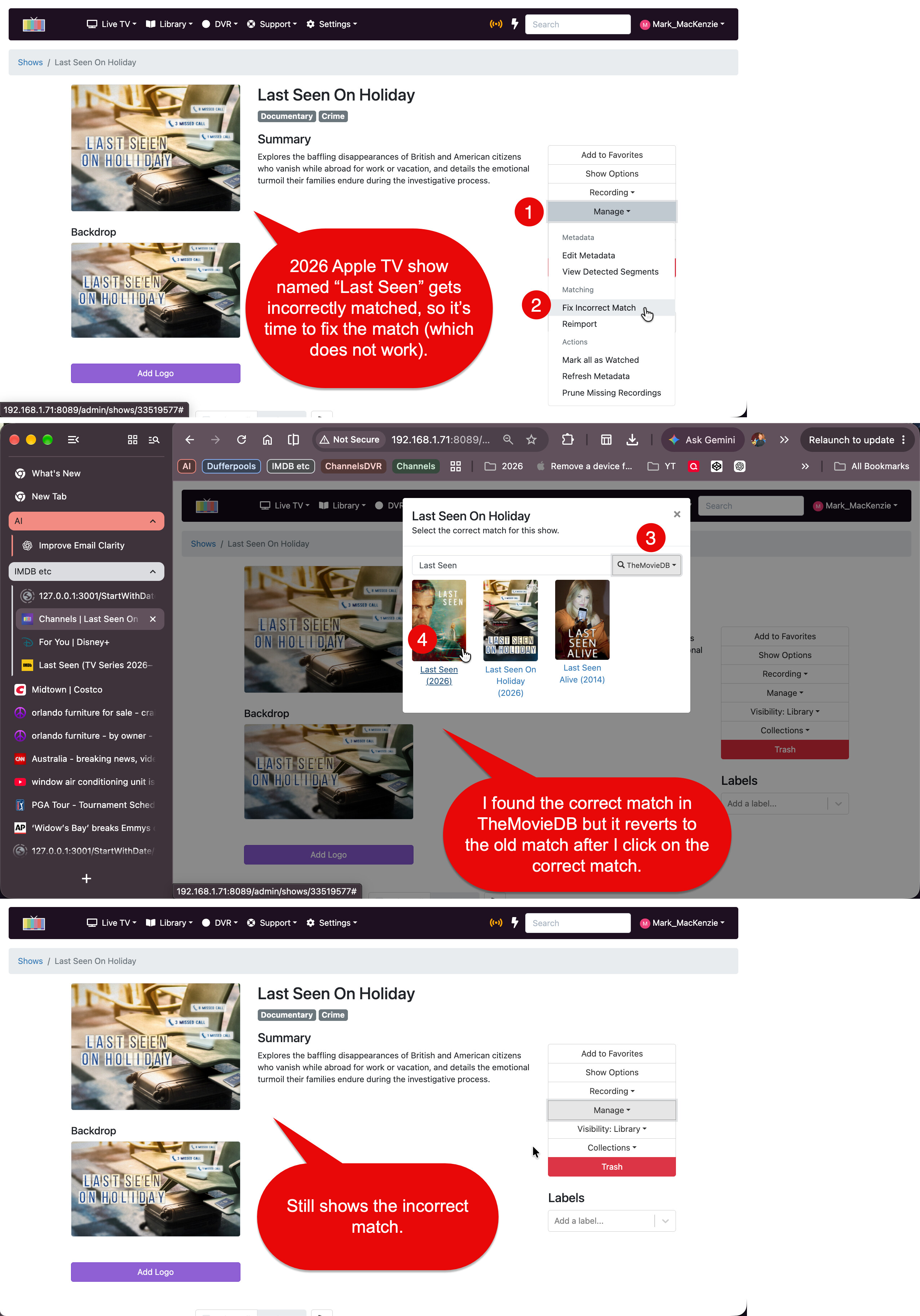
I've attached an annotated screenshot showing the sequence:
- Channels initially displays the incorrect series.
- I select Manage → Fix Incorrect Match .
- I find the correct Last Seen (2026) series using TheMovieDB.
- I select the correct series, but Channels continues displaying the incorrect title, artwork, and description.
The correct Last Seen series is available in TheMovieDB but does not appear in Gracenote.
Successful comparison: Brothers — Apple TV
I encountered a different matching problem with Brothers , starring Matthew McConaughey and Woody Harrelson, also imported from PlayOn Home.
Initially, Channels failed to find any match. Instead of displaying the show's artwork, it displayed a generic blue background with the title Brothers .
However, when I used Fix Incorrect Match , I was able to select the correct series and successfully update its metadata.
Unlike Last Seen , Brothers is available in both Gracenote and TheMovieDB .
Observations and questions
As a software developer, I suspect the original incorrect match for Last Seen might involve partial title matching, since "Last Seen" is a substring of "Last Seen on Holiday."
However, the unsuccessful correction may be a separate issue involving metadata provider selection or persistence.
The contrasting results suggest two possible factors worth investigating:
- Whether Channels handles correcting an existing incorrect match differently from correcting a previously unmatched series.
- Whether successful show-level metadata correction requires a valid Gracenote entry, even when the correct series exists in TheMovieDB.
Is this expected behavior, a known limitation, or potentially a bug?
Thanks!