
Did you run this program to port the FrndlyTV channels to ChannelsDVR?
3 Likes
Frndly TV is a subscription service and doesn't use TVE for its channels.
You can view them at the Frndly TV website or using the docker container pointed out by @Rwbisme
Which is what I use and the Hallmark channels are working there.
1 Like
Then I guess I’m doing something wrong. I’m running Channels Server in my Synology NAS and also Container Manager in the same Synology NAS. If you can point me to a friendly setup guide for Synology that I would really appreciate!!
Do you have Portainer installed on your Synology?
No
Easy way to Install and Update Portainer on your Synology NAS
To install portainer ce on your Synology NAS
create this directory for portainer data on your NAS
/volume1/docker/portainer
Setup a task to Install and Update portainer ce
Synology Control Panel > Task Manager > Create > Scheduled Task > User-defined script
Be sure to select user root
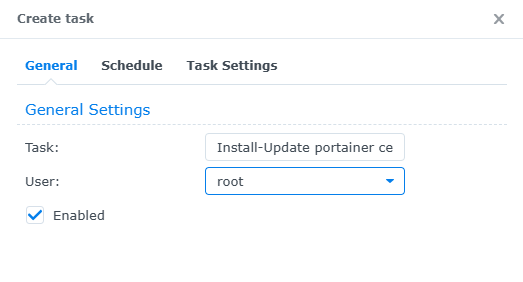
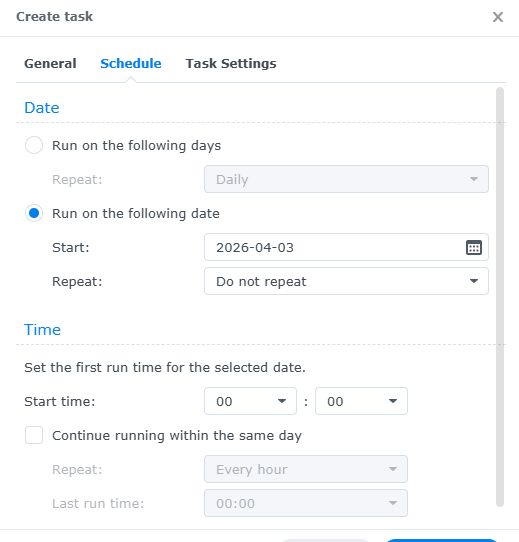
Schedule to run once in the past as you'll run this task manually
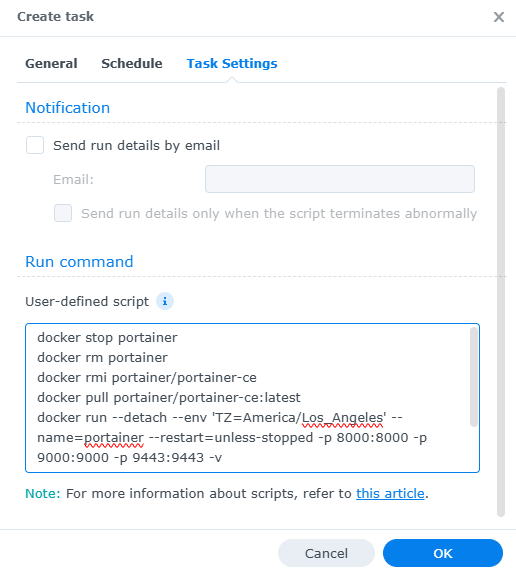
Paste these lines in as the Run command User-defined script (adjust for your TZ Time Zone)
docker stop portainer
docker rm portainer
docker rmi portainer/portainer-ce
docker pull portainer/portainer-ce:latest
docker run --detach --env 'TZ=America/Los_Angeles' --name=portainer --restart=unless-stopped -p 8000:8000 -p 9000:9000 -p 9443:9443 -v /var/run/docker.sock:/var/run/docker.sock -v /volume1/docker/portainer:/data portainer/portainer-ce:latest
Then click OK to save the task
Select the task from the list and Run it
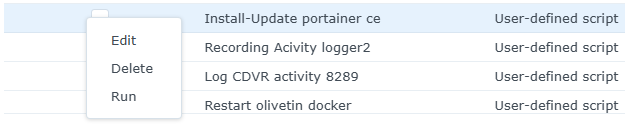
Repeat doing the Run whenever you want to update portainer ce
To access portainer ce
Navigate to the IP address of your Synology NAS and port 9000 (for HTTP) or port 9443 for HTTPS.
If you are using Synology’s firewall, make sure you create an allow rule for port 9000/9443 so
that you can access the management portal.
http://[SYNOLOGY_NAS_IP]:9000
https://[SYNOLOGY_NAS_IP]:9443
Create a username and password to access Portainer, then select create user.
Select Docker and then Connect.
Select Local to manage the local Docker instance (on your Synology NAS).

2 Likes
frndly doesn't support tve - they don't use drm so that container is able to pull the streams from the browser
Works great
I'm running portainer already. What would be the next steep to get Frndly TV working with Channels DVR?
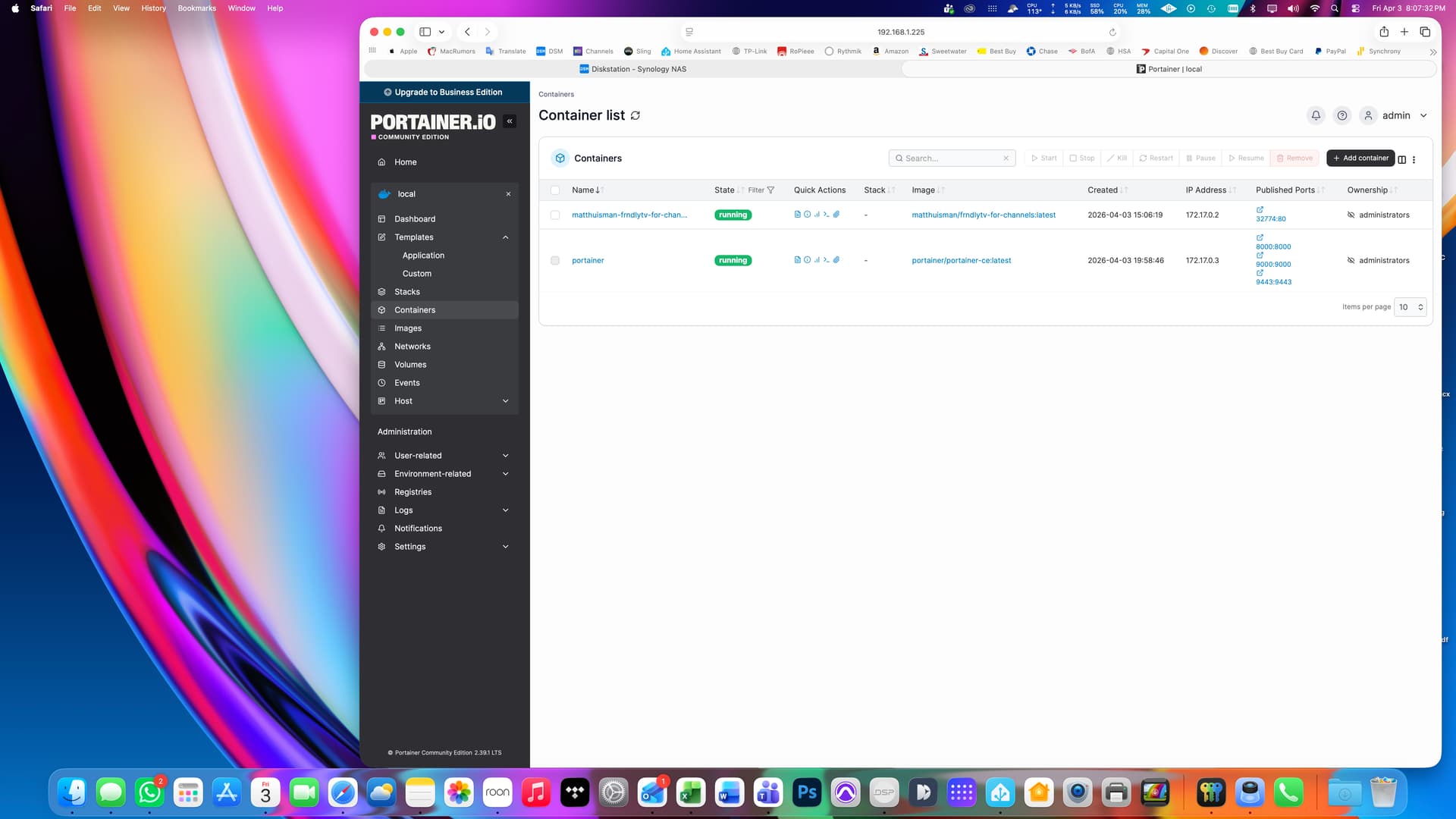
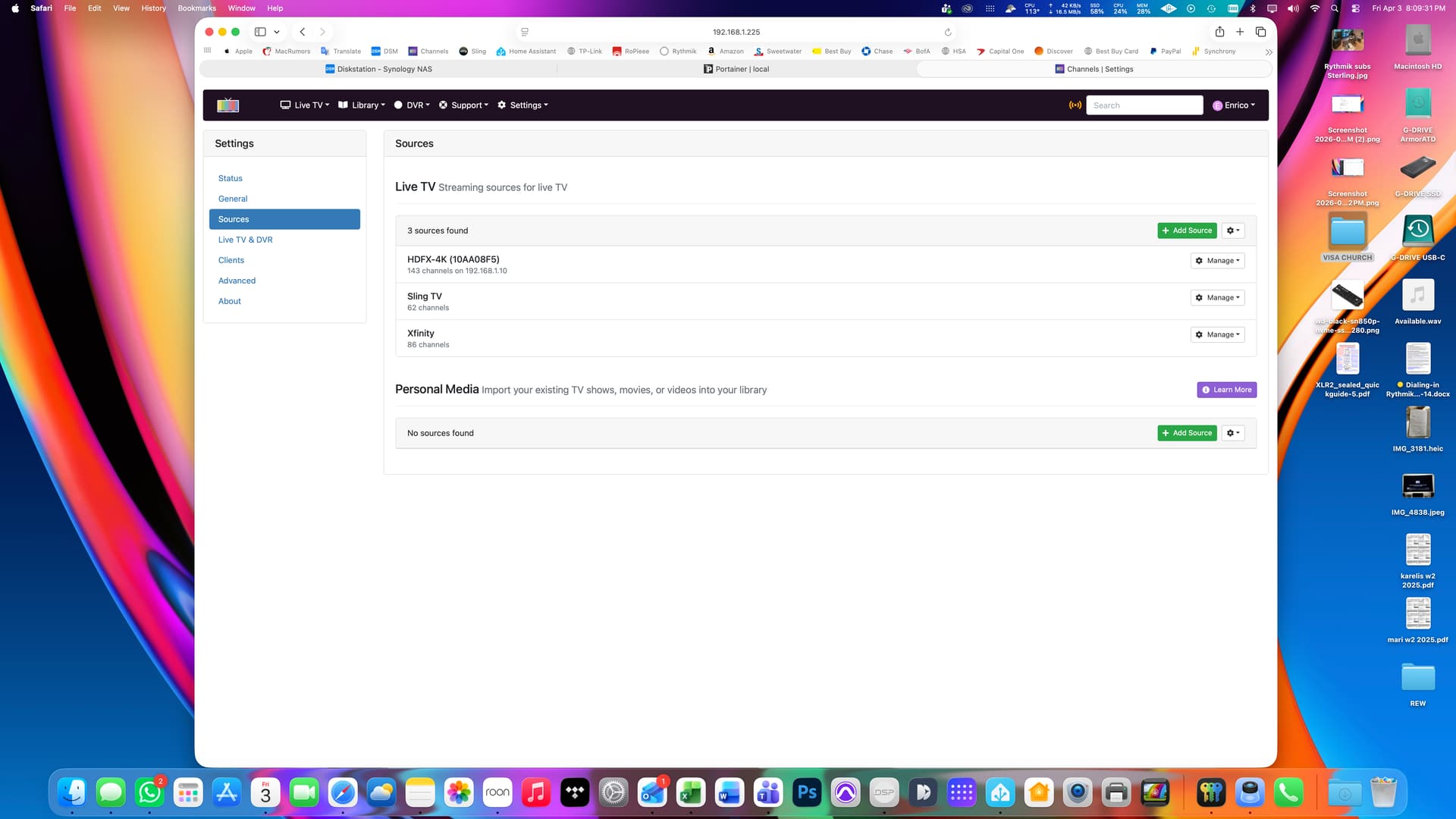
Create a new stack using FrndlyTV-for-Channels
Oh, I see you already have the docker container running
Bring up the web page for the docker container (From your screenshot I'm guessing it's at http://192.168.1.225:32774) and use the values shown
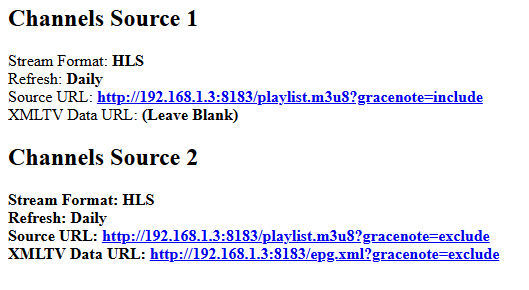
to put into two new Custom Channels sources.
1 Like
I'm getting Failed to load m3u message. I think it is something wrong with Frndly-tv docker container.
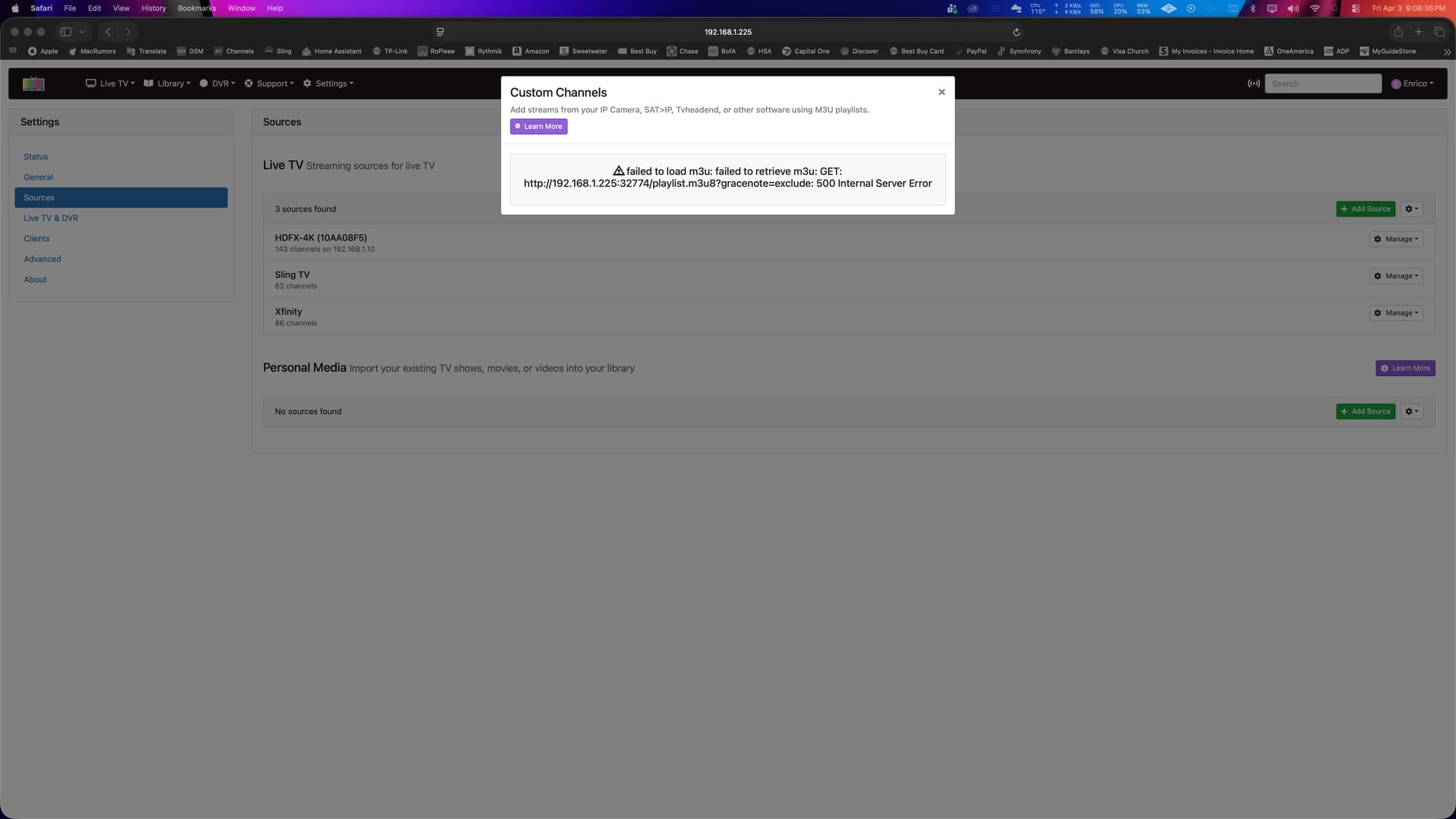
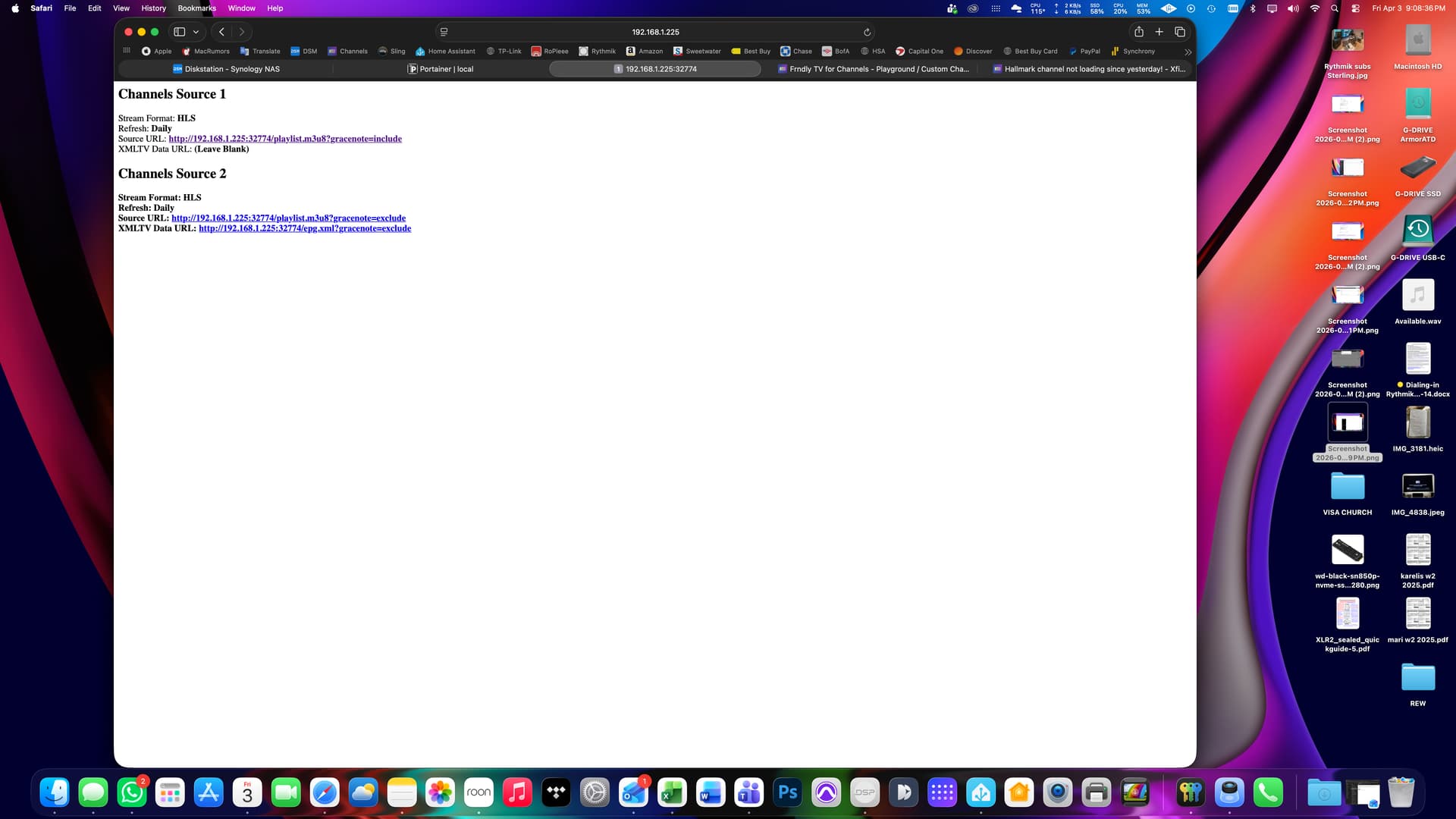
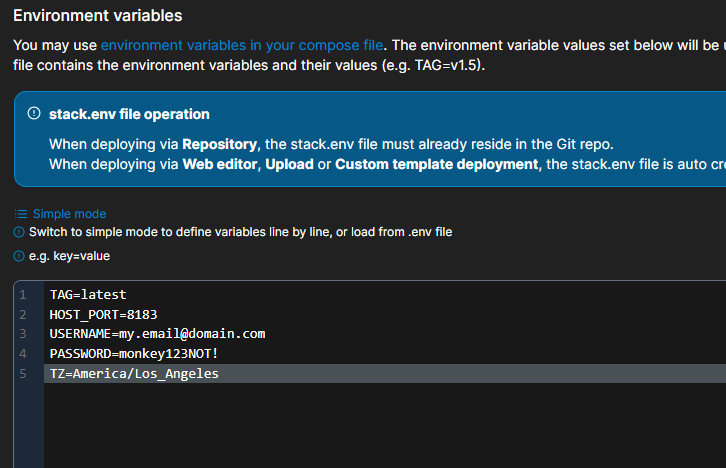
What does the portainer stack and environment variables you used look like?
Here's mine
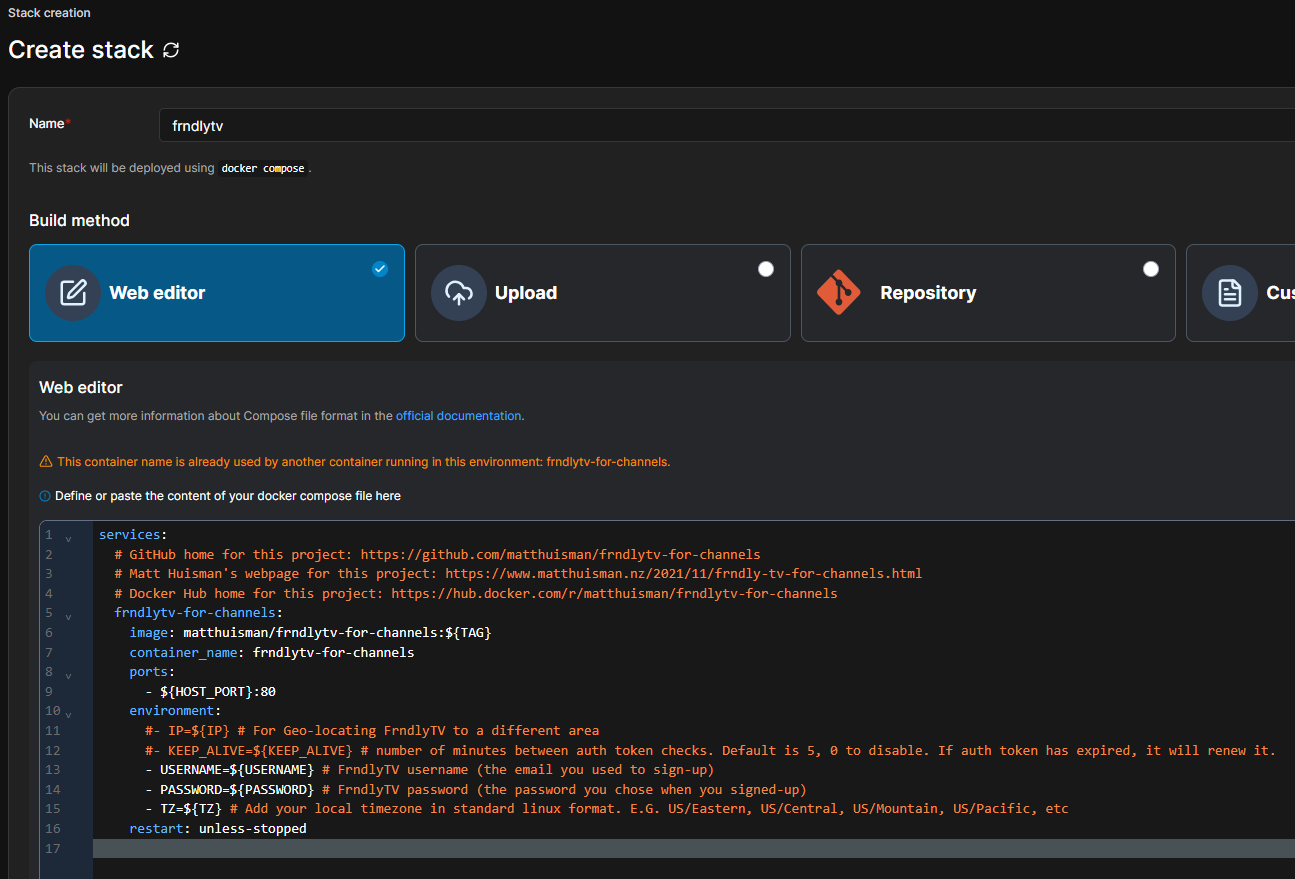
Portainer Stack compose
services:
  # GitHub home for this project: https://github.com/matthuisman/frndlytv-for-channels
  # Matt Huisman's webpage for this project: https://www.matthuisman.nz/2021/11/frndly-tv-for-channels.html
  # Docker Hub home for this project: https://hub.docker.com/r/matthuisman/frndlytv-for-channels
  frndlytv-for-channels:
    image: matthuisman/frndlytv-for-channels:${TAG}
    container_name: frndlytv-for-channels
    ports:
      - ${HOST_PORT}:80
    environment:
      #- IP=${IP} # For Geo-locating FrndlyTV to a different area
      #- KEEP_ALIVE=${KEEP_ALIVE} # number of minutes between auth token checks. Default is 5, 0 to disable. If auth token has expired, it will renew it.
      - USERNAME=${USERNAME} # FrndlyTV username (the email you used to sign-up)
      - PASSWORD=${PASSWORD} # FrndlyTV password (the password you chose when you signed-up)
      - TZ=${TZ} # Add your local timezone in standard linux format.
    restart: unless-stopped
Portainer Stack Environment variables
TAG=latest
HOST_PORT=8183
[email protected]
PASSWORD=monkey123NOT!
TZ=America/Los_Angeles
Maybe it's your username or password.
Look at the Frndly container log in Portainer
1 Like
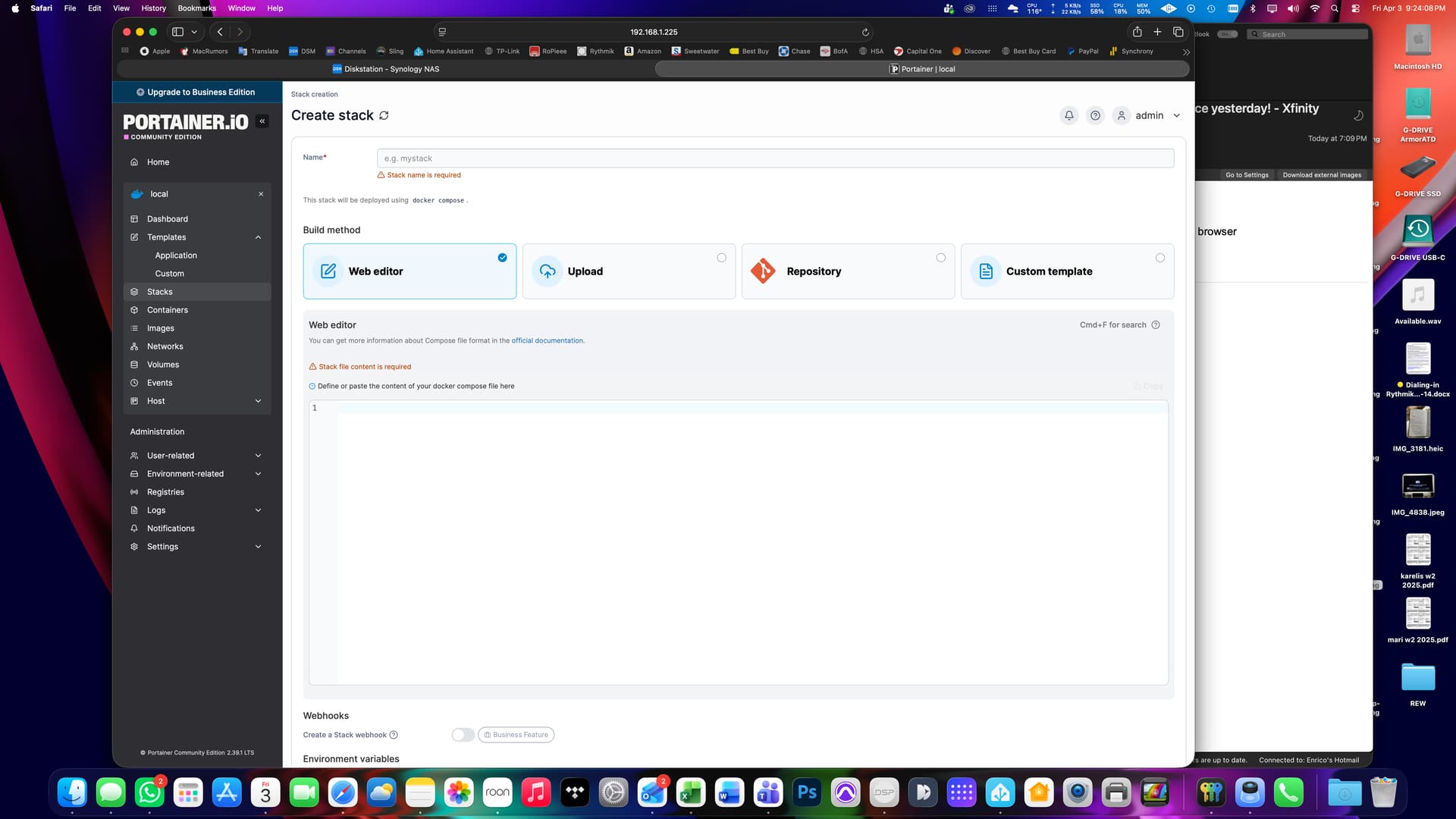
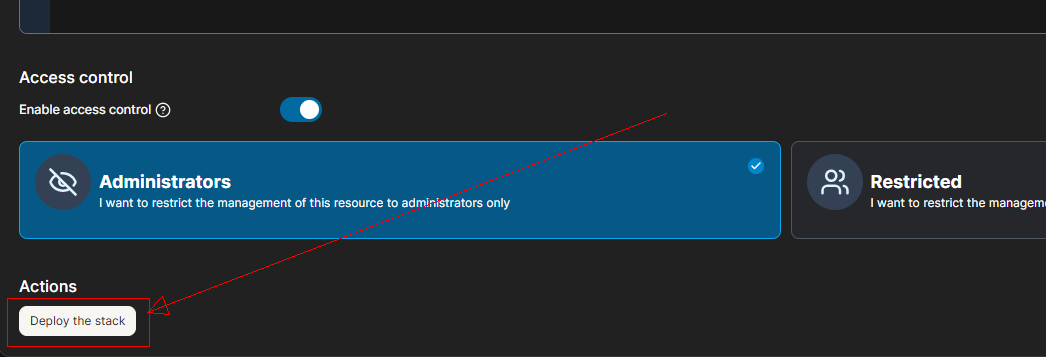
Since you skipped a step and already created the container without using a stack compose, you will have to stop and delete the existing container you created before deploying this stack.
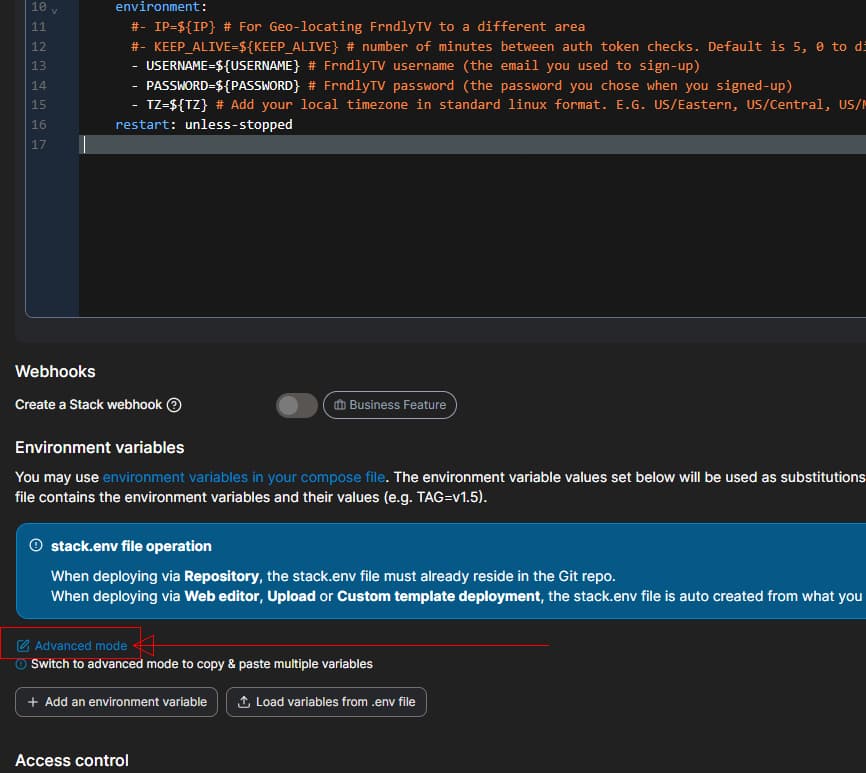
1 Like
You my friend are THE BOMB!! It is working  And Hallmark channels are working too
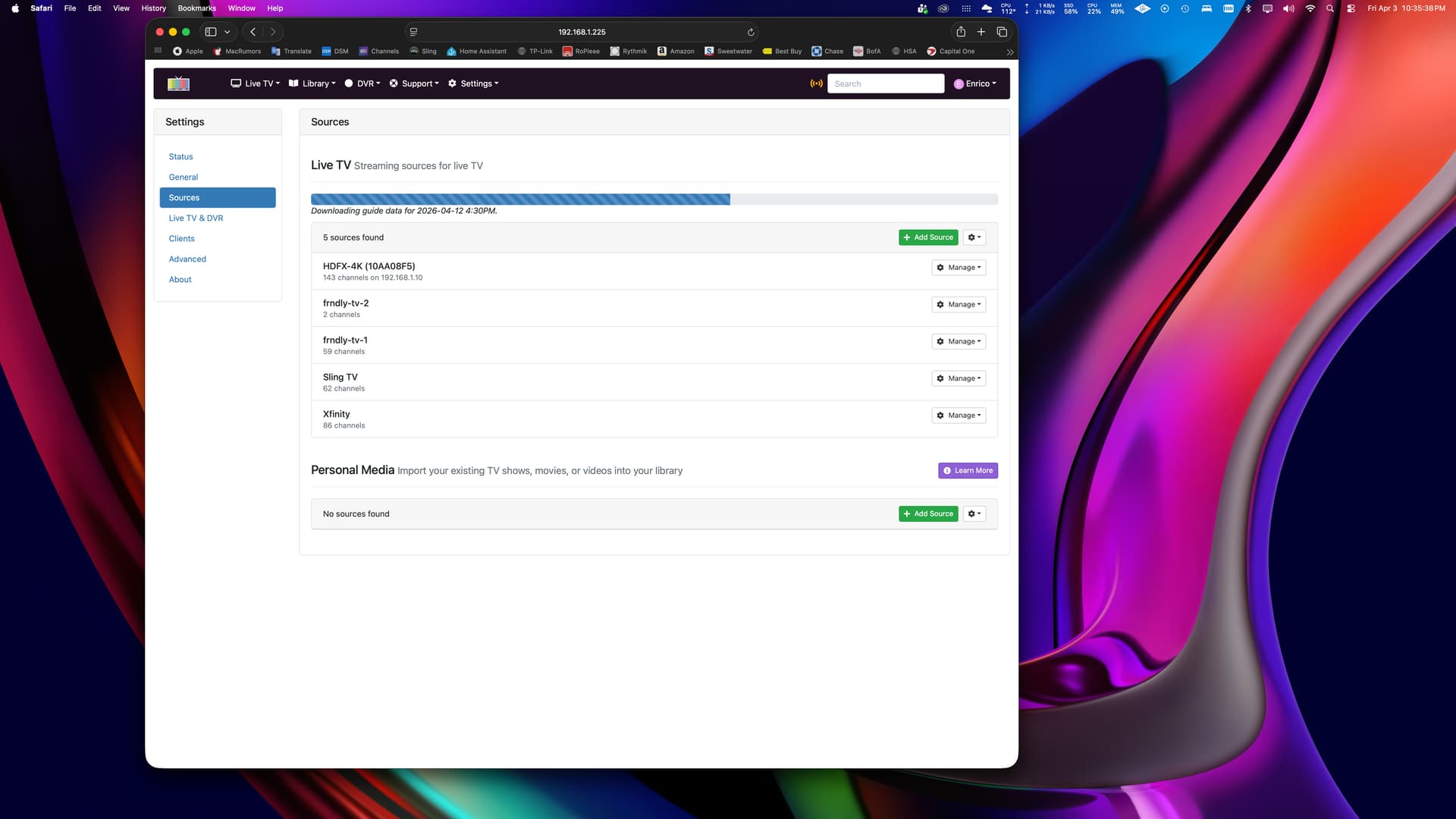
THANK YOU SO MUCH for your patience and sharing your knowledge with me!! Have a very blessed Easter weekend!
Enrico Castagnetti
2 Likes
Good to see. You can also Prismcast to pipe in the Hallmark channels if you only want to have 1 provider. There's is a setup wizard for NOW TV (use Xfinity Stream)
1 Like
Most likely I’m going to cancel NOW. I pay $20 for NOW and only use it to watch Hallmark and Frndly TV is half the price of NOW so no need to have both.
1 Like
Hallmark TVE gone
With your help, I was able to get Hallmark channels working with Channels DVR using Frndly TV as the TV provider. I cancelled Xfinity NOW the same day I got Frndly TV working. Thanks again for your help!
1 Like