How to add YouTube TV as a source?

I had YouTube TV set up as a source, but the number of channels coming from it was just a handful of mostly useless stations.

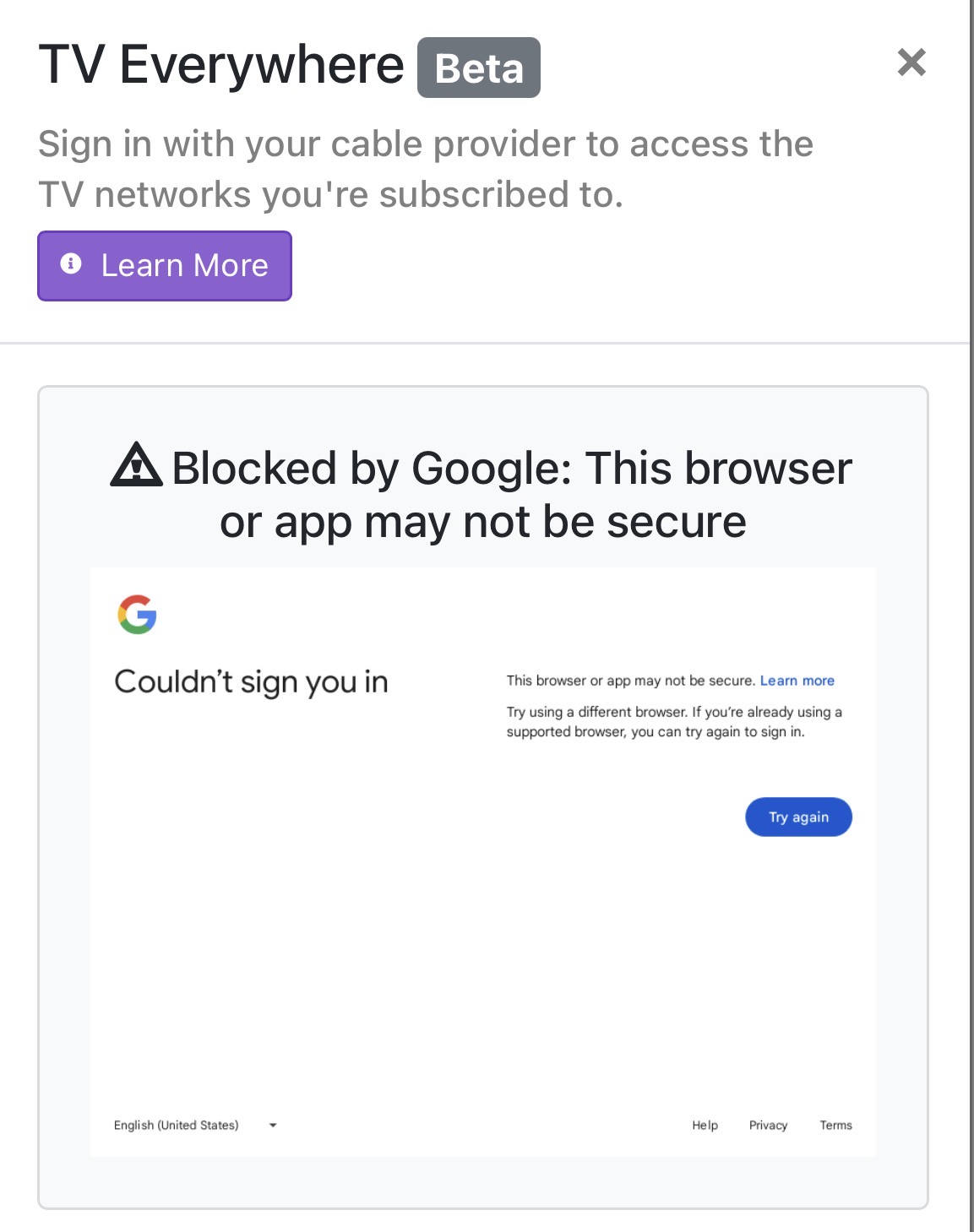
I removed it as a source and now I’m trying to add it back in, but I can’t pass the authentication step. I get a “Cable provider authentication failed” error. The Google dialog is un-clickable and wants me to complete sign-in using my pass key. I have turned off 2FA on my Google account and that didn’t help. Any ideas?

Or, is it simply not worth the effort? It appears MOST of the channels I would like to record are not in TVE, which is what started this mess to begin with.

I haven’t had much luck getting answers by searching this forum — most discussions on it are several years old… :frowning_face:

I think it’s worth it for sure. While I don’t use YouTube tv myself I know the best way to get it working is to create a new email (I don’t think it needs to be Gmail account) and link that email to your family making sure not to enable any two-factor. Then use that email to authenticate within channels.

How to create family link here

2 Likes

I have tried this many times and have never been able to get it to work. If anyone has been successful lately, Im all ears. Im thinking it may also complicate the issue since im using ChannelsDVR on my synology vs running in docker.

I was able to get YTTV added today but it took awhile and I had to guess at the number it wanted me to select for crudity purposes! It was a pain but after about 10 tries I guessed the right number and got it added back. I had 2FA turned off and its a new gmail address I setup just for this purpose.

I dont even get to that step, it just says the browser Im using is unsupported. Thats why I suspect it has to do with using the Synology setup vs Docker. How/where are you running ChannelsDVR?

I was able to get it working on these;

  • Synology Package install
  • Channels DVR TVE docker image
  • @bnhf Debian Channels DVR TVE docker image

After verifying it worked on all three installs in July, I'm currently using the @bnhf Debian Channels DVR TVE docker image and have the other two installs shut down.

I setup a new gmail. No 2FA of any kind. Did not set backup email or phone, nothing. Added that account to my YouTube TV family. I’m using those credentials to sign into TVE via ChannelsDVR running on Synology. I have tried from a Windows PC both on chrome and Edge, MacBook Pro, iPhone, iPad, and all of them get hit with the incompatibility error about the browser. It will not get past that screen no matter what I try.

What chrome version does Channels say when you run the troubleshooter?

Chrome version up to date: 114.0.5735.199

Make sure you're running the latest DVR pre-release version, then try this to update your Channels DVR Chrome

That should update it to at least v129

I updated to pre-release 2025.12.09.2002. I then did the Dish sign in, holding Sign In. It updated Chrome to 129.0.6668.59.

I then tried to sign in using the youtube TV login that is linked to the gmail that has no 2FA or anything tied to it......and I got the same error.

Bummer.
At least you know it isn't the DVR or Chrome version in the Synology package (devs have said it won't go higher than v129).

I was able to add YTTV using the Channels Synology package with Chromium v129 back in July and shut down that package in August.

Also added YTTV using the Channels TVE docker image with Chromium v132 back in July and removed YTTV from that container in September.

I'm currently using the @bnhf Debian version of the Channels TVE docker image with Chrome v138 for YTTV.

For all of these I use a google account with a non-gmail email, no recovery and no 2FA as a Family member added to my main google account to access YTTV.