
Holy moly. Pretty soon you'll have your own DVR software entirely. Just tell me the monthly fee and I'll give you my credit card number.
Not convinced to expose static pages as channels, eh?
I was just adding some more channels to PrismCast this afternoon. When testing playback I noticed video was stuttering a bit. So, I went into the configuration and reduced the resolution and frame rate in hopes of smoothing things out.
After hitting "Save Settings" there is a pop-up instructing the user to restart PrismCast for the new settings to take effect. Is there a simple way to restart through the GUI, or must I go into Docker/Portainer to stop and restart the container?
Any chance you'll support Verizon Fios as a provider? I'm guessing not because when I tried to watch Verizon live in Chrome via VNC, the Verizon page wouldn't even load and told me to disable developer options. Any suggestions on getting this to work with Verizon?
Are you asking about going to the channel's website to view, or Verizon's website and view through a portal they offer? For the former, you should be able to use the existing channel profile and select Verizon if they offer the channel to be accessed. For the later, I would assume if you can access via your desktop web browser, then you an configure a custom channel within PrismCast to access as the same way.
A source of confusion with the UI documentation with Stream source vs. Provider.
I have PrismCast setup to get channels from tv.youtube. I call that a Stream source.
My Provider is Google YouTube TV (YTTV). I call that my Provider.
I added a channel to get my local Fox channel directly from Fox One (fox.com) using my YTTV Provider credentials. I call that a Stream source.
It didn't show in my channel list or appear in the playlist m3u.
Once I selected Show disabled channels it appeared as disabled in the channel list saying no available providers.

Found out I had to add Fox One Provider to my filters, even though I don't have a Fox One account (not my Provider).


Here are some additional stations you can get from their websites using either TVE or no login required...
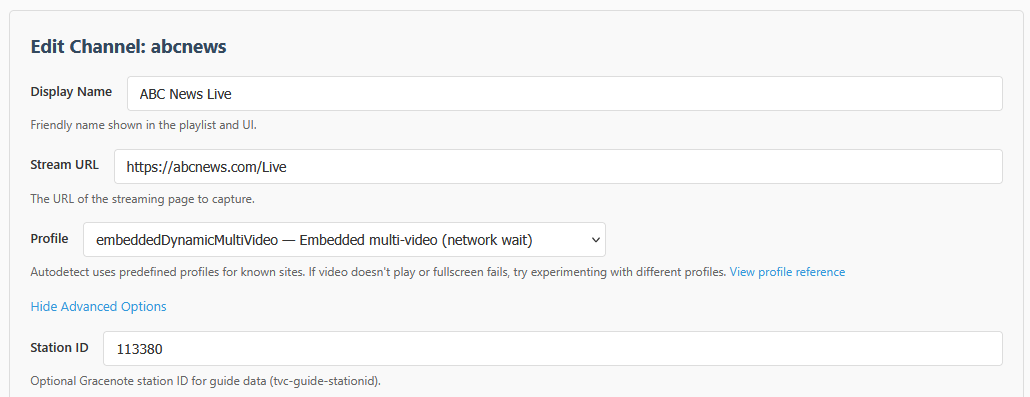
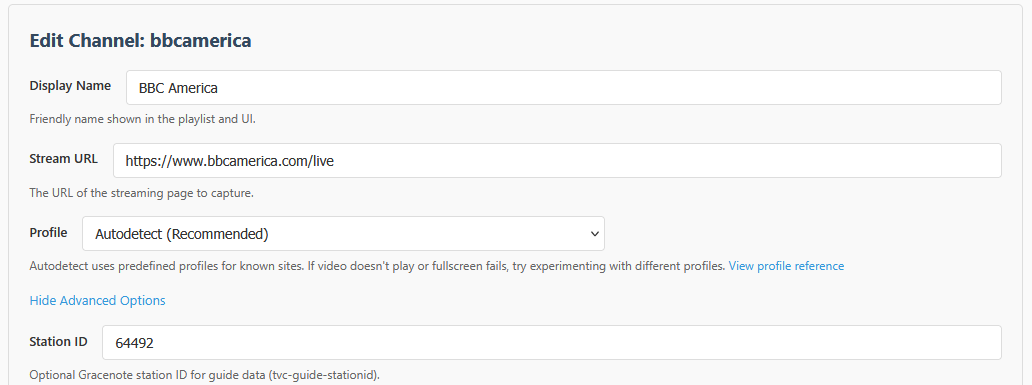
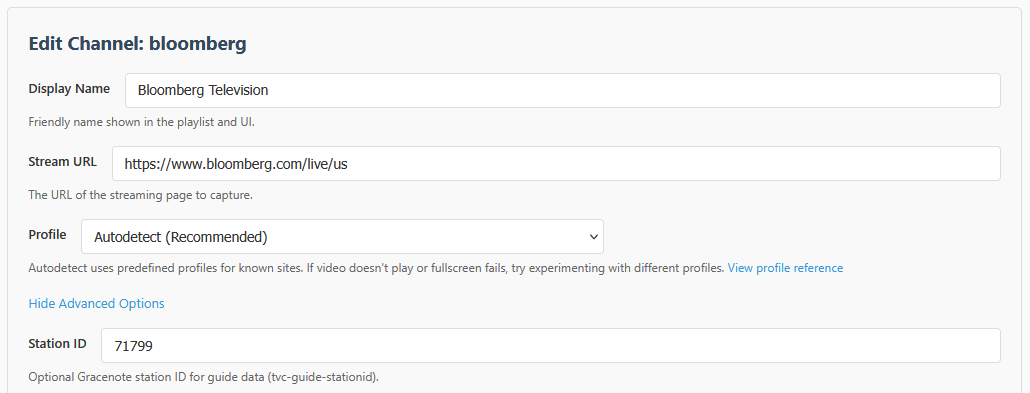
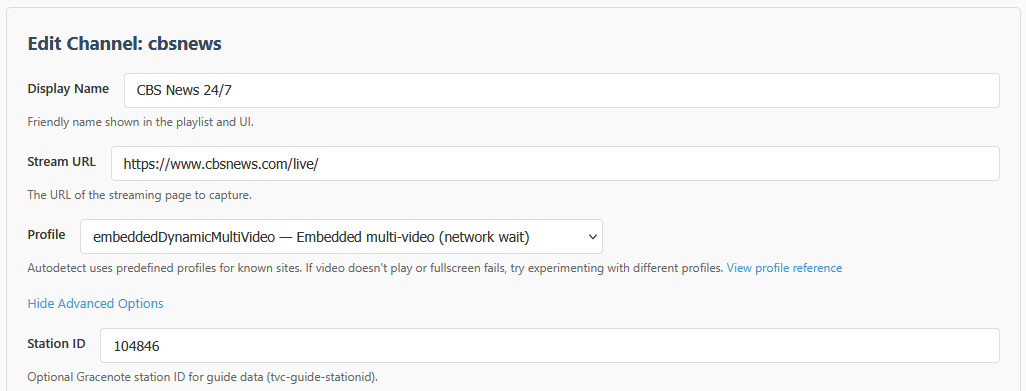
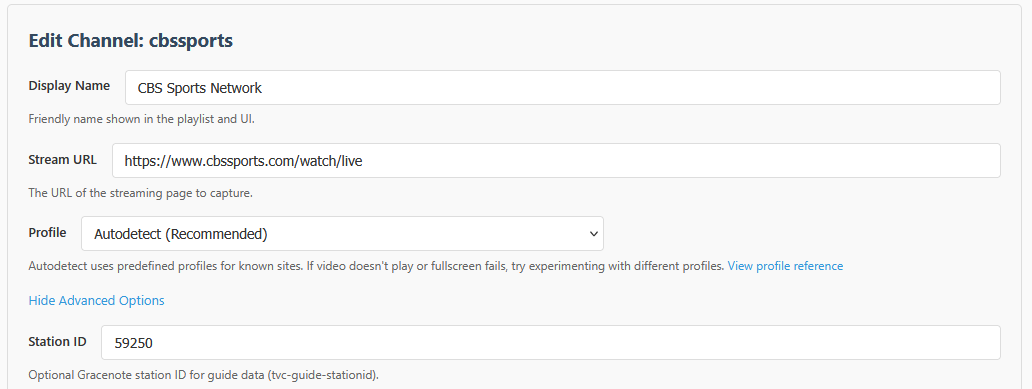
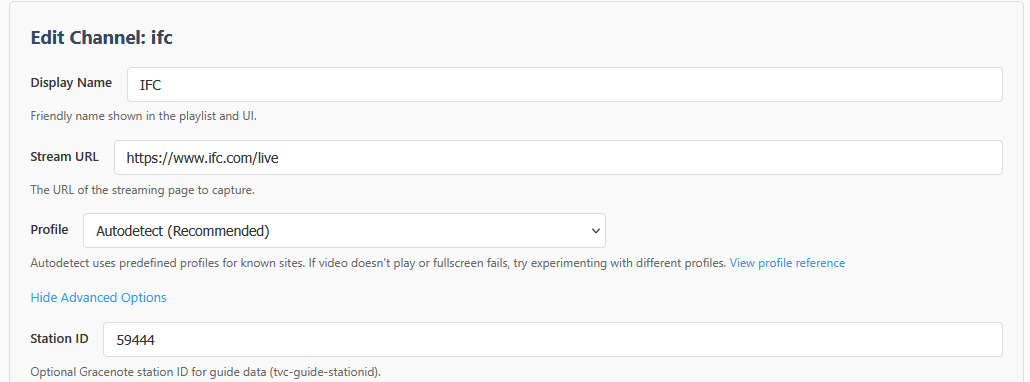
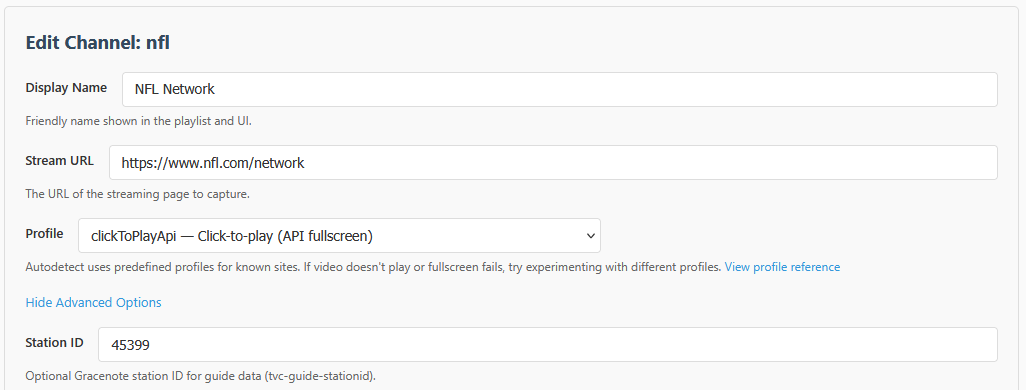
You can also have your local PBS Main Feed Station with something like this...
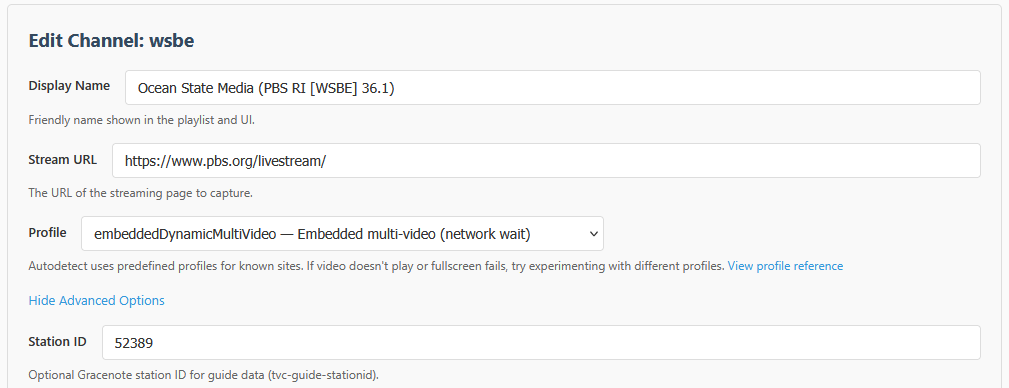
However, for a Sub-Stream like PBS Kids, I can't get it both to select and play. I can make selection work like this...
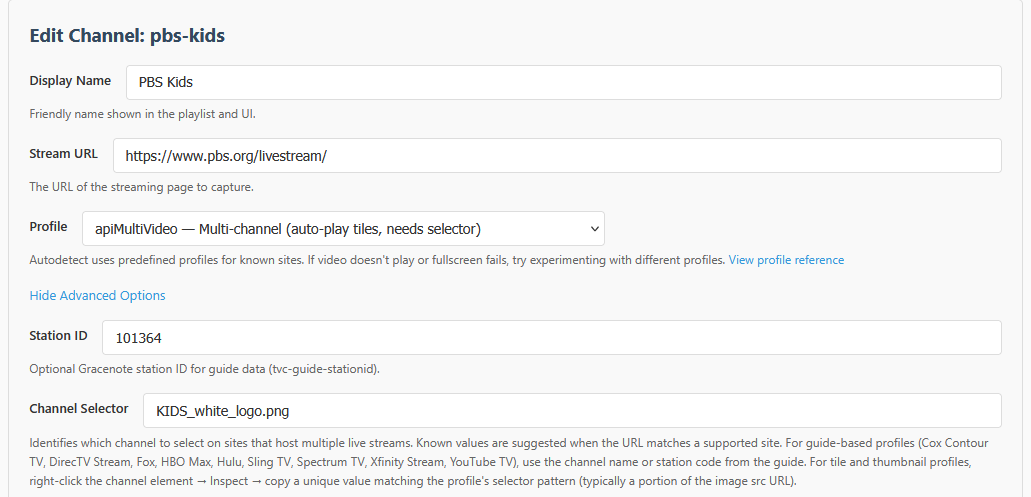
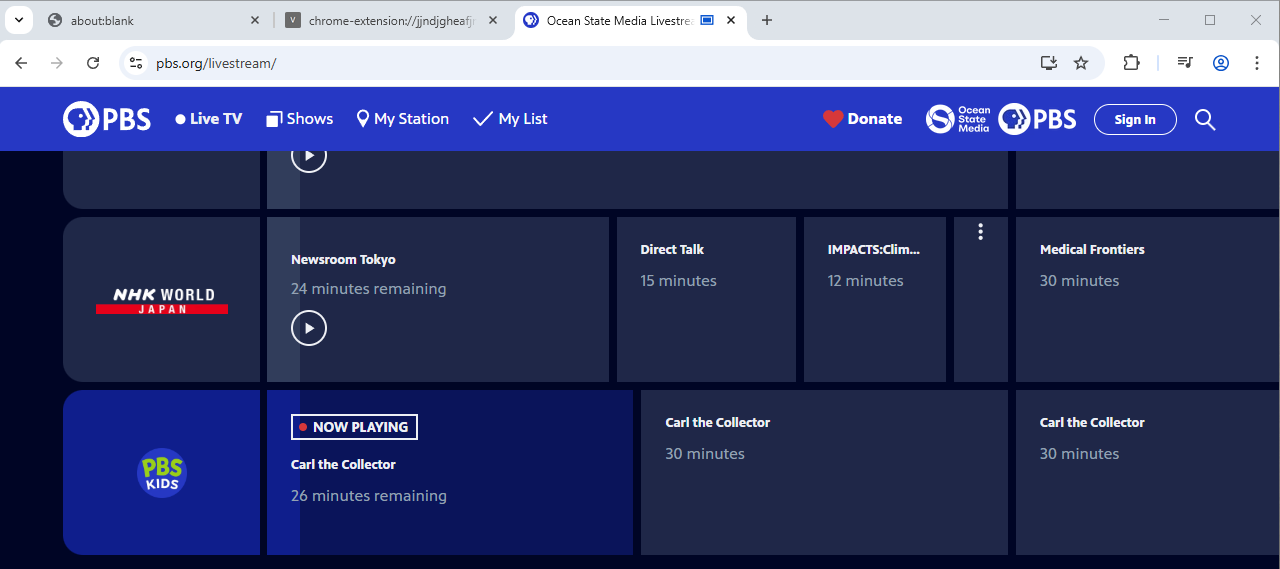
But I need the embeddedDynamicMultiVideo for it to play, and I don't see a way to mix the two.
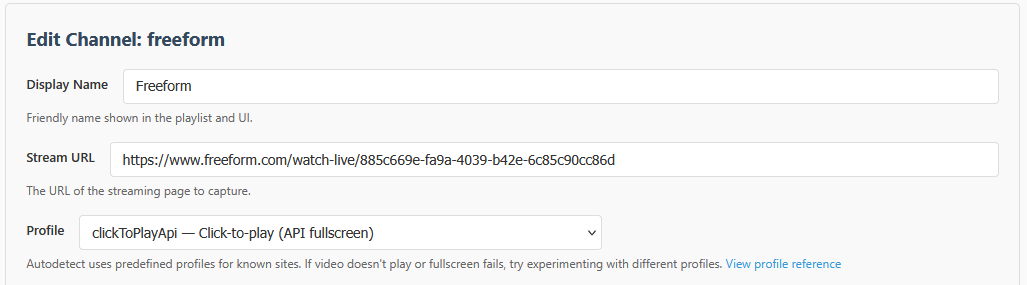
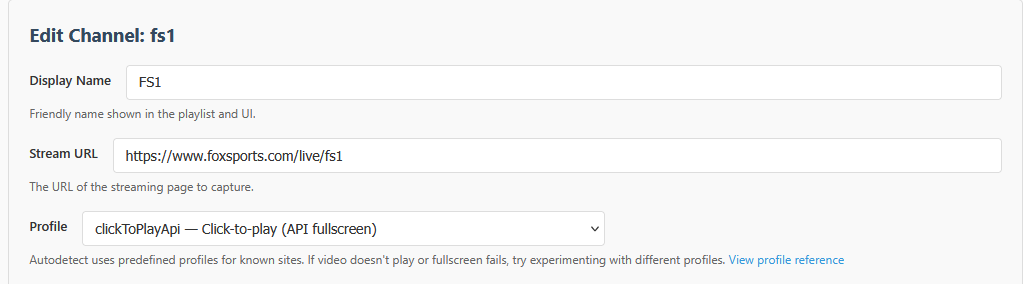
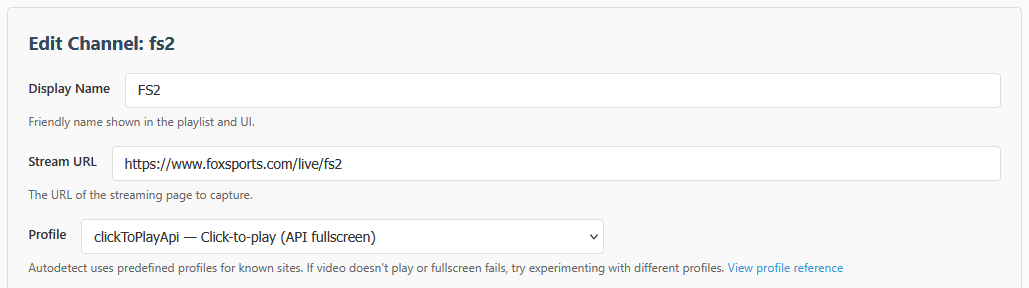
@chDVRuser brought this up as I was typing this, but it's also worth noting that you can go to Fox's website and login with your TVE provider, and then you can use Fox One. If you use PrismCast's built-in method, it tries to first connect you to the Fox One paid app version.
3 Likes
I was talking about going to Verizon's streaming website (https://tv.verizon.com/watch/) and having PrismCast show the channels on there. Each channel doesn't have it's own URL (everything plays from that same URL above), so I'm not sure if I can make it tune to a specific channel. I'm new and still learning the software so that might be a feature.
The bigger issue I think is that I can't even bring up the web page on the Chrome browser used by PrismCast. I get this error and am not sure how to bypass that. Thoughts on that?
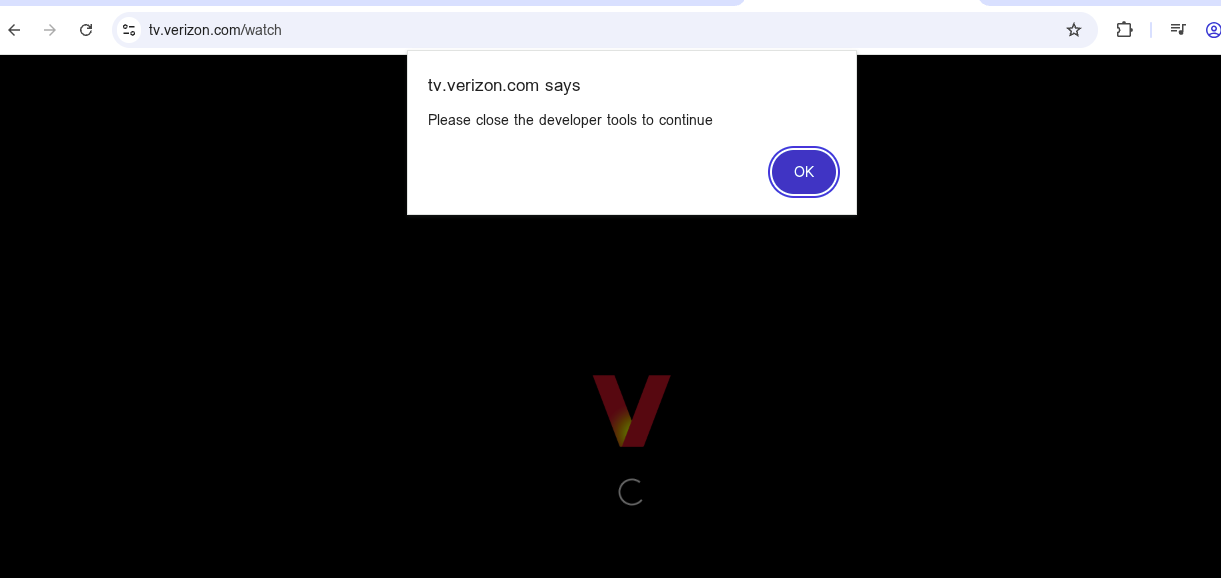
There may be deep links to access the actual channels through a hyperlink, but smarter people than me will have to weigh in on that. Same with the developer tools, I just know how to follow directions fairly well (my wife would disagree however).
It would be better for you to PM @hjd and offer up your Verizon credentials so they can make a profile for it like they did for Xfinity and Cox. Yeah, you could figure out the way to do all of it by hand, but having something everyone could use would be way more helpful for the project.
1 Like
I'm basically doing the same thing. I just followed the npm install and upgrade directions on the Git repo with a couple of exceptions. For one, the "install service" function doesn't work as written, so I got around this with this solution, which also keeps the command window hidden:
Create a 'run-prismcast.cmd' file...
@echo off
cd /d "C:\Users\[YOUR_USERNAME]\AppData\Roaming\npm\node_modules\prismcast"
set PRISMCAST_SERVICE=1
"C:\Program Files\nodejs\node.exe" dist\index.js
Create a 'run-prismcast-hidden.vbs' to wrap the .cmd script inside of...
Set WshShell = CreateObject("WScript.Shell")
WshShell.Run """C:\Users\[YOUR_USERNAME]\AppData\Roaming\npm\node_modules\prismcast\run-prismcast.cmd""", 0, False
Place both files in the PrismCast directory and then run this command...
schtasks /Create /TN PrismCast /TR "wscript.exe \"C:\Users\[YOUR_USERNAME]\AppData\Roaming\npm\node_modules\prismcast\run-prismcast-hidden.vbs\"" /SC ONLOGON /RL HIGHEST /F
This isn't the only way to approach this, but it works well enough. You can also create a task like Streaming Library Manager does where it is PowerShell launching in a hidden window to run the bat/cmd functions.
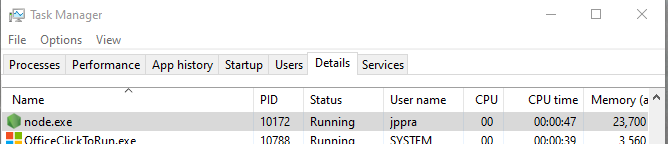
When upgrading, there are two things to do. First, make sure that .cmd and .vbs file are off to the side safe somewhere as you will have to move them back after the upgrade. The other thing to do is to manually end the node.exe process running in Task Manager (which I also have to do when changing settings):
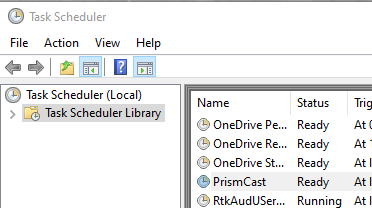
Otherwise, the direction on the Github repo work fine! I've never had to re-import my settings as the upgrade in place retains everything for me. When it's all said and done, I just execute the item in Task Scheduler and everything comes back.
2 Likes
@chDVRuser brought this up as I was typing this, but it's also worth noting that you can go to Fox's website and login with your TVE provider, and then you can use Fox One. If you use PrismCast's built-in method, it tries to first connect you to the Fox One paid app version.
I don't believe Fox ONE is purely paid...works with TVE logins, which is how I use it. Also, bonus - works natively meaning no need for a screen capture.
As an aside...I'm surprised more folks don't comment on the native streaming that's builtin now that PrismCast uses whenever available. For those of us (like me!) who use Hulu + Live TV...this is really the only option now since Channels DVR can't seem to let us authenticate for TVE directly anymore (unfortunately) without getting caught in a 2FA verification loop. Has anyone even noticed / used the feature? Or perhaps it's one of those "it just works and I don't pay attention to it" things?
1 Like
Any chance you'll support Verizon Fios as a provider? I'm guessing not because when I tried to watch Verizon live in Chrome via VNC, the Verizon page wouldn't even load and told me to disable developer options. Any suggestions on getting this to work with Verizon?
Open to it if someone wants to PM me credentials in a subaccount of theirs. That's the primary constraint.
Thanks very similar to what I am doing in Powershell. Just curious, I think I am seeing some strange things happening due to a two word "YOUR USERNAME". Think of adding a single word account and moving that way.
Not convinced to expose static pages as channels, eh?
No issues supporting it. It's on my radar as a request...it'll get slotted into the roadmap for a future release. I generally am working 2-3 releases ahead of what I release. 
Appreciate the request.
2 Likes
Do you think with the latest channels beta (added webvtt support) you’ll consider looking into this again?
It's very much on my radar. That said, I don't support anything that's in beta: once Channels DVR's GA/release branch supports it, I'll be looking at this. Stay tuned.
I don't comment on when (or if) any specific feature is coming, in general. But as I've said - it's on my radar.
1 Like
Thanks for the feedback...the terminology between "provider" and "stream source" could be clearer, and I'll look at improving that flow so adding a channel doesn't leave you hunting through filter settings to figure out why it disappeared.
That said, I'd actually recommend stepping back and reconsidering the approach here. Fox One accepts TVE logins - including YouTube TV - so you can use it directly without needing a separate fox.com login at all. There's a real benefit to doing so: Fox One channels use native HLS streaming, which means PrismCast intercepts and passes through the provider's actual stream rather than capturing from the browser. Better quality, lower resource usage, no transcoding artifacts.
So rather than adding Fox via fox.com and authenticating with your YTTV credentials there, enable the Fox One provider, log in with your YouTube TV account, and you'll get a cleaner pipeline end to end. Out of curiosity - were you aware of the TVE login option, and was there a reason you went the fox.com route instead? That's useful for me to know in terms of how discoverable the setup path is.
I have all my TVE sources setup using Channels DVR TVE.
But the Local Fox TVE channel hasn't worked for years.
I went with EPlus TV for my local Fox. Now that stopped working.
So I added the channel to PrismCast to get it directly from fox.com
I would never have thought of enabling the Fox One Provider, since I don't use them as a Provider. They're just a stream source for me.
Terminology is important when you have to read documentation to figure out how to do things.
I recall spending days trying to get a VPN running on OS/2 because the text documentation didn't match their example diagrams.
Anyway, it's working and thanks for the app.
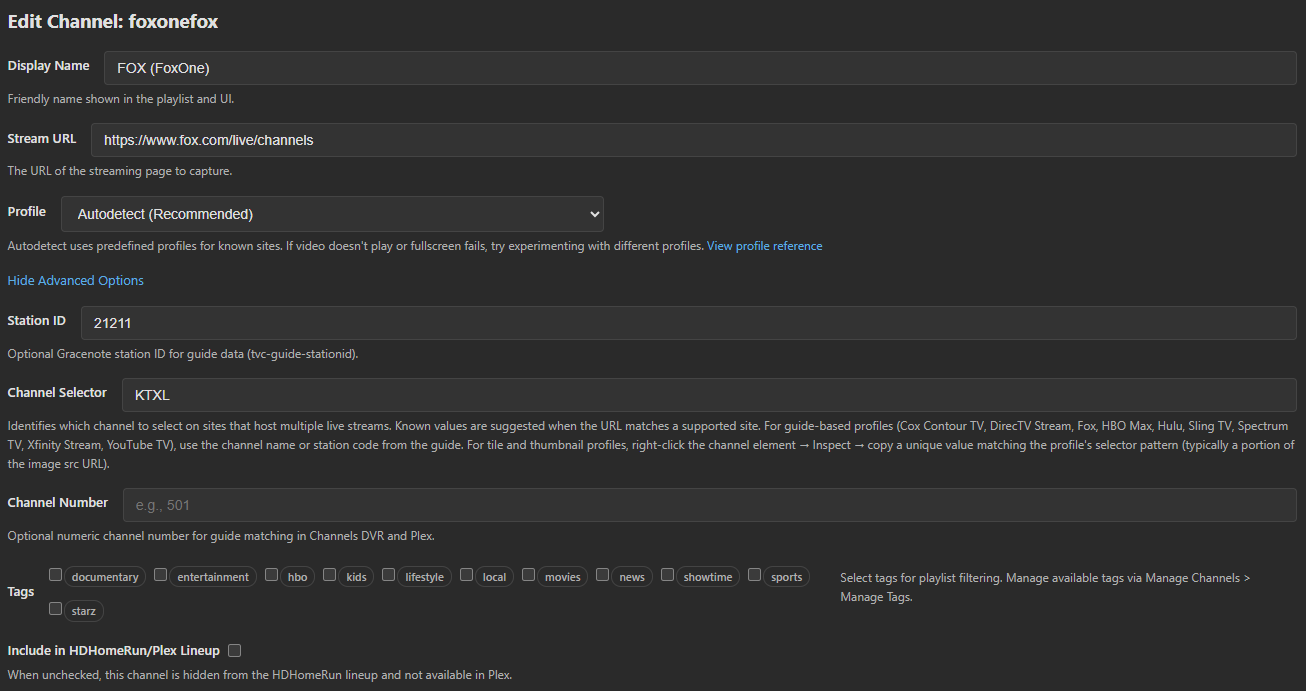
That's what I'm using 
For the three stations you mentioned...Freeform, FS1/2...they're built into PrismCast and should work (and just tested again by me). Curious what's different about yours that you need the clickToPlayApi in your case.
For FS1/2, you can also use Fox One, which also gives use native HLS streaming (as does foxsports.com).
Freeform similarly is already built into PrismCast and should "just work". Wonder if it's specific to your TVE setup or something else?
1 Like
Thanks! You're doing great work, as always.