
I was able to add it with add a channel using this layout:
destination-america
Destination-America
https://watch.foodnetwork.com/channel/destination-america
then auth with provider in VNC window no problem adding it.
Also had to map channel logo in channels (probably a name mismatch as it is listed as DEST in channels)
1 Like
I did the same. I was asking of he could pre-configure for future updates.
@hjd, does this solution "span" the inbetween times NBC (or other NBC based channels) are not being watched? I did some testing and thought it was doing a better job than before but then after retruning to the channel a day later, it was back to requiring me to logout and log back in. Sorry if I misunderstood the intent of this enhancement.
You are misunderstanding this one. NBC.com sites will stop playing back after 4 hours, continuously. This simply ensures the video is reloaded before you hit that timeout. It has nothing to do with logging in / out.
1 Like
So this time I used the wizard and got the following.
[2026/03/28 17:14:04.315] [2026/03/28 17:14:04.315] GET /hls/fanduel-sports-network-west-hd/stream.m3u8 from 192.168.88.240 responded 200 in 9006.229 ms.
[2026/03/28 17:14:04.317] [2026/03/28 17:14:04.317] GET /hls/fanduel-sports-network-west-hd/stream.m3u8 from 192.168.88.240 responded 200 in 0.293 ms.
[2026/03/28 17:14:05.317] [2026/03/28 17:14:05.317] GET /hls/fanduel-sports-network-west-hd/stream.m3u8 from 192.168.88.240 responded 200 in 0.453 ms.
[2026/03/28 17:14:06.317] [2026/03/28 17:14:06.317] GET /hls/fanduel-sports-network-west-hd/stream.m3u8 from 192.168.88.240 responded 200 in 0.323 ms.
[2026/03/28 17:14:07.318] [2026/03/28 17:14:07.318] GET /hls/fanduel-sports-network-west-hd/stream.m3u8 from 192.168.88.240 responded 200 in 0.409 ms.
[2026/03/28 17:14:08.317] [2026/03/28 17:14:08.317] GET /hls/fanduel-sports-network-west-hd/stream.m3u8 from 192.168.88.240 responded 200 in 0.220 ms.
[2026/03/28 17:14:08.365] [2026/03/28 17:14:08.365] GET /hls/fanduel-sports-network-west-hd/stream.m3u8 from 192.168.88.240 responded 200 in 0.285 ms.
[2026/03/28 17:14:08.367] [2026/03/28 17:14:08.367] GET /hls/fanduel-sports-network-west-hd/stream.m3u8 from 192.168.88.240 responded 200 in 0.180 ms.
[2026/03/28 17:14:08.872] [2026/03/28 17:14:08.871] GET /preroll/hevc/segment4.m4s from 192.168.88.240 responded 200 in 0.236 ms.
[2026/03/28 17:14:08.873] [2026/03/28 17:14:08.873] GET /preroll/hevc/segment3.m4s from 192.168.88.240 responded 200 in 0.232 ms.
[2026/03/28 17:14:08.874] [2026/03/28 17:14:08.874] GET /preroll/hevc/init.mp4 from 192.168.88.240 responded 200 in 0.361 ms.
[2026/03/28 17:14:08.875] [2026/03/28 17:14:08.875] GET /preroll/hevc/init.mp4 from 192.168.88.240 responded 200 in 0.115 ms.
[2026/03/28 17:14:09.843] [fanduel-sports-network-west-hd-8fmkeb] Video did not reach a playable state within 11000ms.
[2026/03/28 17:14:09.844] [fanduel-sports-network-west-hd-8fmkeb] Stream setup failed for https://stream.directv.com/guide: Waiting failed: 11000ms exceeded.
[2026/03/28 17:14:09.845] [fanduel-sports-network-west-hd-8fmkeb] Stream ended after 15s (setup failed).
[2026/03/28 17:14:09.845] Stream setup failed for fanduel-sports-network-west-hd: Failed to start stream.
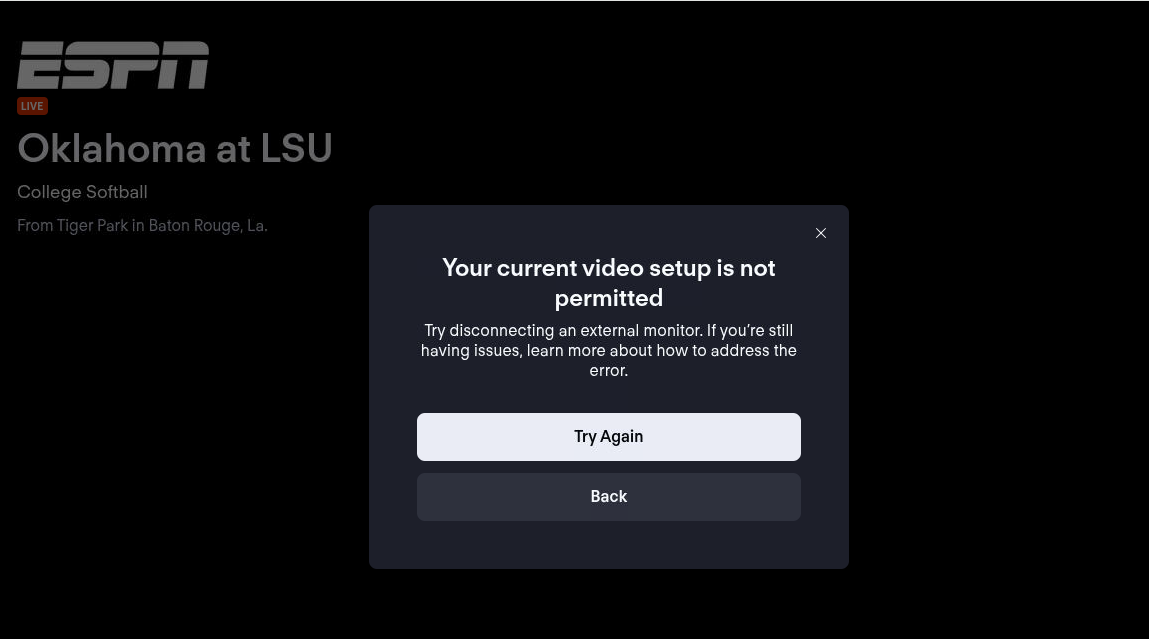
Seems to only be a problem for sports channels?
Basic question currently run Prismcast via Optimum TV logins for a bulk of channels NBC ABC Usa Bravo etc which uses the basic web browser links to get to the channel which is ok but Not great Also use Disney+ logins as well.
If we switch over to Youtube TV will I see a more solid channel tuning experience using the Pre Cache feature or not so much??
Just wondering
Is GPU acceleration expected to work in Docker? I thought I saw lower CPU usage when I first passed /dev/dri in a few weeks ago. When I updated to version 1.7.0, I expected to see hevc video but I still got h264.
Also, is anything special needed to get Peacock working under PrismCast? I'm logged in properly but when I try to play any video, I always get the "Something went wrong" error screen.
I have tried both docker and npm versions. When running in npm, headless, tune timing goes to 15 seconds and CDVR fails. With a monitor it works with a tuning time of 6 seconds. Fox tunes in 6 headless.
Looking for suggestions. FYI, this is a great app!
'''
[2026/03/30 07:37:53.751] [WARN] Stream setup failed for cbs: Failed to start stream.
[2026/03/30 07:37:56.146] [WARN] [cbs-orf2mj] No iframe contained video element. Falling back to main page context (searched 5 frames).
[2026/03/30 07:37:56.147] [WARN] [cbs-orf2mj] Main page fallback: no video element found in main page either.
[2026/03/30 07:38:09.076] [cbs-orf2mj] Streaming CBS: CBS.com, keyboardIframe, native HLS, H264 9.9Mbps 1080p. Tuned in 15.2s (direct).
[2026/03/30 07:38:50.976] [cbs-orf2mj] Stream ended after 57s.
[2026/03/30 07:46:04.739] [fnc-o78l01] Streaming Fox News: Fox One, foxLive, native HLS, H264 12.1Mbps 1080p. Tuned in 6.5s.
[2026/03/30 07:47:23.182] [golf-7sugss] Streaming Golf: Golf Channel, fullscreenApi, FFmpeg [ HEVC]. Tuned in 4.6s (direct).
[2026/03/30 07:47:51.405] [fnc-o78l01] Stream ended after 1m 53s.
[2026/03/30 07:49:11.296] [WARN] [cbs-p1fodj] No iframe contained video element. Falling back to main page context (searched 6 frames).
[2026/03/30 07:49:11.298] [WARN] [cbs-p1fodj] Main page fallback: no video element found in main page either.
[2026/03/30 07:49:14.823] [cbs-p1fodj] Streaming CBS: CBS.com, keyboardIframe, native HLS, H264 9.9Mbps 1080p. Tuned in 6.1s (direct).
[2026/03/30 07:49:41.483] [golf-7sugss] Stream ended after 2m 23s.
[2026/03/30 07:59:21.870] [cbs-p1fodj] Stream ended after 10m 13s.
'''
With the new pretune caching for scheduled recordings it's not an issue. Trying to watch live, headless or no, is going to be a crapshoot IMO.
That and channel surfing. It's just not part of my TV watching routine. Get into the guide, tell it what I want recorded (in advance), let it happen, watch it later.
Go to v2.weatherscan.net on PC and just watch it for a little while, yes it's info that can be gotten from anywhere. But it's a retro look at the way the Weather Channel used to run local on the 8s. It's an easy way to just sit back and see what's going on with the weather (including radar) without having to bring up your phone yet again, plus you have the cool retro music etc. Different strokes for different folks.
If you can just enable static page channels to be passed as a channel that would be great, wouldn't have to create a separate custom source just for these one off channels. Weatherscan in particular is not really a static page, as you can see.
Ok, after a few days, I moved to a virtual display driver and all works well. CBS tunes in 6 seconds and displays a HLS stream. Will test a few more days. At this point it looks promising.
What virtual display driver are you using?
2 Likes
WeatherScan works. Just do a search in this topic and you should be good to go.
Yeah I know it works, but right now it doesn't work as a defined channel because prism will not export static page channels to the DVR (i.e. if you create it in the channel list). You have to set up a custom source just for that one channel as far as I can see. That's what I was trying to avoid.
Can anyone explain to me in simple step by step for third graders, exactly how to get Weatherscan added to Prismcast and CDVR?
Evidently, I'm too stupid to figure it out based upon previous posts. The other posts are for WeatherStar 4000+, and are not specific to Weatherscan.
Thanks! I have done that part. Here's my settings for the channel in Prismcast:
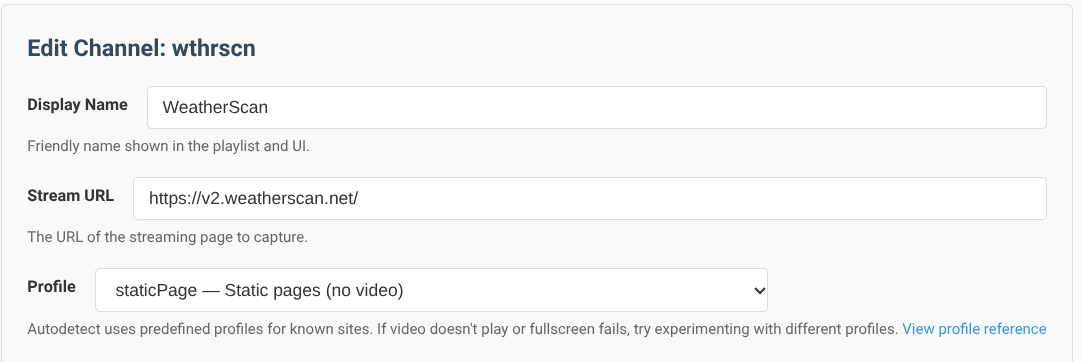
The part I am stuck on is how do I get it into a CDVR source/playlist? When I reload the M3U, it does not show up in the channels list from my Prismcast source.
I see comments suggesting that it must be added as a separate source from Prismcast. I can't figure out how to do that.