I just want to resurface this request to also auto-output a version of the m3u with the MPEG-TS links in addition to the HLS one, maybe at somewhere like /playlist/mpegts. I have a specific use case where this would make sense. While I could certainly work around this by mapping the m3u in PLM (change hls to stream, drop /stream.m3u8), it would be very useful to just be able to get this directly. Thanks!
I can't figure out how to install or run this command
If Channels won't find CNN with TVE will this (PrismCast will?)
Did you install node?
2 Likes
Ignorance 101 here, I do not know what node is UGH
Isn't tnt part of tve?
It is but I like to have at least 2 sources for redundancy purposes. Plus not all streaming services turns on TVE access even though it's part of their lineup (Sling for example doesn't give access to Triple T's TVE even though you can watch through their portal).
1 Like
I wonder if someone else has had the same experience. I am still experimenting with this and trying to get some channels up and running. When I connect to the Chrome browser, irrespective of a direct VNC connection or NoVNC, it takes a long time for the connection to be established. Is that common? I am running it on docker, on Ubuntu Linux server, on a mini pc running a Ryzen 7 processor.
Fortunately not my experience. I have mine on an i7 processor running Linux.
1 Like
Can this be modified like cc4c couldn be for custom clicks like I did with random clicks for nbc stream to keep streaming and Harvard's puffer tv to work
Does prismcast work with directv stream? Reddit says only one stream can be open.
Do I have to download prismcast from github or just type the install in terminal? Thx
Yes.
This is true. Use ch4c, ah4c or ADBTuner (all require an HDMI Encoder), if you want multiple simultaneous streams.
Follow installation instructions on Github for native MacOS, native Windows or Docker installations -- each have prerequisites.
2 Likes
@llzel
You can also use the direct sites and authenticate with your DTV account on Prismcast and that'll give you more than 1 tuner to use.
Obviously depends on if the channel has a TVE integration on their site.
I’m struggling with downloading prismcast from GitHub. Downloaded zip file to my Mac but no dmg file
I guess you missed my message above? There are prerequisites to download and install -- and then PrismCast itself is installed using one of those (Homebrew or Node in the case of MacOS):
From the GitHub page:
Requirements

    macOS, Linux, or Windows - PrismCast is developed on macOS and also runs on Linux (natively or via Docker) and Windows.
    Node.js 22 or later (not required for Docker deployment)
    Google Chrome (PrismCast will try to find it automatically, or you can specify the path; included in the Docker image)
    Channels DVR, Plex, or any client that can consume HLS or MPEG-TS streams

Installation

PrismCast can be installed via Homebrew on macOS, as a Node.js package on any platform, or deployed as a Docker container. For Docker, see Docker / Container Deployment below.
Homebrew (macOS)

The recommended way to install PrismCast on macOS:

brew install hjdhjd/prismcast/prismcast

To update to the latest version, use the builtin upgrade command or Homebrew directly:

prismcast upgrade
# or: brew upgrade prismcast

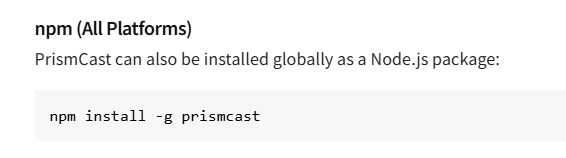
npm (All Platforms)

PrismCast can also be installed globally as a Node.js package:

npm install -g prismcast

To upgrade to the latest version, use the builtin upgrade command or npm directly:

prismcast upgrade
# or: npm install -g prismcast

Once installed, you can start PrismCast with:

prismcast
1 Like
I saw it I guess I have to install node.js on my Mac first. Correct?
Its not necessary. You can install without it
brew install hjdhjd/prismcast/prismcast
I did use that in terminal and nothing happened
Go to google.
Search for how to install homebrew.
Follow directions on screen.
Then open terminal and do what @Jean0987654321 said to do
3 Likes