
On my reg desktop win 10 latest updated chrome 149 I can load TBS and watch a live stream
On my Chanels PC win11 same exact recent updated Chrome it wont play In both Chrome that Prismcast launches and stand alone chrome ..... So weird for sure
Is @hjd still supporting this project?
He hasn't posted here in six weeks and hasn't logged in here for 3 weeks.
It seems he's still around, but has been busy. He replied to an issue on github a couple days ago:
I've just been busy in the real world and rarely look at the issues here in PrismCast versus the community threads.
I'm coming up for air again.
3 Likes
Good to hear he's OK.
If anyone is having problems with the HBO channels through HBO Max just edit the stream URL from the default https://play.hbomax.com to https://play.hbomax.com/channels. I recently enabled the HBO channels and discovered the default URL doesn't work since HBO seems to have changed where the channels are on their site. No other settings changes are needed once the URL is updated.
3 Likes
Is anyone else able to reliably get their local Fox station from Fox One?
Tried this with Selector KTXL and FOXD2C
and this (also tried with Selector KTXL)
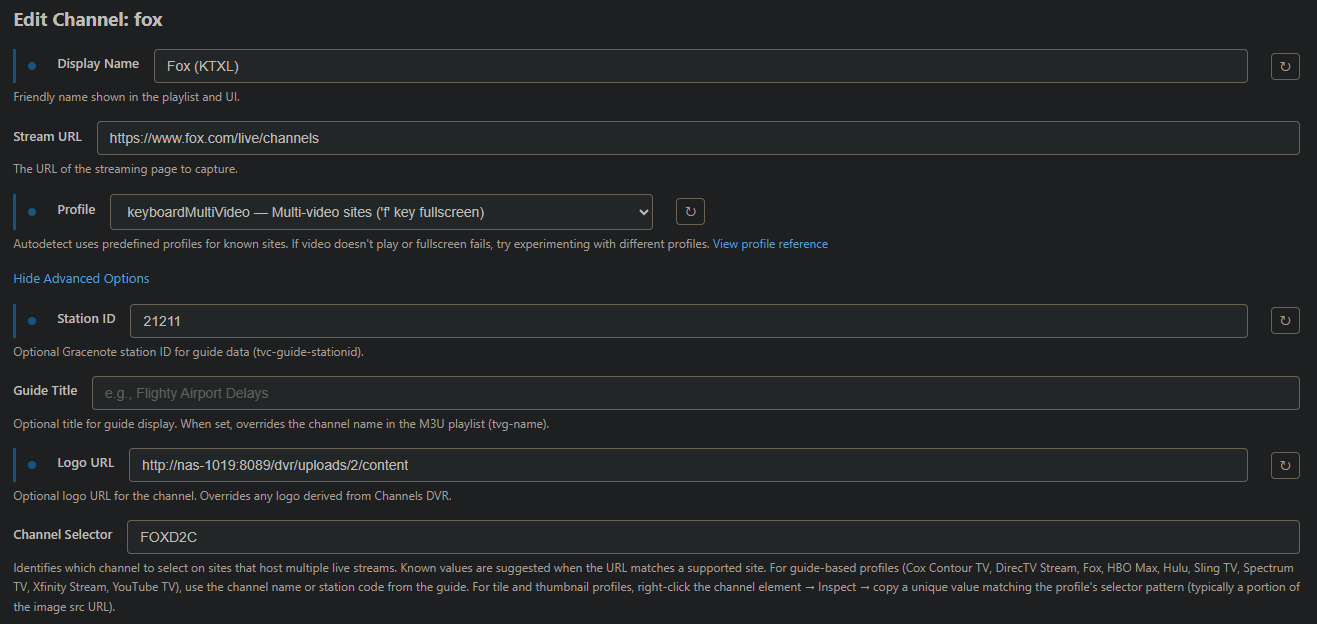
But more than half the time when I tune the channel, I get Fox News instead.
Fox News and Fox Business channels work fine, it's only my local Fox station having issues.
Thank you for that @Spartan504! Just noticed this issue over the weekend, but hadn't spent any time trying to figure it out.
@Spartan504 - could you explain this further? That is, where do you make this change? I added HBO to my services and logged in, but when I went to "browse service channels" it couldn't find any. Maybe that's due to the wrong stream URL, but I don't know where to change it.
When I log into HBOMax in my browser, I can see several live channels, so I know they're there somewhere. Just not clear on how do do what you're describing.
If anyone is having problems with the HBO channels through HBO Max just edit the stream URL from the default
https://play.hbomax.comtohttps://play.hbomax.com/channels. I recently enabled the HBO channels and discovered the default URL doesn't work since HBO seems to have changed where the channels are on their site. No other settings changes are needed once the URL is updated.
Go into the channels list for PrismCast, scroll down to the HBO channels listed and click on the pencil to edit.
Modify the URL as mentioned previously and then save your changes. Do this for each HBO channel.
Although probably not necessary, I restarted PrismCast for good measure after the changes.
HTH
The problem is that I'm not seeing any HBO channels at all. I did log in in the browser, but "manage service channels" says "no channels found."
I even tried signing out & signing back in. Still no channels found.
Which HBO Max plan do you have? Only the standard and premium plans offer the live HBO feeds. The basic with ads plan does not.
Ah - that explains it then. I have the "with ads."
When I tune CNBC, it gives me MS NOW. Service is Directv Stream. Anyone else? Know a fix?
Advanced settings show CNBC channel nr. 58780; MS NOW channel nr. 64241.
Are you using the direct site or the directv stream url?
Try with the direct site then. Might be a bug or DTV kicking you out for having too many streams
the channel numbers don't matter, it's the Channel Selector that matters.
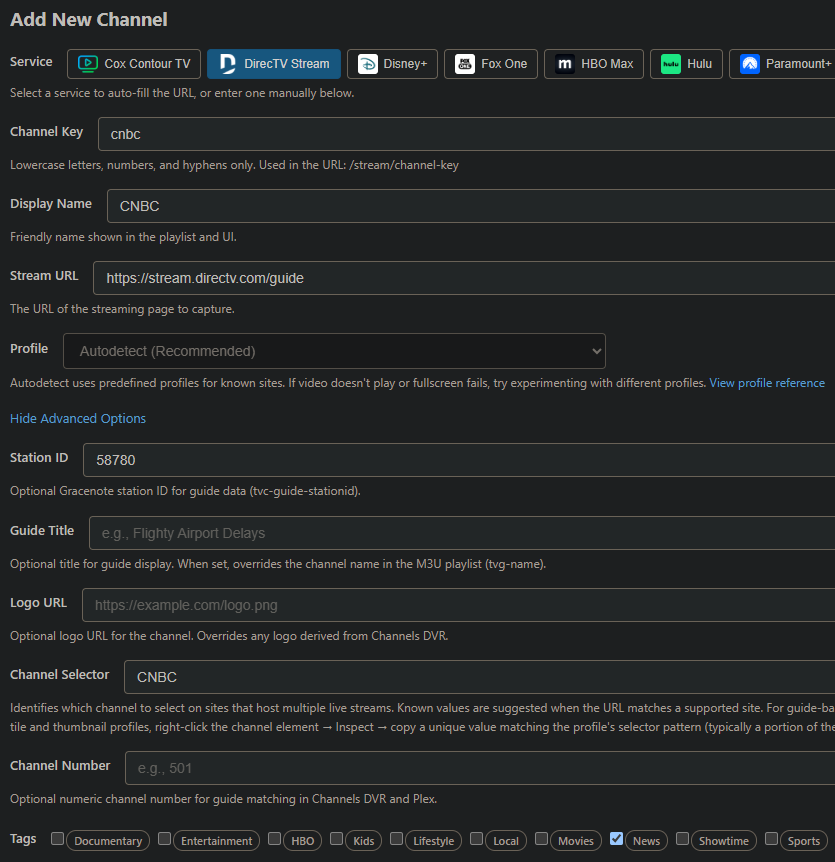
Try this instead https://stream.directv.com/guide
I tried that url. No change.
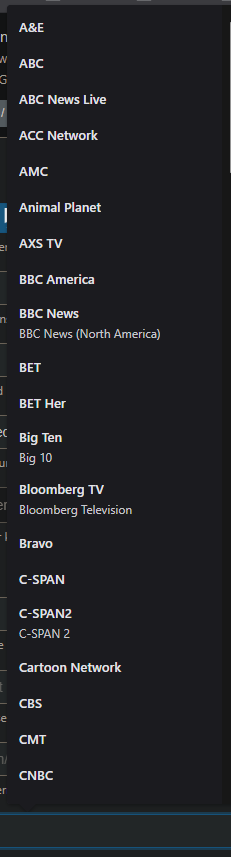
what drop down list is this?