Introducing PrismCast: Browser-based Live TV Capture for Channels DVR and Plex

PrismCast can support more than 1 stream, it's hardware dependent on what your PC can handle (don't try to run on a Synology NAS). Also, there are HBO entries in PrismCast:
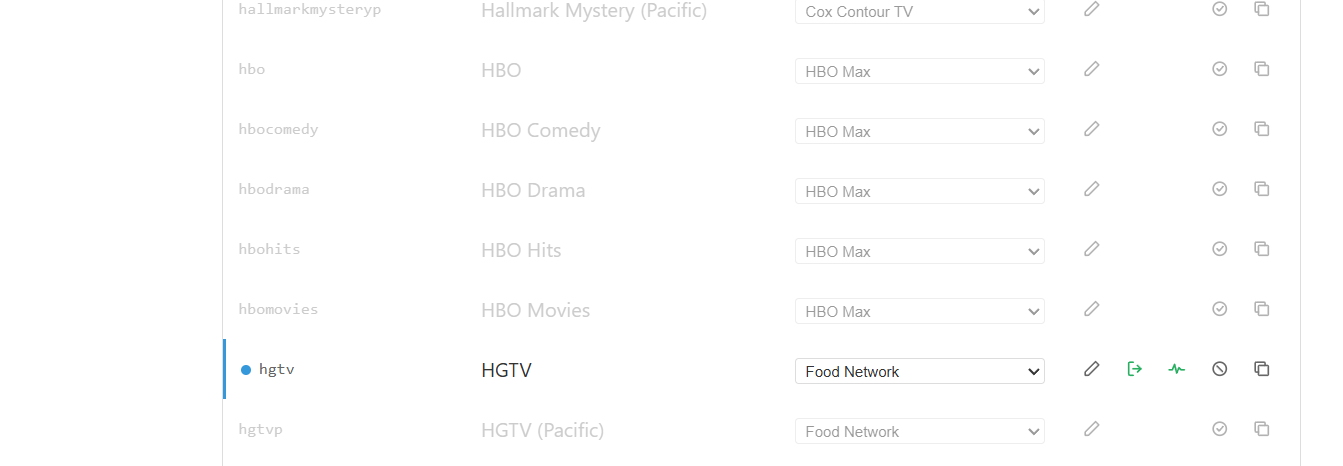
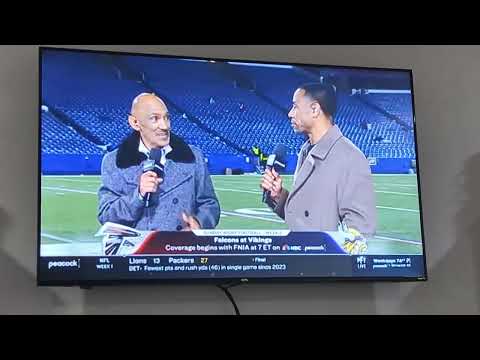
And for Discovery, you have to configure PrismCast to enable a screen big enough for 1080 and not just 720, but so long as Discovery is streaming in 1080P on their end, then you should be good (below is a screenshot of Dispatcharr which is what I import all my sources into before sharing with Channels DVR):


strong text
1 Like

OK, but can we have prismcast allow scripts like cc4c? This will allow nbc to constantly play and my peacock script to work to play live events. basically there are multiple streams set for peacock events and my script pulls the guide data and events from upcoming live events and plots them into the channels to play. Can you use my source code to implement it?

Above my paygrade and the dev has been MIA for close to 2 months now. For the intended purpose, it works very well, and has been used to enhance other tools (FastChannels has been able to integrate with is as well as FruitDeepLinks), so there's the possibility perhaps?

1 Like

So hbomax, peacock, and paramount fast channels work?

You keep asking questions that are either in the docs or have already been answered. Yes. Anything you can stream on the web can be streamed just like with cc4c.

It appears to be abandonware at this point, unfortunately.

FastChannels Implementation:

Peacock: I don't have an account to verify. It does work with NBC, though YTTV account holders such as myself have an issue where NBC requires revalidation of account every 3-4 hours. That's not a Prismcast issue, it's a YTTV limitation.
HBOMax: It's got native configuration but I don't have an account to be able to test.
I don't believe you need PrismCast to get Paramount FC Versions, Fast Channels does that on it's own.

Yes you can stream it but will it do the clicks needed to load from the guide like my peacock thing was? I want to be able to have it do the scripts I created. I also figured out how to record amazon prime shows/movies and hulu stuff and rip commercials, but its only 720p due to widevine but its cool to have it all working. I vibe coded the cc4c stuff. Does anyone have any old distros of cc4c so I can try to make it work again? I will have to use a more vulnerable chrome distro as it broke after some point last year. I havent touched it in months.

No, it's not going to do anything but go to a web page you provide, stream it and monitor it and restart it if it stops streaming. That's it. Old school cc4c with benefits.

The source code is all there since it's all .js, you can fork it and do whatever you want.

I may have to mess with it then. I assume puffer also doesnt work. I created a script for it as well.

Does anyone have the original channels cc4c distro from before tmmm1 changed it ?

my PrismCast is dead again. using advanced node install on Win OS with Chrome. using YTTV.

What is the proper way to setup to prevent Chrome from updating? it seems random that it stays on a version for a while then randomly updates like 2 or 3 version jumps at once.

any ideas of how to get PrismCast working again?

2 months, no updates, and almost no talk from the creator in a while. is this an almost dead project?

I run mine native on an M4 Mac Mini and Chrome updates itself, but doesn't cause issues.

I think it's working for him, so he doesn't want to spend the time supporting it here. He's busy on his other GitHub projects, so he's still around.

@bpa_dvr ,

Do you know what version of Chrome you were using when it was working? Also, what version did it update to? My chrome instance in Prismcast has updated to 151 and it's working fine in a native install in Win 11. But I have a patched js file in my setup, see below.

If anyone running the native version of prismcast would like to give it a try, I have a patched version of PuppeteerStream.js that seems to work. It would replace the existing version (I would just rename the original instead of deleting it, just in case) located at C:\Users\XXXX\AppData\Roaming\npm\node_modules\prismcast\node_modules\puppeteer-stream\dist in Windows 11.

I have the file for download at GitHub - daldana2940/Prismcast-Chrome-149-Fix: File to allow Chrome 149 to use video capture extension · GitHub . Let me know if it works for you.

I've done a full reinstall... but this error has returned again...
my YTTV is consistently stalling/restarting about every 2-3 minutes in the recordings.

the log reading is:
... Detected 10 consecutive undersized segments (473KB) - capture pipeline may have stalled
... Tab replacement complete. New capture started with segment continuity.
... Recovered in 13.7s via tab replacement.

any guesses what settings I need to adjust for this?

I needed Chrome 148, since 149 started preventing Prismcast from starting. I found an installer for the older version (will add notes on that), and then did this to stop updates:

Open Services and disable the 2 listed services that mention Chrome updates.
Reboot
Uninstall Chrome
Install version 148
Disable the updates again.
Reboot

I think this guide is what I mainly used:

https://www.reddit.com/r/chrome/comments/124j93v/downgrade_chrome_guide/

If it doesn't work at first, try it again. I recall it took me a couple of tries because I missed deleting something that needed deleting or disabling something that needed disabling.

It may also be possible to try the below, which I've set up, but left Chrome updates blocked for good measure:

This was posted a while ago now in this topic (I think) by @daldana7296 . Please see:

Does this have guide data or will that need to be added separately?

Yes

Just an FYI, my Chrome version that Prismcast (which is using the patched file) is using has updated to version 151 without any issues.

Where do I find the guide data?

I cant figure out how to get the non drm streams to not try to record the window. Does this support token baton exchange where the token keeps the stream going?

In Channels DVR
Gracenote station ID for each channel in PrismCast

gets sent to the playlist as tvc-guide-stationid

Refer to the GitHub Readme https://github.com/hjdhjd/prismcast#channels-and-streaming

  • Native HLS streaming - For TV Everywhere sites that deliver non-DRMed streams, PrismCast automatically bypasses screen capture and consumes the stream directly — delivering full service quality with significantly lower CPU usage. This is especially valuable for Hulu + Live TV subscribers who can use their TVE credentials to stream channels like A&E, Food Network, HGTV, History, Discovery, and many more at native quality through those networks' own sites. Also works with Fox One, Fox Sports, BET, C-SPAN, VH1, and others. DRM-protected services automatically fall back to screen capture.
2 Likes
