
NBC worked for maybe 3+ hours then it didn't - I am using my 2nd google account with 2FA turned off - I went back to the config web page to do another login and the browser said "User must re-authenticate" - I will continue to test PrismCast but for now I'll have to rely on my other sources (ADBTuner, HDHR OTA, YTTV TVE remaining channels) for regular use - I'm starting to wonder if I should just give up and use the YTTV app and their cloud DVR...
Certainly more work than just "plug and play" like it used to be when most channels were available via TVE. I like to tinker and I love the flexibility Channels gives me so I'm not going anywhere anytime soon. But understand not everyone is wired like me. 
My main source for NBC has been an HDMI encoder with the onn 4k running the NBC app after the channels went DRM. Been using it for over a year and a half now and it only requires a reauth every few months. Pretty much rock solid otherwise. I have a daily morning news recording set up so that I can see when it's time.
I haven't seen reauth issues with NBC in prism so far but I haven't used it much since the HDMI solution works good. But my provider is different than yours, so I'm guessing it may be YTTV specific.
I use Chrome Remote Desktop to access my Mac Mini M4, both locally and remotely. At least for me, this has produced better looking results than a VNC Client.
Thanks for the tip, I'll check that out.
As long as I can use Brave or Edge as a client. I dislike google chrome.
1 Like
You might try using YTTV as your source rather than NBC. That way, a single login will give you access to all of your subscribed YTTV channels. I've tested this briefly where I am currently, but the Internet here is somewhat limited -- so I don't have totally validated results.
As a start, you can try using an override in PrismCast, with your known YTTV deeplink URL for your local NBC affiliate. Use keyboardMultiVideo as your Profile. Then, using the instance of Chrome that PrismCast controls, open a new tab and login to YTTV (your primary account should work fine here). Also, when it comes to locals, you need to try to stream one -- as you'll probably need to allow your location to be verified.
With that done, you should be able to access the NBC channel if you're using the PrismCast playlist in your CDVR Custom Channels source. Or, for a quick-and-dirty test, use http://mac-mini-m4:5589/hls/nbc/stream.m3u8 in VLC (substituting your correct hostname or IP of course).
I use Chrome Remote Desktop to access my Mac Mini M4, both locally and remotely. At least for me, this has produced better looking results than a VNC Client.
Screen Sharing in high performance mode on macOS connecting to my Mac. High Performance Mode is the key...you can tweak it in the settings for the connection. High quality audio/video. It's quite nice in my experience.
1 Like
I'd describe Chrome Remote Desktop as something independent of the Chrome Browser -- but I've always used Chrome to set it up, so I'm not sure if there are any gotchas there. But, in any event, it has its icon and does its own thing as far as I know.
Do you need to login to a google account on either the host or client to set this up or use it?
Looks like the Chrome Remote Desktop extension is available for my Brave browser.
I would imagine so, but don't know for sure. It'll look like this on a Windows PC, once installed:
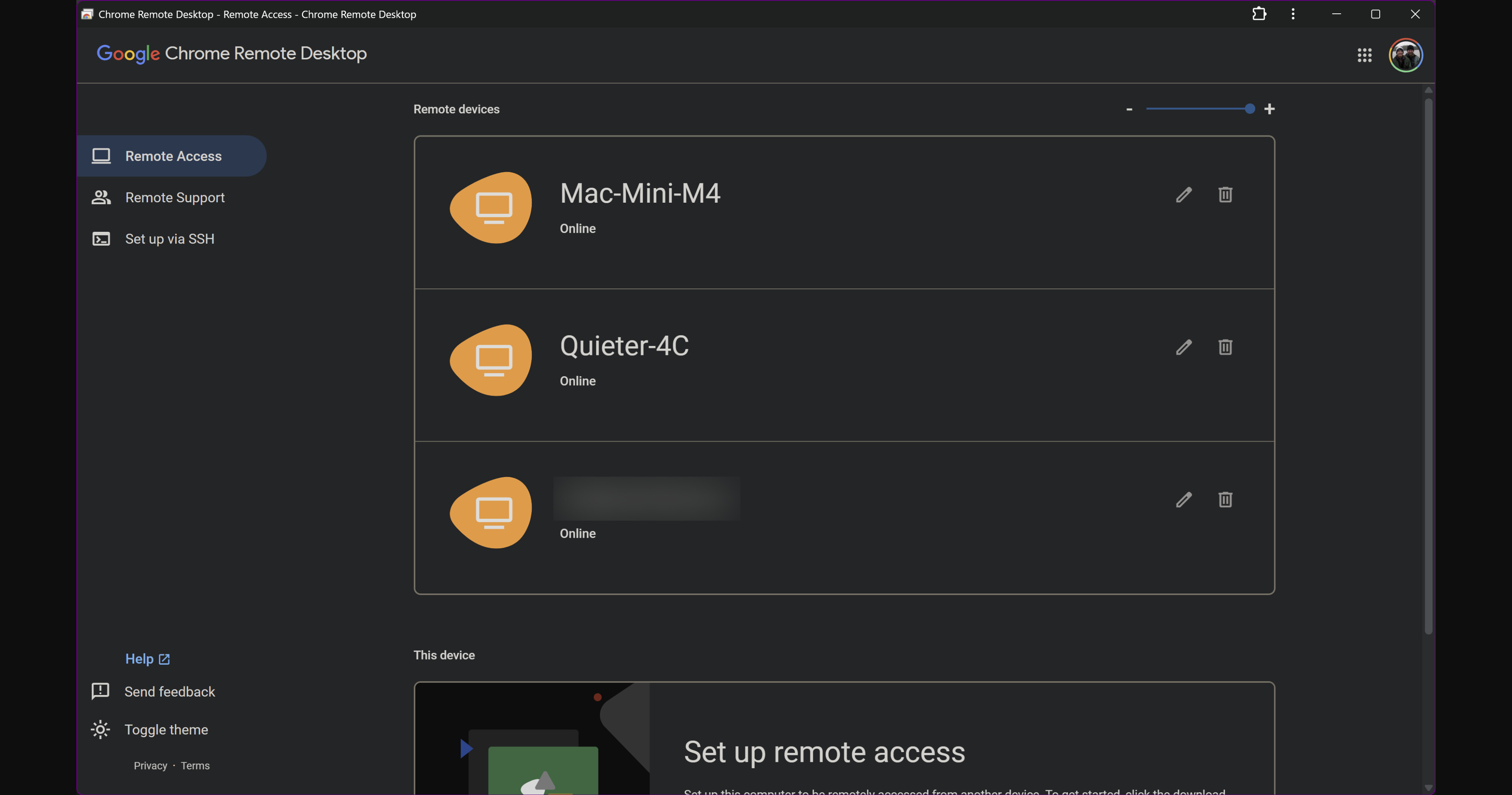
Works great for remote support too -- I've used this for aging parents, siblings and even the occasional trusted Channels user.
In my experience, for accessing a Mac system from a Windows computer, Chrome Remote Desktop gives a high quality desktop -- with good ease-of-use, locally or remotely. I use Tailscale with it for remote use, but that's not required.
EDIT: You have a number of options for getting the best resolution from the slide-out side panel. I use the AV1 codec plus various other options that give the highest quality -- as I typically have plenty of bandwidth (even remotely) to max everything out.
Do you mean login at https://tv.youtube.com/ and get the YTTV deeplink URL for your local NBC affiliate from the url where you play your local NBC from their schedule grid?
Like https://tv.youtube.com/watch/###########?vp=################
Wouldn't that count against your You Tube TV stream limit?
Or maybe I misunderstood what you're saying.
1 Like
I tried changing the URL to my YTTV URL that I use in ADBTuner for NBC. It appeared to update in the settings but when I clicked login, the browser went to the old URL. Am I missing something? I can't seem to be able to update the URL.
Maybe this
You can't use the login button with a URL override.
If it's not fixed in the current release, it's certainly fixed in the release I'm working on at the moment. That's a bug on my part.
2 Likes
The suspense is killing me! 
Pretty sure it does. I have NBC for OTA but in winter months the signal can be a little dicey so I set my wife's Today and NBC Nightly News to record from the backup to avoid any complaints from management. My annual performance review is coming up and I'm working under a corrective action plan since we got married (25 years).
1 Like
Also, pretty sure it does -- on the "Base" plan. However, on the "4K Plus" plan (~$10/mo), you get unlimited in-home streams. 4K Plus works out as good value for me, as YTTV is my current workhorse.
Debated pulling that trigger. So long as I could get my sports largely through OTA or TVE, didn't need to worry about the 3 stream limit as those sources didn't count against that. I believe since we are viewing via the website from the channel portal and not the YTTV portal (except NBC based channels), it acts similar to TVE in that those don't count against the stream limit. If I had to rely solely on the ADBTuners to pull in sports, then I probably would pull that trigger as I used TiviMate to have up to 9 streams on a single screen during college football season.
Just a reply to my own message, I switched to native and had a recording bomb out on me 35 minutes in this morning. The video encoder tab in Chrome said that something went wrong and refused to do anything else. Prismcast was hosed at that point.
So it looks like on Windows for me at least that FFmpeg is the only way to go. I'm seeing roughly 10 seconds from when clicking on something live to seeing video in channels client. That's uncomfortably close to the channel's time out.
How would I go about adding nbc with a YTTV URL? Do I have to wait for a software update to Prismcast? adding a new entry for kxasdt (local NBC station) doesn't work either, no action in the browser when pushing the login button