
After PrismCast launches the Window, I bring up the gear in that session and check it. To elaborate, when I launch PrismCast it launches a Chrome browser window (visible) that minimizes and sits and waits for capture session. If I restore that window by clicking on it from the taskbar, I can watch the capture live, hit escape on the keyboard, and click on the gear in the lower right corner of window to verify that it shows 720p60 (just like any youtube video for example).
What's the general consensus on the best place to disable channels from PrismCast that won't be used in Channels DVR, with consideration to the frequent updates to PrismCast during these early days? Disable them in Channels DVR or in PrismCast?
I prefer to do it at the source, PrismCast.
I've disabled 40 predefined channels there I don't get.
Any reasons not to use deeplinks for all my
tv.youtube.comchannels?
Because, and I've noted this previously, PrismCast already does this automatically. You gain nothing. The first time PrismCast looks at YouTube TV, it grabs all the deep links and uses them moving forward. If/when those links change - and they will change over a long enough time horizon - hardwiring them means everything breaks. PrismCast already deals with all this.
PrismCast does this for every source that has that ability - whether it's YouTube TV, or Sling, etc. It directly tunes anytime it can.
I tell folks don't do this because it's unnecessary and brittle, providing you the illusion of speed without any real net benefit.
What's the general consensus on the best place to disable channels from PrismCast that won't be used in Channels DVR, with consideration to the frequent updates to PrismCast during these early days? Disable them in Channels DVR or in PrismCast?
I debate this a lot. My current answer: disable them in PrismCast...the list of channels in PrismCast is only going to grow. Take what you want and leave the rest behind is my current philosophy. There's no right/wrong answer here and no benefit beyond preference to one or the other that I can see. Unless you're like me and very particular about your channel numbers being in a certain order. 
How do I setup these two channels without using deeplinks?
1 Like
Yeah. I like that.
I want to get PrismCast working well before changing the display to 4k to capture 1080p.
FYI - this won't work unless you have a real monitor (or emulator dongle) into the Mac. You can change your display settings temporarily to 4K, but they will revert when you disconnect the session.
I have a 4k display attached. I just started using PrismCast with the Mac set to 2k resolution to make it easier using VNC from a Windows PC running at 2k resolution.
1 Like
Have any docker users figured out how to enable graphics acceleration in Chrome? After some reading, it sounds to me like Prismcast looks good when hosted on a Mac because there Chrome uses graphics hardware, but in the docker, it does not - is this right?
I added this to the Portainer Stack (Unraid):
devices:
- "/dev/dri:/dev/dri"
and I have the Intel GPU TOP plugin, but don't see any difference - any thoughts on how to do this and whether or not it would improve picture quality?
(For reference, I am running Unraid on an Intel 12700K with a 4K HDMI dongle plugged in and Prismcast capturing at 1080p/high)
It's not possible due to limitations in the Chrome implementation on Linux. Many fine minds have attacked this issue, dating back to the early days of cc4c, with no joy. Unless something changes in Linux Chrome (which is always possible), there's no magic to find here.
1 Like
It's not possible due to limitations in the Chrome implementation on Linux. Many fine minds have attacked this issue, dating back to the early days of cc4c, with no joy. Unless something changes in Linux Chrome (which is always possible), there's no magic to find here.
As @bnhf said, @JT-DFW - these are not the droids you're looking for.
2 Likes
I was just thinking that the GL.iNet Comet (GL-RM1) might be a pretty good solution to this issue; that ticks a bunch of boxes.
It has support for 2K and 4K resolutions (which would allow it to take the place of an HDMI dongle), provides remote KVM support (which seems very good at dealing with any issue that might come-up keeping one from accessing their Mac-Mini from afar), and has Tailscale built-in.
I'm using this one right now, many thousands of miles removed, and it's a sweet bit of kit:
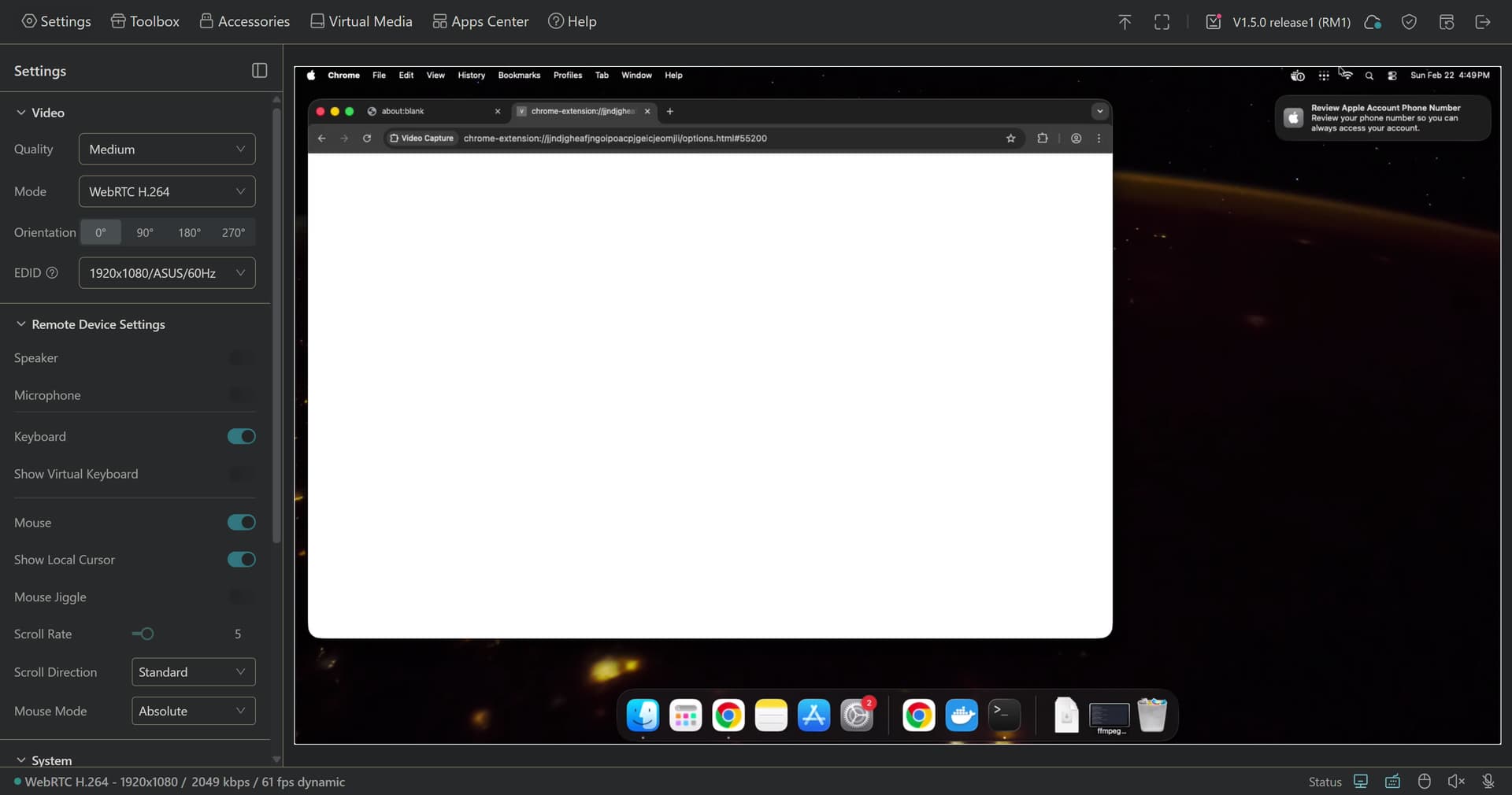
It's not dirt cheap, but the price is reasonable for what you get.
2 Likes
How is your performance overall without the graphics acceleration?
So interesting... I was on 1.3 and I guess my espn login stopped working. I did login, didn't work, decided to restart, and then didn't work, did upgrade via brew to 1.42 and still doesn't work, shows service is not running. Any ideas?
Ran across that earlier where service shows as not running.
I now use sudo on all the commands (install/update/service ...) and it's been working fine.
@tgenius I have done the 1.4.1 and 1.4.2 upgrades with brew on mac mini and both times the service does not restart. I tried "prismcast service restart" but no luck getting the service to run. I found that if I uninstall and then install the service it works after that. I used "prismcast service uninstall" and then "prismcast service install". After that everything was fine again. This does not uninstall prismcast just the service that controls starting and stopping prismcast.
I was going to report this to @hjd. This is a fantastic piece of software but I really do not have much time right now to test it out a lot.
thank you! I had to remove and reinstalland it seems to be working again.. 
Had a weird thing with the NBC gold medal game today, the tab got restarted but it didn't go fullscreen, was letterboxed with black borders all around. Later the tab got restarted again and it went fullscreen after that. Have also seen a few Olympic events where the timestamps get messed up, they show as 10-15 hour long shows. Have had to run fix timestamps on those.
2026/02/22 08:10:06.788] [nbc-yyt7ac] Streaming NBC (keyboardDynamic, FFmpeg). Tuned in 6.8s (direct).
[2026/02/22 08:55:49.636] [usa-llqj3q] Video element exists but not ready (count=1, maxReadyState=2). Treating as buffering.
[2026/02/22 08:57:25.327] [WARN] [nbc-yyt7ac] Detected 10 consecutive tiny segments (489941 bytes). Capture pipeline appears dead.
[2026/02/22 08:57:31.887] [WARN] [usa-llqj3q] Detected 10 consecutive tiny segments (416491 bytes). Capture pipeline appears dead.
[2026/02/22 08:57:35.068] [nbc-yyt7ac] Tab replacement complete. New capture started with segment continuity.
[2026/02/22 08:57:35.068] [nbc-yyt7ac] Recovered in 9.7s via tab replacement.
[2026/02/22 08:57:47.443] [usa-llqj3q] Tab replacement complete. New capture started with segment continuity.
[2026/02/22 08:57:47.443] [usa-llqj3q] Recovered in 15.6s via tab replacement.
[2026/02/22 09:00:44.570] [usa-llqj3q] Stream ended after 2h 0m. Recoveries: 2 (2× tab replacement), avg 10.5s.
[2026/02/22 10:38:26.239] [WARN] [nbc-yyt7ac] Detected 10 consecutive tiny segments (371820 bytes). Capture pipeline appears dead.
[2026/02/22 10:38:35.263] [nbc-yyt7ac] Tab replacement complete. New capture started with segment continuity.
[2026/02/22 10:38:35.263] [nbc-yyt7ac] Recovered in 9.0s via tab replacement.
[2026/02/22 11:03:01.755] [WARN] [nbc-yyt7ac] Video element not found (attempt 1/3). Context: main page, frames: 10, videoCount: 0.
[2026/02/22 11:03:07.360] [WARN] [nbc-yyt7ac] Playback paused. Attempting play/unmute...
[2026/02/22 11:03:09.509] [nbc-yyt7ac] Recovered in 2.1s via play/unmute.
[2026/02/22 11:53:03.049] [WARN] [nbc-yyt7ac] Video element not found (attempt 1/3). Context: main page, frames: 10, videoCount: 0.
[2026/02/22 11:53:09.045] [WARN] [nbc-yyt7ac] Playback paused. Attempting play/unmute...
[2026/02/22 11:53:11.170] [nbc-yyt7ac] Recovered in 2.1s via play/unmute.
Also I have my server set to 2560x1440 with an HDMI dongle and I only access it with VNC, but my res config in prism says I'm limited to 720p high even if I set to 1080p. Not sure what's going on there.
EDIT: figured out the res deal, had my font scaling too high in Windows.
1 Like
@tgenius I have done the 1.4.1 and 1.4.2 upgrades with brew on mac mini and both times the service does not restart. I tried "prismcast service restart" but no luck getting the service to run. I found that if I uninstall and then install the service it works after that. I used "prismcast service uninstall" and then "prismcast service install". After that everything was fine again. This does not uninstall prismcast just the service that controls starting and stopping prismcast.
I was going to report this to @hjd. This is a fantastic piece of software but I really do not have much time right now to test it out a lot.
Consider it reported. It's on my radar...I'll look into this one. Sorry about that guys!
1 Like