
Thank you! I totally missed that part.
http://yourserverip:6080/vnc.html
Thanks! If you can resolve the lag on video load to channels this will make it a completely reliable source.
Several of us have tried this on macOS (me) and other platforms with heftier processors...we're all at sub-ten seconds by and large. I get it's an issue for some...it's on the backlog to think through, but it's not at the top.
You've got 14 seconds from what I've seen in the DVR logs, lol. And they won't change that timeout, you've got to feed some sort of video before that. Even if it's a static screen that switches to live when you get the actual feed, it has to be something. You can't time out on the http request.
I am aware.  Once a channel is tuned PrismCast will keep it open for a minute after the last client disconnects...so, if Channels retries to connect within the window, things will come up instantaneously. A workaround might be for you to proactively ask PrismCast to tune a channel a minute before you want to record something, if it's critical to you. Then when Channels requests the channel, it'll already be tuned in.
I appreciate the enthusiasm about PrismCast. It's early days.
I'm with you on this. After I downloaded PrismCast, I couldn't get "npm install -g prismcast" to run, so I googled it and discovered that I first needed to install a program called node.js (Node.js — Download Node.js®) to be able to run a npm command. After doing that, the command ran but failed to install because I apparently didn't have admin privileges. So I googled once again to figure out that if I added the word "sudo" to the command line (sudo npm install -g prismcast) it would let me type in my admin password to finally install the program.
2 Likes
Anyone else having issues with NBC having to be reauthorized frequently?
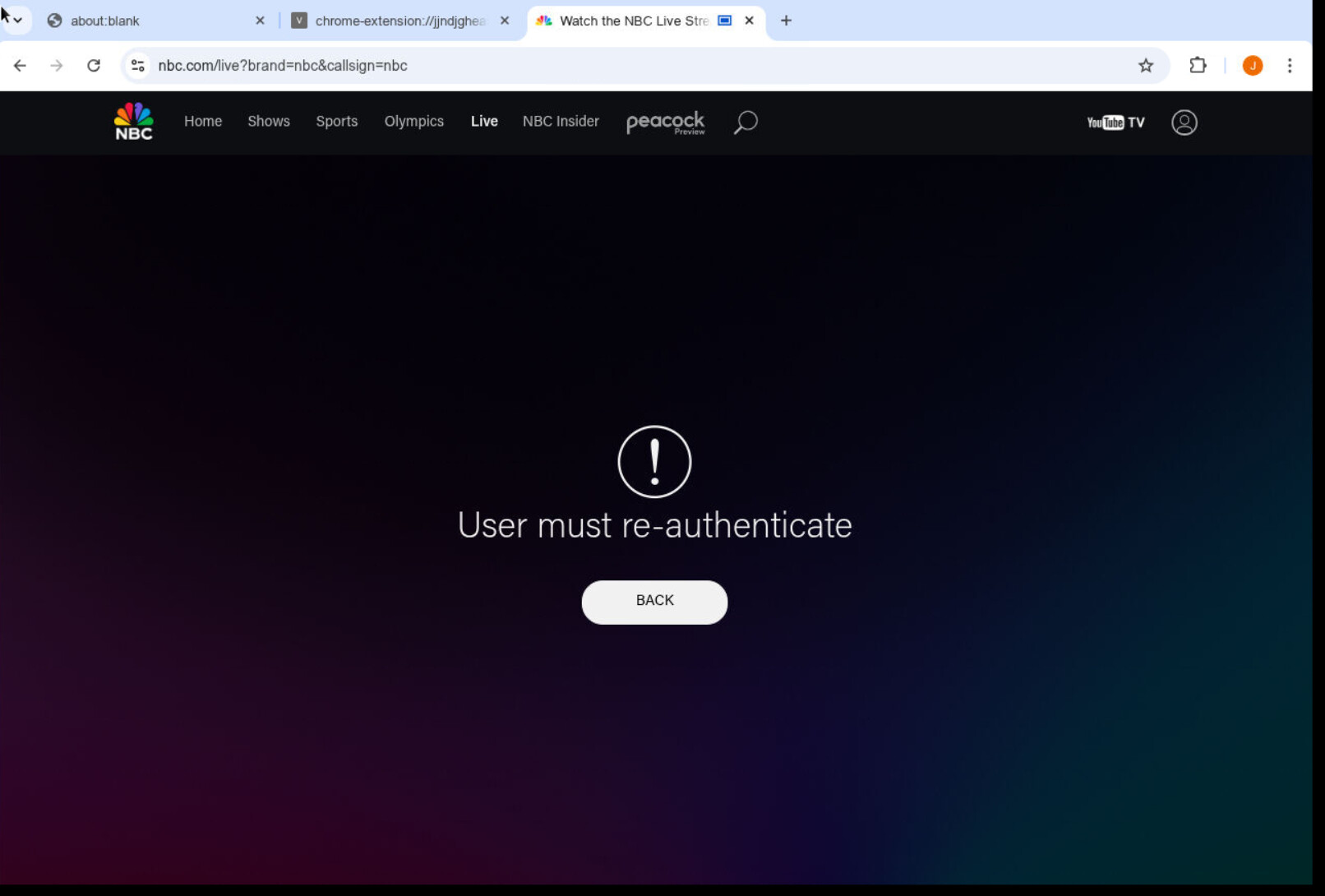
I click on the YTTV logo above and reauthenticate but it keeps giving me the above picture. I have to actually go in and click unlink which then prompts me to reconnect to YTTV to get it to work. Seems to require after 2-3 hours after previous log in.
Has anyone tried to add SlingTV channels? I tried to test it out via a Freestream channel and was running into an authentication issue - Stream Live TV Now | Get Started
[2026/02/06 10:40:09.323] POST /auth/login from 127.0.0.1 responded 404 in 0.236 ms.
[2026/02/06 10:40:09.873] POST /auth/login from 127.0.0.1 responded 404 in 0.221 ms.
1 Like
Like I said before the issue isn't whether or not channels will retry, I know it would if I didn't have a backup source configured for those channels (that I don't want to use If I don't have to). So it tries once times out and then switches to the backup source. I'm not comfortable yet removing those channels from the backup considering how new this is.
I really think that this should be more of a priority, but I appreciate the response.
Is native faster and just as reliable as FFmpeg? I know you have comments in the admin page that it might have issues but CC4C was always native. Guess I can try it out and see.
Big thanks to the dev for creating this project--I'm stoked to get ESPN and FX back! Is there any chance we could get the NBCUniversal channels like SYFY, USA, Golf, etc to play in the Channels app instead of kicking out to stream links?
Yes, Sling works. Search this thread for more info.
Just set this up. By default, mine are playing in the channels app?
I have prismcast up and running. Got CNBC, Golf, and USA working. Any help with setting up ESPN? I usually login with my cable creds directly through ESPN website, not through Disney+. Tried adding a new ESPN source with The Pat McAfee Show (2/6/26) - Live Stream - Watch ESPN, but it still keeps pointing me to Disney+ to login.
Oh okay, I see what the problem was--I still had a Stream Links as a Live TV Source and Channel Collection. Once I deleted both of those, the NBCUniversal channels played in the Channels app instead of kicking out. 
Scroll up to post 186, and they explain how to change the ESPN url links. Just paste that link into a Chrome browser sign in with your Cable credentials then go back and replace all the ESPN channels in PrismCast using the appropriate url
I'm still trying to get ESPN to work. I've tried the things suggested in this thread, (using the URL: https://www.espn.com/watch/player?network=espn and "keyboardmultivideo") but it always opens up the Disney+ login no matter what. I am already logged into the espn.com/watch site too. But when I check the logs it says "Login mode started for https://www.disneyplus.com/browse/live". So, it's like it's just ignoring the URL I put in for the channel. I've tried re-starting Prismcast, and even rebooting my Mac Mini, but it still acts the same.
1 Like
EDIT - Got it fixed, not sure how. I restarted the Container twice and tried a few suggestions from chatgpt using command line arguments when restarting the container that way.
Sorry if this was discussed already. I rebooted my Headless Ubuntu Linux server and now it looks like Chrome Browser is compressed too much to allow for displaying content. Any pointers on how to get this up and running. I saw in a google search how to launch through a command line with paramaters attached, but with PrismCast, I never have to manually launch anything it is just there:
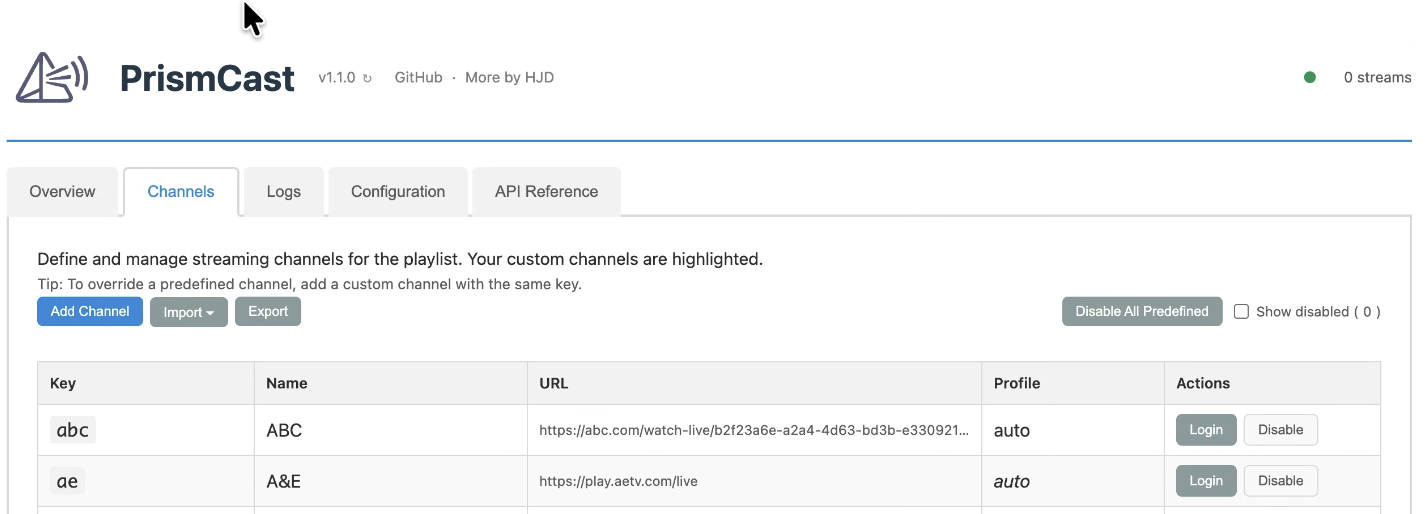
Sounds like you're close. The final step is to "override the predefined channels." You do this by clicking the "Add Channel" button on the PrismCast page:
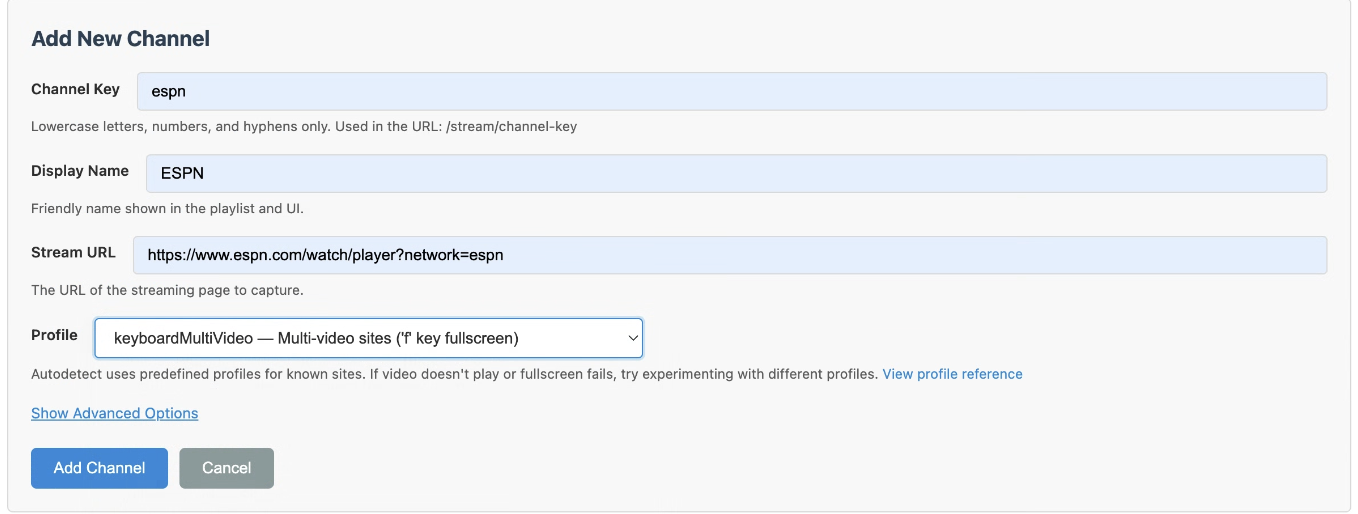
Then type in the exact same Channel Key and Display Name as the default ESPN channels that he already created, then paste in the new Stream URL, change the Profile to KeyboardMultiVideo, and click Add Channel.
Then you should see the new urls:
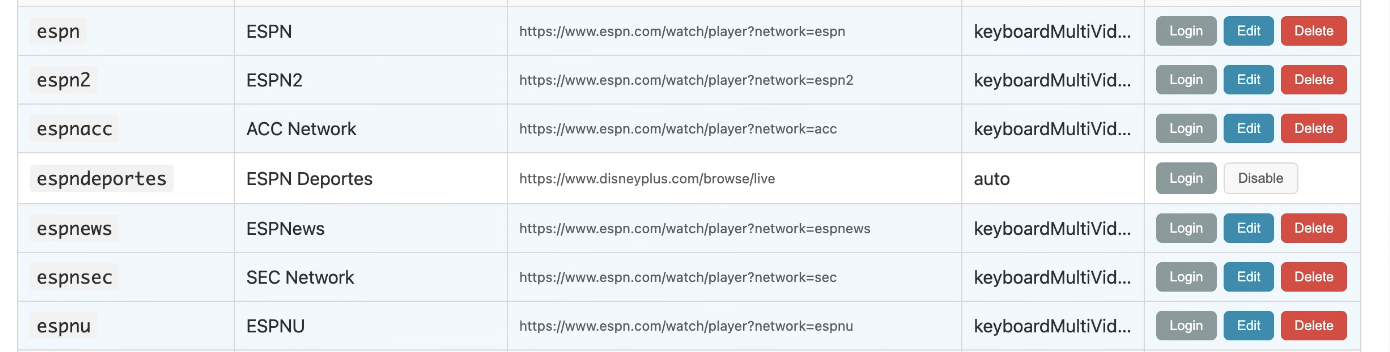
And when you tune into ESPN on the Channels app it should use the new url to login correctly.
I've already done all that. It just doesn't respond to the new URL. It always tries to pull up the Disney+ one on my server. I've disabled all channels except for one newly created ESPN one.
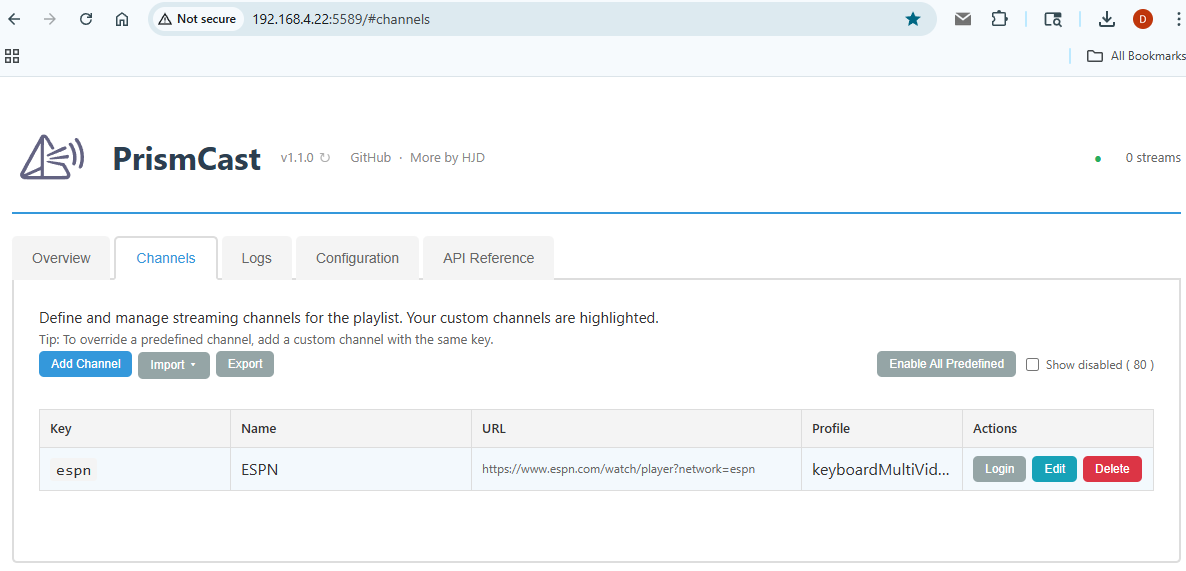
And when I hit "Login", it still opens this site:

You can't use the login button with a URL override. Go to the Chrome PrismCast is controlling, open a new tab and login there.
Ah, ok. Still doesn't work, but at least I'll stop trying to hit that button.
I have logged into the ESPN site in chrome on my server and I can play the video directly there. But when I try the ESPN channel in ChannelsDVR, it just opens an "about:blank" page on the server, and then the channel times out. This is the error I'm getting: [ERROR] [espn-jwlzxs] Stream setup failed for https://www.espn.com/watch/player?network=espn: Stream initialization timed out.
2 Likes
Figured it out after some trial and error, thanks. Sling channels come in nicely.
Just got this setup. For what I need, it's excellent so far. May thanks for setting this up!
I'm looking to set up a new channel using my MGM+ account. Admittedly, I'm a complete novice at this, so forgive me. I'm stuck on what/how to enter in the first (Channel Key) box:
Add New Channel
Channel Key
(e.g., my-channel
Lowercase letters, numbers, and hyphens only. Used in the URL: /stream/channel-key)
I tried several iterations of (what I think) the example shows, but can't seem to get past that first part. Is there an example of how it should read/look that I could use for MGM+?